
1. Киришүү
This user manual provides comprehensive instructions for the setup, operation, and maintenance of your KTC H27T27 27-inch QHD IPS Monitor. Please read this manual thoroughly before using the product to ensure proper functionality and to prevent damage.
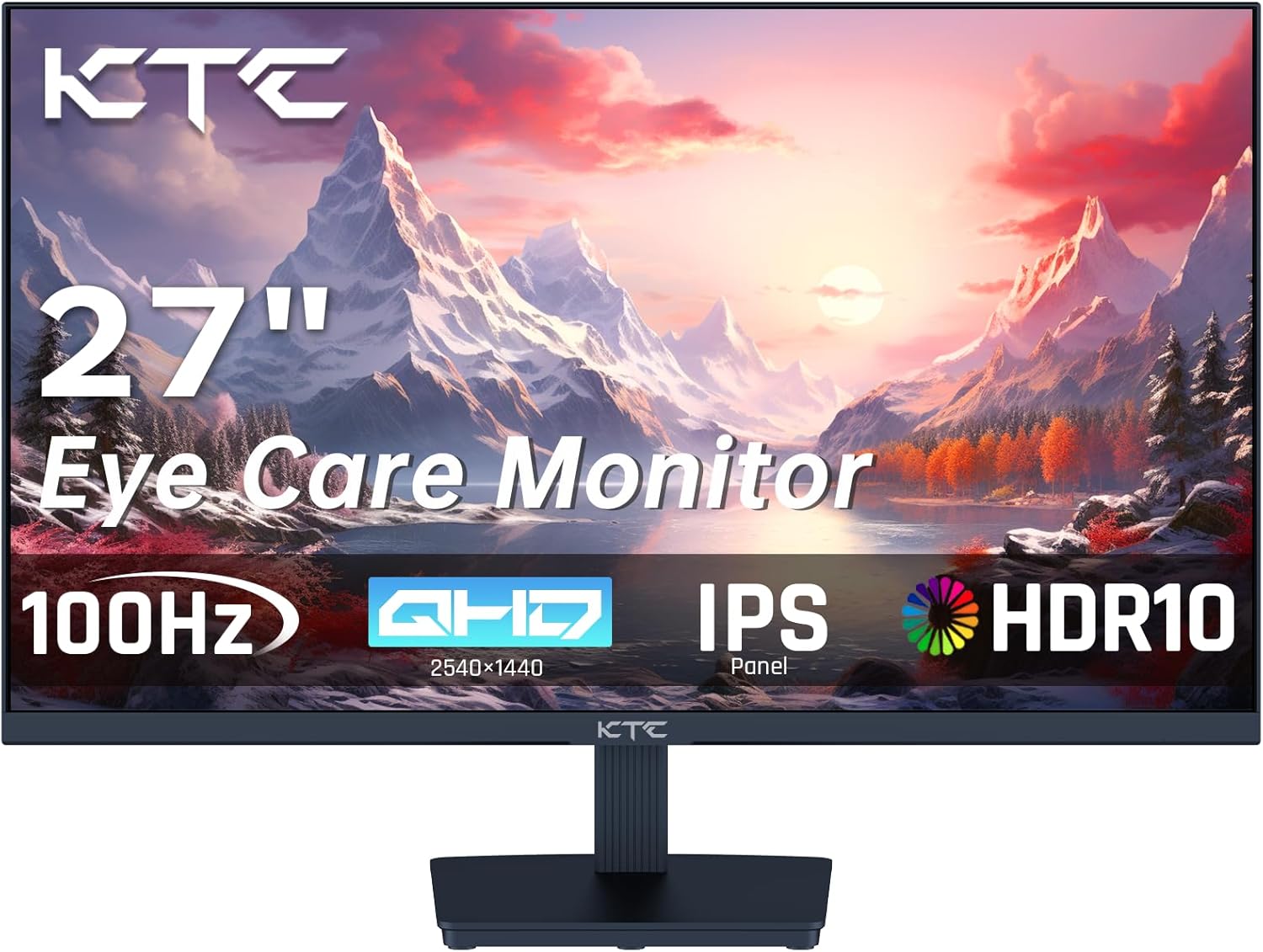
Сүрөт: алдыңкы view of the KTC H27T27 monitor, highlighting its 27-inch display, QHD resolution, 100Hz refresh rate, IPS panel, and HDR10 support.
2. Коопсуздук маалыматы
- Кокусунан кулап түшпөө үчүн мониторду туруктуу, тегиз жерге коюңуз.
- Электр шокунан сактануу үчүн мониторду жамгырга же нымдуулукка дуушар кылбаңыз.
- Мониторду күн нурунан жана жылуулук булактарынан алыс кармаңыз.
- Монитор менен кошо берилген кубат адаптерин гана колдонуңуз.
- Желдетүүчү тешиктерди жаппаңыз.
- Тазалоодон мурун мониторду розеткадан сууруп алыңыз.
3. Пакеттин мазмуну
Пакетте бардык буюмдар бар экенин текшериңиз:
- Монитор x 1
- Стенд x 1
- Жогорку сапаттуу Cable X 1
- Кубат адаптери x 1
- Кубат кабели x 1
- X 1 бурагыч

Image: Visual representation of the KTC H27T27 monitor and its included accessories, such as the stand, HDMI cable, power adapter, power cable, and screwdriver.
4. Орнотуу
4.1. Стендди чогултуу
- Мониторду жана стенд компоненттерин таңгактан этияттык менен алып салыңыз.
- Attach the stand base to the stand neck using the provided screws and screwdriver.
- Align the assembled stand with the mounting holes on the back of the monitor and secure it firmly.
4.2. VESA дубалга орнотулган жабдууну орнотуу (милдеттүү эмес)
The monitor supports VESA 100x100mm mounting. If using a VESA mount (not included), remove the stand and attach the monitor to the VESA compatible bracket.

Image: Illustration demonstrating the VESA 100x100mm mounting pattern on the back of the KTC H27T27 monitor, suitable for wall or arm mounting.
4.3. Туташтыруучу кабельдер
- Кубат туташуу: Connect the power cable to the power adapter, then to the monitor's DC input, and finally to a power outlet.
- Видео туташуу:
- Connect one end of the HDMI cable to your computer's HDMI output and the other end to an HDMI port on the monitor.
- Alternatively, connect a DisplayPort cable from your computer to the DisplayPort on the monitor for optimal performance.
- Аудио туташуу (кошумча): Connect headphones or external speakers to the earphone jack on the monitor.

Сүрөт: Арткы view of the KTC H27T27 monitor displaying its connectivity options, including DC power input, two HDMI 1.2 ports, one DisplayPort 1.4, and an earphone jack.
5. Мониторду иштетүү
5.1. Күйгүзүү/өчүрүү
Аны күйгүзүү же өчүрүү үчүн монитордо жайгашкан кубат баскычын басыңыз. Монитор күйүп турганда кубат индикаторунун жарыгы күйөт.
5.2. OSD Menu Navigation
Use the control buttons on the monitor (usually located on the back or bottom right) to access and navigate the On-Screen Display (OSD) menu. The OSD allows you to adjust various settings.
5.3. Сүрөт орнотуулары
- Жарыктык жана контраст: Adjust these settings to optimize the overall luminance and distinction between light and dark areas.
- Түс жөндөөлөрү: Modify color temperature, hue, and saturation to achieve desired color accuracy. The monitor features 99% sRGB color gamut.
- HDR10: Enable HDR10 mode for enhanced brightness and contrast with compatible content.

Image: A visual demonstrating the monitor's impressive color reproduction (123% sRGB Color Gamut), high contrast ratio (1300:1), and brightness (300 cd/m²).
5.4. Refresh Rate & Adaptive Sync
The KTC H27T27 monitor supports a 100Hz refresh rate for smoother visuals. Enable Adaptive-Sync (FreeSync/G-Sync compatible) in the OSD menu and on your graphics card settings to eliminate screen tearing and stuttering during gaming or fast-paced content.

Image: A side-by-side comparison illustrating the visual difference between a 60Hz and 100Hz refresh rate, showcasing the smoother motion provided by 100Hz on the KTC H27T27 monitor.

Image: A visual comparison showing the effect of Adaptive-Sync (FreeSync/G-Sync compatible) being ON versus OFF, highlighting how it eliminates screen tearing for a smoother gaming experience on the KTC H27T27 monitor.
5.5. Көзгө кам көрүүнүн өзгөчөлүктөрү
The monitor includes features designed to reduce eye strain:
- Төмөн көк жарык режими: Reduces harmful blue light emissions, which can help prevent eye fatigue during prolonged use.
- Flicker-Free технологиясы: Экрандын жымыңдашын жок кылып, ыңгайлуулукту камсыз кылат viewтажрыйбасы.

Image: A depiction of the KTC H27T27 monitor's eye care features, including low blue light emission and flicker-free technology, designed to enhance visual comfort and reduce eye strain.
6. Техникалык тейлөө
- Экранды тазалоо: Бир аз жумшак, түксүз кездемени колдонуңуз dampсуу же абразивдүү эмес экран тазалагыч менен иштетиңиз. Суюктукту экранга түз чачпаңыз.
- Тазалоо Casing: Мониторду сүртүңүз casinжумшак, кургак чүпүрөк менен сүртүңүз. Катуу химиялык заттарды же абразивдүү материалдарды колдонуудан алыс болуңуз.
- Сактагыч: If storing the monitor for an extended period, unplug it and store it in a cool, dry place, preferably in its original packaging.
7. Кыйынчылыктарды
| Көйгөй | Мүмкүн себеп | Чечим |
|---|---|---|
| Экранда сүрөт жок | Power cable disconnected; Video cable disconnected or loose; Incorrect input source selected. | Check power connections; Ensure video cable is securely connected; Select correct input source via OSD menu. |
| Сүрөт бүдөмүк же бурмаланган | Incorrect resolution; Graphics card driver issue; Cable quality. | Set display resolution to 2560x1440; Update graphics drivers; Try a different video cable. |
| Экрандын бүлбүлдөөсү | Refresh rate mismatch; Cable issue; External interference. | Ensure refresh rate is set to 100Hz; Check video cable; Move monitor away from other electronic devices. |
| No sound from earphone jack | Үн өтө төмөн; Компьютерде туура эмес аудио чыгаруу тандалды. | Increase monitor volume; Select the monitor as the audio output device in your computer's sound settings. |
8. Техникалык шарттар
| Өзгөчөлүк | Деталь |
|---|---|
| Модел | H27T27 |
| Screen Size | 27 дюйм |
| Панел түрү | IPS |
| Резолюция | 2560 x 1440 (QHD) |
| Жаңыртуу ылдамдыгы | 100 Гц |
| Жооп убактысы | 1 мс |
| Аспект катышы | 16:9 |
| Жарыктык | 300 кд/м² |
| Контраст катышы | 1000:1+ |
| Түс гаммасы | 99% sRGB |
| HDR колдоо | HDR10 |
| Adaptive Sync | Yes (FreeSync/G-Sync compatible) |
| Байланыш | 2x HDMI 1.2, 1x DisplayPort 1.4, 1x Earphone Jack |
| VESA тоосу | 100 x 100 мм |
| Өлчөмдөрү (стенд менен) | 19.1 x 45.03 x 61.6 см |

Image: The energy efficiency label for the KTC H27T27 monitor, showing its energy class F and power consumption details.
9. Кепилдик жана колдоо
KTC monitors typically come with a standard manufacturer's warranty. Please refer to the warranty card included in your product packaging or visit the official KTC webдеталдуу кепилдик шарттары жана шарттары үчүн сайт.
For technical support, troubleshooting assistance, or warranty claims, please contact KTC customer service through their official channels. Keep your purchase receipt and product serial number handy when contacting support.
KTC Official Webсайт: www.ktc.com (Эскертүү: Бул толтургуч URL, refer to your product documentation for the exact support webсайт.)