
Introduction
This manual provides comprehensive instructions for the LogiLink ID0212 Wireless 28-Key Bluetooth 5.0 Scissor Mechanism Keyboard. It covers setup, operation, maintenance, and troubleshooting to ensure optimal performance and user experience. Please read this manual thoroughly before using the device.
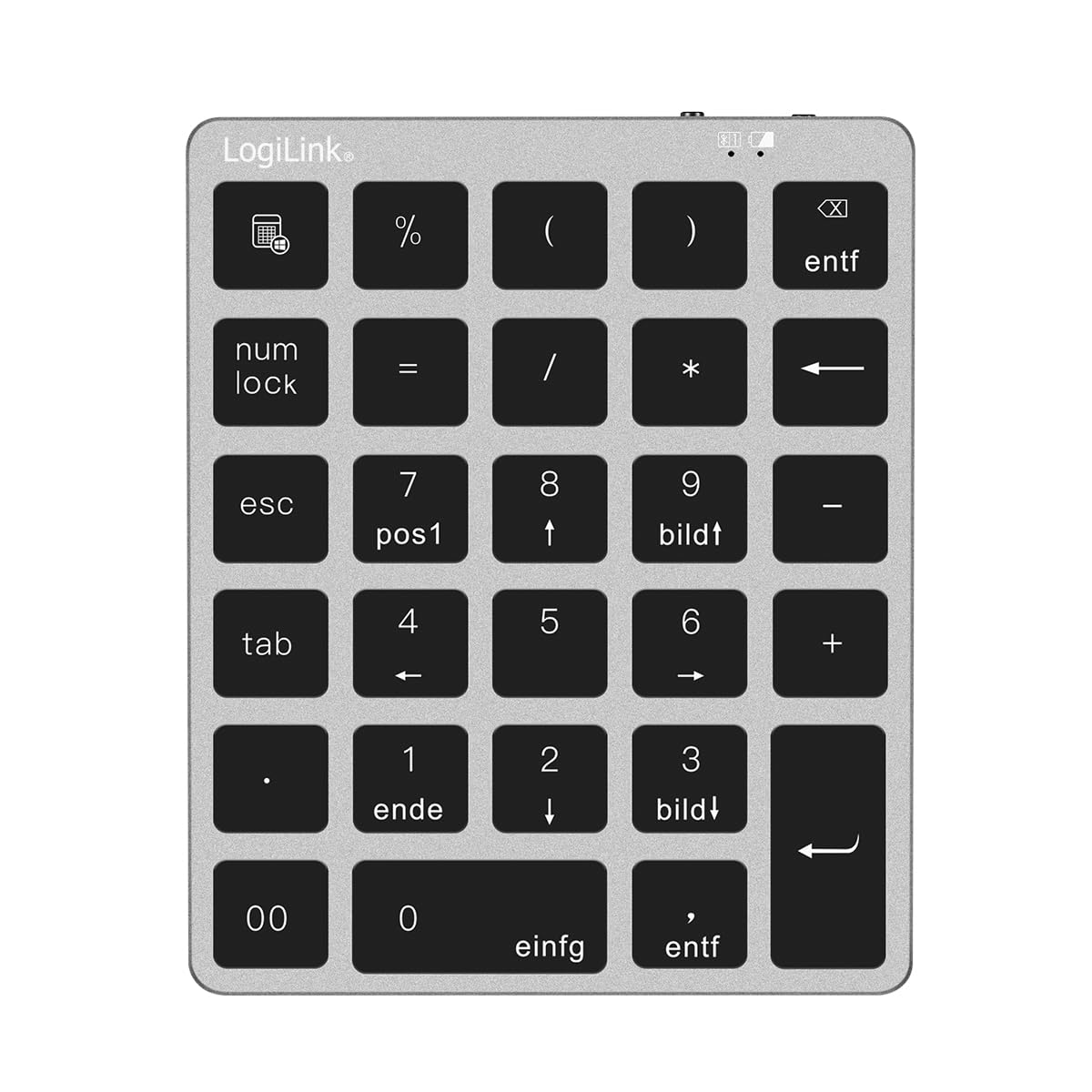
Figure 1: LogiLink ID0212 Wireless 28-Key Bluetooth 5.0 Scissor Mechanism Keyboard. This image shows the overall design of the numeric keypad.
Пакеттин мазмуну
Пакетте бардык буюмдар бар экенин текшериңиз:
- LogiLink ID0212 Wireless 28-Key Bluetooth 5.0 Keyboard
- USB-C заряддоо кабели
- Колдонуучунун Колдонмосу (бул документ)
Жайгашуу
1. Баскычтопту заряддоо
Баштапкы колдонуудан мурун, клавиатураны толугу менен кубаттаңыз. Берилген USB-C кабелин клавиатуранын кубаттоо портуна, ал эми экинчи учун USB кубат булагына (мисалы, компьютердин USB портуна, USB дубал адаптерине) туташтырыңыз.
- The LED indicator will show кызыл заряддоо учурунда.
- The LED indicator will turn off or change color (depending on model) when fully charged.
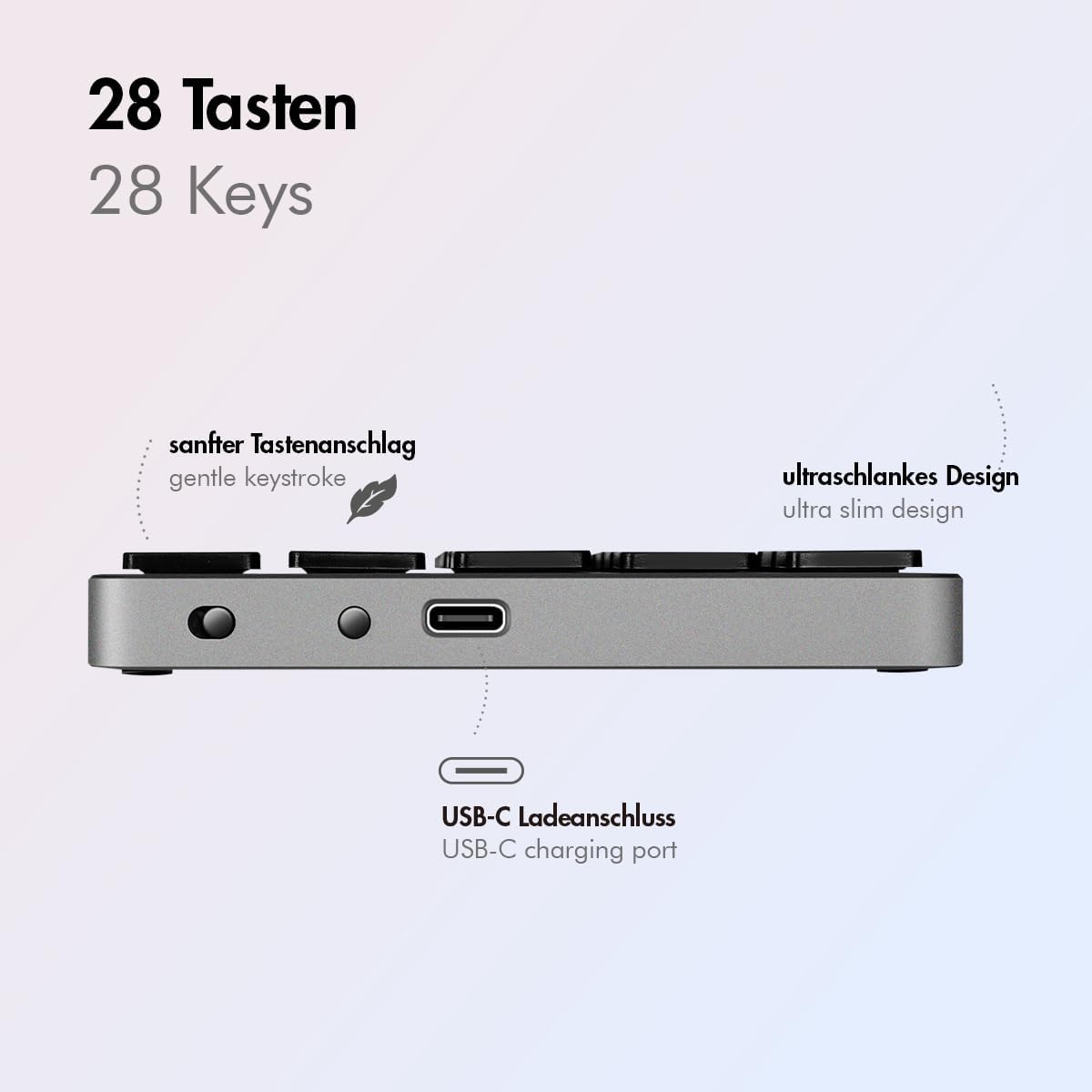
2-сүрөт: Каптал view of the LogiLink ID0212 keyboard showing the USB-C charging port. This image highlights the location of the charging port and the ultra-slim design.

3-сүрөт: Детальдуу view of the LogiLink ID0212 keyboard's side profile, indicating the USB-C charging port, gentle keystroke mechanism, and ultra-slim design.
2. Bluetooth Жупташтыруу
Follow these steps to connect your LogiLink ID0212 keyboard via Bluetooth 5.0:
- Баскычтоп кубатталып, күйгүзүлгөнүн текшериңиз.
- Activate Bluetooth on your device (computer, tablet, smartphone).
- Put the keyboard into pairing mode. Look for a small button on the back or side, or a key combination like Fn + C (common for Bluetooth keyboards). The LED indicator will flash көк when in pairing mode.
- Түзмөгүңүздө жеткиликтүү Bluetooth түзмөктөрүн издеңиз.
- Select "LogiLink ID0212" or a similar name from the list of found devices.
- If prompted, enter the pairing code displayed on your screen using the LogiLink ID0212 keyboard and press Кириңиз.
- Once paired, the blue LED indicator will stop flashing and remain solid for a few seconds, then turn off. The keyboard is now ready for use.
The keyboard supports a stable connection up to 10 meters (33 feet) and is compatible with iOS, Android, Windows, MacOS, Chrome OS, and iPadOS.
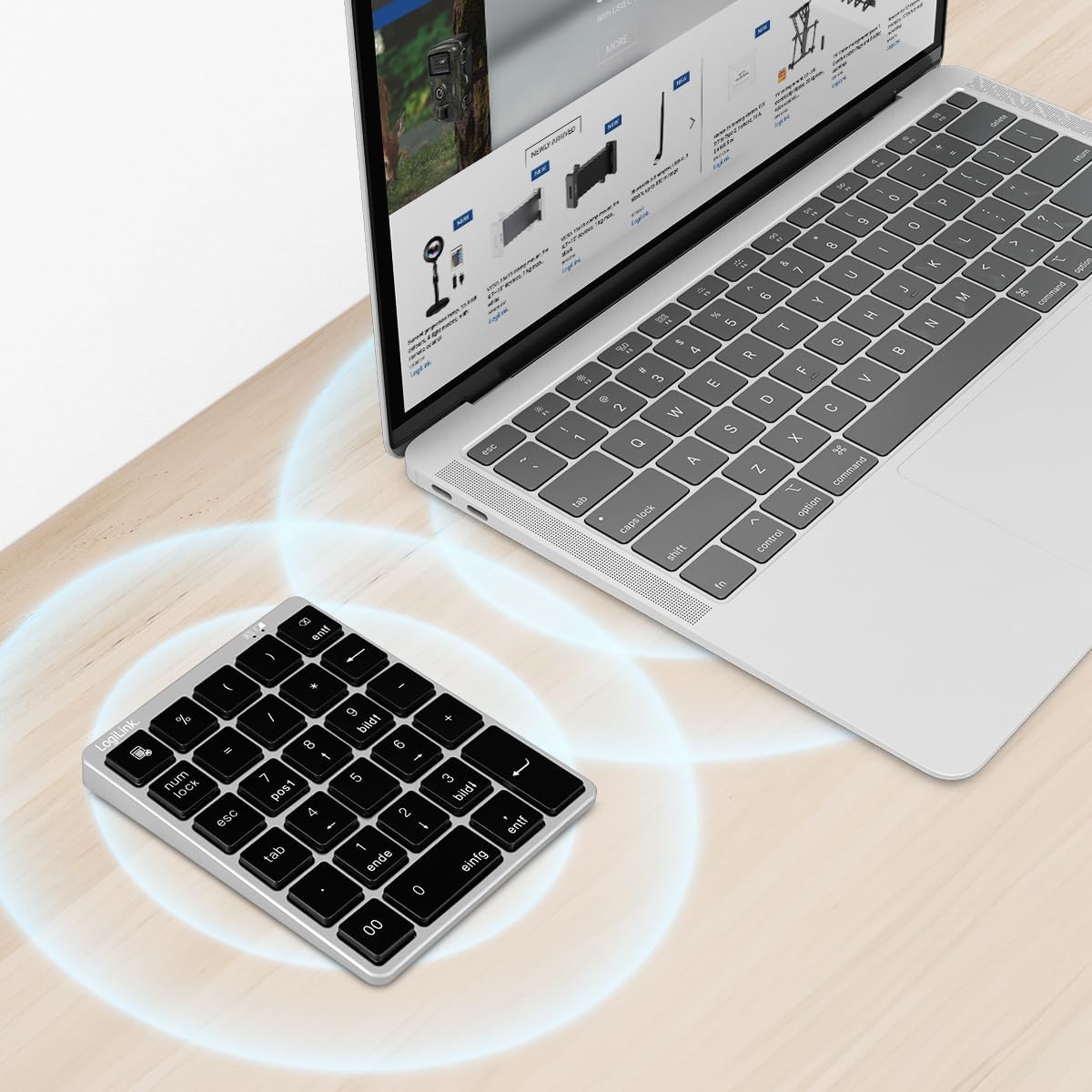
Figure 4: The LogiLink ID0212 keyboard positioned next to a laptop, illustrating its wireless connectivity. This image demonstrates the keyboard's use in a typical workspace setup.
Иштөө нускамалары
Негизги ачкыч функциялары
The LogiLink ID0212 features 28 keys designed for efficient data entry and calculations. Key functions include:
- Сандык баскычтар (0-9)Стандарттык сан киргизүү.
- Арифметикалык операторлор (+, -, *, /): Эсептөөлөр үчүн.
- Ондук чекит (.): For fractional numbers.
- NumLock: Toggles the numeric keypad function. When NumLock is active, the green LED indicator will be on.
- ESC: Escape key, typically used to cancel operations or close menus.
- Delete (DEL): Deletes characters.
- Калькулятор баскычы: Launches the calculator application on compatible operating systems.
- Таб: Moves the cursor to the next tab stop or field.
- Home/End/PgUp/PgDn: These keys (often labeled as 'pos1', 'ende', 'bildt', 'bildl' or similar) provide navigation functions.
The scissor mechanism keys provide a gentle and quiet keystroke, enhancing typing comfort.

Figure 5: The LogiLink ID0212 keyboard in active use, demonstrating its compact layout and key functions alongside a laptop. This image provides a clear view of the keypad's design and key labels.
LED көрсөткүчтөрү
The keyboard features LED indicators to provide status information:
- Кызыл LED: Indicates the keyboard is charging.
- Көк LED: Flashes during Bluetooth pairing mode; solid when successfully paired (then turns off).
- Жашыл LED: Indicates that NumLock is active.
Техникалык тейлөө
Тазалоо
Клавиатуранын көрүнүшүн жана функционалдуулугун сактоо үчүн:
- Use a soft, dry, lint-free cloth to wipe the surface.
- өжөр кир үчүн, бир аз гampчүпүрөктү суу же жумшак тазалоо эритмеси менен жууп салыңыз. Ашыкча нымдуулуктан сактаныңыз.
- Do not use abrasive cleaners, solvents, or aerosol sprays directly on the keyboard.
Батареяга кам көрүү
The integrated 140 mAh lithium battery provides long-lasting power. To prolong battery life:
- Берилген USB-C кабелин колдонуп, баскычтопту кубаттаңыз.
- Батареяны бат-баттан толук кубаттап калуудан алыс болуңуз.
- Эгер клавиатураны узак убакытка сактасаңыз, аны болжол менен 50% кубаттап, салкын, кургак жерде сактаңыз.
Проблемаларды чечүү
Баскычтоп туташпай/жупташпай жатат
- Батарея деңгээлин текшерүү: Ensure the keyboard is sufficiently charged. Charge it if the red LED indicates low battery.
- Жупташтыруу режимин кайра киргизиңиз: Turn the keyboard off and on, then re-enter Bluetooth pairing mode (blue LED flashing).
- Device Bluetooth: Ensure Bluetooth is enabled on your computer/device and it's discoverable.
- Түзмөктү унут: On your device, remove or "forget" the keyboard from your Bluetooth device list, then attempt to pair again.
- Дистанция: Ensure the keyboard is within the 10-meter (33 feet) operating range of your device.
- Интерференция: Тоскоолдук жаратышы мүмкүн болгон башка зымсыз түзмөктөрдөн алыс туруңуз.
Ачкычтар жооп бербейт
- Байланыш: Verify the keyboard is still connected via Bluetooth (blue LED should not be flashing).
- NumLock: If numeric keys are not working as expected, check the green NumLock LED. Press the NumLock key to toggle its state.
- Түзмөктү кайра жүктөө: Sometimes, restarting your computer or device can resolve input issues.
- Шайкештик: While compatible with many OS, specific key functions might behave differently on certain systems (e.g., some special characters on macOS, as noted in reviewс).
Заряддоо маселелери
- Кабель текшерүү: Ensure the USB-C cable is securely connected to both the keyboard and the power source.
- Power Source: Try a different USB port or power adapter.
- Кызыл LED: Confirm the red LED illuminates when charging. If not, the cable or port might be faulty.
Техникалык шарттар
| Өзгөчөлүк | Деталь |
|---|---|
| Модель номери | ID0212 |
| Ачкычтар | 28 keys (NumLock, ESC, Delete, Calculator button) |
| Негизги механизм | Кайчы механизми |
| Байланыш | Bluetooth 5.0 |
| Иштөө диапазону | 10 метрге чейин (33 фут) |
| Батарея | 140 мАч литий батареясы |
| Заряддоо порту | USB-C |
| LED көрсөткүчтөрү | Red (Charging), Blue (Pairing/Connected), Green (NumLock) |
| Материал | Алюминий + ABS |
| Түс | Space Gray |
| Өлчөмдөрү (L x W x Y) | 12.1 x 10 x 1.3 см (4.76 x 3.94 x 0.51 дюйм) |
| Салмагы | 95 грамм (0.21 фунт) |
| Шайкештик | iOS, Android, Windows, MacOS, Chrome OS, iPadOS |
| Камтылган компоненттер | USB-C Cable |
| Келип чыккан өлкө | Кытай |
Кепилдик маалымат
Specific warranty details for the LogiLink ID0212 keyboard are typically provided at the point of purchase or included with the product packaging. Please refer to your purchase documentation or the official LogiLink webэң так жана заманбап кепилдик шарттары жана шарттары үчүн сайт.
Кардарларды колдоо
If you encounter issues not covered in this manual or require further assistance, please contact LogiLink customer support. You can usually find contact information, FAQs, and additional resources on the official LogiLink webсайт:
When contacting support, please have your product model number (ID0212) and purchase information ready.