
EMEET E3141
EMEET Piko 4K Webcam инструкциясы
Model: E3141 | Brand: EMEET
1. Киришүү
The EMEET Piko 4K Webcam is an advanced dual-camera AI-powered device designed for high-quality video streaming, conferencing, and content creation. It features a 4K main camera for ultra-clear visuals and an AI-assisted camera for rapid autofocus and precise face lighting, even in challenging low-light conditions. Equipped with a 3-microphone array and multiple sound modes, it ensures clear audio capture. This manual provides essential information for setting up, operating, and maintaining your EMEET Piko 4K Webкамера
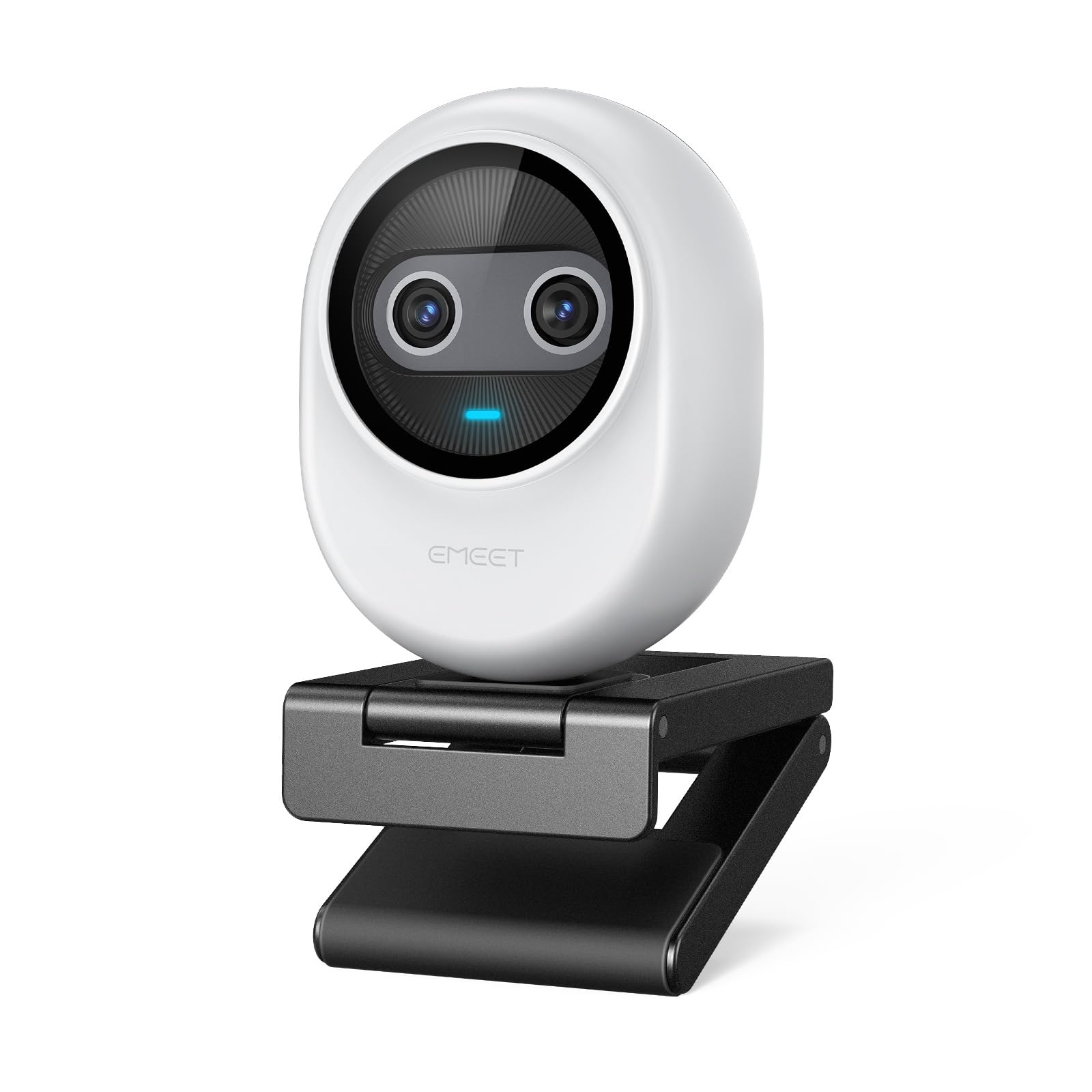
Figure 1: EMEET Piko 4K Webcam, White model.
2. Кутуда эмне бар
Пакетте бардык буюмдар бар экенин текшериңиз:
- EMEET Piko 4K Webcam
- USB CC кабели
- Webcam Clip
- Колдонуучунун Колдонмосу (бул документ)

Figure 2: EMEET Piko Webкамера жана ага тиркелген аксессуарлар.
3. Орнотуу
3.1 Тиркетүү Webcam Clip
- тегиздөө webcam with the clip's mounting point.
- акырын басыңыз webcam onto the clip until it securely snaps into place.
3.2 Орнотуу Webcam
- Монитордо/ноутбуктарда: кой webcam clip over the top edge of your monitor or laptop screen. Adjust the clip to ensure stability.
- Штативде: The webcam features a standard 1/4-inch screw thread at its base. Attach it to a compatible tripod (not included) for flexible positioning.

3-сүрөт: Webcam mounted on a monitor for professional calls.
3.3 Компьютериңизге туташуу
- Connect one end of the provided USB C-C cable to the USB-C port on the back of the EMEET Piko Webкамера
- Connect the other end of the USB C-C cable to an available USB-C port on your computer. If your computer only has USB-A ports, a USB-C to USB-A adapter (not included) may be required.
- The webcam is plug-and-play and should be automatically recognized by your Windows or macOS operating system.

Figure 4: USB-C connectivity and broad compatibility with various platforms.
4. Негизги өзгөчөлүктөрү
4.1 Dual-Camera AI-Powered Video
The EMEET Piko features a revolutionary dual-camera system:
- 4K Main Camera: Equipped with a 1/2.8'' sensor, it captures video in Ultra HD 4K resolution, providing exceptional detail and clarity.
- AI-Assisted Camera: This secondary camera enhances the main camera's performance by providing rapid autofocus and precise face lighting adjustments, ensuring you are always well-lit and in focus. It excels in low-light environments.

Figure 5: Explanation of the 4K Imaging Camera and AI-Assisted Camera.
4.2 3 Mics Array & 3 Sound Modes
Experience clear audio with the integrated 3-microphone array and selectable sound modes:
- Ызы-чууну жокко чыгаруу режими: Combines gain control with steady and sudden noise blocking, ideal for busy environments.
- Түпнуска үн режими: Captures authentic sounds and preserves ambient audio, recommended for quiet spaces.
- Жандуу режим: Adjusts gain and reduces background noise like air conditioning, ensuring clear audio for live streaming.

Figure 6: Visual representation of the 3-microphone array and sound mode selection.
4.3 Дизайн жана көчүрүү
The EMEET Piko features a rounded, sleek design with fine matte textured materials. Its compact size makes it highly portable, smaller and lighter than a typical smartphone.

Figure 7: The sleek and compact design of the EMEET Piko Webкамера
4.4 Кең шайкештик
The webcam is compatible with Windows and MacOS operating systems and integrates seamlessly with popular platforms such as OBS, Twitch, YouTube, Xsplit, and ManyCam.
5. Иштөө нускамалары
5.1 Негизги колдонуу
Once connected, the EMEET Piko Webcam will function as a standard webcam. Select it as your preferred camera and microphone input in your video conferencing or streaming application.
5.2 EMEET Studio Software
For advanced control and customization, download and install the EMEET Studio software from the official EMEET webсайт. Бул программа сизге мүмкүнчүлүк берет:
- Adjust video settings (brightness, contrast, sharpness, saturation, tone).
- Select different sound modes (Noise Canceling, Original Sound, Live Mode).
- Control AI features like autofocus and face tracking.
- Switch between landscape and portrait mode (requires compatible tripod).
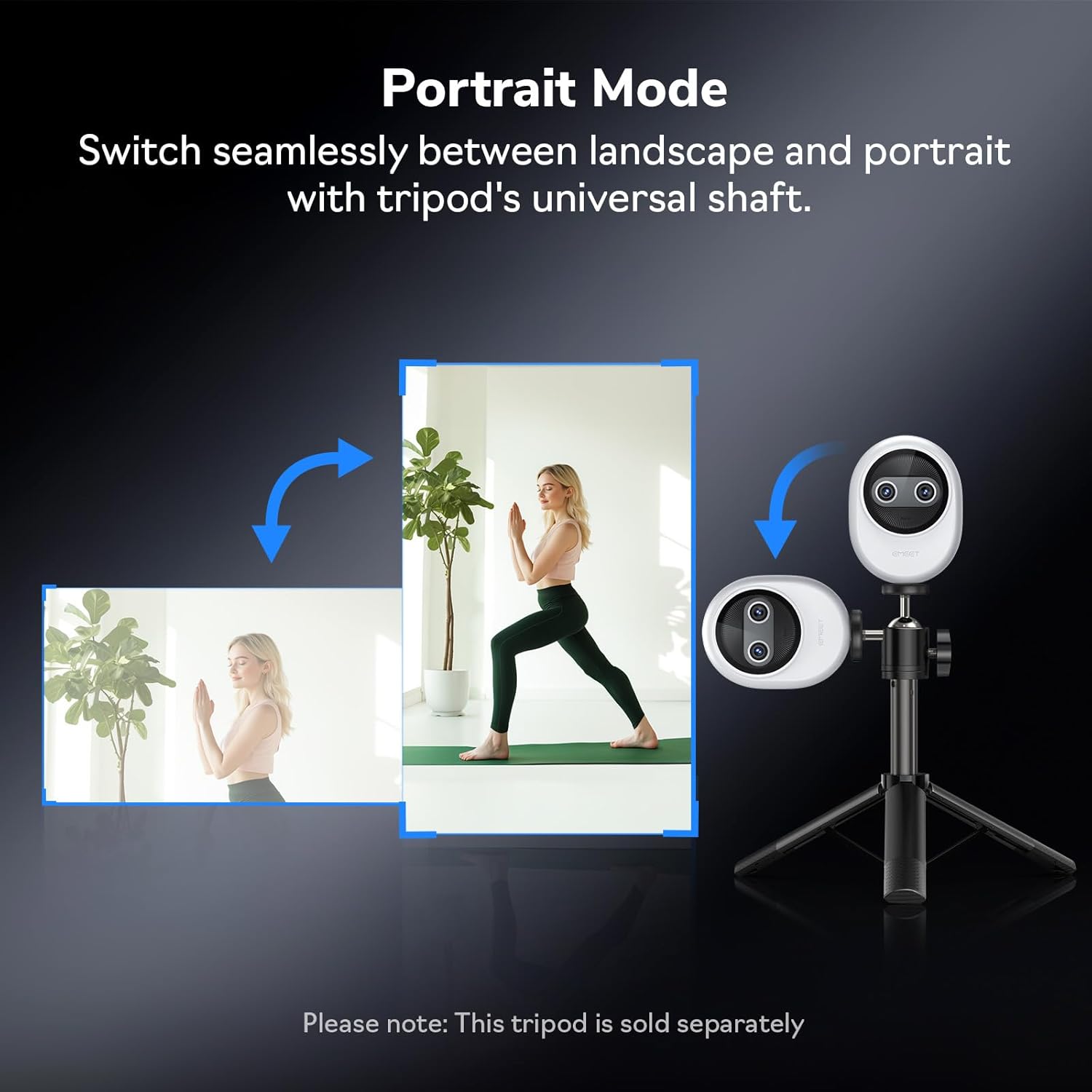
8-сүрөт: Webcam demonstrating seamless switching to portrait mode.
5.3 Optional Remote Control
An optional remote control (ASIN: B0FP281Z19) is available for wireless control of the webcam's functions, offering convenience during presentations or streaming sessions.

Figure 9: Optional remote control for the EMEET Piko Webкамера
6. Техникалык тейлөө
- Тазалоо: Тазалоо үчүн жумшак, кургак чүпүрөктү колдонуңуз webcam lens and body. Avoid abrasive cleaners or solvents.
- Сактагыч: Колдонулбаган учурда, дүкөндү сактаңыз webcam in a cool, dry place. Consider using a privacy cover (optional accessory) to protect the lens.
- Программалык камсыздоонун жаңыртуулары: Regularly check the EMEET webоптималдуу иштешин жана жаңы функцияларга жетүүнү камсыз кылуу үчүн микропрограммаларды жаңыртуу үчүн сайт.

Figure 10: Optional magnetic privacy cover for lens protection.
7. Кыйынчылыктарды
- Видео/аудио жок:
- USB кабели экөөнө тең бекем туташтырылганын текшериңиз webкамера жана компьютериңиз.
- Компьютериңиздеги башка USB портун колдонуп көрүңүз.
- экендигин текшериңиз webcam is selected as the primary video and audio device in your application settings.
- Компьютериңизди өчүрүп күйгүзүңүз.
- Видеонун сапаты начар:
- Ensure adequate lighting in your environment. The AI-assisted camera performs best with some ambient light.
- тазалаңыз webкамера линзасын жумшак чүпүрөк менен сүртүңүз.
- Check your application settings to ensure the correct resolution (e.g., 4K) is selected.
- Жаңыртуу webcam drivers or EMEET Studio software to the latest version.
- Автофокус маселелери:
- Линзанын алдында эч кандай тоскоолдуктар жок экенин текшериңиз.
- In EMEET Studio, verify that AI autofocus is enabled.
- Avoid rapid, excessive movement directly in front of the camera if focus hunting occurs.
8. Техникалык шарттар
| Өзгөчөлүк | Деталь |
|---|---|
| Бренд | EMEET |
| Модель номери | E3141 |
| Элемент Салмагы | 1.44 унция |
| Продукциянын өлчөмдөрү | 2.2 x 1.7 x 0.87 дюйм |
| Түс | Ак |
| Фото сенсор технологиясы | CMOS |
| Видео тартуунун резолюциясы | 4K |
| Видео тартуу форматы | YUY2 / MJPEG |
| Колдоого алынган аудио формат | AAC, MP3 |
| Байланыш технологиясы | USB |
| Өзгөчөлүктөр | 1/2.8'' Sensor, 3 Mic Array & 3 Sound Modes, Instant AI Autofocus & Adaptive Face Lighting, USB Webcam with Clip, World's 1st Dual-Camera AI-Powered 4K Webcam |
9. Кепилдик жана колдоо
EMEET products are designed for reliability and performance. For warranty information, technical support, or to register your product, please visit the official EMEET webсайтка же кардарларды тейлөөгө кайрылыңыз. Кепилдик дооматтар үчүн сатып алуу дүмүрчөгүңүздү сактаңыз.
10. Продукт бүтүп калдыview Video
Video 1: Official EMEET Piko 4K Webcam Overview. This video highlights the key features and design of the webкамера
Ask a question about this manual
Ask about setup, troubleshooting, compatibility, parts, safety, or missing instructions. Manuals+ will review the question and use this page’s manual context to help answer it.