
1. Киришүү
Thank you for choosing the YUEHISY Digital Camera. This compact and versatile camera is designed for ease of use, offering 4K video recording and 48MP image resolution. It features an 8X digital zoom, a 2.7-inch screen, and a built-in fill light, making it suitable for various photography and videography needs. This manual provides detailed instructions to help you get started and make the most of your new camera.

Image 1.1: The YUEHISY Digital Camera, capable of 48MP images and 4K video.
2. Продукт бүтүп калдыview
2.1 Пакеттин мазмуну
Пакетиңизде бардык буюмдар бар экенин текшериңиз:
- YUEHISY Digital Camera
- USB кабели
- Hand Rope (Wrist Strap)
- User Manual

Image 2.1: Included accessories: camera, USB cable, and hand rope.
2.2 Камеранын компоненттери
Камеранын баскычтары жана порттору менен таанышып алыңыз:
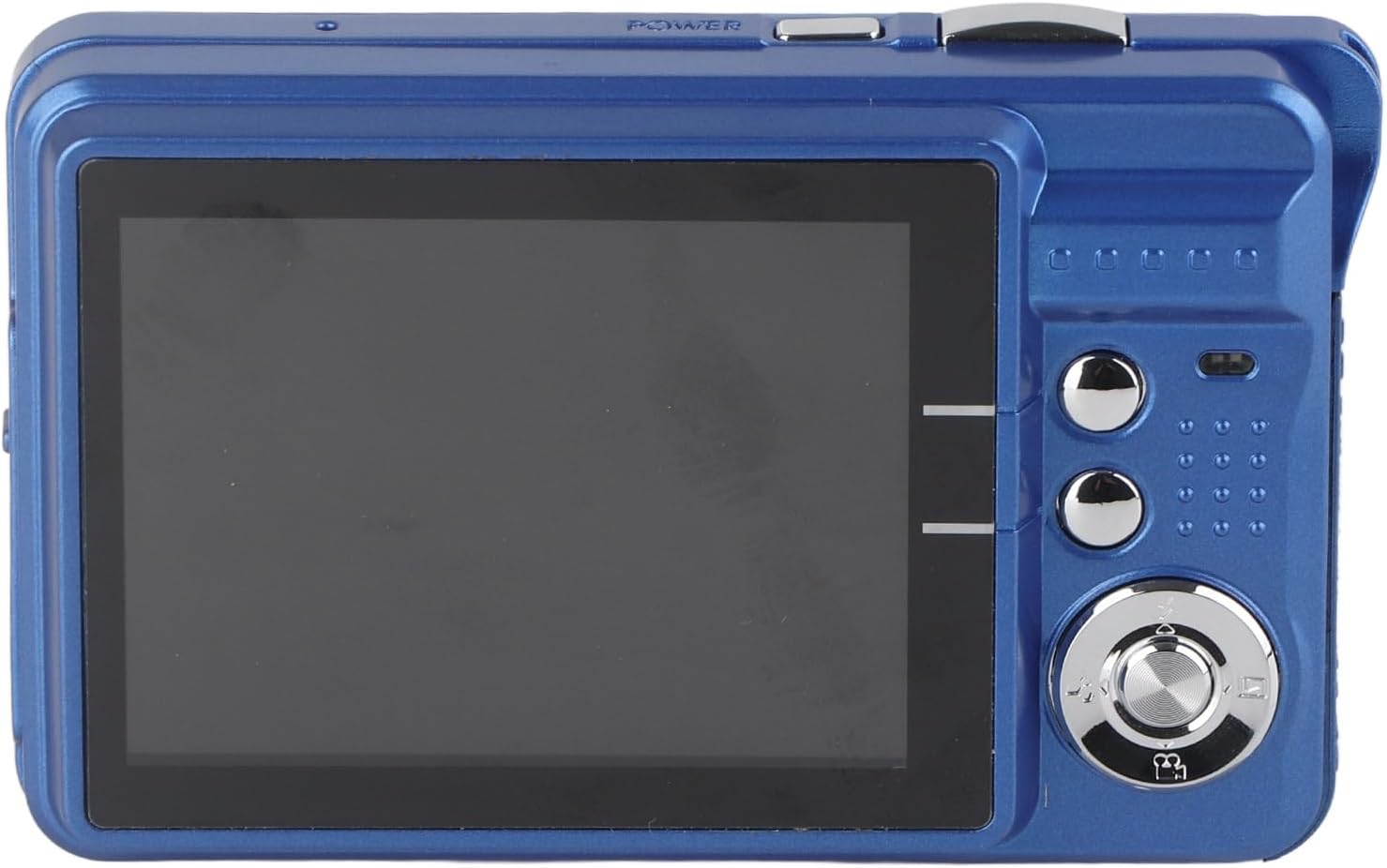
Сүрөт 2.2: Арткы view of the camera, displaying the 2.7-inch screen and control buttons.
- Кубат баскычы: Камераны күйгүзөт/өчүрөт.
- Жабык баскычы: Сүрөткө тартат же видео жазууну баштайт/токтот.
- Чоңойтуу баскычтары: 8X санариптик масштабды башкарат.
- 2.7 дюймдук TFT экран: Түз эфирдеги көрсөтүүлөр view, менюлар жана ойнотуу.
- Меню баскычы: Камера жөндөөлөрүнө жетет.
- Режим баскычы: Сүрөт, видео жана ойнотуу режимдери ортосунда которулат.
- Чабыттоо баскычтары: Used for menu navigation and selecting options.
- Жарык толтуруу: Provides additional illumination in low-light conditions.
- USB порт: Заряддоо жана маалыматтарды өткөрүү үчүн.
- Эстутум картасынын слоту: For inserting a MicroSD card (up to 128GB, not included).
3. Орнотуу
3.1 Батареяны заряддоо
The camera is equipped with a rechargeable lithium-ion battery. Before first use, fully charge the battery.
- Connect the camera to a USB power adapter (not included) or a computer using the provided USB cable.
- Заряддоо индикаторунун жарыгы күйөт.
- Толук заряддалгандан кийин индикатордун жарыгы өзгөрөт же өчөт.

Image 3.1: The camera features a fill light and is rechargeable via USB.
3.2 Эстутум картасын салуу
A MicroSD card (not included) is required to store photos and videos. The camera supports cards up to 128GB.
- Камеранын капталындагы эстутум картасынын уячасын табыңыз.
- Insert the MicroSD card with the metal contacts facing down, until it clicks into place.
- Алып салуу үчүн, картаны чыкылдаган үн чыкканча акырын түртүп, андан кийин чыгаруу үчүн коё бериңиз.
4. Иштөө нускамалары
4.1 Күйгүзүү/өчүрүү
басып, кармап туруңуз Кубат баскычы to turn the camera on or off.
4.2 Сүрөт тартуу
- Turn on the camera. It will typically start in photo mode. If not, press the Режим баскычы фото режимине өтүү үчүн.
- Frame your shot using the 2.7-inch screen.
- колдонуу Zoom баскычтары to adjust the 8X digital zoom if needed.
- басыңыз Жабык баскычы halfway down to focus, then press it fully to take the picture.

Image 4.1: The 2.7-inch screen allows for immediate viewсүрөттөрдү жана видеолорду тартуу.
4.3 Видеолорду жаздыруу
- басыңыз Режим баскычы to switch to video recording mode.
- басыңыз Жабык баскычы to start recording. A recording indicator will appear on the screen.
- басыңыз Жабык баскычы жазууну токтотуу үчүн дагы.
4.4 Using the Fill Light
The built-in fill light can be activated in low-light conditions.
- Access the camera's menu or a dedicated button (if available) to turn the fill light on or off.
- Adjust as needed for optimal lighting in your photos or videos.
4.5 Ойнотуу режими
үчүн view тарткан сүрөттөрүңүз жана видеолоруңуз:
- басыңыз Режим баскычы ойнотуу режимине өтүү үчүн.
- колдонуу Чабыттоо баскычтары to scroll through your media.
- басыңыз Жабык баскычы or a dedicated playback button to view сүрөт же видео ойнотуңуз.
4.6 Өткөрүп берүү Fileс компьютерге
You can easily transfer your photos and videos to a computer:
- Камераны компьютериңизге берилген USB кабели аркылуу туташтырыңыз.
- The camera should appear as a removable disk or device on your computer.
- Open the camera's folder to access and copy your files.
5. Техникалык тейлөө
5.1 Камераны тазалоо
- Камеранын корпусун тазалоо үчүн жумшак, кургак чүпүрөктү колдонуңуз.
- Линзаны жана экранды чийип калбаш үчүн атайын линзаны тазалоочу чүпүрөктү жана эритмени колдонуңуз.
- Катуу химиялык заттарды же абразивдүү материалдарды колдонбоңуз.
5.2 Сактоо
- Камераны салкын, кургак жерде күндүн тике тийген нурунан жана экстремалдык температурадан алыс сактаңыз.
- Узак мөөнөткө сактасаңыз, батарейканы алып салыңыз.
6. Кыйынчылыктарды
| Көйгөй | Мүмкүн себеп | Чечим |
|---|---|---|
| Камера күйбөйт. | Батарея аз же түгөнүп калган. | Батарейканы толугу менен кубаттаңыз. |
| Сүрөткө/видео тартууга болбойт. | No memory card inserted or card is full. | Эстутум картасын салыңыз же керексизин өчүрүңүз files. |
| Сүрөттөр бүдөмүк. | Camera shake or incorrect focus. | Hold the camera steady, press the shutter button halfway to focus before fully pressing. |
| Толтуруучу жарык иштебей жатат. | Fill light is turned off in settings. | Check camera settings to ensure fill light is enabled. |
| Компьютер камераны тааныбайт. | Туура эмес USB кабели же драйвер маселеси. | Try a different USB port or cable. Ensure camera is on. |
7. Техникалык шарттар
- Сүрөттүн чечилиши: 48 МП чейин
- Видеонун чечилиши: 4K чейин
- Чоңойтуу: 8X Digital Zoom
- Экран: 2.7 дюймдук TFT дисплей
- Сактагыч: Supports MicroSD card up to 128GB (not included)
- Батарея: Заряддалуучу литий-ион
- Байланыш: USB
- Өзгөчөлүктөр: Built-in Fill Light, Self-timer, Continuous Shooting, Anti-shake
- Элемент Салмагы: 5.4 унция
- Пакеттин өлчөмдөрү: 5.12 x 4.33 x 1.57 дюйм
- Модель номери: YUEHISY08pavfkg6c-13
8. Кепилдик жана колдоо
8.1 Кепилдик маалыматы
Your YUEHISY Digital Camera is covered by a standard manufacturer's warranty against defects in materials and workmanship. Please refer to the warranty card included in your package for specific terms and conditions, including the warranty period and coverage details. Keep your proof of purchase for warranty claims.
8.2 Кардарларды колдоо
For technical assistance, troubleshooting, or any questions regarding your YUEHISY Digital Camera, please contact our customer support team. Contact information can typically be found on the product packaging or the official YUEHISY webсайт.