
INEAUTO AX1801
INEAUTO AX1800 Outdoor WiFi 6 Extender Instruction Manual
Модели: AX1801
Продукт бүттүview
The INEAUTO AX1800 Outdoor WiFi 6 Extender is a high-performance device designed to extend your wireless network coverage to large outdoor areas. Featuring the latest WiFi 6 technology, it offers ultra-fast speeds, enhanced capacity, and reduced latency for all your connected devices. Its robust IP67 weatherproof housing ensures reliable operation in various outdoor conditions, including rain, snow, and extreme temperatures. With flexible Passive PoE installation, it can be powered and connected via a single Ethernet cable, making it ideal for hard-to-reach outdoor locations.

The INEAUTO AX1800 Outdoor WiFi 6 Extender provides robust outdoor connectivity.
Кутуда эмне бар
Пакетте бардык буюмдар бар экенин текшериңиз:
- 1x AX1800 WiFi 6 Extender
- 1x Power адаптер
- 1x Ethernet кабели
- 4x кабелдик байланыштар
- Mounting Hardware (screws, metal clamp)
- Ыкчам колдонуучу колдонмо

All components included in the product packaging.
Негизги өзгөчөлүктөрү
- Ultra-Fast WiFi 6 Technology: Dual-band support (5GHz/1201Mbps & 2.4GHz/574Mbps) for smooth HD streaming, gaming, and browsing.
- Аба ырайынын туруктуулугу: IP67 waterproof housing and lightning protection for reliable performance in harsh outdoor conditions.
- Powerful Coverage: Equipped with 6 high-gain 8dBi antennas and dual PA/LNA amplifiers for extended signal coverage up to 300m.
- Flexible Passive PoE Installation: Powered and connected via a single Ethernet cable, allowing installation in any outdoor location.
- Ар тараптуу режимдер: Supports AP, router, and repeater modes to adapt to various network scenarios.
- Өркүндөтүлгөн коопсуздук: WPA/WPA3 and WPA-PSK/WPA3-PSK protocols maximize network security.
- Эң кыйынчылыксыз орнотуу: Simple and intuitive setup process with compatibility across over 99% of market routers.

Бүттүview of the AX1800's advanced features and capabilities.
Орнотуу колдонмосу
1. Powering the Extender
Connect the provided Ethernet cable from the PoE port on the power adapter to the PoE port on the extender. Plug the power adapter into a power outlet. The LED indicator on the extender should turn solid once powered on. Note that the PoE converter is not waterproof and must be installed indoors or in a protected outdoor area.
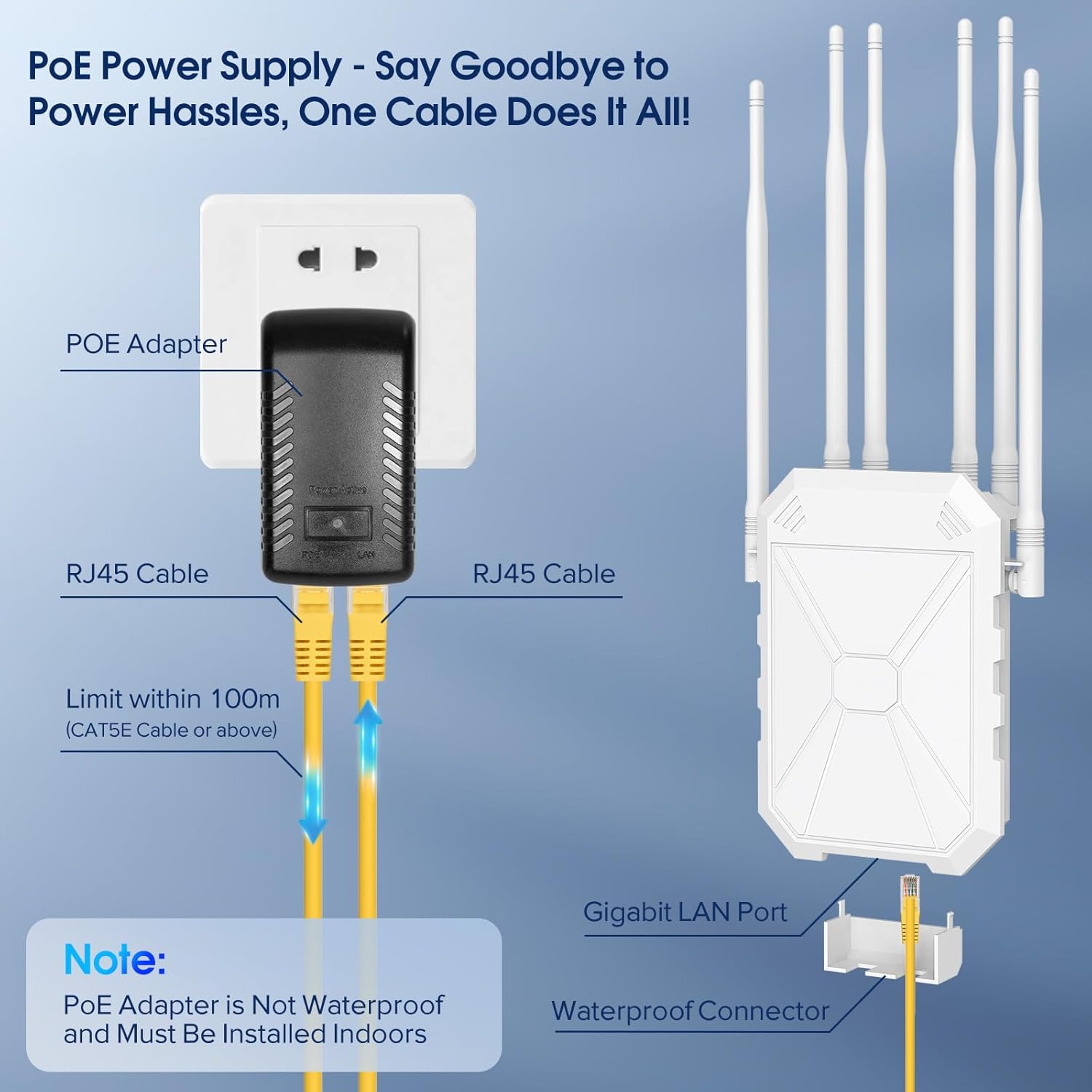
Illustration of the Passive PoE power supply connection.
2. Физикалык орнотуу
The extender offers multiple installation options:
- Дубалга орнотуу: Use the screw holes on the back of the unit to mount it directly to a wall.
- Уюлду орнотуу: Utilize the provided metal clamp or cable ties to secure the extender to a pole or fence.
Ensure the antennas are adjusted for optimal signal direction. They can be moved to suit your specific coverage needs.

The six high-gain antennas provide extensive Wi-Fi coverage.
3. Initial Configuration (Seller Video Guide)
For a detailed visual guide on setting up your extender, please refer to the official seller's video below. This video demonstrates the connection process and initial setup steps.
Official setup guide for the Outdoor WiFi Extender by INEAUTO.
The extender is compatible with Starlink systems, allowing you to extend your satellite internet signal across your property.

The extender can be seamlessly integrated with Starlink for expanded coverage.
Иштөө режимдери
The AX1800 offers multiple operating modes to suit your networking needs:
- AP (кирүү чекити) режими: Converts a wired network connection into a wireless one, creating a new Wi-Fi hotspot.
- Багыттоочу режим: Functions as a primary router, managing network traffic and providing internet access.
- Кайталоо режими: Extends the range of an existing Wi-Fi network by receiving and re-transmitting the signal.
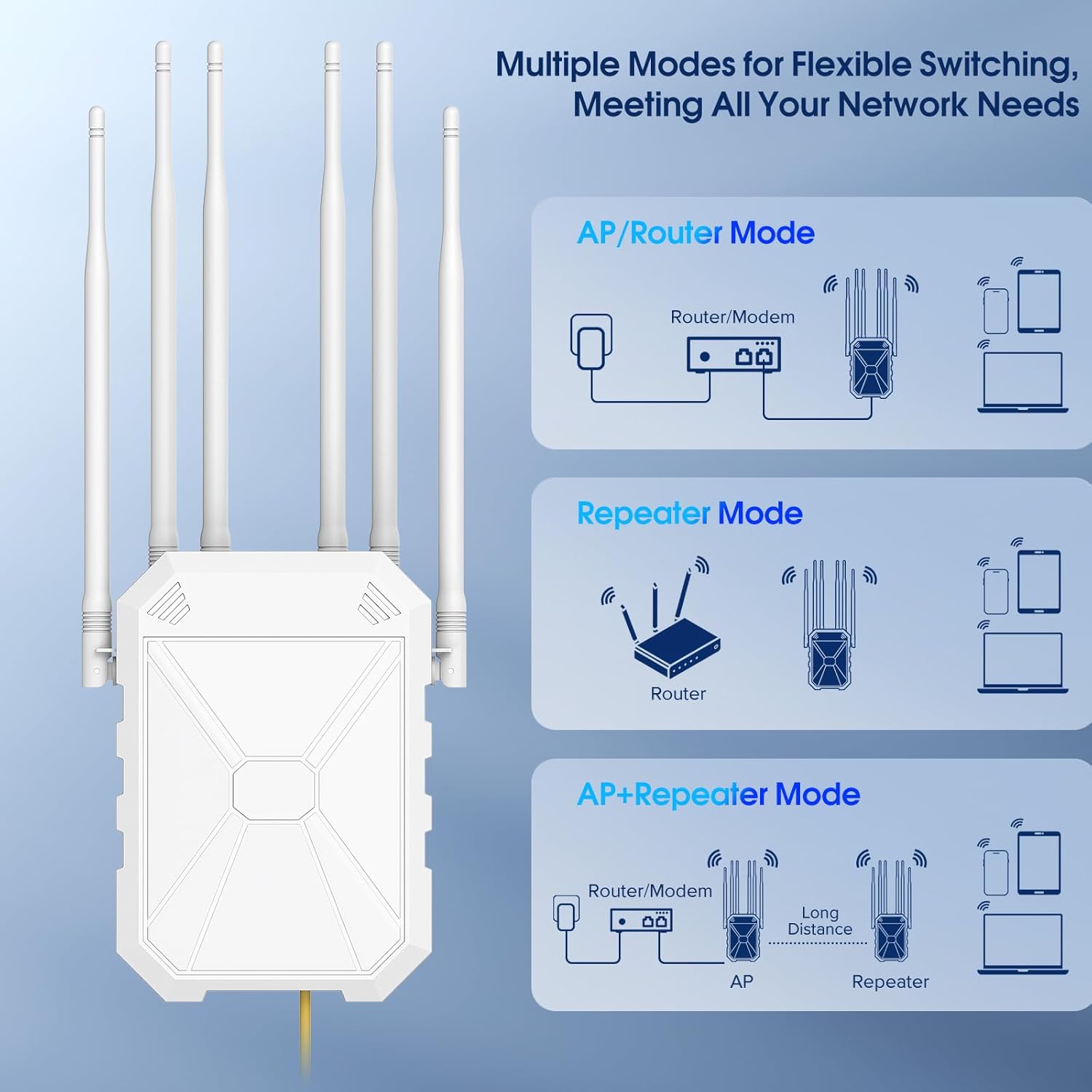
Choose from AP, Router, or Repeater modes for flexible network management.
Техникалык тейлөө
The INEAUTO AX1800 is designed for minimal maintenance due to its durable construction and IP67 weatherproof rating. However, regular checks can ensure optimal performance:
- Мезгил-мезгили менен тазалоо: Gently wipe the exterior of the unit with a soft, damp cloth to remove dust or debris. Avoid harsh chemicals.
- Антенна текшерүү: Periodically ensure the antennas are securely attached and positioned for the best signal.
- Кабелдик текшерүү: Check the Ethernet cable for any signs of wear, damage, or loose connections.
- PoE Adapter Protection: As the PoE adapter is not waterproof, ensure it remains in a dry, protected environment.
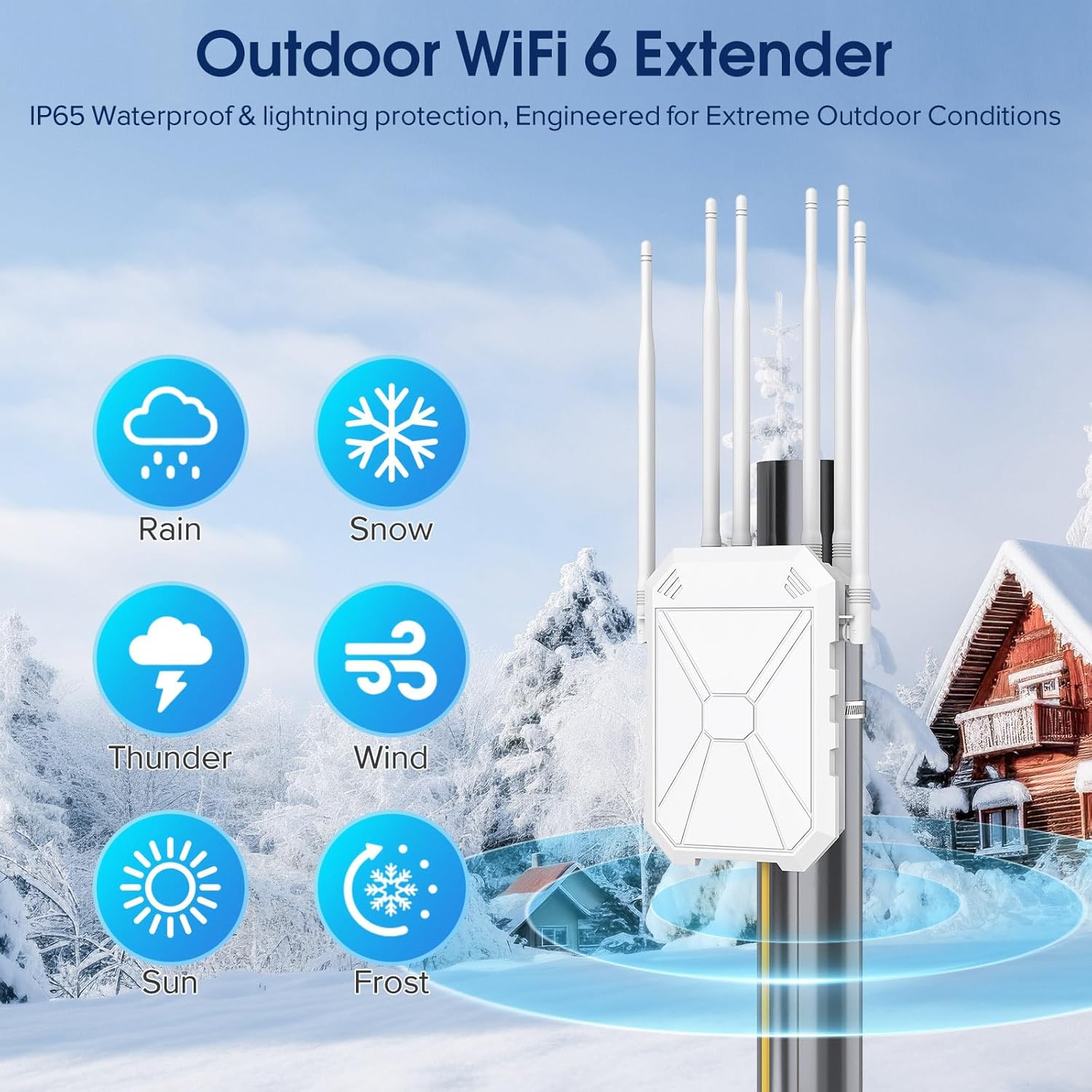
The extender is built to withstand various weather conditions.
Проблемаларды чечүү
If you encounter issues with your AX1800 extender, try the following steps:
- Кубат/LED өчүк эмес: Ensure the power adapter is securely plugged into a working outlet and the Ethernet cable is correctly connected to the PoE port on both the adapter and the extender.
- Интернет байланышы жок: Verify that your main router has an active internet connection. Check all Ethernet cable connections. If in repeater mode, ensure the extender is within range of your main router's signal.
- Алсыз сигнал/Жай ылдамдык: Adjust the position and orientation of the extender's antennas. Relocate the extender to a more central location between your router and the desired coverage area. Check for physical obstructions.
- Cannot Access Setup Page: Ensure your device is connected to the extender's default Wi-Fi network (e.g., "Repeater_XXX"). Try clearing your browser's cache or using a different browser.
- Кеңейткичти баштапкы абалга келтирүү: If issues persist, a factory reset may be necessary. Locate the reset button (often a small pinhole) on the unit. With the extender powered on, use a paperclip to press and hold the reset button for approximately 10 seconds until the LED indicators change. This will restore the extender to its factory default settings.
Техникалык шарттар
| Атрибут | Нарк |
|---|---|
| Модель номери | AX1801 |
| Зымсыз байланыш стандарты | 802.11a/b/g/n/ac, 802.11ax |
| Жыштык тилкесинин классы | Кош тилкелүү (5 ГГц, 2.4 ГГц) |
| Маалыматтарды өткөрүү ылдамдыгы | 1800 Мегабит секундасына |
| Антенналар | 6 High Gain 8dBi Antennas |
| Суу өткөрбөйт рейтинги | IP67 |
| Электр камсыздоо | Пассивдүү PoE |
| Элемент Салмагы | 2.25 фунт |
| Пакеттин өлчөмдөрү | 14.48 x 8.9 x 3.58 дюйм |

Detailed dimensions of the extender and its components.
Кепилдик жана колдоо
INEAUTO products are designed for reliability and performance. For warranty information, technical support, or service inquiries, please refer to the contact details provided in your Quick User Guide or visit the official INEAUTO webсайт. Кепилдик дооматтары үчүн сатып алуу дүмүрчөгүңүздү сактаңыз.
Ask a question about this manual
Ask about setup, troubleshooting, compatibility, parts, safety, or missing instructions. Manuals+ will review the question and use this page’s manual context to help answer it.