
Introduction
Thank you for choosing the Pro Breeze 25L Smart Dehumidifier. This appliance is designed to efficiently remove excess moisture from your indoor environment, helping to prevent mold, mildew, and dampness. Featuring smart Wi-Fi connectivity, a digital display, and multiple operating modes, this dehumidifier offers advanced control and convenience. Please read this manual thoroughly before operation to ensure safe and optimal performance.
Маанилүү коопсуздук нускамалары
Өрт, электр шок жана жаракат алуу коркунучун азайтуу үчүн электр шаймандарын колдонууда ар дайым негизги коопсуздук чараларын сактаңыз.
- кубат менен камсыз кылуу Voltage рейтинг белгисинде көрсөтүлгөн.
- Кургаткычты шнур же сайгыч бузулган менен иштетпеңиз.
- Keep the appliance at least 20 cm (8 inches) away from walls and other objects to ensure proper airflow.
- Агрегатты, электр шнурду же сууга же башка суюктуктарды розеткага салбаңыз.
- Unplug the dehumidifier before cleaning, maintenance, or when not in use.
- Бул шайман үй ичинде гана колдонуу үчүн.
- Абанын киришин же чыгышын тоспогула.
- Балдарды көзөмөлдөп, алардын шайман менен ойнобошун камсыз кылыңыз.
- Агрегатты өзүңүз оңдоого же өзгөртүүгө аракет кылбаңыз. Квалификациялуу тейлөө кызматкерлерине кайрылыңыз.
Продукт өзгөчөлүктөрү

Image: The Pro Breeze 25L Smart Dehumidifier, showcasing its compact design and highlighting features such as Wi-Fi compatibility, 25L extraction rate, energy efficiency, and laundry mode. Dimensions are also indicated.
- Күчтүү нымсыздандыруу: Extracts up to 25 liters of moisture per day, effectively combating persistent humidity, mold, and condensation in large rooms.
- Чоң суу багы: Features a 5.5-liter water tank with automatic shut-off when full. A drainage hose is included for continuous operation.
- Энергияны үнөмдүү: Utilizes a high-performance compressor, 24-hour timer, and automatic stop system to reduce energy consumption.
- Тынч иштөө: Designed with silent technology, making it suitable for use in bedrooms, living rooms, offices, and other quiet environments.
- Колдонмо аркылуу Smart Control: Manage all functions remotely using the free Pro Breeze app or voice commands with Alexa and Google Home (compatible with iPhone and Android).
- Digital Display & Humidity Sensor: An intuitive LED screen allows selection of fan speed and humidity levels between 30% and 80%. The smart sensor displays real-time humidity and automatically stops the dehumidifier once the target is reached.
- Бир нече иштөө режимдери: Includes a 24-hour timer and 4 operating modes, including a dedicated Кир кургатуу режими. Also features a Child Lock, Automatic Defrost Mode, жана Түнкү дисплей.

Image: The Pro Breeze dehumidifier positioned next to a large 25-liter water bottle, visually representing its daily moisture extraction capacity and the benefit of fewer tank emptying cycles.
Пакеттин мазмуну
Сураныч, төмөнкү нерселер үчүн кутучаны белгилеңиз:
- Pro Breeze 25L Smart Dehumidifier Unit
- Үзгүлтүксүз дренаждык шланг
- User Manual
Жайгашуу
- Пакеттен чыгаруу: Нымдандыргычты таңгагынан этияттык менен чыгарыңыз. Таңгакты келечекте сактоо же ташуу үчүн сактап коюңуз.
- Жайгашкан жери: Place the dehumidifier on a firm, level surface. Ensure there is at least 20 cm (8 inches) of clear space around the air inlet and outlet to allow for efficient airflow. Avoid placing it near heat sources or in direct sunlight.
- Кубат туташуу: Электр шнурын жерге туташтырылган электр розеткасына сайыңыз. Voltage бирдиктин талаптарына дал келет.
- Суу резервуарды орнотуу: Ensure the water tank is correctly inserted into the unit. The dehumidifier will not operate if the tank is not properly seated or is full.
- Үзгүлтүксүз дренаж (милдеттүү эмес): For continuous operation without emptying the tank, connect the provided drainage hose to the continuous drainage port on the back of the unit. Route the hose to a suitable drain, ensuring it is sloped downwards to allow water to flow freely.
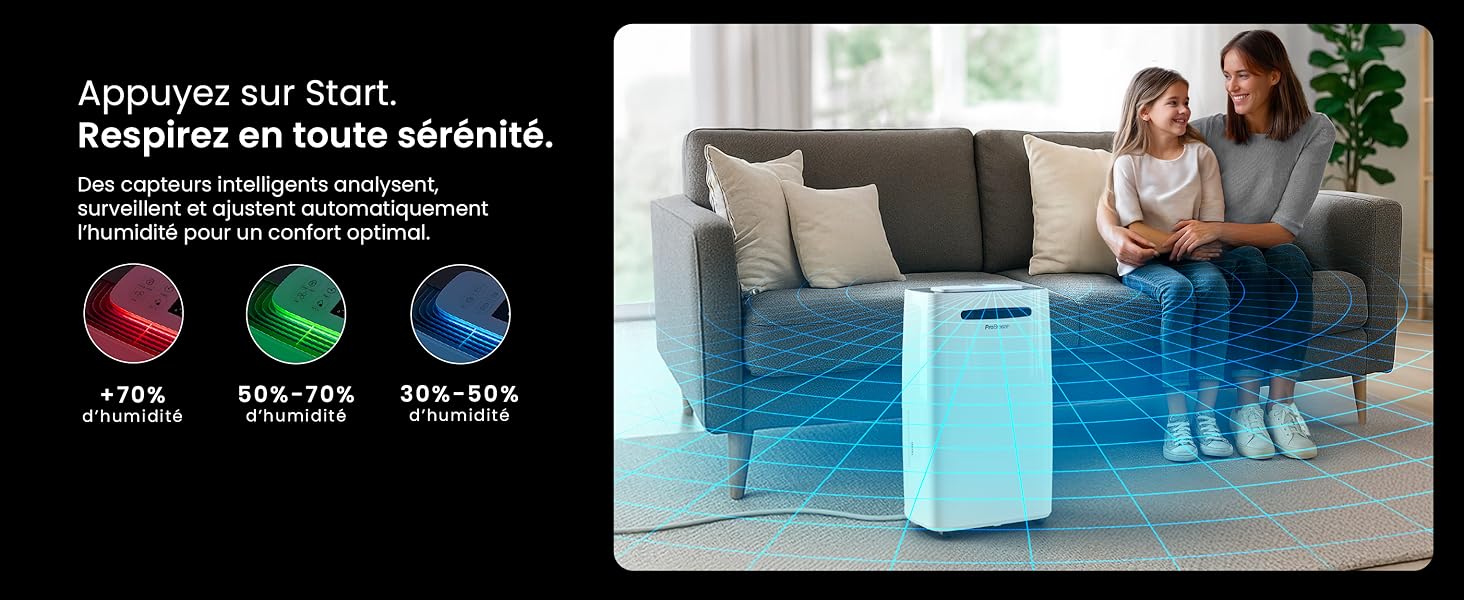
Image: The dehumidifier shown in different environments such as a garage, home office, and laundry room, illustrating its versatility and suitability for various spaces. Icons for continuous drainage and automatic defrost are also present.
Иштөө нускамалары
Башкаруу панелиview

Сүрөт: деталдуу view of the dehumidifier's illuminated digital control panel, showing buttons for power, mode, fan speed, timer, child lock, and humidity settings, along with the LED display.
The intuitive LED display and touch controls allow for easy operation.
- Кубат баскычы: Түзмөктү ON же ӨЧҮРҮҮ үчүн басыңыз.
- Режим баскычы: Жеткиликтүү иштөө режимдери аркылуу өтүңүз: Кадимки, Кир жуугуч машина, жана Түнкү режим.
- Желдетүүчү ылдамдык баскычы: Adjust the fan speed between Төмөн жана Жогорку.
- Humidity Setting (SET %): Use the up/down arrows to set your desired humidity level (30% - 80%). The unit will operate until this level is reached.
- Таймер баскычы: Set a 24-hour timer for automatic power ON or OFF.
- Балдардын кулпу баскычы: Балдардын кулпусун иштетүү/өчүрүү үчүн басып кармап туруңуз, бул жөндөөлөрдүн кокусунан өзгөрүп кетишинин алдын алат.
- Дисплей баскычы: Turn the LED display lights ON or OFF, useful for night mode.
Wi-Fi жана колдонмону башкаруу

Image: A user interacting with the Pro Breeze mobile application on a smartphone, demonstrating remote control capabilities for the dehumidifier. The app shows current humidity and temperature settings.
The Pro Breeze 25L Smart Dehumidifier can be controlled remotely via the Pro Breeze app. Download the app from your smartphone's app store and follow the in-app instructions to connect your device to your home Wi-Fi network. Once connected, you can control all functions, set schedules, and monitor humidity levels from anywhere.
The unit is also compatible with Amazon Alexa and Google Home for voice control. Refer to the app's help section for detailed instructions on integrating with these smart home platforms.
Техникалык тейлөө
Суу резервуарын бошотуу
When the water tank is full, the dehumidifier will automatically shut off and an indicator light will illuminate. Carefully remove the water tank from the unit, empty the collected water, and reinsert the tank securely. The unit will resume operation.
Аба чыпкасын тазалоо
A clogged filter can reduce efficiency. It is recommended to clean the air filter every two weeks or more frequently depending on usage and air quality.
- Ным кургаткычты өчүрүп, аны розеткадан сууруп алыңыз.
- Locate and remove the air filter (usually on the back or side of the unit).
- Фильтрди чаң соргуч менен тазалаңыз же жылуу, самындуу суу менен акырын жууңуз.
- Чыпканы жакшылап чайкап, аны кайра аппаратка салуудан мурун толугу менен кургатыңыз.
Сырты тазалоо
Кургаткычтын сыртын жумшак, г менен сүртүңүзamp кездеме. Катуу химиялык заттарды, абразивдүү тазалагычтарды же эриткичтерди колдонбоңуз, анткени алар бетке зыян келтириши мүмкүн.
Сактагыч
If storing the unit for an extended period, ensure the water tank is empty and clean, and the filter is clean and dry. Store the dehumidifier in a cool, dry place, preferably in its original packaging.
Проблемаларды чечүү
| Көйгөй | Мүмкүн себеп | Чечим |
|---|---|---|
| Кургаткыч күйгүзбөйт. | No power; water tank full or incorrectly inserted; ambient temperature too low. | Check power connection; empty and reinsert water tank; ensure room temperature is above 5°C (41°F). |
| Агрегат иштеп жатат, бирок суу топтолбойт. | Humidity level too low; air filter clogged; room temperature too low; unit size too small for space. | Adjust desired humidity setting lower; clean air filter; ensure room temperature is adequate; consider if unit is appropriate for room size. |
| Агрегат ызы-чуу. | Unit not on a level surface; air filter clogged; internal components vibrating. | Place on a flat, stable surface; clean air filter; if noise persists, contact support. |
| Wi-Fi туташуу маселелери. | Incorrect Wi-Fi password; unit too far from router; router issues; app issues. | Verify Wi-Fi password; move unit closer to router; restart router; reinstall Pro Breeze app. |
| Катушкаларда үшүк пайда болот. | Төмөн чөйрө температурасы. | Түзмөктүн автоматтык түрдө эритүү функциясы бар. Эгерде үшүк улана берсе, бөлмөнүн температурасын жогорулатыңыз. |
Техникалык шарттар
| Спецификация | Деталь |
|---|---|
| Модель номери | PB-D-37W-W-EU |
| Бренд | Pro Breeze |
| Moisture Extraction Capacity | 25 литр/күн |
| Суу резервуарынын сыйымдуулугу | 5.5 литр |
| Өлчөмдөрү (L x W x Y) | 38.6 см х 26 см х 50 см |
| Салмагы | 15.1 килограмм |
| Күйөрмандардын ылдамдыгы | 2 |
| Өзгөчөлүктөр | Adjustable Humidity Control, Night Mode, Continuous Drainage, Wi-Fi Connectivity, Digital Display, 24h Timer, Laundry Drying Mode, Child Lock, Automatic Defrost |
| Сунушталган полдун аянты | 322 чарчы футка (30 м²) чейин |

Image: The Pro Breeze dehumidifier highlighting its elegant and discreet design, along with its dimensions (50cm H, 38.6cm L, 26cm P) and four easy-to-move caster wheels.
Кепилдик жана колдоо
Pro Breeze products are manufactured to the highest standards. This product comes with a standard manufacturer's warranty. For specific warranty details, please refer to the warranty card included in your package or visit the official Pro Breeze webсайт.
If you encounter any issues or have questions regarding your dehumidifier, please contact Pro Breeze customer support. Contact information can typically be found on the Pro Breeze webсайтында же продуктунун таңгагында.