1. Киришүү
Thank you for choosing the Generic M100 Clip on Ear Headphones. These open-ear earbuds are designed to provide a comfortable audio experience with advanced features. This manual will guide you through the setup, operation, and maintenance of your new headphones.
Негизги өзгөчөлүктөрү:
- Сөөк өткөргүч технологиясы: Delivers sound through cheekbones, maintaining environmental awareness.
- LCD сенсордук экран: Музыка жана чалуулар үчүн интуитивдик башкаруу.
- Bluetooth 5.4: Тез жана туруктуу зымсыз байланыш.
- Ызы-чууну жокко чыгаруу: Minimizes background noise for clear audio.
- Суу өткөрбөйт жана терге: Durable design for active use.
2. Продукт бүтүп калдыview
The M100 Clip on Ear Headphones come with a charging case that features an LCD touch screen. The package includes the M100 Clip on Ear Headphones themselves.

Image: The M100 Clip on Ear Headphones shown with their charging case, highlighting the sleek design.

Image: Close-up of the M100 charging case's LCD touch screen, displaying various control options.
3. Орнотуу
3.1 Наушниктерди жана капты заряддоо
Before first use, fully charge the headphones and the charging case. The charging case has a capacity of 500mAh, and each headphone has a 30mAh capacity. A full charge for the headphones typically takes 1 hour, providing approximately 5 hours of battery life.
- Place the headphones into the charging case. Ensure they are correctly seated to initiate charging.
- Connect the charging case to a power source using a compatible USB-C cable (not always included).
- The LCD screen on the charging case will display the charging status.

Image: Diagram illustrating the ultra-long battery life of the M100 headphones, showing headphone usage time (4-5h), shutdown standby time (2000h), and charging time of charging case (2-3h).
3.2 Bluetooth жупташтыруу
The M100 headphones utilize Bluetooth 5.4 for a stable and efficient connection.
- Заряддоо кутучасын ачыңыз. Наушник автоматтык түрдө жупташтыруу режимине өтөт.
- On your device (e.g., smartphone, tablet), go to Bluetooth settings.
- Издөө жеткиликтүү түзмөктөрдү тандап, тизмеден "M100" тандаңыз.
- Once connected, the LCD screen on the case may indicate a successful pairing.
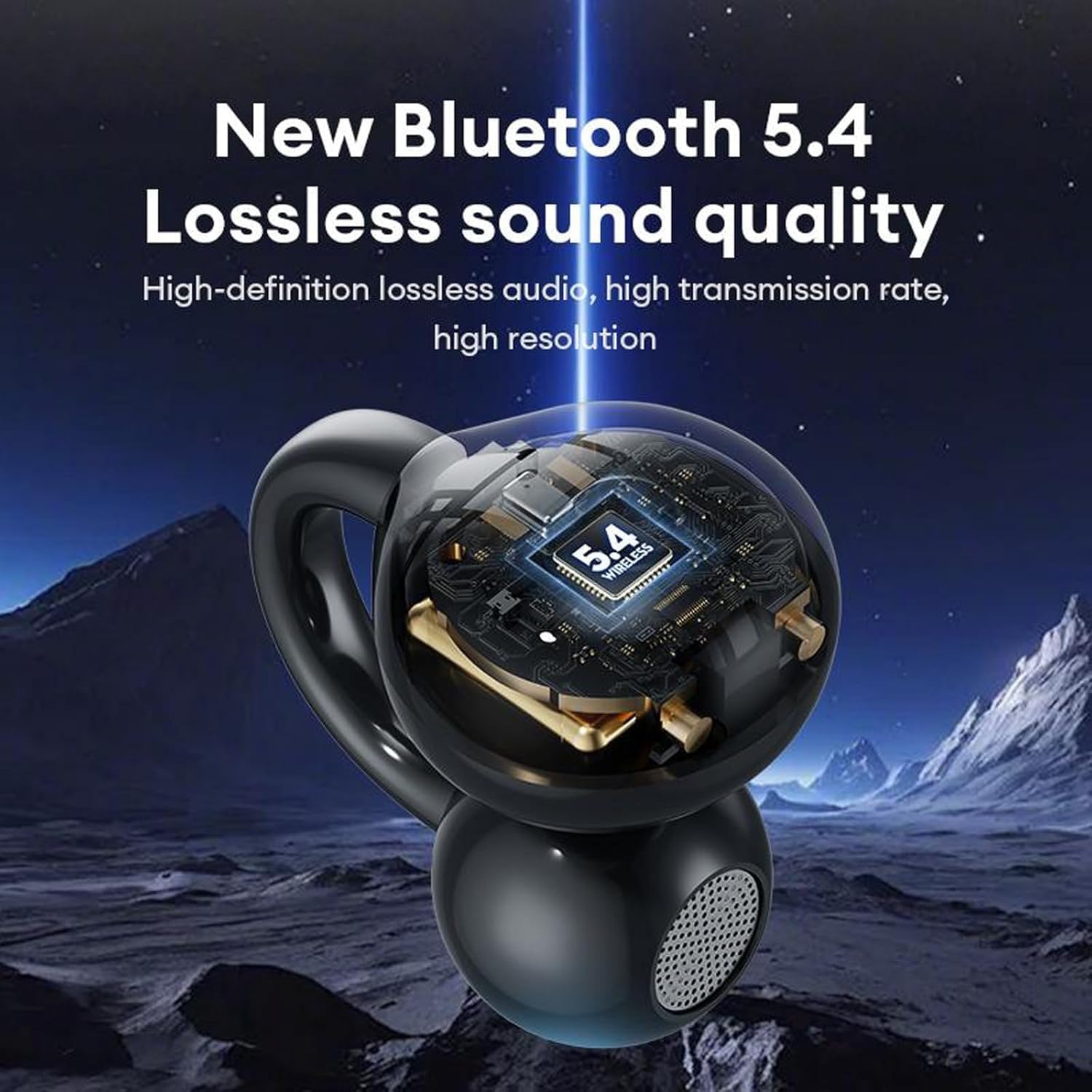
Image: A visual representation of the M100 headphone's internal structure, highlighting the Bluetooth 5.4 chip for lossless sound quality.
4. Иштөө нускамалары
4.1 Негизги сенсордук башкаруу элементтери
The M100 headphones feature touch-sensitive controls on each earbud.
- Ойнотуу/тындыруу: Кулакчындардын бирин бир чыкылдатыңыз.
- Кийинки ыр: Оң кулакчынды эки жолу чыкылдатыңыз.
- Мурунку ыр: Сол кулакчынга эки жолу чыкылдатыңыз.
- Көлөмү: Оң кулакчынга үч жолу басуу.
- Үнүн азайтуу: Сол кулакчынга үч жолу чыкылдатуу.
- Чалууга жооп берүү/аяктоо: Double click on either earbud.
- Кирүүчү чалууну четке кагуу: Ар бир кулакчындагы баскычты 2 секунд басып туруңуз.
- Үн Жардамчысын жандыруу: Кулакчындардын бирин дагы көпкө басыңыз.

Image: A diagram illustrating the various touch operations for the M100 headphones, including song switching, call management, volume control, and voice assistant activation.
4.2 LCD Touch Screen Functions
The charging case's LCD touch screen provides additional control and information.

Image: A grid of icons and screens demonstrating the various functions accessible via the M100's LCD touch screen, such as music control, volume, noise reduction, equalizer, alarm, screen brightness, language, wallpaper, find headphones, time settings, flashlight, and camera features.
- Музыкалык башкаруу: Play, pause, skip tracks directly from the screen.
- Үндү көзөмөлдөө: Аудионун үнүн тууралоо.
- Ызы-чууну азайтуу режими: Toggle between noise reduction and transparency modes.
- Эквалайзер режими: Select different audio equalizer presets.
- Ойготкуч орнотуу: Ойготкучтарды коюу.
- Экран жарыктыгын тууралоо: Modify the screen's luminosity.
- Тилди алмаштыруу: Дисплей тилин өзгөртүңүз.
- Wallpaper Switcher: Экрандын фонун өзгөчөлөштүрүү.
- Наушниктерди табуу: Locate misplaced earbuds (if supported).
- Убакыт жөндөөлөрү: Дата менен убакытты тууралаңыз.
- Кол чырак функциясы: Кичинекей жарыкты күйгүзүңүз.
- Камеранын өзгөчөлүктөрү: Potentially control a connected device's camera (functionality may vary).
4.3 Наушник тагынуу
The M100 headphones are designed for open-ear wear, providing comfort and situational awareness.
- Gently clip each earbud onto your ear, ensuring the sound outlet is positioned near your ear canal without blocking it.
- Adjust for a secure and comfortable fit. The bone conduction technology allows sound to transmit effectively without needing to be inserted into the ear canal.

Image: A composite image detailing the M100's features, including high-resolution sound quality, noise reduction, open-ear design, HD Voice, and Bluetooth 5.4 version.
Видео: Продукциянын расмий көргөзмөсүasing the M100 Clip on Ear Headphones, demonstrating their design and smart screen touch functionality.
5. Техникалык тейлөө
5.1 Тазалоо
Үзгүлтүксүз тазалоо кулакчындарыңыздын иштешин жана узакка кызмат кылуусун камсыз кылууга жардам берет.
- Наушниктерди жана кубаттоочу кутуну сүртүү үчүн жумшак, кургак, түксүз чүпүрөктү колдонуңуз.
- Абразивдүү тазалагычтарды, эриткичтерди же аэрозолдук спрейлерди колдонбоңуз.
- Ар кандай тешиктерге ным кирүүдөн сактаңыз.
5.2 Сууга жана терге туруктуулук
The M100 headphones are designed to be waterproof and sweatproof, making them suitable for sports and outdoor activities.

Image: A visual demonstrating the waterproof and sweatproof capabilities of the M100 headphones, showing them in a water environment.
- While resistant to water and sweat, they are not intended for submersion.
- Заряддоону алдын алуу үчүн кубаттоо порту кургак экенин текшериңиз.
5.3 Сактоо
Кулакчындарды коргоо жана кубаттап туруу үчүн колдонулбаган учурда кубаттоо кутучасында сактаңыз.
6. Кыйынчылыктарды
If you encounter issues with your M100 headphones, refer to the following common solutions:
| Көйгөй | Мүмкүн чечим |
|---|---|
| Кулакчындар жупташкан жок |
|
| Үн жок |
|
| Заряддоо маселелери |
|
| Тийүү башкаруулары жооп бербейт |
|
7. Техникалык шарттар
Key technical specifications for the M100 Clip on Ear Headphones:
- Модель аты: M100 Clip on Ear Headphones
- Байланыш технологиясы: Зымсыз (Bluetooth)
- Bluetooth версиясы: 5.4
- Аудио драйвер түрү: Сөөк өткөргүч айдоочу
- Башкаруу ыкмасы: тийүү
- Ызы-чууну көзөмөлдөө: Активдүү ызы-чууну жокко чыгаруу
- Сууга туруктуулук деңгээли: Суу өткөрбөйт
- Батареянын иштөө мөөнөтү: 5 Hours (Headphones)
- Заряддоо убактысы: 1 Hour (Headphones)
- Кубаттоо кубаттуулугу: 500mAh
- Наушник сыйымдуулугу: 30mAh
- Материал: Пластик же силикон
- Шайкеш түзмөктөр: Уюлдук телефондор
- Камтылган компоненттер: M100 Clip on Ear Headphones
8. Кепилдик жана колдоо
For warranty information and customer support, please refer to the documentation provided with your purchase or contact the retailer. Keep your proof of purchase for any warranty claims.


