
1. Киришүү
Thank you for choosing the WLIVE Industrial TV Stand. This manual provides essential information for the safe assembly, operation, and maintenance of your new TV stand. Please read these instructions carefully before beginning assembly and retain them for future reference.
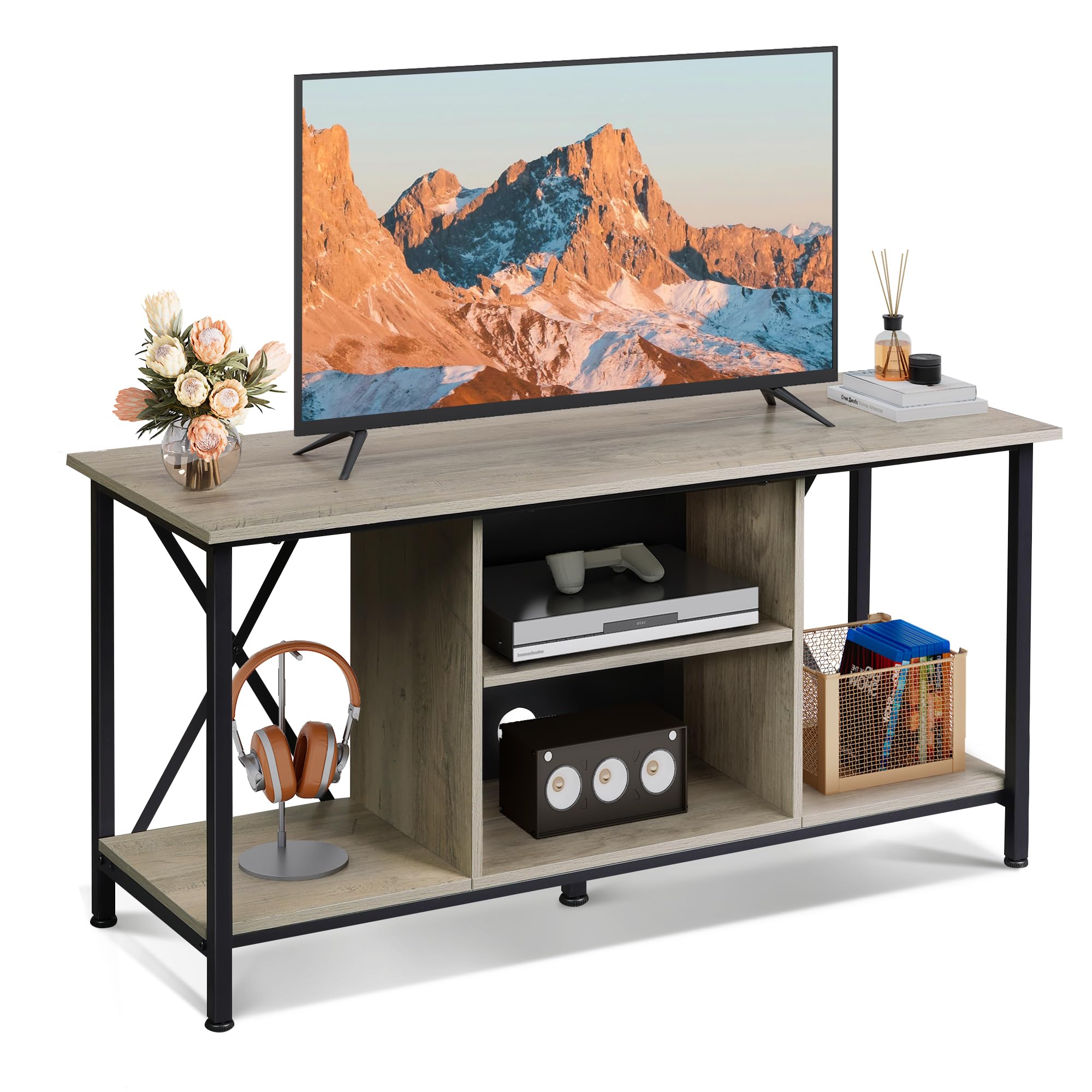
Image 1: The WLIVE Industrial TV Stand (41-inch, Greige) in a typical home environment. The stand features a greige finish with a black metal frame, offering open shelving for media devices and decor.
2. Коопсуздук маалыматы
- Чийип кетпеши үчүн, аппаратты дайыма жумшак, таза бетке чогултуңуз.
- Колдонуудан мурун бардык бөлүктөр бекем бекитилгенин текшериңиз. Бурамаларды өтө катуу тартпаңыз.
- Do not exceed the maximum weight capacity: Top surface 110 lbs (50 kg), each shelf 22 lbs (10 kg).
- Чакан тетиктерди жана таңгактоочу материалдарды балдардан жана үй жаныбарларынан алыс кармаңыз.
- Телевизордун стендине чыкпаңыз же анын үстүнө чыкпаңыз.
- Place the TV stand on a level surface to prevent tipping. Use the adjustable feet to stabilize on uneven floors.
3. Пакеттин мазмуну
Монтаждоону баштоодон мурун төмөндө саналган бардык компоненттер бар экенин текшериңиз. Эгерде кандайдыр бир бөлүктөрү жок же бузулуп калса, кардарларды колдоо менен байланышыңыз.
- Металл каркас компоненттери
- Shelves (top, middle, bottom)
- Hardware (screws, bolts, adjustable feet, etc.)
- Монтаждоо куралдары (Аллен ачкыч, бурагыч)
- User Manual
4. Техникалык шарттар
| Модел | B0F1PH5NKT |
| Түс | Greige |
| Өлчөмдөрү (L x W x Y) | 40.95 x 15.68 x 20.08 дюйм (104 x 39.8 x 51 см) |
| Материал | Инженердик жыгач, металл |
| Элемент Салмагы | 27 фунт (12.2 кг) |
| Телевизордун максималдуу өлчөмү колдоого алынат | 45 дюймга чейин |
| Үстүнкү беттин салмак сыйымдуулугу | 110 фунт (50 кг) |
| Текченин Салмагы | Ар бир текчеге 22 фунт (10 кг). |

Image 2: Detailed product dimensions and weight capacities for the TV stand. The stand measures 40.94 inches in length, 15.6 inches in depth, and 20 inches in height. The top surface supports up to 110 lbs, and each shelf supports up to 22 lbs.
5. Орнотуу жана чогултуу
Follow these steps for a straightforward assembly process. All hardware is numbered to match the instructions.
- Бөлүктөрдү таңгактан чыгаруу жана аныктоо: Carefully remove all components from the packaging. Lay them out on a clean, soft surface. Identify each part using the provided labels and the parts list in the separate instruction manual.
- Металл рамканы чогултуу: Attach the horizontal and vertical metal frame pieces using the designated screws. Ensure the X-shaped crossbars are correctly positioned for stability.
- Каптал панелдерди тиркөө: Secure the side engineered wood panels to the metal frame.
- Төмөнкү текчени орнотуу: Place and secure the bottom shelf into the frame.
- Ортоңку текчелерди орнотуу: Insert the middle shelves. Note that the central shelf is adjustable.
- Жогорку панелди тиркөө: Carefully place and secure the top engineered wood panel.
- Жөнгө салынуучу буттарды орнотуу: Screw the adjustable plastic feet into the bottom of the metal frame.
- Акыркы бекемдөө: Once all parts are in place, gently tighten all screws. Avoid overtightening to prevent damage.

Image 3: The TV stand features a single, sturdy top panel and an X-shaped rear design on the metal frame for enhanced stability and durability.

Image 4: Key features include a scratch-resistant surface, a robust metal frame, and adjustable feet that can be rotated 360 degrees to ensure stability on various floor types.
6. Операция
Жөнгө салынуучу текчелер
The middle shelf in the central compartment is adjustable to three different height levels. This allows you to customize the storage space to accommodate various media players, game consoles, or other items of different sizes. To adjust, remove the shelf, reposition the support pins to the desired height, and reinsert the shelf.

Image 5: The central shelf can be adjusted to three different heights, providing flexible storage. The image also highlights the cable management holes for organizing wires.
Кабель башкаруу
The central compartment features pre-drilled holes on the back panel for efficient cable management. Route your device cables through these holes to keep wires organized and out of sight, contributing to a tidy and hazard-free living space.

Image 6: The TV stand includes two cable management holes designed to conceal and organize electronic device cables, maintaining a clean aesthetic.
7. Техникалык тейлөө
- Тазалоо: Беттерди жумшак менен сүртүңүз, гamp кездеме. Финишке зыян келтирүүчү катаал химиялык заттардан же абразивдүү тазалагычтардан алыс болуңуз.
- Чаңдандыруу: Топтолгон калдыктардын алдын алуу үчүн, дайыма кургак, жумшак чүпүрөк менен сүртүп туруңуз.
- Төгүлүүлөр: Инженердик жыгачка боёп же зыян келтирбөө үчүн төгүлгөн жерлерди дароо тазалаңыз.
- Текшерүү: Мезгил-мезгили менен бардык бурамалар менен байланыштарды текшерип туруңуз, алар бекем бойдон калууда. Керек болсо кайра тартыңыз.
8. Кыйынчылыктарды
- Стенд солкулдайт:
- Бардык бурамалар бекем бекемделгенин текшериңиз.
- Adjust the plastic feet on the bottom of the frame to compensate for uneven flooring.
- Жыйын учурундагы кыйынчылыктар:
- Refer to the detailed instruction manual provided in the package.
- Ensure parts are oriented correctly as shown in the diagrams.
- If using the included tools, consider using your own screwdriver for better leverage and to ensure screws are tight without overtightening.
- Жок же бузулган бөлүктөр:
- Contact WLIVE customer support immediately for assistance.
9. Кепилдик жана колдоо
WLIVE is committed to providing quality products and customer satisfaction. While specific warranty details are not provided in this manual, please retain your proof of purchase for any warranty claims.
For any questions, concerns, or assistance with your WLIVE Industrial TV Stand, our customer support team is available 24/7. Please refer to the contact information provided with your purchase or visit the official WLIVE webколдоо үчүн сайт.
Thank you for choosing WLIVE.