
SUMUP POS Lite and Solo Card Reader Bundle (B0F1QT72HM)
SumUp POS Lite and Solo Card Reader Bundle User Manual
All-in-One Point of Sale System with 13" Touchscreen and Integrated Payment Processing
1. Продукт бүтүп калдыview
The SumUp POS Lite and Solo Card Reader Bundle provides a comprehensive point-of-sale solution designed for efficient business operations. This system integrates a 13-inch touchscreen tablet with built-in software for sales management, item catalog creation, and report generation. The bundle also includes a SumUp Solo card reader for accepting various card payments.
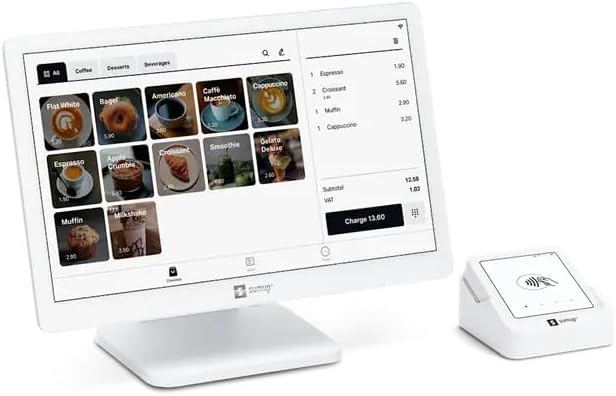
1.1-сүрөт: The SumUp POS Lite touchscreen tablet and the compact Solo card reader, ready for use.
2. Эмнелер камтылган
Your SumUp POS Lite and Solo Card Reader Bundle includes the following components:
- POS Lite Touchscreen Tablet: A 13-inch touchscreen tablet with a durable die-cast aluminum stand.
- Pre-installed POS Software: Free, pre-installed point-of-sale software with automated updates.
- SumUp Solo Card Reader: A compact device for accepting card payments.
- Заряддоо станциясы: For the SumUp Solo card reader.
3. Баштапкы орнотуу
Follow these steps to set up your SumUp POS Lite and Solo Card Reader Bundle:
- Компоненттерди таңгактан чыгаруу: Таңгактан кылдаттык менен бардык нерселерди алып салыңыз.
- Assemble POS Lite Tablet: Attach the 13-inch touchscreen tablet to its die-cast aluminum stand. Ensure all cables are securely connected.
- Күйгүзүү: Connect the POS Lite tablet to a power source using the provided adapter and power it on.
- Баштапкы конфигурация: Follow the on-screen prompts to connect to Wi-Fi, set up your account, and configure basic business information.
- Charge Solo Card Reader: Place the SumUp Solo card reader in its charging station to ensure it is fully charged before first use.
- Download SumUp App: For full functionality and to manage your account, download the free SumUp app on a compatible smartphone or tablet. This app is available on both Google Play and the App Store.

3.1-сүрөт: арткы view of the SumUp POS Lite tablet, showing the stand and cable connections for power and peripherals.

3.2-сүрөт: Instructions to download the SumUp app from Google Play or the App Store for managing payments and business operations.
4. Иштөө нускамалары
4.1. Using the POS Lite Tablet
The POS Lite tablet serves as the central hub for your business operations. Its intuitive touchscreen interface allows for easy navigation and management.
- Item Catalog: Create and manage your product or service catalog directly on the tablet. Organize items by categories for quick access during sales.
- Processing Sales: Select items from your catalog to add them to a customer's order. The system automatically calculates totals and applicable taxes.
- Отчетторду түзүү: Access sales reports, transaction history, and other business analytics through the pre-installed software to monitor performance.

4.1-сүрөт: The SumUp POS Lite interface showing an item catalog with various products and a current order summary.
4.2. Using the SumUp Solo Card Reader
The Solo card reader integrates seamlessly with the POS Lite tablet to accept card payments. It supports various payment methods.
- Байланышсыз төлөмдөр: Customers can tap their contactless cards or mobile devices on the reader.
- Chip & PIN: Insert chip cards into the slot and follow the prompts for PIN entry.
- Магниттик тилке: Swipe cards with a magnetic stripe through the designated slot.
- Payment Processing: Once a payment is initiated from the POS Lite tablet, the Solo reader will prompt the customer to complete the transaction.
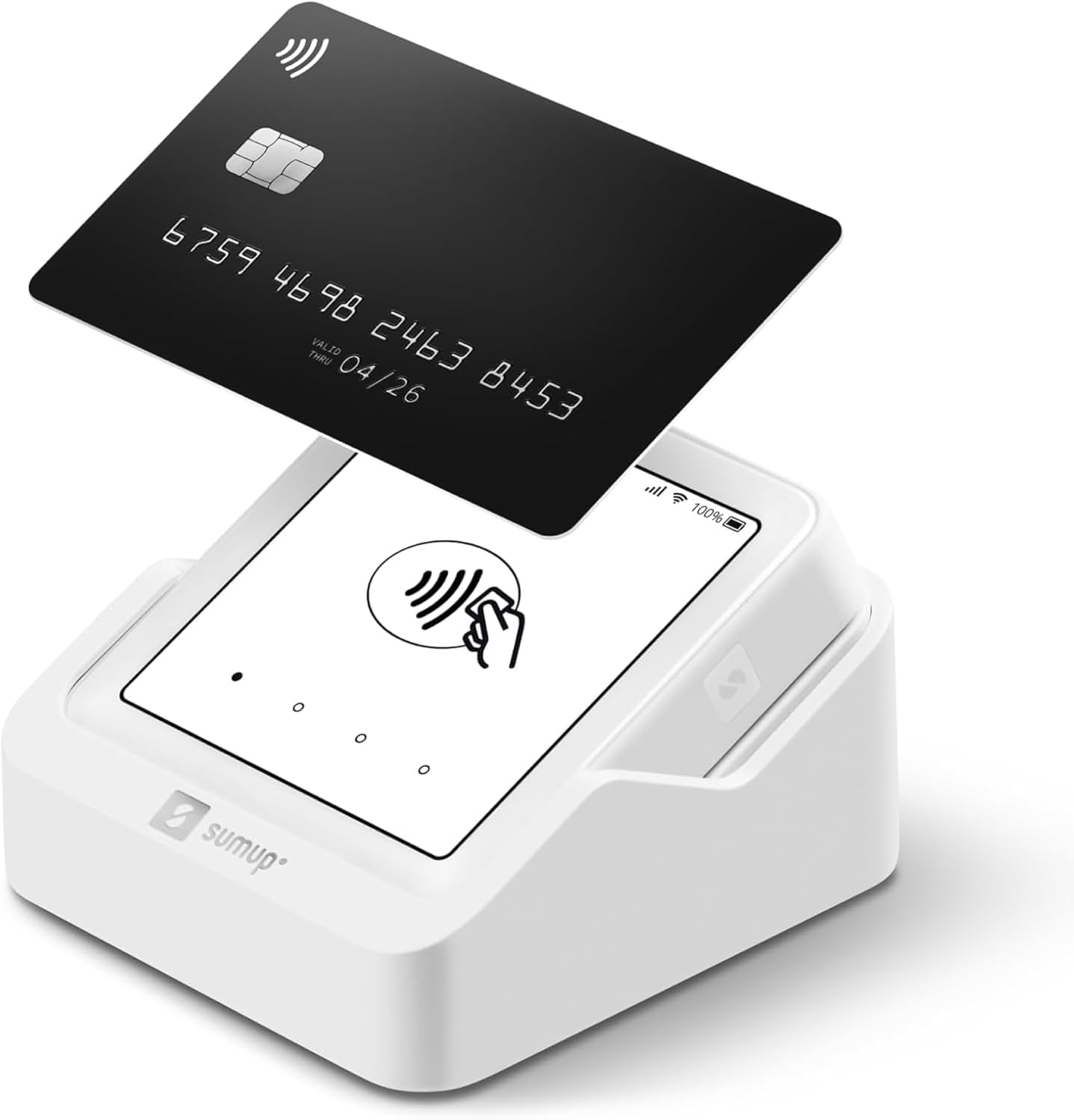
4.2-сүрөт: A SumUp Solo card reader demonstrating a contactless payment with a credit card.
5. Өркүндөтүлгөн функциялар
The SumUp POS Lite system offers several advanced features to enhance your business management:
- Sales Reports: Detailed reports provide insights into sales trends, popular items, and peak hours.
- Inventory Tracking: The system automatically updates inventory levels with each purchased item, helping you manage stock efficiently.
- Fully Customizable Item Catalog: Tailor your item catalog to fit your business needs, including product descriptions, pricing, and categories.

5.1-сүрөт: An overview of the advanced features available with the SumUp POS Lite system, including sales reporting and inventory management.
6. Техникалык тейлөө
Proper maintenance ensures the longevity and optimal performance of your SumUp POS Lite and Solo Card Reader Bundle:
- Тазалоо: Use a soft, dry, lint-free cloth to clean the touchscreen and the card reader. Avoid abrasive cleaners or solvents.
- Программалык камсыздоо жаңыртуулары: The POS Lite software receives automated updates. Ensure your device is connected to the internet regularly to receive these updates, which often include performance improvements and security enhancements.
- Батареяга кам көрүү: Keep the Solo card reader charged. For prolonged storage, ensure it has at least a 50% charge.
- Экологиялык шарттар: Operate and store the devices in a dry environment, away from extreme temperatures, direct sunlight, and excessive dust.
7. Кыйынчылыктарды
If you encounter issues with your SumUp POS Lite and Solo Card Reader Bundle, refer to the following common solutions:
| Көйгөй | Мүмкүн себеп | Чечим |
|---|---|---|
| POS Lite Tablet Not Powering On | Кубат адаптери туташкан эмес же туура эмес. | Ensure the power adapter is securely connected to the tablet and a working power outlet. Try a different outlet. |
| Solo Card Reader Not Connecting | Low battery, Bluetooth issue, or out of range. | Charge the Solo reader. Ensure Bluetooth is enabled on the POS Lite tablet and the reader is within range. Restart both devices. |
| Payment Transaction Failed | Network connectivity issues, card reader error, or customer card issue. | Check Wi-Fi connection on the POS Lite. Ensure the card is inserted/tapped correctly. Try a different card or payment method. Restart the Solo reader. |
| Software Not Updating | Интернет байланышы жок. | Verify the POS Lite tablet is connected to a stable internet connection. Manual update options may be available in settings. |
For further assistance, please refer to the official SumUp support resources.
8. Техникалык шарттар
- Продукт аты: SumUp POS Lite and Solo Card Reader Bundle
- Модел: POS Lite and Solo Card Reader Bundle (ASIN: B0F1QT72HM)
- POS Lite Display: 13 дюймдук сенсордук экран
- Картаны окугуч: SumUp Solo (supports Contactless, Chip & PIN, Magnetic Stripe)
- Программалык камсыздоо: Pre-installed SumUp POS software with automated updates
- Байланыш: Wi-Fi, Bluetooth (for Solo reader)
- Биринчи жеткиликтүү датасы: 17-март, 2025-жыл
9. Кепилдик жана колдоо
The SumUp POS Lite and Solo Card Reader Bundle operates without fixed monthly fees or binding contracts, offering full flexibility for your business. A transaction fee of 2.6% + 10 cents per card reader payment applies.
For detailed warranty information, technical support, or customer service, please visit the official SumUp website or contact their support team directly. You can find more information and support resources on the SumUp Store on Amazon.
Ask a question about this manual
Ask about setup, troubleshooting, compatibility, parts, safety, or missing instructions. Manuals+ will review the question and use this page’s manual context to help answer it.