
1. Киришүү
The MEETION DirectorD-KB is a wireless ergonomic keyboard designed for comfortable and natural typing. It features a scientific wave key design and a built-in firm wrist rest to support your hands during extended use. This keyboard offers broad compatibility with Windows and macOS devices through a 2.4GHz wireless connection.

Image: The MEETION DirectorD-KB Wireless Ergonomic Keyboard positioned on a wooden desk, showcasing its wave-curved design and integrated wrist rest.
2. Пакеттин мазмуну
Пакетте бардык буюмдар бар экенин текшериңиз:
- 1 x MEETION DirectorD-KB Wireless Ergonomic Keyboard
- 1 x User Manual
- 1 x USB-A 2.4GHz Wireless Receiver
- 1 x USB-C адаптери
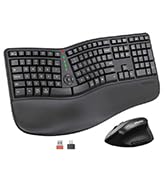
Image: Contents of the MEETION DirectorD-KB package, including the keyboard, user manual, USB-A receiver, and USB-C adapter.
3. Орнотуу нускамалары
3.1. Батареяны орнотуу
- Баскычтоптун астыңкы жагындагы батарея бөлүкчөсүн табыңыз.
- Батарея уясынын капкагын ачыңыз.
- Insert two AAA batteries (not included) into the compartment, ensuring correct polarity.
- Батарея уясынын капкагын бекем жабыңыз.

Image: The underside of the keyboard showing the battery compartment for two AAA batteries and details on power saving features.
3.2. Ресиверди туташтыруу
- Locate the USB-A 2.4GHz wireless receiver, typically found in the slot inside the keyboard's battery compartment or in the accessory pouch.
- For devices with a USB-A port: Plug the USB-A receiver directly into an available USB-A port on your computer.
- For devices with a USB-C port: Attach the provided USB-C adapter to the USB-A receiver, then plug the combined unit into an available USB-C port on your computer.
- The keyboard is plug-and-play and should connect automatically.
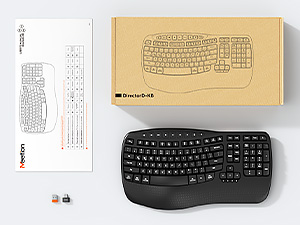
Image: Step-by-step guide on connecting the USB-A receiver with the USB-C adapter to a computer's USB-C port.
3.3. Күйгүзүү
After installing batteries and connecting the receiver, slide the power switch on the keyboard to the 'ON' position. The keyboard is now ready for use.
4. Иштөө нускамалары
4.1. Ergonomic Design and Wrist Rest
The keyboard features a wave-shaped key layout and a firm, integrated wrist rest. This design guides your hands and wrists into a natural, relaxed typing position, reducing strain during long typing sessions.

Image: A user's hands resting comfortably on the integrated wrist rest while typing on the ergonomic keyboard.
4.2. Жөнгө салынуучу эңкейиш
Utilize the adjustable tilt legs on the underside of the keyboard to find your preferred typing angle. Different angles can further enhance comfort and reduce wrist fatigue.

Сүрөт: Side profiles of the keyboard demonstrating three different adjustable tilt angles for personalized comfort.
4.3. Dual System Layout (Windows/macOS)
The keyboard supports both Windows and macOS layouts. To switch between operating systems:
- Басыңыз FN + Q Windows макети үчүн.
- Басыңыз FN + W for macOS layout.
4.4. Мультимедиа ачкычтары
The keyboard includes dedicated and combined multimedia keys for quick access to functions like volume control, media playback, and more.
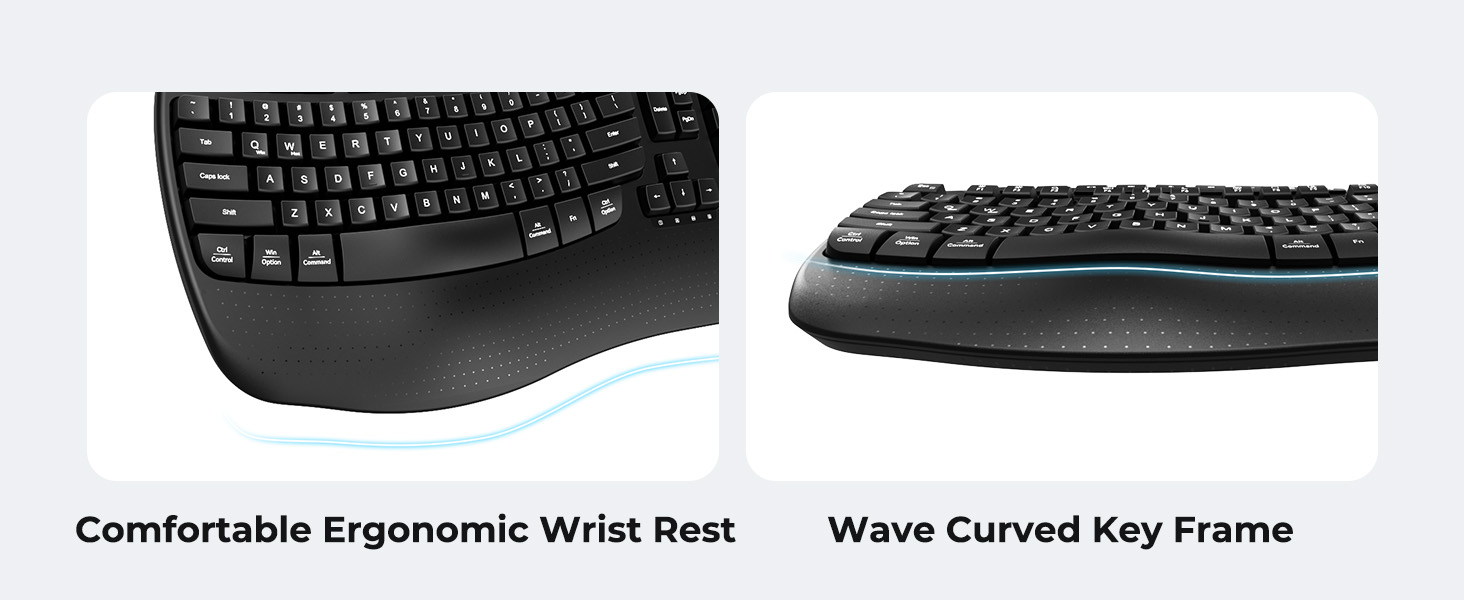
Image: A visual representation of the independent and combined multimedia keys available on the keyboard.
4.5. Intelligent Power Saving
The keyboard features an auto-sleep mode to conserve battery life. After 20 minutes of inactivity, it will enter hibernation. To wake it up, simply press any key.

Image: Close-up of the keyboard's indicator lights, showing status for Num Lock, Caps Lock, FN Lock, and low battery warning.
5. Техникалык тейлөө
Клавиатураңыздын узак иштөөсүн жана оптималдуу иштешин камсыз кылуу үчүн төмөнкү тейлөө көрсөтмөлөрүн аткарыңыз:
- Тазалоо: Клавиатуранын бетин жумшак, кургак чүпүрөк менен сүртүңүз. Тереңирээк тазалоо үчүн, бир азamp cloth with mild soap can be used, ensuring no liquid enters the keycaps or internal components.
- Суюктуктардан алыс болуңуз: Do not expose the keyboard to excessive moisture or spill liquids on it.
- Сактагыч: Клавиатураны күн нурунан жана экстремалдык температурадан алыс, салкын, кургак жерде сактаңыз.
- Батареяны алмаштыруу: Replace batteries promptly when the low battery indicator appears to maintain consistent performance.
6. Кыйынчылыктарды
If you encounter issues with your MEETION DirectorD-KB keyboard, refer to the following common solutions:
- Баскычтоп жооп бербей жатат:
- Клавиатура күйгүзүлгөнүн текшериңиз.
- Батареялардын туура орнотулганын жана түгөнбөгөнүн текшериңиз. Зарыл болсо, алмаштырыңыз.
- Verify that the USB receiver is securely plugged into your computer's USB port (or via the USB-C adapter).
- Ресиверди башка USB портуна сайып көрүңүз.
- Компьютериңизди өчүрүп күйгүзүңүз.
- Кечигип же үзгүлтүктүү байланыш:
- Ensure the keyboard is within the effective range of the receiver (typically up to 10 meters).
- Minimize interference from other wireless devices by moving them further away.
- Ресиверди чоң металл буюмдардын жанына коюудан алыс болуңуз.
- Keys not functioning correctly:
- Баскычтоптун капкактарынын астында кандайдыр бир физикалык тоскоолдуктар бар-жогун текшериңиз.
- Ensure the correct operating system layout (Windows/macOS) is selected using FN+Q or FN+W.
7. Техникалык шарттар
| Өзгөчөлүк | Деталь |
|---|---|
| Бренд | ЖОЛУГУШУУ |
| Модель номери | DirectorD-KB |
| Байланыш технологиясы | 2.4G Wireless (USB-A, USB-C Adapter) |
| Шайкеш түзмөктөр | Laptop, PC (Windows XP/7/8/10/11 & macOS X 10.6 or later) |
| Баскычтоптун жайгашуусу | QWERTY |
| Ачкычтардын саны | 113 |
| Өзгөчөлүктөр | Ergonomic, Hotkeys and Media Keys, Integrated Stand, Wave Keys, Wrist Rest |
| Продукциянын өлчөмдөрү (L x W x Y) | 17.39" x 9.43" x 1.81" |
| Материал | Пластик |
| Power Source | Батарея менен иштейт (2 x AAA, кошулган эмес) |
8. Расмий продукт Video
Видео: Продукциянын расмий көргөзмөсүasing the features and ergonomic design of the MEETION DirectorD-KB Wave Ergonomic Wireless Keyboard. (Duration: 0:39)
9. Кепилдик жана колдоо
This MEETION DirectorD-KB Wireless Ergonomic Keyboard comes with a 1-year manufacturer's warranty.
For further assistance, troubleshooting, or warranty claims, please visit the official MEETION store or contact customer support.
Official MEETION Store: MEETION Store on Amazon