
Oilsky M303
Oilsky M303 Android 9.0 MP3 Player User Manual
Модел: M303
1. Киришүү
The Oilsky M303 is a versatile digital audio and video player running on Android 9.0. It features a 4-inch full-touch screen, 8-core processor, 2GB RAM, 16GB internal storage (expandable with a 64GB microSD card included), Wi-Fi, and Bluetooth connectivity. This manual provides essential information for operating your device.
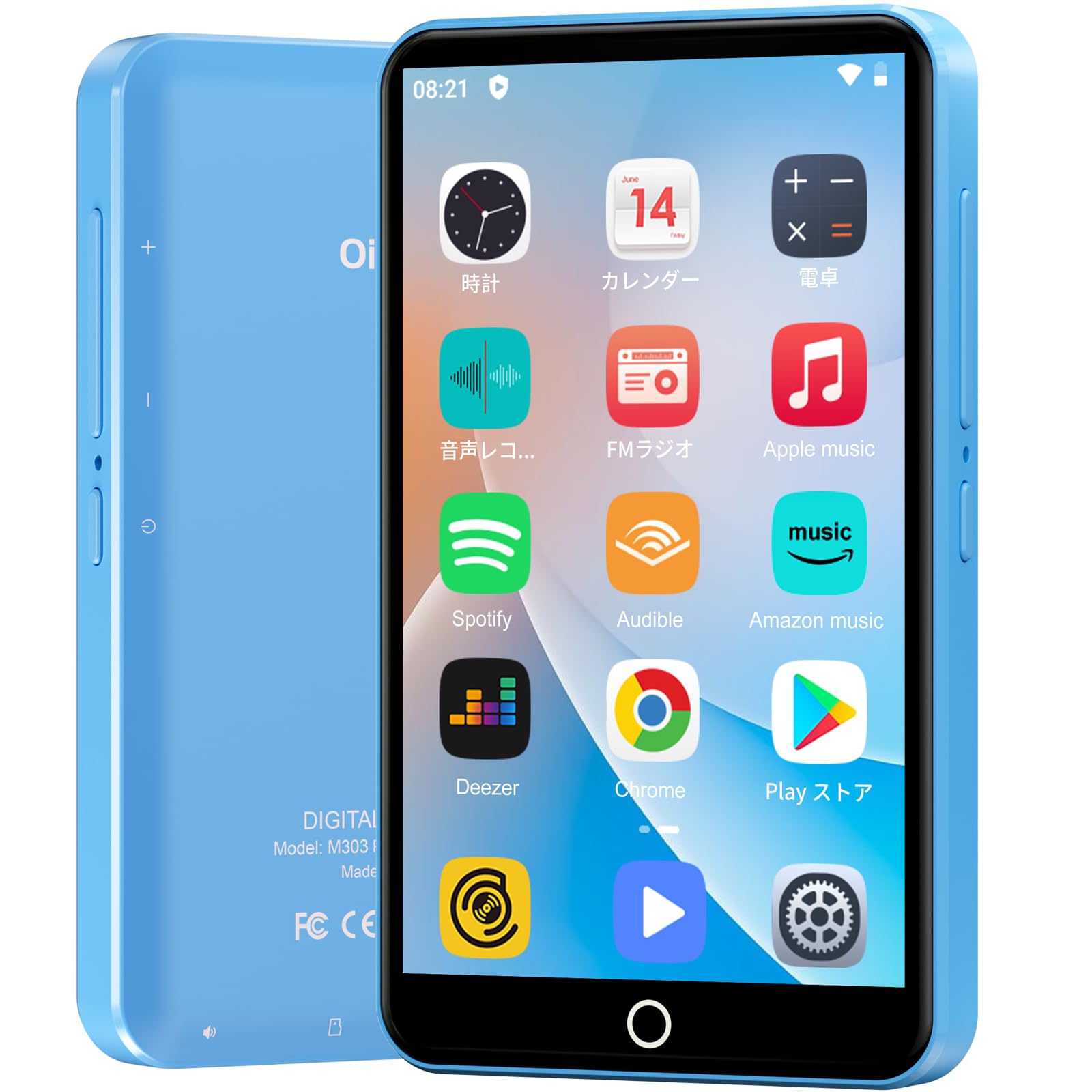
Сүрөт: алдыңкы view of the Oilsky M303 MP3 Player, showcasing its compact design and touchscreen interface.
2. Кутуда эмне бар
Төмөнкү нерселердин баары пакетиңизге камтылганын текшериңиз:
- Oilsky M303 Main Unit
- Наушник
- Type-C маалымат кабели
- Protective Film (one pre-installed, one spare)
- Multi-language User Manual (including Japanese)
- Силикон коргоочу кап
- 64 ГБ эстутум картасы

Image: All included accessories for the Oilsky M303 MP3 Player, neatly arranged.
3. Продукт бүтүп калдыview
Familiarize yourself with the device's physical features and controls.
3.1. Түзмөктүн жайгашуусу

Сүрөт: каптал view of the Oilsky M303, highlighting the volume buttons, power button, and USB-C port.
- Кубат баскычы: Күйгүзүү/өчүрүү же кайра баштоо үчүн басып туруңуз. Экранды күйгүзүү/өчүрүү үчүн кыска басыңыз.
- Үн баскычтары: Аудионун үнүн тууралаңыз.
- USB-C порту: Заряддоо жана маалыматтарды өткөрүү үчүн.
- 3.5 мм гарнитура уячасы: Connect wired earphones.
- MicroSD картасынын уячасы: Кеңейтилген сактагыч үчүн microSD картаны салыңыз.
- Камтылган динамик: Кулакчынсыз аудио ойнотуу үчүн.
4. Орнотуу
4.1. Баштапкы заряддоо
Before first use, fully charge the device. Connect the provided Type-C data cable to the player and a USB power adapter (not included). A full charge takes approximately 3 hours. The device has a 2000mAh battery for extended use.
4.2. Күйгүзүү/өчүрүү
- Күйгүзүү үчүн: Экран күйгүчө кубат баскычын басып, кармап туруңуз.
- Өчүрүү үчүн: Кубат баскычын басып, кармап туруңуз, андан кийин параметрлерден "Өчүрүү" дегенди тандаңыз.
- Экранды күйгүзүү/өчүрүү: Short press the Power button to turn the screen on or off.
4.3. Тил жөндөөлөрү
Upon first boot, you may need to set the language. Navigate to Орнотуулар > Система > Тилдер жана киргизүү > Тилдер to select your preferred language, such as English or Japanese.
4.4. Wi-Fi туташуусу
Онлайн функцияларга жетүү жана колдонмолорду жүктөп алуу үчүн, Wi-Fi тармагына туташыңыз:
- барыңыз Орнотуулар > Тармак жана интернет > Wi-Fi.
- Wi-Fi которуштуруу On.
- Тизмеден каалаган тармакты тандап, суралса сырсөздү киргизиңиз.
4.5. Google Play Store
The Oilsky M303 supports Google Play Store, allowing you to download various applications.
- Wi-Fi'га туташканыңызды текшериңиз.
- ачыңыз Play Store колдонмону башкы экрандан алыңыз.
- Google каттоо эсебиңиз менен кириңиз.
- Издөө and install desired applications like YouTube, Spotify, or other streaming services.

Image: The Oilsky M303 screen showing the Google Play Store interface with various app icons.
5. Иштөө нускамалары
5.1. Музыканы ойнотуу
The device supports various audio formats including MP3, WMA, WAV, FLAC, OGG, AAC, APE, and M4A.
- Музыканы өткөрүп берүү: Connect the player to your computer using the Type-C cable and transfer audio files to the device's internal storage or the microSD card.
- Музыка ойнотуу: Open the Music app. You can browse by artist, album, song, or create custom playlists.
- Мадам: Adjust sound settings using the built-in equalizer for a personalized audio experience.
- Online Lyrics: The player supports displaying online lyrics for songs.

Image: The Oilsky M303 displaying its music playback interface, showing options for song classification, search, playlist creation, and equalizer settings.
5.2. Видеону ойнотуу
Enjoy videos on the 4-inch IPS full-touch screen with 480x800px resolution, supporting up to 1080P Full HD video playback. Supported formats include RM, AVI, RMVB, FLV, MP4, DAT, MKV, MPG, MOV, TS.
- Transfer Videos: Видеону өткөрүү fileс компьютериңизден аппаратка.
- Видеолорду ойнотуу: Open the Video app and select your desired video.
- Ойнотуу параметрлери: Features include loop or random playback, variable speed playback, sleep timer, and gesture controls for zoom.

Image: The Oilsky M303 displaying a video on its 4-inch screen, illustrating its video playback capabilities.
5.3. Bluetooth туташуусу
Connect your player to Bluetooth headphones, speakers, or car audio systems.
- барыңыз Орнотуулар > Туташкан түзмөктөр > Bluetooth.
- Bluetooth которуштуруу On.
- Make sure your Bluetooth accessory is in pairing mode.
- Жупташтыруу үчүн жеткиликтүү түзмөктөрдүн тизмесинен аксессуарды тандаңыз.

Image: The Oilsky M303 demonstrating its Bluetooth connectivity with various audio devices like speakers and headphones.
5.4. FM радиосу
The device includes an FM radio function. Connect wired earphones to act as an antenna for optimal reception.
5.5. Үн жазгыч
Use the built-in voice recorder for capturing audio notes or lectures. Open the Үн жазгыч app to start recording.
5.6. File Башкаруу
The player comes with 16GB of internal storage and a 64GB microSD card, providing a total of 80GB usable storage. This can be expanded further up to 512GB using a larger microSD card. Use the File Manager app to organize your media and documents.
6. Техникалык тейлөө
- Тазалоо: Аппаратты тазалоо үчүн жумшак, кургак чүпүрөктү колдонуңуз. Суюк тазалагычтардан же абразивдүү материалдардан алыс болуңуз.
- Сактагыч: Аппаратты түз күн нурунан жана экстремалдык температурадан алыс салкын, кургак жерде сактаңыз.
- Батареяга кам көрүү: Батареянын иштөө мөөнөтүн узартуу үчүн, аны тез-тез толук зарядсыздандырбаңыз. Аны үзгүлтүксүз кубаттап туруңуз.
- Программалык камсыздоо жаңыртуулары: Check for system updates periodically in Орнотуулар > Систем > Өркүндөтүлгөн > Системаны жаңыртуу оптималдуу аткарууну жана коопсуздукту камсыз кылуу.
7. Кыйынчылыктарды
| Көйгөй | Мүмкүн чечим |
|---|---|
| Түзмөк күйбөйт. | Батарея заряддалганын текшериңиз. Кайра күйгүзүүдөн мурун, аны кеминде 30 мүнөт заряддагыч түзүлүшкө туташтырыңыз. |
| Wi-Fi'га туташпай жатат. | Check if Wi-Fi is enabled in settings. Ensure the password is correct. Restart the device and your Wi-Fi router. |
| Bluetooth байланышы туруксуз же үзүлүп жатат. | Ensure the player and Bluetooth accessory are within close range. Avoid areas with strong electromagnetic interference. Try re-pairing the devices. |
| Колдонмолор жай же жооп бербей жатат. | Close unnecessary background applications. Clear app cache (Settings > Apps & notifications > See all apps > [App Name] > Storage & cache > Clear cache). Restart the device. |
| Колдонуу учурунда түзмөк ысып кетет. | It is normal for the device to warm up during intensive use (e.g., video playback, gaming). If it becomes excessively hot, close applications and let it cool down. |
| Cannot charge with USB-C PD charger. | The device may not support USB-C Power Delivery (PD) protocols. Use a standard USB-A to USB-C cable with a compatible USB-A power adapter (5V, up to 900mA). |
8. Техникалык шарттар
| Бренд | Ойлский |
| Модел | M303 |
| Операция системасы | Android 9.0 |
| Экран | 4-inch Full-touch IPS LCD (480x800px) |
| Процессор | 8-core (MTK 8-Core) |
| RAM | 2 ГБ |
| Ички сактагыч | 16 ГБ |
| Кеңейтүүчү сактагыч | MicroSD card up to 512GB (64GB card included) |
| Батарея | 2000mAh |
| Байланыш | Wi-Fi, Bluetooth |
| Колдоого алынган аудио форматтары | MP3, WMA, WAV, FLAC, OGG, AAC, APE, M4A |
| Колдоого алынган видео форматтары | RM, AVI, RMVB, FLV, MP4, DAT, MKV, MPG, MOV, TS (up to 1080P) |
| Өлчөмдөр (D x W x H) | 1 x 6.1 x 10.3 см |
| Өзгөчөлүктөрү | Touchscreen, Voice Recorder, Built-in Speaker, Video Playback, FM Radio, Calculator, Calendar, Alarm |
| Origin | Кытай |
9. Кепилдик жана колдоо
The Oilsky M303 MP3 Player comes with a 1 жылдык кепилдик сатып алынган күндөн тартып. Кепилдик дооматтары үчүн сатып алганыңыздын далилин сактап коюңуз.
For technical support or warranty inquiries, please contact the retailer or manufacturer directly. Refer to the contact information provided in the packaging or on the official Oilsky webсайт.
Ask a question about this manual
Ask about setup, troubleshooting, compatibility, parts, safety, or missing instructions. Manuals+ will review the question and use this page’s manual context to help answer it.