
GNCC P5
GNCC имараттын ичиндеги коопсуздук камерасынын колдонуучу колдонмосу
Модел: P5
Бренд: GNCC
Продукт бүттүview
The GNCC P5 Indoor Security Camera provides comprehensive home monitoring with advanced features. It offers 2K FHD video quality, night vision, two-way audio, and smart motion detection, ensuring you can keep an eye on your home, pets, or baby from anywhere. The camera supports pan and tilt functionality for a wide coverage area and integrates with popular smart home platforms.

Image: GNCC P5 Indoor Security Camera shown alongside a smartphone displaying its live feed, highlighting its remote monitoring capability.
1. Орнотуу колдонмосу
1.1 Кутуда эмне бар
- GNCC P5 ички коопсуздук камерасы
- Кубаттуу адаптер
- Type-C Power Cable (2 meters)
- Screw Package (for optional wall mounting)
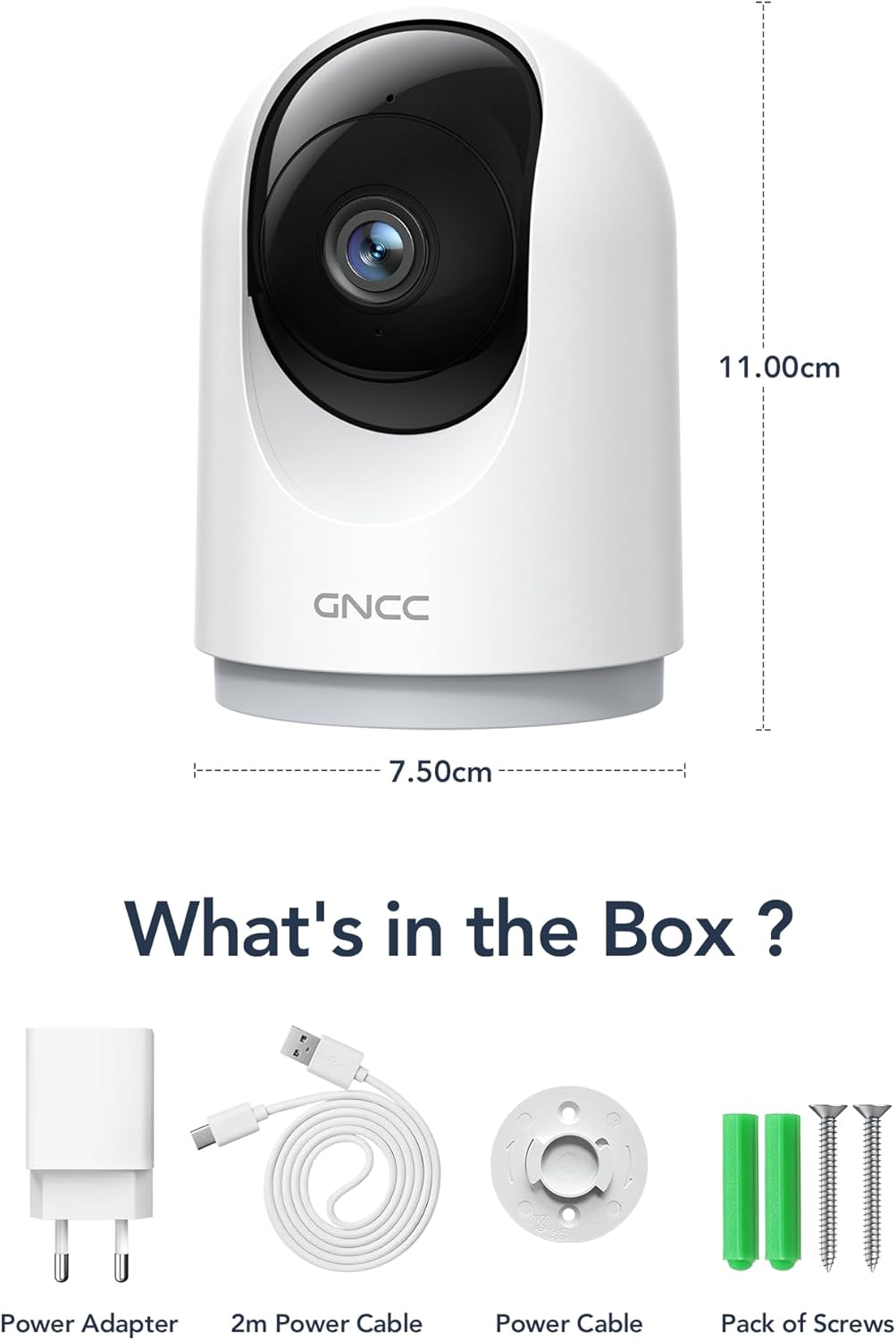
Image: Illustration of the GNCC P5 camera and its included accessories: power adapter, USB-C cable, and mounting hardware.
1.2 Физикалык орнотуу
- Жайгашкан жерди тандаңыз: Place the camera on a flat surface or mount it to a wall using the provided screw package. Ensure the location provides a clear view сиз көзөмөлдөгүңүз келген аймак.
- Кубат туташуу: Connect the Type-C power cable to the camera and the power adapter. Plug the adapter into a standard electrical outlet. The camera will power on automatically.
- Wi-Fi Proximity: Ensure the camera is within 3 feet of your 2.4Ghz Wi-Fi router during the initial setup process for optimal connection. Note: This camera only supports 2.4Ghz Wi-Fi, not 5Ghz.

Image: The GNCC P5 camera positioned on a shelf, illustrating its compact design and highlighting its key features through surrounding icons.
1.3 Колдонмону орнотуу жана туташуу
The GNCC P5 camera operates via the OSAIO app. Follow these steps to connect your camera:
- Download the OSAIO App: Издөө "OSAIO" in your smartphone's app store (App Store for iOS or Google Play Store for Android) and download it.
- Каттоо эсебин түзүү: Open the OSAIO app and follow the on-screen instructions to create a new user account or log in if you already have one.
- Түзмөк кошуу: Tap the "+" icon or "Add Device" option within the app. Select the GNCC P5 camera model from the list.
- Колдонмодогу нускамаларды аткарыңыз: The app will guide you through the Wi-Fi connection process, which typically involves scanning a QR code displayed on your phone with the camera's lens.
- Камераңызды атаңыз: Once connected, you can assign a name to your camera (e.g., "Living Room Camera," "Baby's Room").
2. Иштөө нускамалары
2.1 Live View жана панорамалоо/кыйшайтуу башкаруусу
Access the live video feed of your camera through the OSAIO app. The camera features 355° horizontal and 90° vertical rotation, providing a 360° panoramic view сиздин мейкиндиктин.
- Live мүмкүндүк алуу View: From the app's main screen, tap on your camera's name to open the live feed.
- Pan/Tilt Control: Use the directional controls (usually a joystick or arrow buttons) within the live view камераны алыстан тууралоо үчүн интерфейс viewбурч.

Image: The GNCC P5 camera demonstrating its 360° panoramic view, with a phone screen showing the extensive coverage of a living space.
Видео: Бүттүview of the GNCC 2K Security Camera, showcasing its features including 360° panoramic view, 2K HD resolution, motion detection, sound detection, 2-way audio, and night vision capabilities.
2.2 Эки тараптуу аудио
The camera features a built-in microphone and speaker, enabling real-time two-way communication.
- Initiate Talk: Түз эфирде view, камеранын динамиги аркылуу сүйлөө үчүн микрофон сүрөтчөсүн таптаңыз.
- Угуу: Камеранын микрофону анын айланасындагы аудиону алат, аны сиз телефонуңуз аркылуу уга аласыз.

Image: A user interacting with the camera via the app, demonstrating the two-way audio function to communicate with someone on the other end.
2.3 Кыймылды аныктоо жана эскертүүлөр
The camera is equipped with smart motion detection and tracking. When motion is detected, you will receive instant notifications on your phone.
- Эскертүүнү иштетүү: Configure motion detection sensitivity and notification preferences in the OSAIO app settings for your camera.
- Motion Tracking: Камера автоматтык түрдө өз тармагында аныкталган кыймылды көзөмөлдөй алат view.

Image: The camera actively tracking movement in a room, with corresponding motion detection alerts shown on a smartphone.
2.4 Түнкү көрүнүш
The GNCC P5 camera provides clear night vision, allowing you to monitor your space even in low-light or no-light conditions.
- Автоматтык иштетүү: Түнкү көрүнүш, адатта, жарык аз шарттарда автоматтык түрдө иштетилет.
- Кол менен башкаруу: Some settings within the app may allow for manual control of night vision mode.

Image: The camera providing clear night vision of a baby's room, as seen on a smartphone screen, ensuring monitoring in darkness.
2.5 Сактоо параметрлери (SD карта / булут)
The camera offers flexible storage solutions for your recorded video footage.
- SD карта сактагычы: Insert a Micro SD card (up to 128GB, not included) into the camera's designated slot for continuous 24/7 recording.
- Булуттагы сактагыч: A 30-day trial of cloud storage is available. You can subscribe to a cloud plan through the OSAIO app for secure, off-site storage of alert videos.
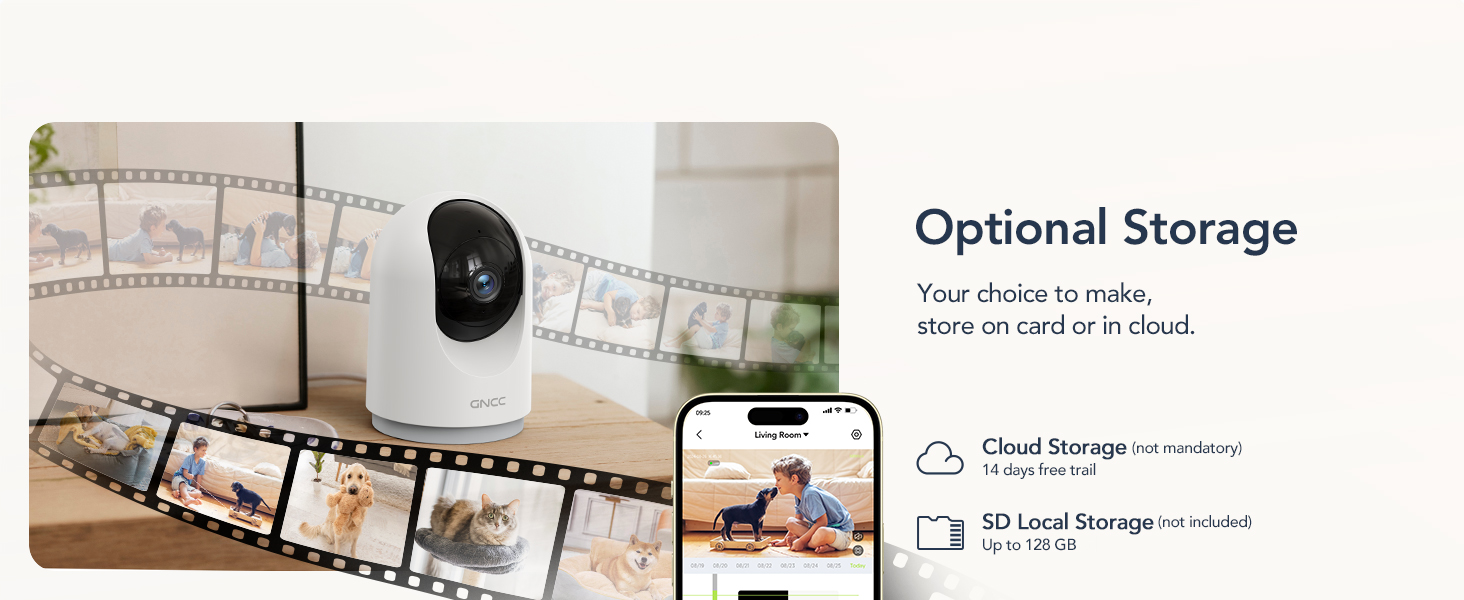
Image: Visual representation of the camera's optional storage methods: cloud storage and local SD card storage, with a smartphone showing recorded footage.
2.6 Smart Home интеграциясы
The GNCC P5 camera is compatible with Amazon Alexa and Google Assistant, allowing for voice-controlled viewing of your live camera feed.
- Жупташтыруу: Follow the instructions in the Alexa or Google Home app to link your OSAIO account and discover your GNCC camera.
- Үн буйруктары: Use simple voice commands such as "Alexa, show me the baby's room" or "Hey Google, show me the living room camera" to view шайкеш келген акылдуу дисплейлердеги түз эфир.

Image: A user commanding Alexa to display the camera feed on a smart display, illustrating the camera's integration with smart home systems.
3. Техникалык тейлөө
- Тазалоо: Камера линзасын жана корпусун тазалоо үчүн жумшак, кургак чүпүрөктү колдонуңуз. Суюк тазалоочу каражаттарды же абразивдүү материалдарды колдонуудан алыс болуңуз.
- Программалык камсыздоонун жаңыртуулары: Periodically check the OSAIO app for available firmware updates. Keeping your camera's firmware updated ensures optimal performance and security. Follow the in-app instructions for any updates.
4. Кыйынчылыктарды
| Көйгөй | Чечим |
|---|---|
| Камера Wi-Fi'га туташпай жатат. |
|
| Видеонун сапаты начар. |
|
| Кыймылды аныктоо боюнча эскертүүлөр жок. |
|
| Эки тараптуу аудио иштебей жатат. |
|
5. Техникалык шарттар
| Өзгөчөлүк | Деталь |
|---|---|
| Модель аты | P5 |
| Ички/тышкы колдонуу | Indoor |
| Видео тартуунун резолюциясы | 2K FHD |
| Viewбурч | 355° Горизонталдык, 90° Вертикалдуу |
| Түнкү көрүү диапазону | 33 Фут |
| Connectivity Protocol | Wi-Fi (2.4 ГГц гана) |
| Power Source | Corded Electric (Type-C) |
| Шайкеш түзмөктөр | OSIAO App, Amazon Alexa, Google Assistant |
| Сактагыч параметрлери | Микро SD карта (128 ГБ чейин), Cloud Storage |
| Эки тараптуу аудио | Ооба |
| Motion Detection | Yes, with Motion Tracking |
| Эскертүү түрү | Аудио жана кыймыл |
| Өлчөмдөрү (L x W x Y) | 2.95 x 2.95 x 4.33 дюйм |
| Элемент Салмагы | 6 унция (0.17 килограмм) |
| Тtage | 5 вольт |
| Ватtage | 3 ватт |
| Frame Rate | секундасына 10 кадр |
| Оптикалык масштаб | 4x |
6. Кепилдик жана колдоо
For warranty information and technical support, please refer to the official GNCC webсайтка же түздөн-түз кардарларды тейлөөгө кайрылыңыз. Сатып алуу квитанциясын кепилдик дооматтары үчүн сатып алуунун далили катары сактаңыз.
Онлайн ресурстар:
- зыярат кылыңыз GNCC Store on Amazon for product updates and related information.
Ask a question about this manual
Ask about setup, troubleshooting, compatibility, parts, safety, or missing instructions. Manuals+ will review the question and use this page’s manual context to help answer it.