
1. Киришүү
This manual provides detailed instructions for setting up, operating, maintaining, and troubleshooting your MAMBASNAKE Attack Shark X65PRO HE Hall Effect Magnetic Keyboard and X11 Superlight Gaming Mouse combo. Please read this manual thoroughly before using the product to ensure optimal performance and longevity.

Image 1.1: The Attack Shark X65PRO HE keyboard and X11 mouse, showcasing their combined design and features.
2. Пакеттин мазмуну
Пакетиңизде бардык буюмдар бар экенин текшериңиз:
- Attack Shark X65PRO HE Hall Effect Magnetic Keyboard
- Attack Shark X11 Superlight Gaming Mouse
- Magnetic Charging Dock for X11 Mouse
- USB-C Cable
- 2.4 ГГц зымсыз алуучу
- Колдонуучунун Колдонмосу (бул документ)
3. Орнотуу колдонмосу
3.1 Алгачкы заряддоо
Биринчи жолу колдонуудан мурун, клавиатураны да, чычканды да толук кубаттоо сунушталат.
- Баскычтоп: USB-C кабелин клавиатурага жана кубат булагына (мисалы, компьютердин USB портуна, USB дубал адаптерине) туташтырыңыз.
- Чычкан: Place the X11 mouse onto the magnetic charging dock. Connect the USB-C cable to the charging dock and a power source. The dock features RGB lighting that may indicate charging status.
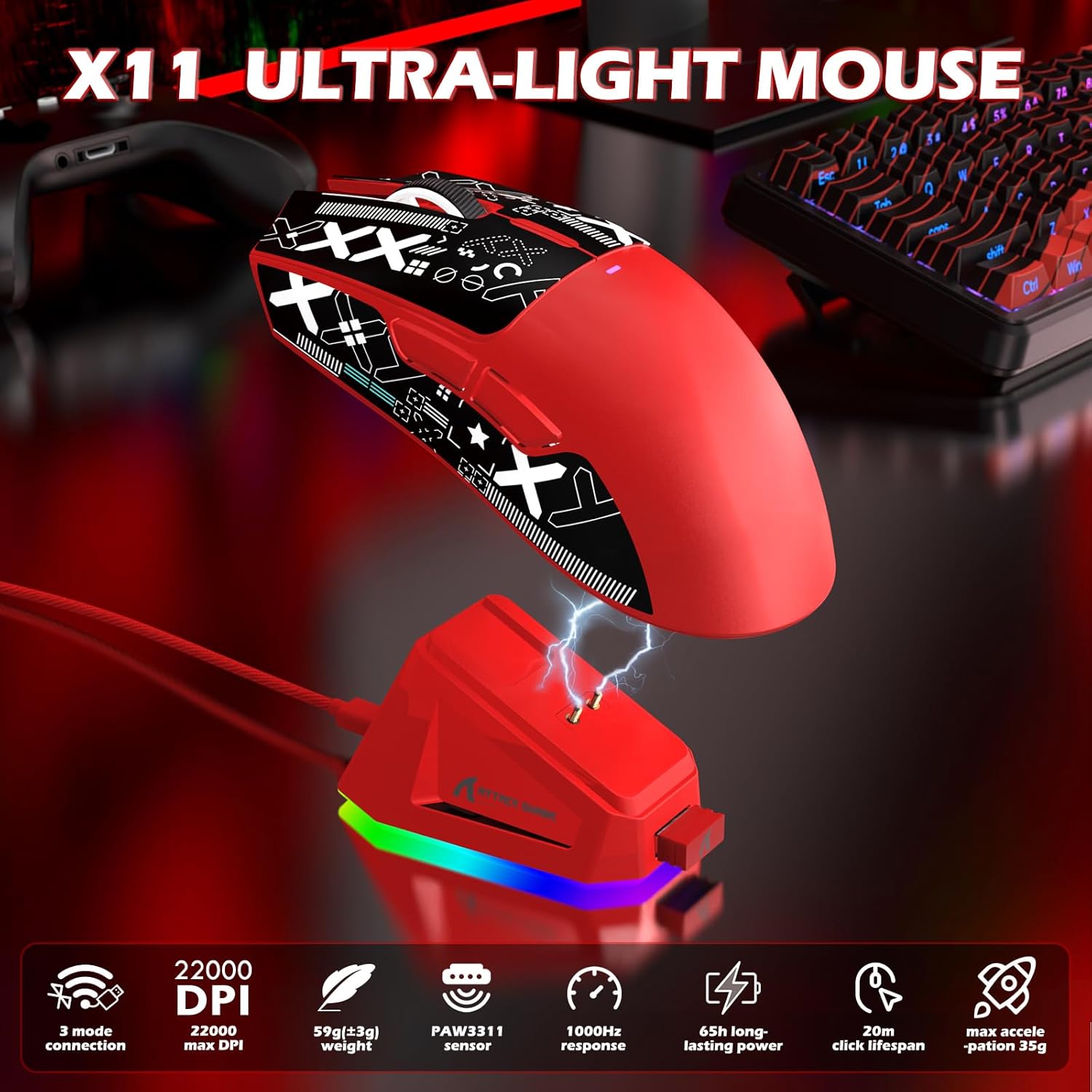
Image 3.1: The X11 mouse placed on its magnetic charging dock, illustrating the charging process.
3.2 Байланыш режимдери
Both the X65PRO HE keyboard and X11 mouse support three connection modes: Wired (USB-C), 2.4GHz Wireless, and Bluetooth.
3.2.1 Зымдуу туташуу
- Connect the USB-C cable directly from the device (keyboard or mouse) to your computer's USB port.
- The device will be automatically recognized and ready for use.
3.2.2 2.4 ГГц зымсыз туташуу
- 2.4 ГГц зымсыз кабыл алгычты компьютериңиздеги жеткиликтүү USB портуна сайыңыз.
- Баскычтоп үчүн: Switch the mode selector on the keyboard to 2.4G.
- Чычкан үчүн: Switch the mode selector on the mouse to 2.4G.
- Түзмөктөр автоматтык түрдө туташуу керек.
3.2.3 Bluetooth байланышы
- Баскычтоп үчүн: Switch the mode selector on the keyboard to BT. Press and hold the Fn + 1/2/3 keys to enter pairing mode (indicator light will flash).
- Чычкан үчүн: Switch the mode selector on the mouse to BT. Press and hold the BT toggle button for 3 seconds to enter pairing mode.
- On your computer or device, go to Bluetooth settings and search for available devices. Select "Attack Shark X65PRO HE" or "Attack Shark X11" to pair.
- Both devices support multi-device Bluetooth pairing, allowing you to switch between up to three paired devices.

Image 3.2: Visual representation of the three available connectivity modes for the gaming combo.
4. Иштөө нускамалары
4.1 X65PRO HE Keyboard Features
4.1.1 Hall Effect Magnetic Switches
The X65PRO HE keyboard utilizes Hall Effect magnetic switches, offering precise and customizable actuation.
- Жөнгө салынуучу кыймылдаткыч: Customize the actuation point for each key from 0.1mm to 3.4mm using the web-негизделген айдоочу.
- 0.01mm Trigger Accuracy: Provides highly accurate and responsive key presses.
- Rapid Trigger: Allows for instant reset of keys, enabling faster repeated inputs.

Сүрөт 4.1: Детальдуу view of the magnetic switches within the X65PRO HE keyboard, highlighting their design.

Image 4.2: Explanation of the 0.01mm trigger accuracy feature of the keyboard.
4.1.2 8000Гц добуш берүү жыштыгы
The keyboard supports an 8000Hz polling rate, providing a response time as low as 0.125ms in wired mode for minimal input lag.

Image 4.3: The X65PRO HE keyboard highlighting its 8000Hz polling rate and 0.125ms response time.
4.1.3 CNC Multifunctional Knob
The integrated CNC-machined knob allows for quick adjustments of volume, RGB lighting effects, and system controls.

Сүрөт 4.4: Жакын пландан view of the CNC metal knob, indicating its functionality for quick adjustments.
4.1.4 Эргономикалык дизайн
The keyboard features a compact 60% layout and a two-stage adjustable kickstand for three ergonomic typing angles.
4.2 X11 Mouse Features
4.2.1 PixArt 3311 Sensor
Equipped with a PixArt 3311 sensor, the X11 mouse offers high precision and responsiveness.
- DPI: Up to 22,000 DPI with 6 levels of adjustment.
- IPS: 300 IPS (Inches Per Second) tracking speed.
- Добуш берүү көрсөткүчү: 1000Hz return rate.
Image 4.5: The X11 mouse with an overlay highlighting the PixArt PAW3311 gaming sensor and its capabilities.
4.2.2 Өтө жеңил дизайн
The X11 mouse weighs approximately 63g, designed for fast movements and reduced fatigue during extended use.

Image 4.6: The X11 mouse emphasizing its ultra-lightweight design at 63 grams.
4.2.3 Magnetic Charging Dock
The included magnetic charging dock provides convenient charging and features customizable RGB lighting effects.
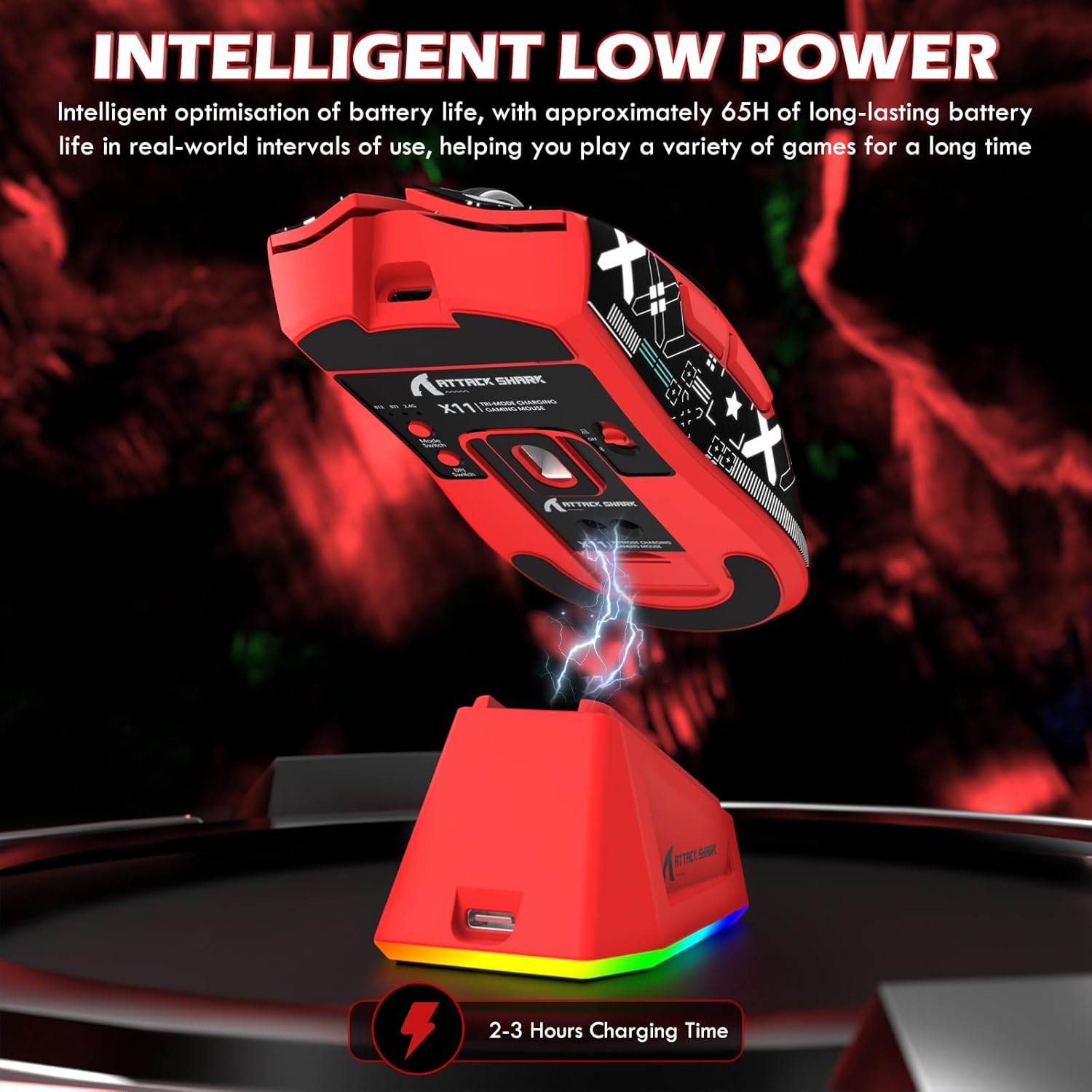
Image 4.7: The X11 mouse intelligently charging on its low-power magnetic dock, showing RGB lighting.
4.3 Customization with Web-Based Driver
Both devices can be customized using a web-based driver, eliminating the need for software installation.
- Keyboard (X65PRO HE): Adjust actuation points per key, program macros, remap keys, and customize RGB lighting.
- Mouse (X11): Adjust DPI settings, polling rate, program macros, and customize button functions.
- кирүү web driver via the official MAMBASNAKE or Attack Shark webсайт.
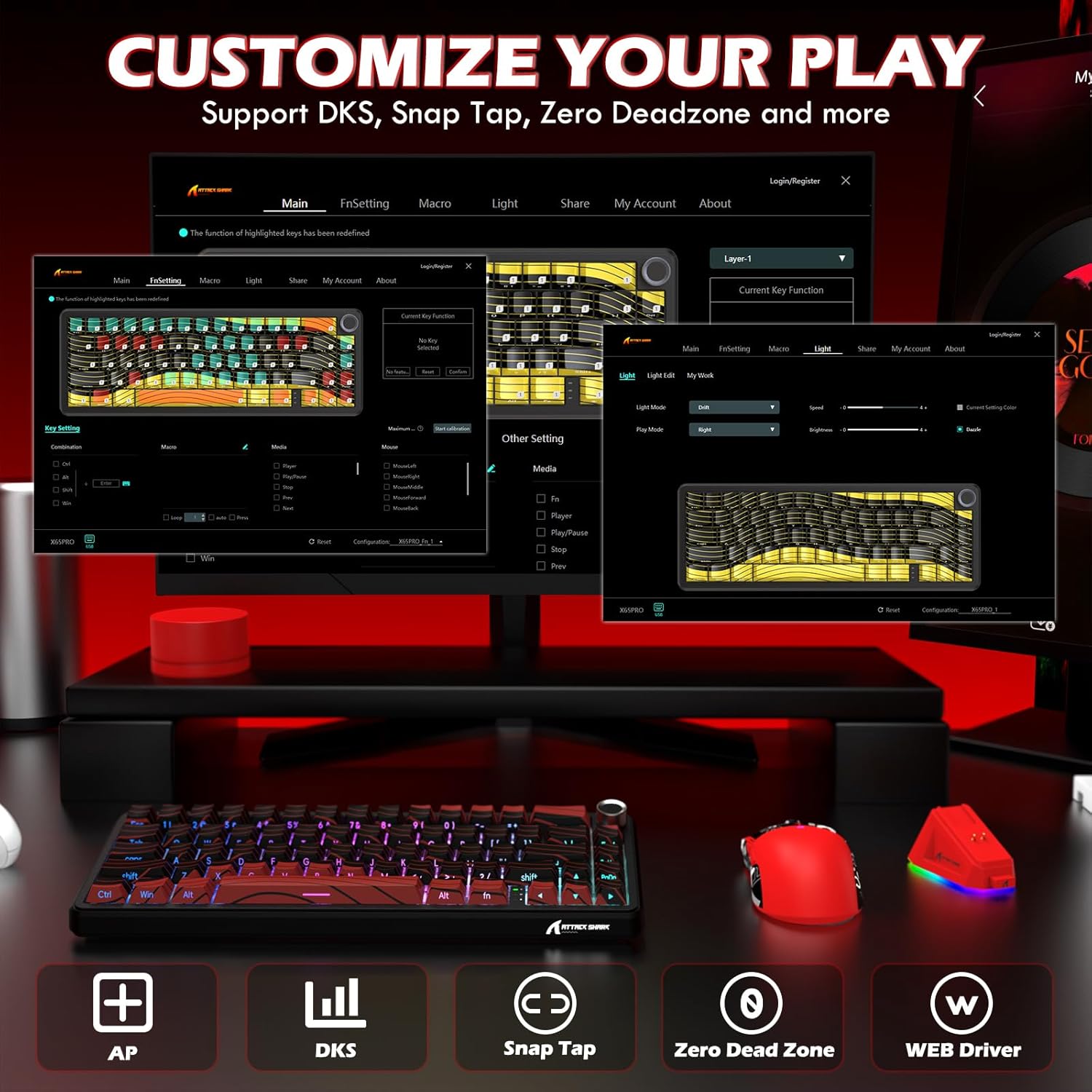
Image 4.8: Screenshot of the web-based driver interface, demonstrating options for customizing key functions, macros, and lighting.
5. Техникалык тейлөө
5.1 Тазалоо
- Тазалоодон мурун түзмөктөрдү кубаттан ажыратыңыз.
- Клавиатуранын жана чычкандын бетин сүртүү үчүн жумшак, кургак чүпүрөктү колдонуңуз.
- өжөр кир үчүн, бир аз гampчүпүрөктү суу же жумшак тазалоо эритмеси менен жууп салыңыз. Катуу химиялык заттардан алыс болуңуз.
- Use compressed air to remove dust and debris from between keyboard keys.
5.2 Hot-Swappable Switches (Keyboard)
The X65PRO HE keyboard features hot-swappable Hall Effect magnetic switches, allowing for easy replacement without soldering.
- Баскычтын капкагын тартуучу каражатты колдонуп, өчүргүчтөн акырындык менен баскычтын капкагын тартыңыз.
- Use a switch puller to carefully remove the switch from the keyboard plate.
- Жаңы которгучтун төөнөгүчтөрүн платадагы розеткалар менен тегиздеп, ал ордуна чыкылдаганча бекем басыңыз.
- Баскыч капкагын алмаштырыңыз.
6. Кыйынчылыктарды
6.1 Байланыш маселелери
- Түзмөк жооп бербей жатат: Ensure the device is charged. Check the connection mode (Wired, 2.4G, BT) and ensure it matches your computer's connection.
- 2.4 ГГц байланыш туруксуз: Ensure the wireless receiver is plugged directly into a USB port, preferably on the front of your computer, and not through a hub. Minimize interference from other wireless devices.
- Bluetooth жупташтыруу ишке ашкан жок: Ensure the device is in pairing mode (indicator light flashing). Remove previous pairings from your computer's Bluetooth settings and try pairing again.
6.2 Ишти аткаруу маселелери
- Кечигүү же жооп бербөө: Ensure the device is fully charged. For optimal performance, use wired or 2.4GHz wireless mode. Check for driver updates or recalibrate settings via the web-негизделген айдоочу.
- Keys not registering (Keyboard): Check if the actuation point is set too high for your preference. Clean under the keycap. If a switch is faulty, consider replacing it (hot-swappable feature).
- Mouse tracking issues: Clean the mouse sensor. Ensure you are using a suitable mouse pad. Adjust DPI settings via the web-негизделген айдоочу.
6.3 RGB жарыктандыруу маселелери
- Жарыктар иштебейт: Ensure the device is powered on. Check RGB settings in the web-based driver or use the keyboard's built-in controls (Fn + keys) to cycle through effects.
- Charging dock RGB: The dock's RGB lighting can be customized via its touch-sensitive switch.
7. Техникалык шарттар
| Өзгөчөлүк | Спецификация |
|---|---|
| Бренд | MAMBASNAKE |
| Модел | X65PRO HE (Keyboard) & X11 (Mouse) |
| Байланыш технологиясы | USB-C (Wired), 2.4GHz Wireless, Bluetooth |
| Баскычтоптун түрү | Mechanical, Hall Effect Magnetic Switches |
| Баскычтоптун жайгашуусу | 60% QWERTY (61 Keys) |
| Клавиатуранын сурамжылоо ылдамдыгы | 8000 Гц чейин |
| Клавиатураны иштетүү | Adjustable 0.1mm-3.4mm, 0.01mm RT Accuracy |
| Чычкан сенсору | PixArt 3311 |
| Чычкан DPI | Up to 22,000 DPI (6 Levels Adjustment) |
| Чычкандын салмагы | 63г |
| Чычкан которгучтары | HUANO Micro Switches (20 million clicks) |
| Power Source | Wired, Rechargeable via Dock |
| Шайкеш түзмөктөр | Оюн консолу, ноутбук, компьютер, планшет |
| Операциялык системаны колдоо | Windows 10+, Mac OS 12+, Ubuntu 22.04+ |
| Камтылган компоненттер | Магниттик заряддоо док |
8. Кепилдик маалыматы
The MAMBASNAKE Attack Shark X65PRO HE & X11 Gaming Combo comes with a 1 жылдык өндүрүүчүнүн кепилдиги сатып алынган күндөн тартып. Бул кепилдик нормалдуу колдонуудагы материалдардагы жана жасалгадагы кемчиликтерди камтыйт. Бул туура эмес колдонуудан, кырсыктардан, уруксатсыз өзгөртүүлөрдөн же кадимки эскирүүдөн келип чыккан зыянды камтыбайт.
For warranty claims or service, please contact the retailer where you purchased the product or visit the official MAMBASNAKE support webсайт.
9. Колдоо
Көбүрөөк жардам, техникалык колдоо же эң акыркы версиясын жүктөп алуу үчүн web-based driver, please visit the official MAMBASNAKE website or refer to the product page on Amazon:
- MAMBASNAKE Store: Visit the MAMBASNAKE Store on Amazon
- Продукт Барагы: Amazon Product Page (B0F1THT3C6)


