
1. Киришүү
Thank you for choosing the MANKIW G10 Bluetooth Headset. This manual provides detailed instructions for setting up, operating, and maintaining your headset to ensure optimal performance and a clear hands-free communication experience. Please read this manual thoroughly before use.
2. Пакеттин мазмуну
Төмөндө тизмеленген нерселердин баары пакетиңизде бар экенин текшериңиз:
- MANKIW G10 Bluetooth Headset
- Заряддоо кутусу
- USB-C заряддоо кабели
- Кулак учтары (ар кандай өлчөмдөгү)
- User Manual

3. Продукт бүтүп калдыview
The MANKIW G10 headset features an ergonomic design for comfortable wear and intuitive controls.

Негизги өзгөчөлүктөрү:
- Dual ENC Microphone: For clear calls with environmental noise cancellation.
- Bluetooth 5.3: Туруктуу жана тез зымсыз байланышты камсыз кылат.
- Көп чекиттүү туташуу: Бир эле учурда эки түзмөккө туташат.
- Батареянын узак иштөө мөөнөтү: Up to 20 hours of playback on a single charge, extended to 60 hours with the charging case.
- Эргономикалык дизайн: Lightweight (13.1g) with 180° swivel hook and 270° foldable arm for comfortable fit.
- Физикалык баскычтар: Independent volume controls and multi-function button.
- Үн жардамчысын жандыруу: Quick access to your device's voice assistant.
4. Орнотуу
4.1 Гарнитураны заряддоо
Биринчи колдонуудан мурун, гарнитураны жана анын заряддоо кутусун толук заряддаңыз.
- Гарнитураны заряддоо кутусуна салыңыз.
- USB-C кубаттоочу кабелин корпустагы кубаттоо портуна жана кубат булагына (мисалы, USB дубал адаптери, компьютердин USB порту) туташтырыңыз.
- The LED display on the charging case will indicate the charging status and battery level.
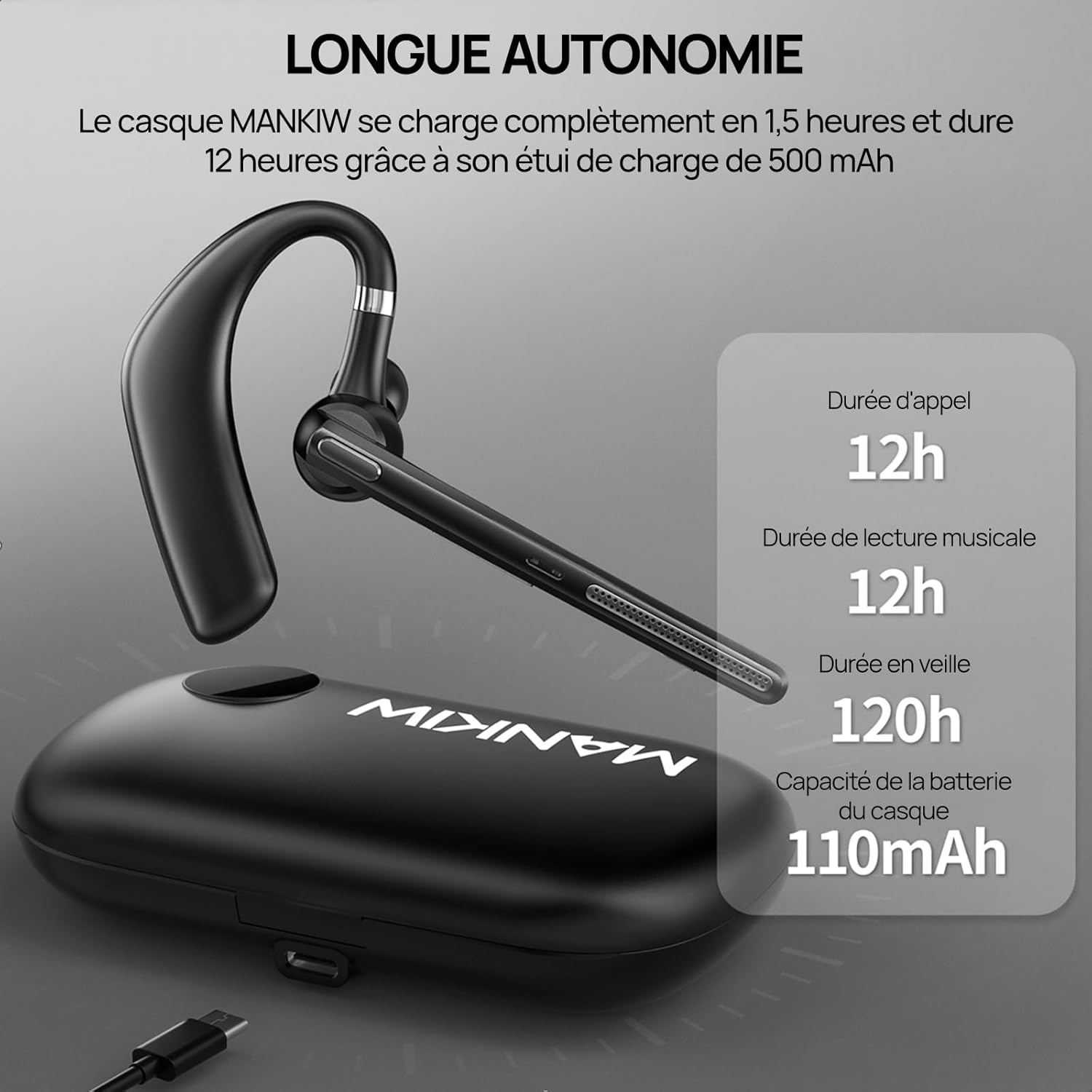
- A full charge for the headset takes approximately 1.5 hours. The charging case provides additional charges, extending total playback time to 60 hours.
4.2 Түзмөк менен жупташтыруу
Гарнитура туруктуу жана тез туташуу үчүн Bluetooth 5.3 колдонот.
- Күйгүзүү: Take the headset out of the charging case, or press and hold the Multi-Function Button (MFB) for 3 seconds until the indicator light flashes.
- Жупташтыруу режими: The headset will automatically enter pairing mode, indicated by a flashing blue and red light.
- Bluetooth иштетүү: On your smartphone, tablet, or laptop, go to the Bluetooth settings and turn on Bluetooth.
- Түзмөктү тандоо: Look for "G10" in the list of available devices and select it to connect.
- Туташуу ырастоо: Once connected, the indicator light will stop flashing and remain solid blue, or turn off, depending on the model. A voice prompt may also confirm the connection.

4.3 Connecting to Two Devices (Multipoint)
The G10 headset supports connecting to two devices simultaneously.
- Pair the headset with the first device as described in section 4.2. Then, turn off Bluetooth on the first device.
- The headset will re-enter pairing mode. Pair it with the second device.
- Once connected to the second device, re-enable Bluetooth on the first device. The headset should automatically connect to both devices.
- You can now switch between audio sources from either device without re-pairing.

5. Иштөө нускамалары
5.1 Күйгүзүү/өчүрүү
- Күйгүзүү: Take the headset out of the charging case, or press and hold the MFB for 3 seconds.
- Өчүрүү: Place the headset back into the charging case, or press and hold the MFB for 5 seconds.
5.2 Чалууларды башкаруу
- Чалууга жооп берүү/аяктоо: MFB бир жолу басыңыз.
- Чакырууну четке кагуу: MFBди 2 секунд басып туруңуз.
- Акыркы номерди кайра терүү: MFBди эки жолу басыңыз.
5.3 Үндү башкаруу
- Көлөмүн жогорулатуу: Көлөм + баскычын басыңыз.
- Көлөмдү азайтуу: Үн көлөмү - баскычын басыңыз.
5.4 Музыканы ойнотуу
- Ойнотуу/тындыруу: MFB бир жолу басыңыз.
- Кийинки трек: Үн + баскычын 2 секунд басып, кармап туруңуз.
- Мурунку трек: Үндү катуулатуу баскычын 2 секунд басып, кармап туруңуз.
5.5 Үн жардамчысын жандыруу
To activate your device's voice assistant (e.g., Siri, Google Assistant), triple-press the MFB.
5.6 Гарнитураны тагынуу
The MANKIW G10 is designed for comfortable and secure fit.
- The ear hook can rotate 180° and the arm can fold 270°, allowing you to adjust it for either your left or right ear.
- Choose the appropriate ear tip size for a snug and comfortable fit.
6. Техникалык тейлөө
6.1 Тазалоо
- Regularly clean the ear tips and the headset's surface with a soft, dry cloth.
- Катуу химиялык заттарды же абразивдүү материалдарды колдонбоңуз.
- Ensure the charging contacts on both the headset and case are clean and dry.
6.2 Сактоо
- When not in use, store the headset in its charging case to protect it and keep it charged.
- Салкын, кургак жерде, экстремалдык температурадан жана түз күндүн нурунан алыс сактаңыз.
7. Кыйынчылыктарды
If you encounter issues with your MANKIW G10 headset, refer to the following common problems and solutions:
| Көйгөй | Мүмкүн себеп | Чечим |
|---|---|---|
| Гарнитура күйбөйт. | Батарея аз. | Charge the headset and charging case fully. |
| Түзмөк менен жупташтыруу мүмкүн эмес. | Bluetooth is off on device; headset not in pairing mode; device too far. | Ensure Bluetooth is enabled on your device. Put headset in pairing mode. Keep devices within 10 meters. |
| Үн жок же үнү төмөн. | Гарнитурада же түзмөктө үн өтө төмөн; гарнитура туташкан эмес. | Adjust volume on both headset and device. Reconnect the headset. |
| Чалуу сапаты начар. | Алсыз сигнал; экологиялык ызы-чуу. | Move closer to your connected device. Ensure microphone is not obstructed. |
| Гарнитура бат-баттан ажыратылат. | Аралыктан тышкары; тоскоолдук. | Stay within Bluetooth range. Avoid strong electromagnetic interference. |
8. Техникалык шарттар
| Өзгөчөлүк | Деталь |
|---|---|
| Модель номери | G10 |
| Bluetooth версиясы | 5.3 |
| Гарнитуранын Батарея сыйымдуулугу | 110mAh |
| Заряддоо корпусунун батареясынын сыйымдуулугу | 500mAh |
| Talk Time | 12 саатка чейин |
| Музыканы ойнотуу убактысы | 12 саатка чейин |
| Күтүү убактысы | 120 саатка чейин |
| Заряддоо убактысы | Approx. 1.5 hours (headset) |
| Микрофон | Dual ENC Noise Cancellation |
| Айдоочулар | 14.2мм динамикалык |
| Аудио кодек | AAC/SBC |
| Салмагы | 13.1g (headset) |
| Суу каршылык | Waterproof (as per product specifications) |
| Башкаруу ыкмасы | Push Button |
| Шайкештик | Smartphones, Tablets, Laptops (iOS, Android) |
| Материал | Пластик |
9. Кепилдик жана колдоо
For warranty information or technical support, please refer to the documentation included with your purchase or contact MANKIW customer service through their official webпродукт сатылып алынган сайт же сатуучу.