
1. Киришүү
Thank you for choosing the aowoka 2025 Portable Bluetooth Speaker. This manual provides essential information for setting up, operating, maintaining, and troubleshooting your speaker. Please read it carefully to ensure optimal performance and longevity of your device.

The aowoka 2025 Portable Bluetooth Speaker is designed for portability and outdoor use, easily attaching to a backpack.
2. Пакеттин мазмуну
Сураныч, пакетте төмөнкү нерселерди текшериңиз:
- aowoka 2025 Portable Bluetooth Speaker
- Электр кабели
- Колдонуучунун Колдонмосу (бул документ)
3. Продукциянын өзгөчөлүктөрү
- Күчтүү басс: Equipped with a high-power full-range speaker and a metal CD-grain bass cone, delivering deep and powerful bass for an immersive audio experience.
- 24 сааттык батареянын иштөө мөөнөтү: Integrated 1800 mAh rechargeable Li-ion battery provides over 24 hours of playtime per charge (battery life varies with lighting, volume, and music type). Includes a built-in microphone for hands-free calls.
- Bluetooth 5.4 & Wide Compatibility: Features advanced Bluetooth 5.4 for fast and stable connections. Compatible with most Bluetooth devices including smartphones, MP3 players, TVs, tablets, and laptops. Supports digital audio file decoding from TF and SD cards.
- IPX7 Waterproof & Durable: IPX7 waterproof rating ensures resistance to rain, dust, snow, splashes, sand, and mud, allowing temporary immersion in water. Ideal for outdoor activities like cycling, camping, beach trips, and hiking. Features a flexible woven mesh shell and ASB injection molding for durability, along with a portable braided strap.
- RGB Lighting & TWS Pairing: Features seven dazzling and colorful RGB ambient lighting effects that synchronize with music. Supports True Wireless Stereo (TWS) mode for pairing two speakers, providing immersive cinema-like surround sound. Lighting can be turned off as needed.
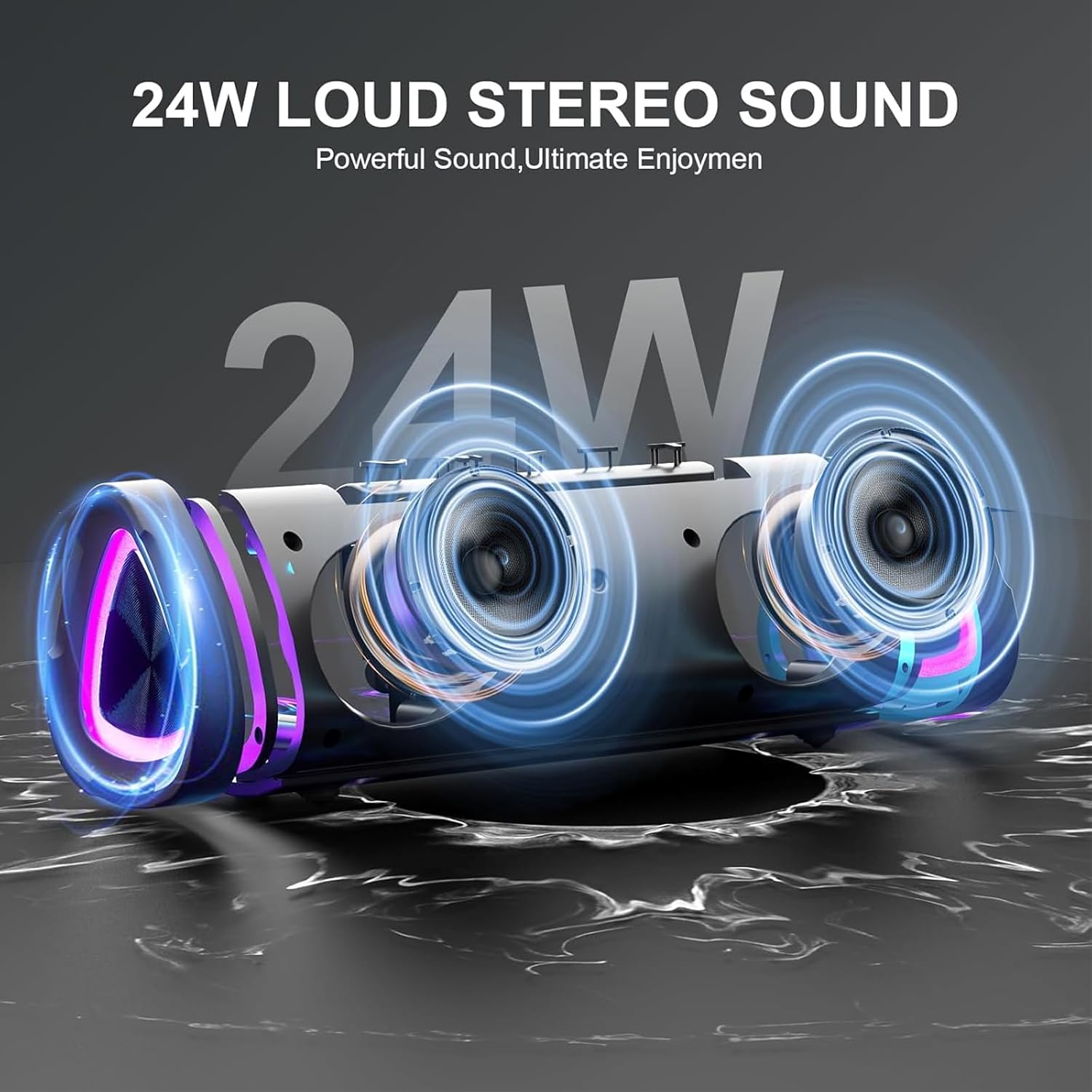
The speaker's internal design highlights its 24W loud stereo sound capability and powerful bass output.
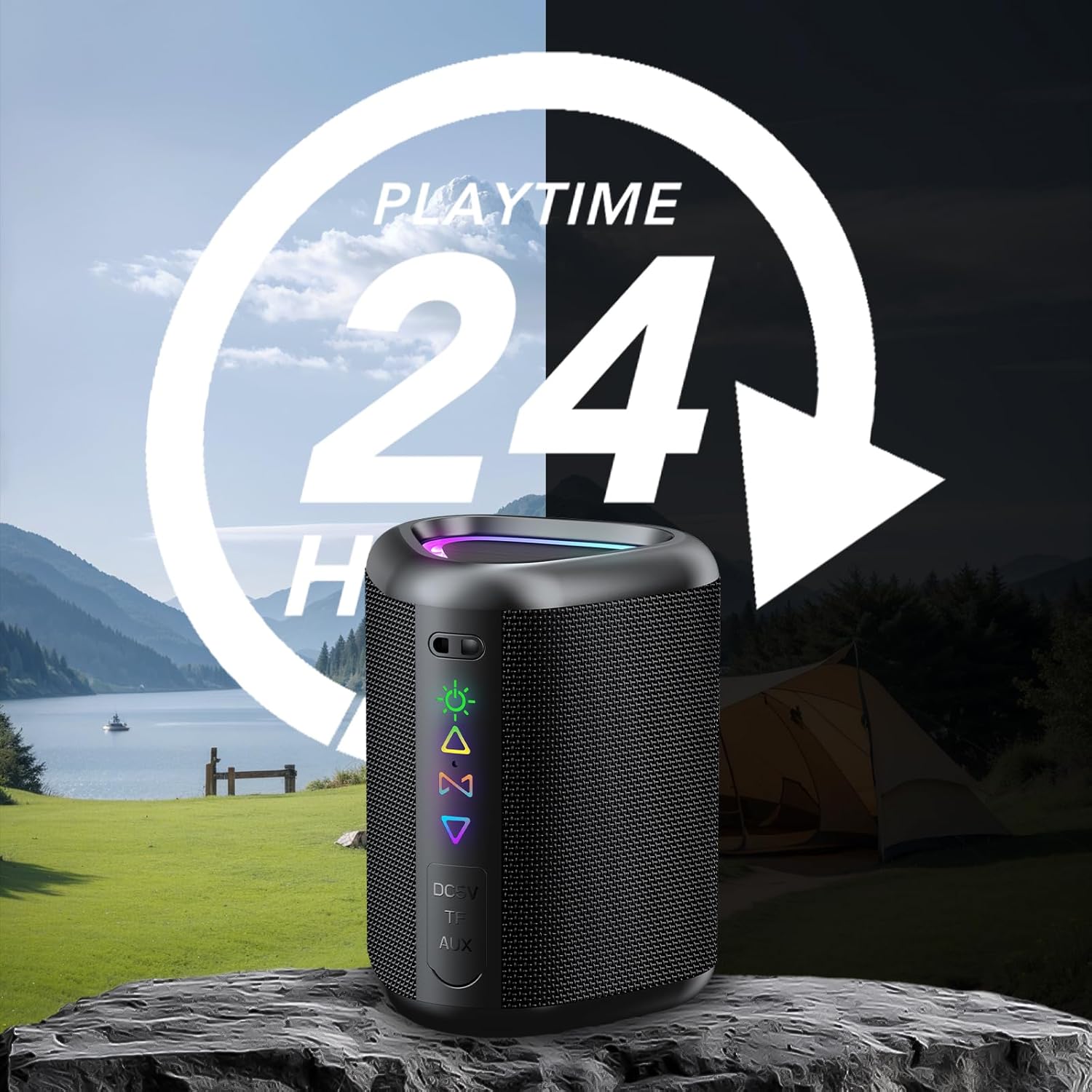
Enjoy extended listening sessions with up to 24 hours of playtime, perfect for outdoor adventures.

The speaker offers wide compatibility with various devices, including smartphones, tablets, and laptops.
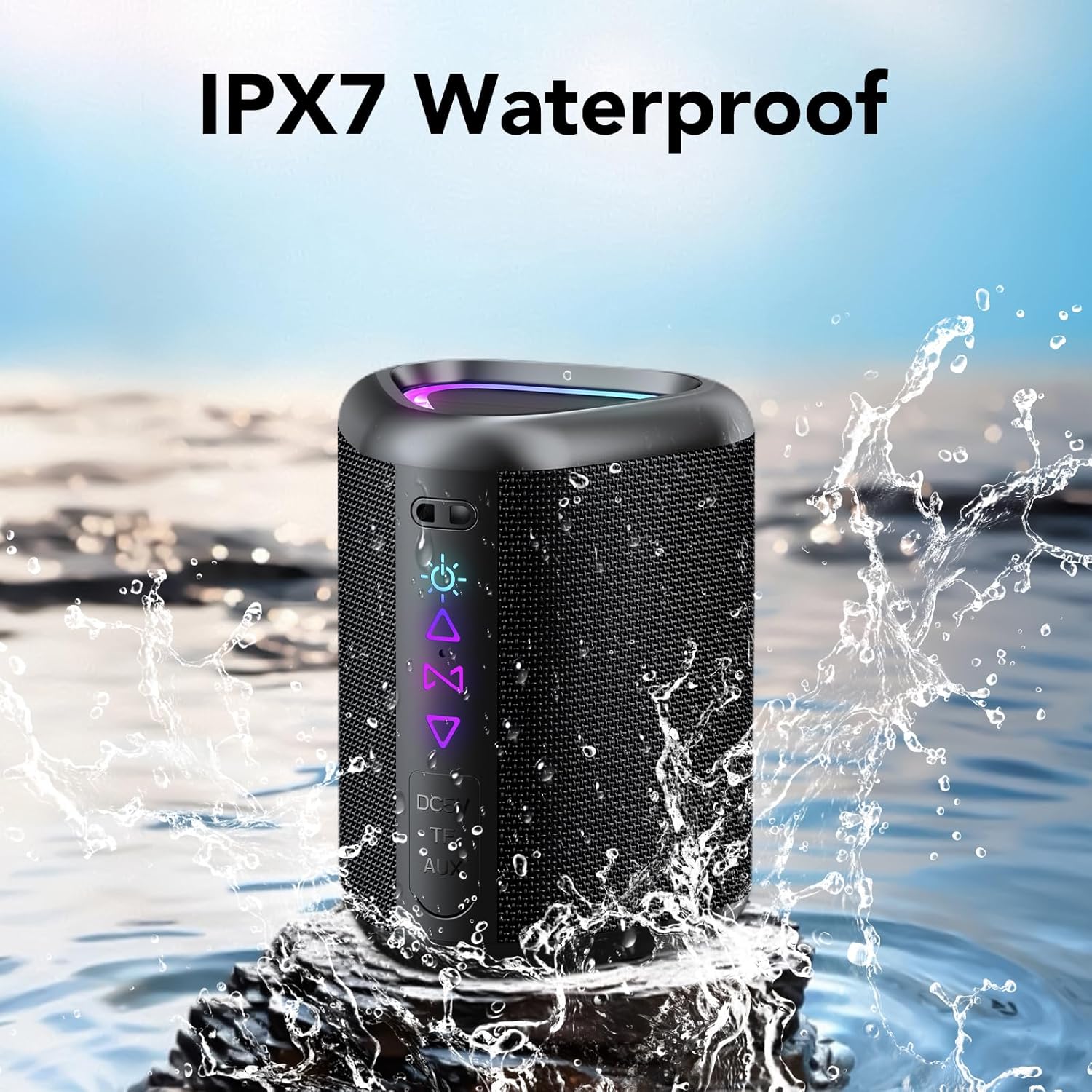
The IPX7 waterproof design protects the speaker from water splashes and temporary immersion.
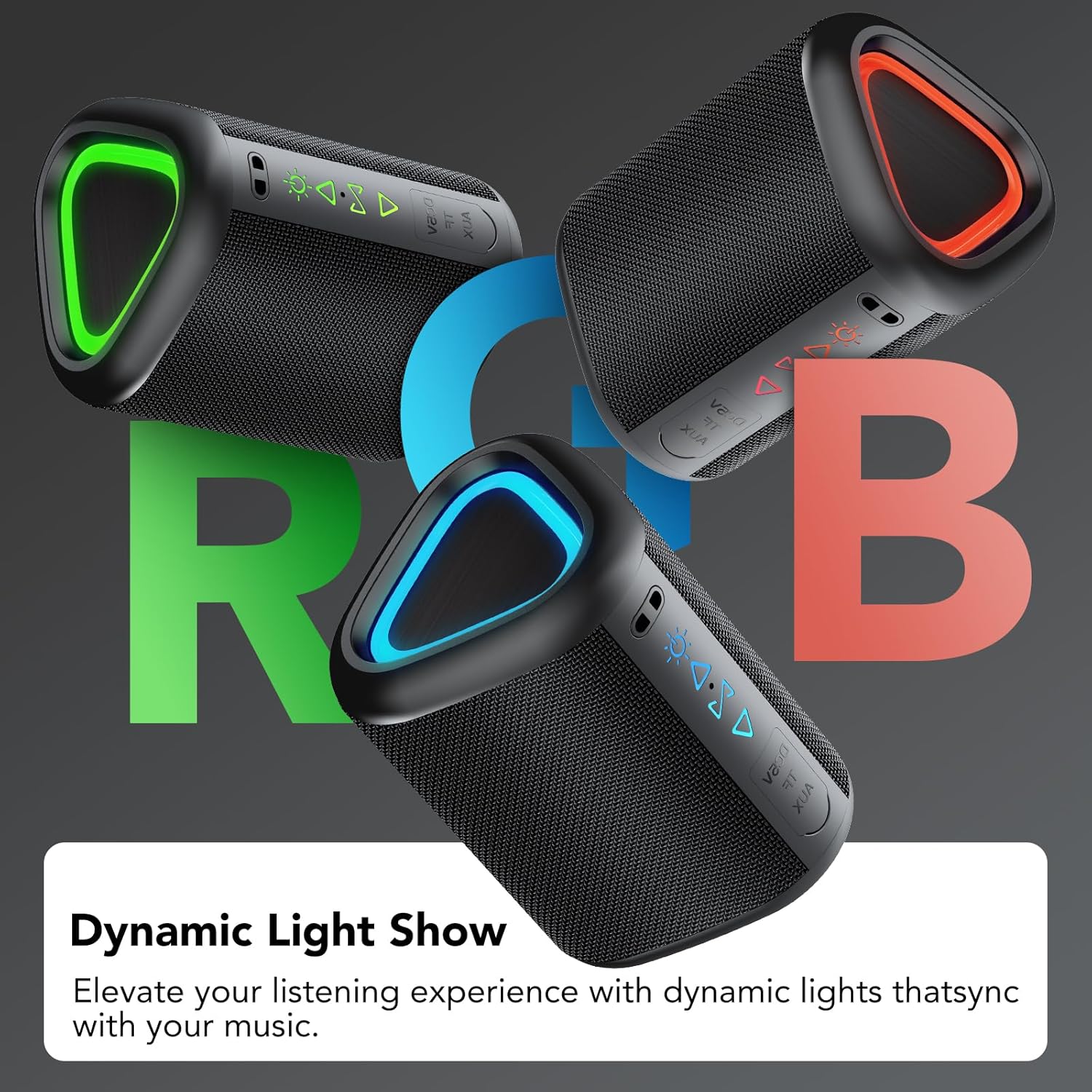
Dynamic RGB lighting enhances the listening experience, with lights synchronizing to the music.

Connect two speakers wirelessly for an enhanced True Wireless Stereo (TWS) audio experience.
4. Баштоо
4.1 Динамикти заряддоо
Before first use, fully charge the speaker. Connect the provided power cable to the speaker's DC 5V port and the other end to a USB power adapter (not included). The charging indicator light will show charging status and turn off when fully charged.
4.2 Күйгүзүү/өчүрүү
- Күйгүзүү үчүн: Кубат баскычын 2 секунд басып, кармап туруңуз.
- Өчүрүү үчүн: Кубат баскычын 2 секунд басып, кармап туруңуз.
4.3 Bluetooth жупташтыруу
- Динамик күйгүзүлгөнүн жана Bluetooth жупташтыруу режиминде экенин текшериңиз (жаркылдаган көк LED менен көрсөтүлгөн).
- Түзмөгүңүздө (смартфон, планшет ж.б.) Bluetooth иштетиңиз жана жеткиликтүү түзмөктөрдү издеңиз.
- Select "aowoka 2025" from the list of devices.
- Once paired, the speaker will emit a confirmation sound, and the LED indicator will turn solid blue.
4.4 Чыныгы зымсыз стерео (TWS) жупташтыруу
To achieve a stereo sound experience, you can pair two aowoka 2025 speakers together:
- Эки динамик тең күйгүзүлгөнүн жана эч кандай Bluetooth түзмөгүнө туташкан эмес экенин текшериңиз.
- On one speaker (this will be the primary speaker), double-press the TWS button. It will search for the second speaker.
- The second speaker (secondary speaker) will automatically connect to the primary speaker.
- Once paired, the primary speaker's LED will flash, and the secondary speaker's LED will be solid.
- Эми түзмөгүңүздү 4.3 бөлүмүндө сүрөттөлгөндөй Bluetooth аркылуу негизги динамикке туташтырыңыз.
5. Иштөө нускамалары
5.1 Баскыч функциялары

Деталдаштырылганview of the speaker's button controls and their respective functions.
| Баскыч/Аракет | Функция |
|---|---|
| Күйгүзүү/өчүрүү баскычы (2 секунд басып кармап туруңуз) | Күйгүзүү/өчүрүү |
| Light Button (x1) | Жарык режимин өзгөртүү |
| Light Button (x3) | Жарыктарды күйгүзүү/өчүрүү |
| Volume Up (+) (x1) | Үнүн жогорулатуу |
| Volume Down (-) (x1) | Үндү азайтуу |
| Next Track (Press & Hold 2s) | Кийинки ыр |
| Previous Track (Press & Hold 2s) | Мурунку ыр |
| TWS Button (x2) | TWS жупташтырууну баштоо |
| Call Button (x1) | Чалууга жооп берүү/аяктоо |
| Call Button (Press & Hold 2s) | Чакырууну четке кагуу |
| Play/Pause Button (x1) | Музыканы ойнотуу/тындыруу |
5.2 Музыканы ойнотуу
- Bluetooth режими: After successful pairing, music from your connected device will play through the speaker. Use your device or the speaker's controls to manage playback.
- TF/SD карта режими: Insert a TF or SD card with audio files into the designated slot. The speaker will automatically switch to card mode and begin playback.
- AUX режими: Connect an audio device using a 3.5mm AUX cable (not included) to the speaker's AUX port. The speaker will automatically switch to AUX mode.
5.3 Hands-Free чалуу
When connected via Bluetooth, the speaker's built-in microphone allows for hands-free calls. Use the Call button as described in section 5.1 to manage calls.
5.4 RGB жарыкты башкаруу
The speaker features dynamic RGB lighting. Press the Light button once to cycle through different light modes. Press the Light button three times to turn the lights on or off.
6. Техникалык тейлөө
- Тазалоо: Динамикти тазалоо үчүн жумшак, кургак чүпүрөктү колдонуңуз. Абразивдүү тазалагычтарды же эриткичтерди колдонбоңуз.
- Суу таасири: While IPX7 waterproof, avoid prolonged immersion in water. Ensure the charging port cover is securely closed when near water.
- Сактагыч: Динамикти түз күн нурунан жана өтө температурадан алыс салкын, кургак жерде сактаңыз.
- Батареяга кам көрүү: Батареянын иштөө мөөнөтүн сактоо үчүн, динамикти дайыма колдонбосо, жок дегенде үч айда бир жолу заряддаңыз.
7. Кыйынчылыктарды
| Көйгөй | Мүмкүн чечим |
|---|---|
| Динамик күйбөйт. | Динамиктин кубатталганын текшериңиз. Аны кубат булагына туташтырып, кайра аракет кылыңыз. |
| Bluetooth аркылуу жупташтыруу мүмкүн эмес. | Make sure the speaker is in pairing mode. Disable and re-enable Bluetooth on your device. Move closer to the speaker. |
| Үн жок. | Check the volume level on both the speaker and your connected device. Ensure the correct input mode (Bluetooth, TF/SD, AUX) is selected. |
| TWS жупташтыруу ишке ашпай калды. | Ensure both speakers are not connected to any other Bluetooth device. Try repeating the TWS pairing steps. |
| Жарыктар иштебей жатат. | Press the Light button three times to toggle the lights on/off. Ensure the speaker has sufficient battery. |
8. Техникалык шарттар
| Өзгөчөлүк | Деталь |
|---|---|
| Бренд | aowoka |
| Модель аты | M6-DE-New BK |
| Спикердин максималдуу чыгаруу күчү | 20 Ватт |
| Frequency Response | 20Hz - 20kHz (interpreted from 200000 Hz) |
| Байланыш технологиясы | Bluetooth 5.4 |
| Аудио чыгаруу режими | Стерео (2.1 канал) |
| Монтаж түрү | Стол орнотуу |
| Материал | Пластик |
| Динамик түрү | Көчмө спикер |
| Түс | Кара |
| Батареянын орточо иштөө мөөнөтү | 24 саат |
| Сууга туруктуулук деңгээли | IPX7 суу өткөрбөйт |
| Башкаруу ыкмасы | Buttons |
| Динамик өлчөмү | 10 сантиметр |
| Батарея сыйымдуулугу | 1800 мАч |
| Power Source | Electric Cable (for charging) |
| Аудио драйвер түрү | Динамикалык |
| Өлчөмдөр (D x W x H) | 10cm x 6.8cm x 7.3cm |
9. Кепилдик жана колдоо
9.1 Кепилдик маалыматы
The aowoka 2025 Portable Bluetooth Speaker comes with a эки жылдык чектелген кепилдик сатып алынган күндөн тартып. Бул кепилдик өндүрүштүн кемчиликтерин жана нормалдуу колдонуудагы чеберчиликти камтыйт. Бул туура эмес колдонуудан, кырсыктардан, уруксатсыз өзгөртүүлөрдөн же кадимки эскирүүдөн келип чыккан зыянды камтыбайт.
9.2 Кардарларды колдоо
If you encounter any issues or have questions regarding your aowoka 2025 speaker, please contact our customer support team. For the fastest service, please have your model number (M6-DE-New BK) and proof of purchase ready.
Электрондук почта: support@aowoka.com
Webсайт: www.aowoka.com/support