
KTC 27 дюймдук көчмө телевизор монитору A27Q7 колдонуучу колдонмосу
Model: A27Q7
1. Киришүү
This manual provides comprehensive instructions for the setup, operation, maintenance, and troubleshooting of your KTC 27 Inch Portable TV Monitor, model A27Q7. Please read this manual thoroughly before using the product to ensure proper function and safety.

Image 1.1: KTC 27 Inch Portable TV Monitor A27Q7
2. Коопсуздук маалыматы
Жаракат алуунун же түзмөккө зыян келтирүүнү алдын алуу үчүн төмөнкү коопсуздук чараларын сактаңыз.
- Аппаратты экстремалдык температурага же нымдуулукка дуушар кылбаңыз.
- Аппаратты түшүрүүдөн же катуу таасирлерден сактаныңыз.
- Берилген кубат адаптерин жана аксессуарларын гана колдонуңуз.
- Аппаратты суудан же башка суюктуктардан алыс кармаңыз.
Telescopic Rod Installation Safety Warning
Before installing the telescopic rod, ensure you press down vertically as shown in the figure to release the compressive elasticity. Failure to operate as prompted may cause harm.

Image 2.1: Telescopic Rod Safety Warning
3. Пакеттин мазмуну
Төмөндө тизмеленген нерселердин баары пакетиңизге камтылганын текшериңиз:

Сүрөт 3.1: Камтылган компоненттер
- KTC 27 Inch Portable TV Monitor
- Round Chassis Base
- Телескопиялык таяк
- Бурағыш (x1)
- Узун бурама (x5)
- AAA Batteries (x2, for remote control)
- User Manual
- Ыкчам баштоо колдонмосу (QSG)
- Алыстан башкаруу
- Кубаттуу адаптер
- Round Trim
- Cover
4. Орнотуу
4.1 Ассамблея
- Бардык компоненттерди таңгактан кылдаттык менен чыгарыңыз.
- Attach the telescopic rod to the round chassis base using the provided screws and screwdriver. Ensure it is securely fastened.
- Following the safety warning in Section 2, attach the monitor to the top of the telescopic rod. Ensure the connection is firm.
- Эки AAA батарейкасын алыстан башкаруу пультуна салыңыз.
4.2 Баштапкы күйгүзүү
- Connect the power adapter to the Type-C port on the rear of the monitor and plug it into a power outlet.
- Press the power button located on the rear of the monitor to turn on the device.
- Follow the on-screen instructions for initial setup, including language selection, Wi-Fi connection, and Google account login.
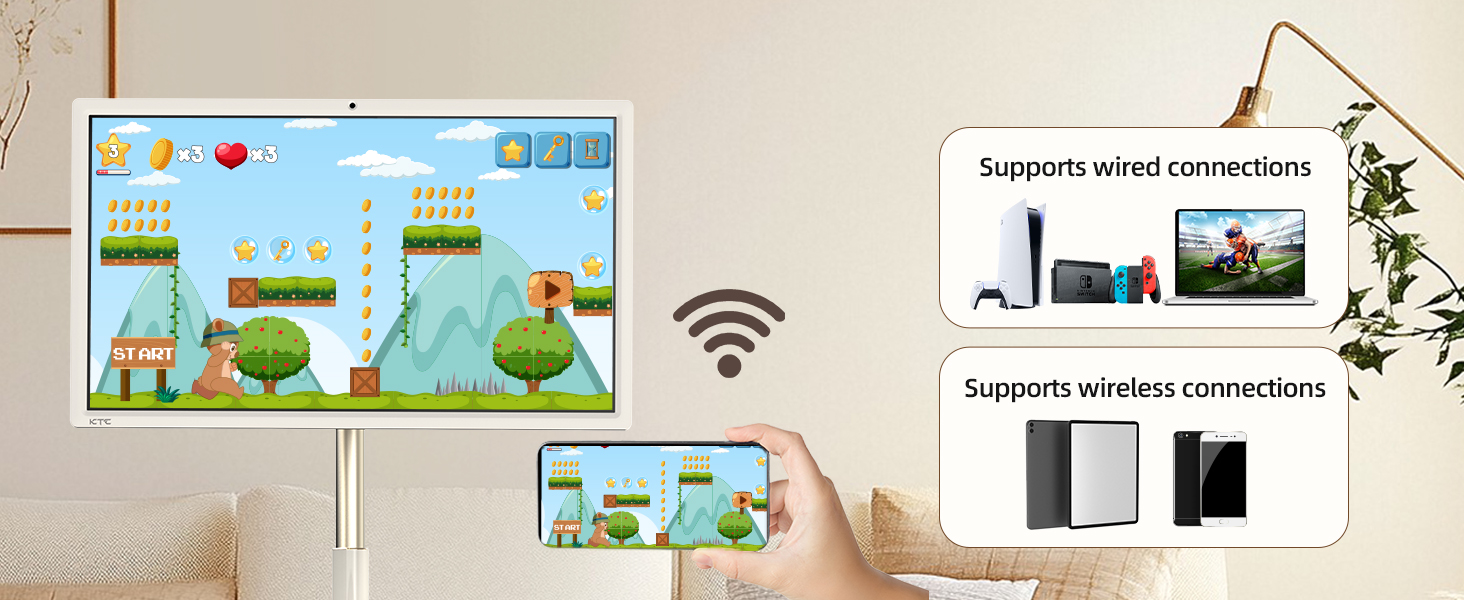
Image 4.1: Monitor Rear Panel Controls and Ports
4.3 Adjusting Screen Position
The monitor offers flexible adjustment options for optimal viewing:
- Россия: Adjust the screen angle up to ±20°.
- Айлануучу: Rotate the screen horizontally up to ±45°.
- Пивот: Rotate the screen vertically up to ±90° for portrait mode.
- Бийиктигин тууралоо: Elevate the telescopic rod by approximately 7.87 inches.

Image 4.2: Screen Adjustment Options and Dimensions
5. Иштөө нускамалары
5.1 Touchscreen and Remote Control
The monitor supports both direct touchscreen interaction and control via the included remote. The remote control allows navigation, volume adjustment, and access to Google Assistant.

Image 5.1: Touchscreen Interaction and Key Features
5.2 Google EDLA and Android 14
The monitor is Google EDLA certified and runs on Android 14, providing access to a wide range of applications from the Google Play Store. Enjoy seamless streaming and app performance.
5.3 Wireless & Wired Projection (Screen Casting)
Mirror content from your phone, tablet, laptop, or game console using the following methods:
- Зымсыз: Connect via Wi-Fi 5 or Bluetooth 5.1 for screen casting.
- текст: Use the Type-C port for direct wired projection.

Image 5.2: Wireless and Wired Screen Casting
5.4 Built-in Camera Usage
The monitor features a built-in hidden 8MP camera and stereo speakers, ideal for video calls and meetings. A physical switch is available to enable or disable the camera for privacy.

Image 5.3: Camera On/Off Switch for Privacy
5.5 Көчүрүү
Equipped with 5 silent swivel casters and a 9500mAh battery, the monitor can be easily moved and used for up to 6 hours without being connected to a power outlet, making it suitable for various indoor and outdoor settings.
6. Техникалык тейлөө
6.1 Батареяны заряддоо
The integrated 9500mAh battery provides up to 6 hours of usage. To charge the monitor, connect the provided power adapter to the Type-C port. The charging indicator will show the battery status.
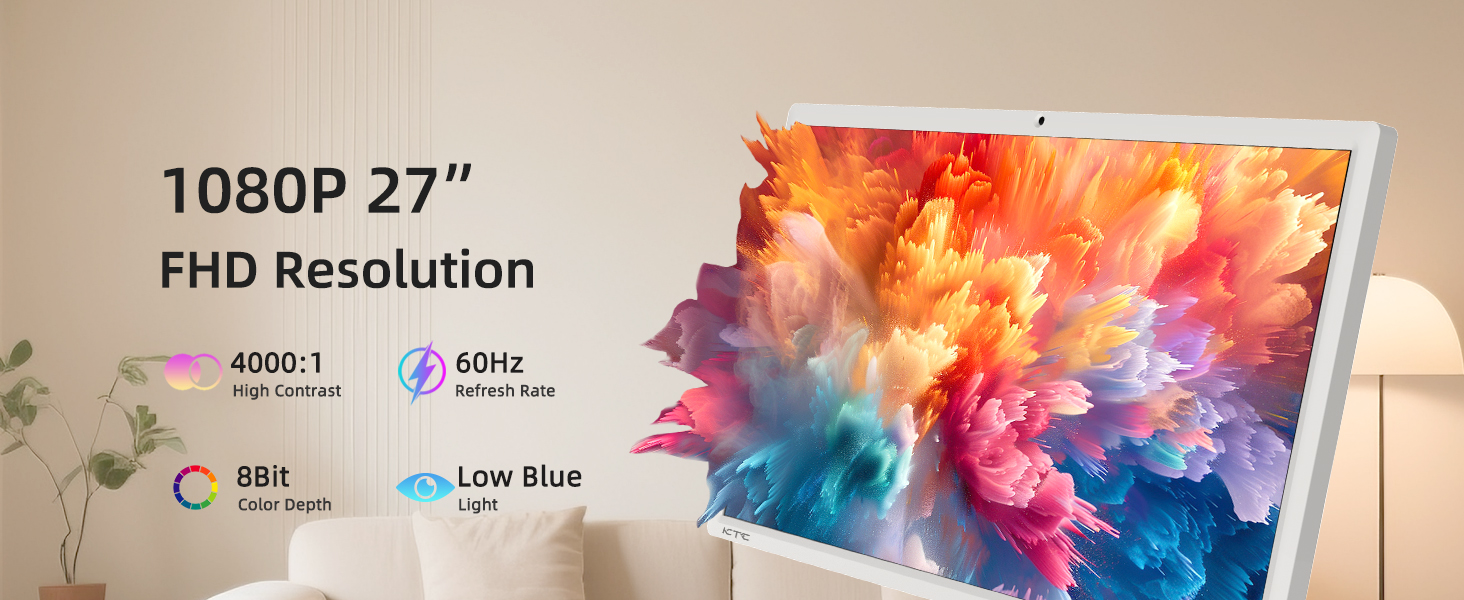
Image 6.1: Built-in 9500mAh Battery
6.2 Аппаратты тазалоо
To clean the monitor, gently wipe the screen with a soft, lint-free cloth. For stubborn smudges, use a screen-cleaning solution specifically designed for electronic displays. Do not spray cleaners directly onto the screen. Wipe the stand and base with a dry or slightly damp кездеме.
7. Кыйынчылыктарды
If you encounter issues with your KTC Portable TV Monitor, refer to the following common problems and solutions:
| Көйгөй | Мүмкүн себеп | Чечим |
|---|---|---|
| Монитор күйбөйт | No power, low battery, faulty power adapter | Ensure power adapter is connected and outlet is functional. Charge the battery. Try a different power outlet. |
| Экранда сүрөт жок | Device is off, input source not selected, connection issue | Power on the device. Check input source settings. Reconnect any wired projection devices. |
| Сенсордук экран жооп бербейт | Software glitch, screen obstruction | Restart the monitor. Ensure the screen is clean and free of debris. |
| Пульт иштебей жатат | Өлгөн батареялар, тоскоолдуктар, аралыктан алыс | Replace batteries. Ensure clear line of sight to the monitor's IR receiver. Move closer to the monitor. |
| Poor Wi-Fi/Bluetooth connection | Interference, distance from router, network issue | Move closer to the Wi-Fi router. Check router settings. Restart router and monitor. |
8. Техникалык шарттар
Detailed technical specifications for the KTC 27 Inch Portable TV Monitor A27Q7:
| Өзгөчөлүк | Спецификация |
|---|---|
| Модель номери | A27Q7 |
| Screen Size | 27 дюйм |
| Резолюция | 1920 x 1080 Pixels (1080P FHD) |
| Аспект катышы | 16:9 |
| Жаңыртуу ылдамдыгы | 60Hz |
| Контраст катышы | 4000:1 |
| Түс тереңдиги | 8-бит |
| Screen Surface | Мт |
| Операция системасы | Android 14 (Google EDLA Certified) |
| CPU | Qualcomm Chip SM6115 (8 Cores) |
| RAM | 8 ГБ |
| Сактагыч | 128 ГБ |
| Камера | Built-in hidden 8MP |
| Батарея сыйымдуулугу | 9500mAh (6 саатка чейин колдонуу) |
| Байланыш | Wi-Fi 5, Bluetooth 5.1, Type-C Port |
| Продукциянын өлчөмдөрү | 16.77 x 24.96 x 51.42 дюйм |
| Элемент Салмагы | 48.1 фунт |
| Өндүрүүчү | KTC |
9. Кепилдик жана колдоо
KTC provides a one-year warranty for the A27Q7 Portable TV Monitor. For any issues or technical assistance, please contact customer support.

Image 9.1: KTC Customer Support Overview
Колдоо кызматы менен байланышуу
If you purchased your product through Amazon, you can contact the seller directly for support:
- Amazonдагы продукт бетине өтүңүз.
- Locate the 'Sold by' section (e.g., 'Ktcmonitor-Official').
- Сатуучунун атын чыкылдатып, алардын профессионалдык кеңешине кириңизfile or 'Ask a question' to send a message.
KTC aims to respond to inquiries within 12 hours.