
Introduction
Welcome to the instruction manual for your Dubstep Buzz X8 Wireless Earbuds. These earbuds are designed to provide a high-quality audio experience with advanced features. This manual will guide you through the setup, operation, and maintenance of your device.
Кутуда эмне бар
Пакет төмөнкү нерселерди камтыйт:
- Зымсыз кулакчындар
- Зымсыз кубаттоо кутусу
- Type-C кабели
- User Manual
- Кулак жаздыктары (ар кандай өлчөмдөгү)

Image: Contents of the Dubstep Buzz X8 Earbuds box, showing the earbuds, charging case, Type-C charging cable, and additional ear cushions.
Продукт бүттүview
The Dubstep Buzz X8 Wireless Earbuds feature a sleek design and are equipped with 13mm dynamic drivers for powerful sound. The charging case provides extended battery life and convenient storage.

Image: Dubstep Buzz X8 Wireless Earbuds in Neon Green, placed within their open charging case.
Кулакчындын компоненттери
- Сенсордук башкаруу аймагы: Ойнотуу, чалуулар жана үн жардамчысын башкаруу үчүн.
- Микрофондор: Dual microphones with Environmental Noise Cancellation (ENC) for clear calls.
- Кулак кеңештери: Silicone ear tips for a comfortable and secure fit.
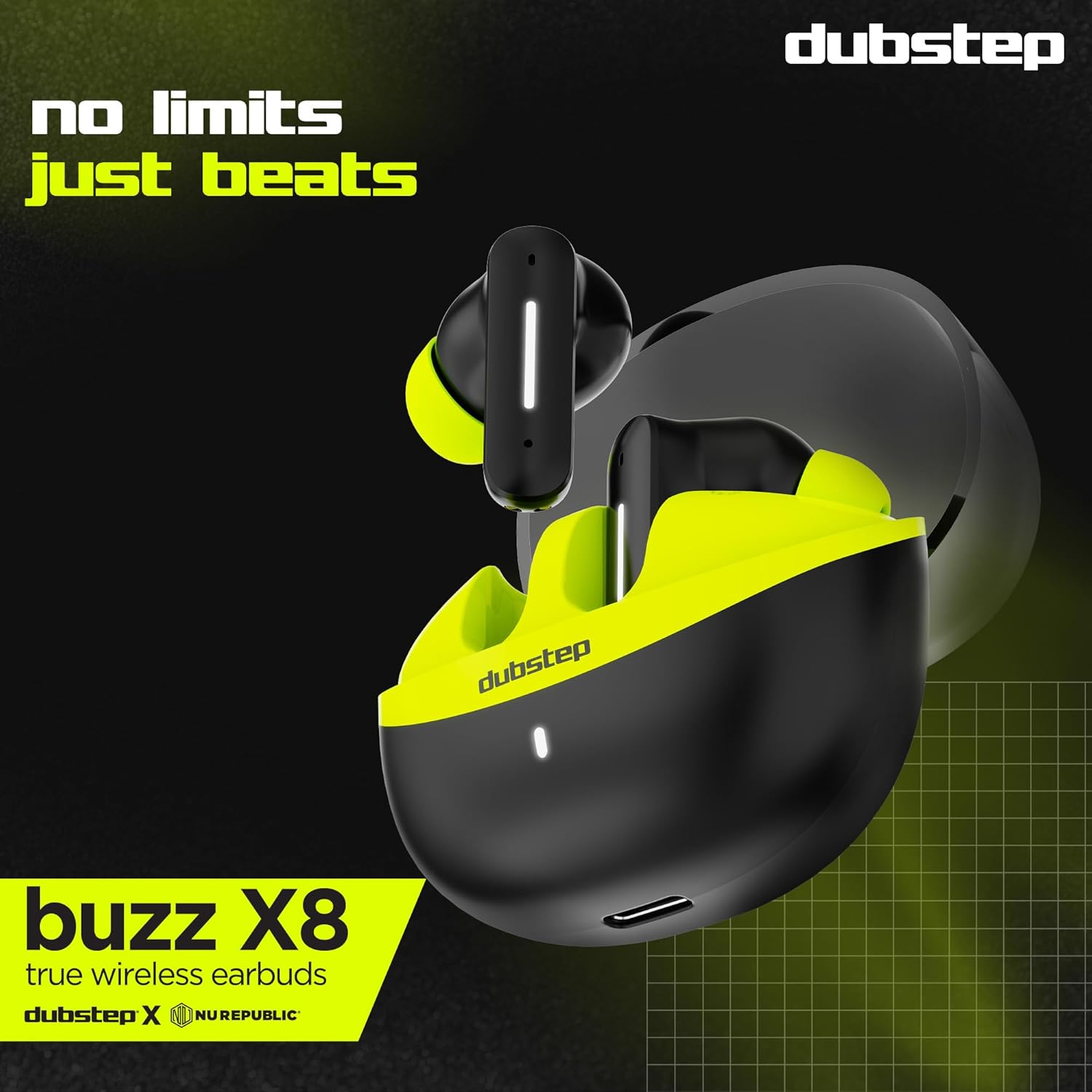
Сүрөт: деталдуу view of the earbuds and charging case, illustrating their internal and external features.
Жайгашуу
1. Кулакчындарды жана кутуну кубаттоо
Before first use, fully charge the earbuds and the charging case. Connect the provided Type-C cable to the charging port on the case and a compatible USB power source. The LED indicator on the case will show charging status.
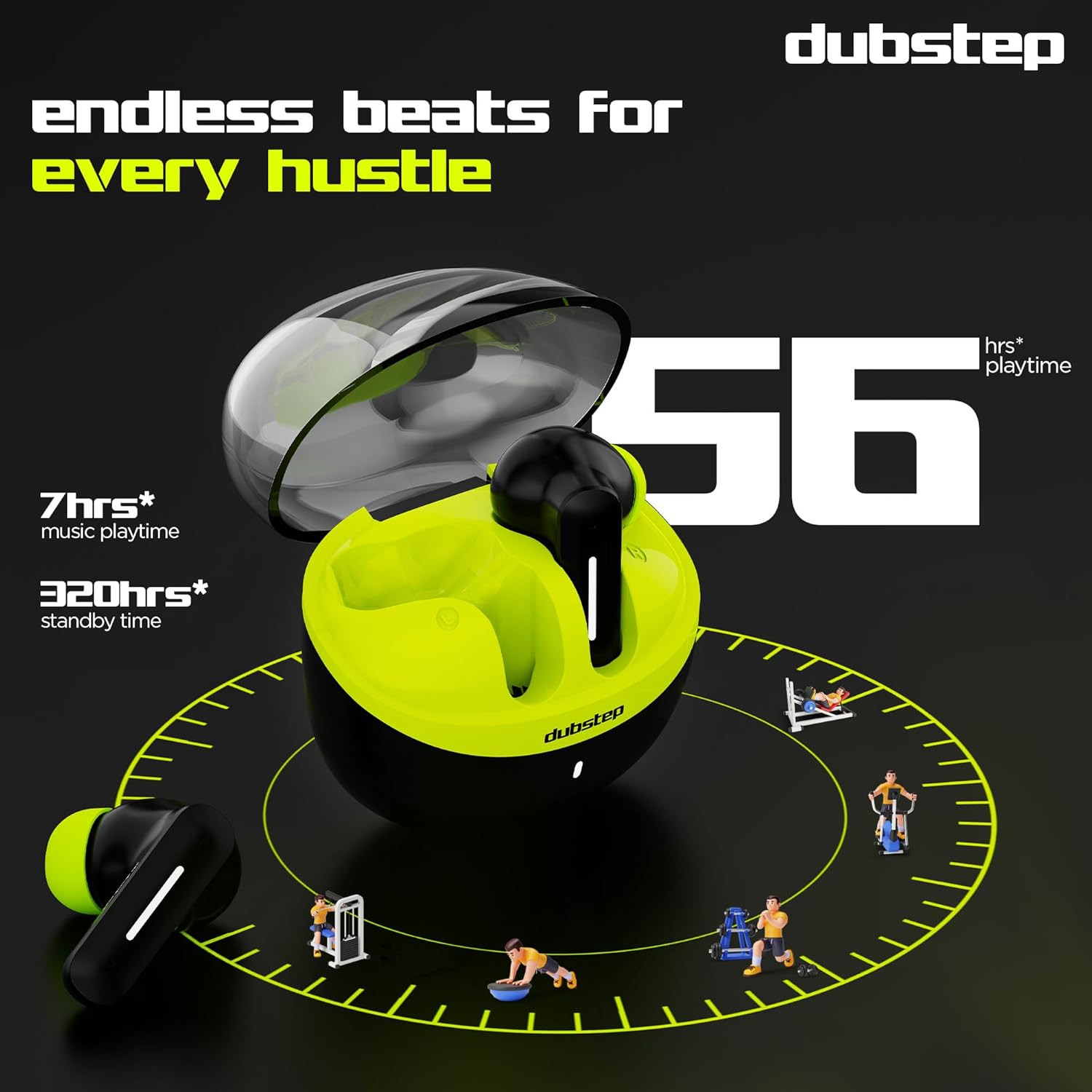
- A 15-minute quick charge provides approximately 200 minutes of playtime.
- Total playtime with the charging case is up to 56 hours.
- Earbuds provide 7 hours of continuous music playback on a single charge.

Image: The charging case of the Dubstep Buzz X8 earbuds connected to a Type-C cable for charging.
2. Түзмөгүңүз менен жупташтыруу
- Заряддоо кутучасын ачыңыз. Кулакчындар жупташтыруу режимине автоматтык түрдө кирет.
- Түзмөгүңүздө (смартфон, планшет, ноутбук) Bluetooth иштетиңиз.
- Издөө "Dubstep Buzz X8" in the list of available Bluetooth devices.
- Select "Dubstep Buzz X8" to connect. Once connected, you will hear an audio prompt.
- The earbuds feature Bluetooth v5.3 for stable and efficient wireless connectivity.

Image: A smartphone displaying the Bluetooth connection screen, showing the Dubstep Buzz X8 earbuds successfully paired.
Иштөө нускамалары
Touch Controls
The Dubstep Buzz X8 earbuds feature intuitive touch controls on each earbud. Refer to the following table for common functions:
| Акция | Функция |
|---|---|
| Single Tap | Музыканы ойнотуу/тындыруу, Чалууга жооп берүү/Аяктоо |
| Эки жолу таптаңыз | Үндү жогорулатуу (+) / Үндү азайтуу (-) |
| Үч жолу таптаңыз | Мурунку трек / Кийинки трек |
| Узак басуу | Үн жардамчысын жандыруу/өчүрүү |
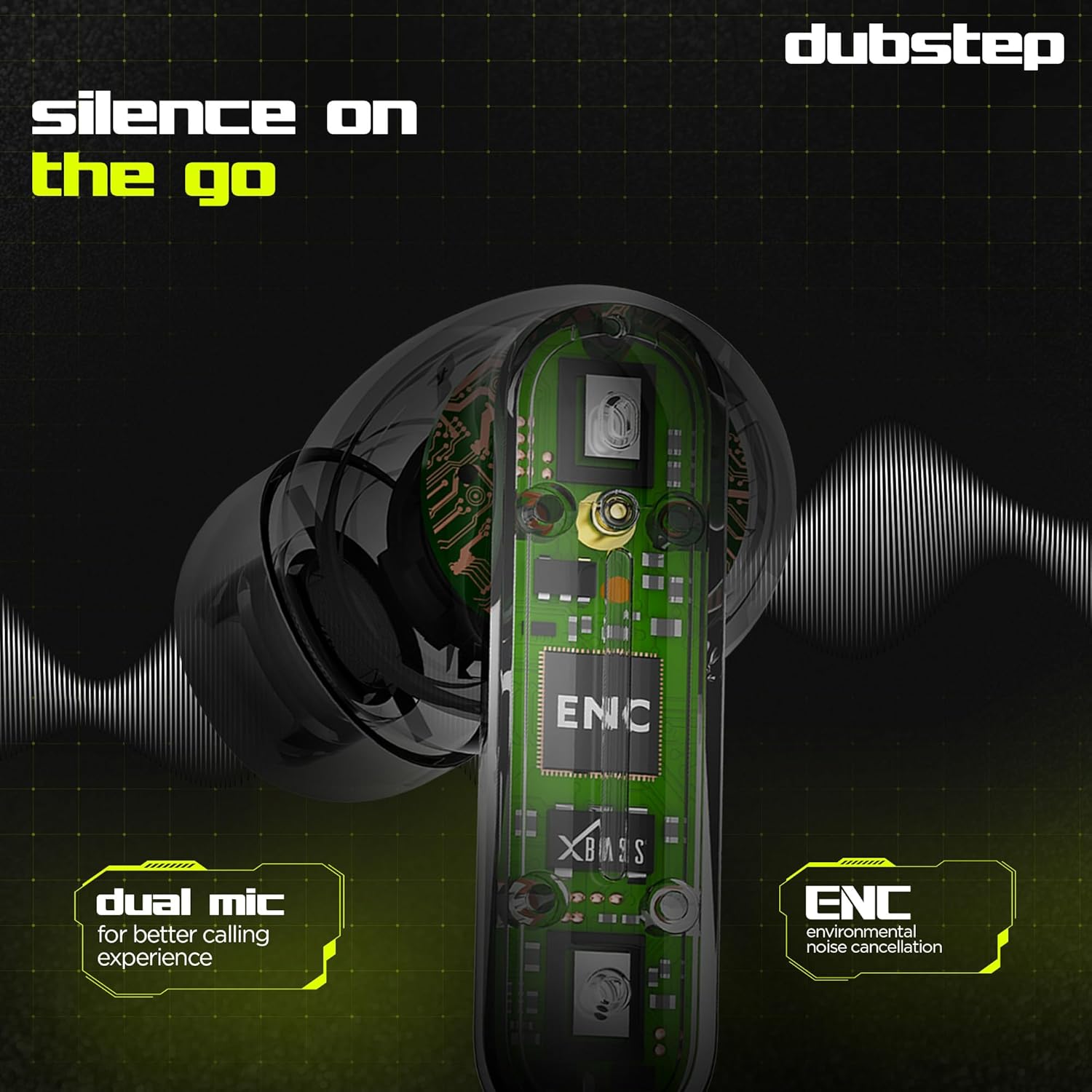
Image: Visual guide to the touch control gestures on the earbuds and their corresponding functions.
Экологиялык ызы -чууну жокко чыгаруу (ENC)
The earbuds are equipped with ENC technology and dual microphones to reduce ambient noise during calls, ensuring clear communication.
Сүрөт: ички view of the earbud highlighting the ENC technology and dual microphone system.
Техникалык тейлөө
To ensure the longevity and optimal performance of your Dubstep Buzz X8 Wireless Earbuds, follow these maintenance guidelines:
- Тазалоо: Кулакчындарды жана заряддоо кутусун жумшак, кургак, түксүз чүпүрөк менен дайыма тазалап туруңуз. Катуу химиялык заттарды же абразивдүү материалдарды колдонбоңуз.
- Кулак кеңештери: Кулактын учун мезгил-мезгили менен суу жана жумшак самын менен алып салып, тазалап туруңуз, андан кийин кайра орнотуудан мурун жакшылап кургатыңыз.
- Суу каршылык: The earbuds are splash and sweat resistant, making them suitable for workouts. However, they are not waterproof. Avoid submerging them in water.
- Сактагыч: Колдонулбаганда, кулакчындарды коргоо жана кубаттоо үчүн кубаттоочу кутучага сактаңыз.
- Температура: Кулакчындарды экстремалдык температурага (ысык же муздак) же тике күн нуруна узак убакытка калтыруудан сактаңыз.
Проблемаларды чечүү
If you encounter issues with your Dubstep Buzz X8 Wireless Earbuds, refer to the following common solutions:
| Көйгөй | Чечим |
|---|---|
| Кулакчындар жупташкан жок | Ensure earbuds are charged. Turn off and on Bluetooth on your device. Place earbuds back in case, close, then reopen to re-enter pairing mode. |
| Бир кулактын үнү чыкпайт | Check battery level of both earbuds. Try re-pairing the earbuds with your device. Clean earbud mesh for any blockages. |
| Төмөн үн | Adjust volume on both your device and the earbuds. Ensure ear tips provide a good seal. |
| Заряддоо куту заряддалбай жатат | Verify the Type-C cable is properly connected to both the case and the power source. Try a different cable or power adapter. |
| Үн жардамчысы жооп бербей жатат | Ensure the earbuds are connected to your device. Check your device's settings for voice assistant activation. Perform a long press on the earbud touch area. |
Техникалык шарттар
| Өзгөчөлүк | Деталь |
|---|---|
| Модель аты | Buzz X8 |
| Байланыш технологиясы | Bluetooth 5.3 |
| Аудио драйверинин өлчөмү | 13 миллиметр |
| Жалпы ойноо убактысы | 56 саатка чейин (кубаттоочу корпусу менен) |
| Earbud Playtime (бир кубаттоо) | 7 саат |
| Күтүү убактысы | 320 саат |
| Тез заряддоо | 15 мүнөт кубаттоо = 200 мүнөт ойноо убактысы |
| Заряддоо порту | Type-C |
| Noise Control | Экологиялык ызы -чууну жокко чыгаруу (ENC) |
| Микрофондор | Кош микрофон системасы |
| Башкаруу түрү | Touch Control, Voice Assistant |
| Сууга туруктуулук деңгээли | Splash and Sweat Resistant |
| Элемент Салмагы | 40 грамм |
| Продукциянын өлчөмдөрү | 3.5 x 2.5 x 4.5 см |
Кепилдик жана колдоо
Your Dubstep Buzz X8 Wireless Earbuds come with a standard brand warranty. For detailed warranty information, troubleshooting guides, and further support, please visit the official user manuals page: