
1. Киришүү
Бул колдонмо сиздин түзмөгүңүздү орнотуу, иштетүү, техникалык тейлөө жана мүчүлүштүктөрдү оңдоо боюнча маанилүү маалыматтарды берет. ViewSonic IFP55G1 55-inch 4K UHD ViewBoard Interactive Display. Please read this manual thoroughly before using the product to ensure proper and safe operation.
The ViewSonic IFP55G1 is a 55-inch 4K Ultra HD (3840x2160p) interactive display designed for educational and business environments. It features multi-point touch recognition, an OPS slot for external PCs, 10W dual speakers, and versatile connectivity options including HDMI, VGA, USB Hub, and USB-C inputs. Its OS-free design allows flexibility with various computing solutions.
Негизги өзгөчөлүктөрү:
- Ultra HD чечилиши: 55 Inch 4K Ultra HD (3840x2160p) interactive display for crisp visuals.
- Advanced Multi-Touch: Allows multiple users to write and interact simultaneously with fingers and passive pens.
- Ийкемдүү туташуу: Equipped with a powerful quad-core processor and versatile ports including HDMI, VGA, RJ45, and USB.
- OS-Free Design: Provides enhanced security and flexibility to integrate with your preferred operating system via external PC or OPS device.
- Write-Away Technology: Enables instant writing with the stylus without extended setup.
2. Кутуда эмне бар
Verify that all items listed below are included in your package. If any items are missing or damaged, please contact your dealer immediately.
- ViewSonic IFP55G1 Interactive Display
- 3m USB 2.0 touch cable x 1
- Touch pen (Passive pen) x 2 (VB-PEN-002)
- 3 м электр кабели
- HDMI 2.0 cable 3m x 1
- Ыкчам баштоо колдонмосу + Шайкештик жөнүндө билдирүү
- RS232 адаптер
- Screw (wall mount 4)
- Камера плитасы
- Remote control with AAA battery (Optional)
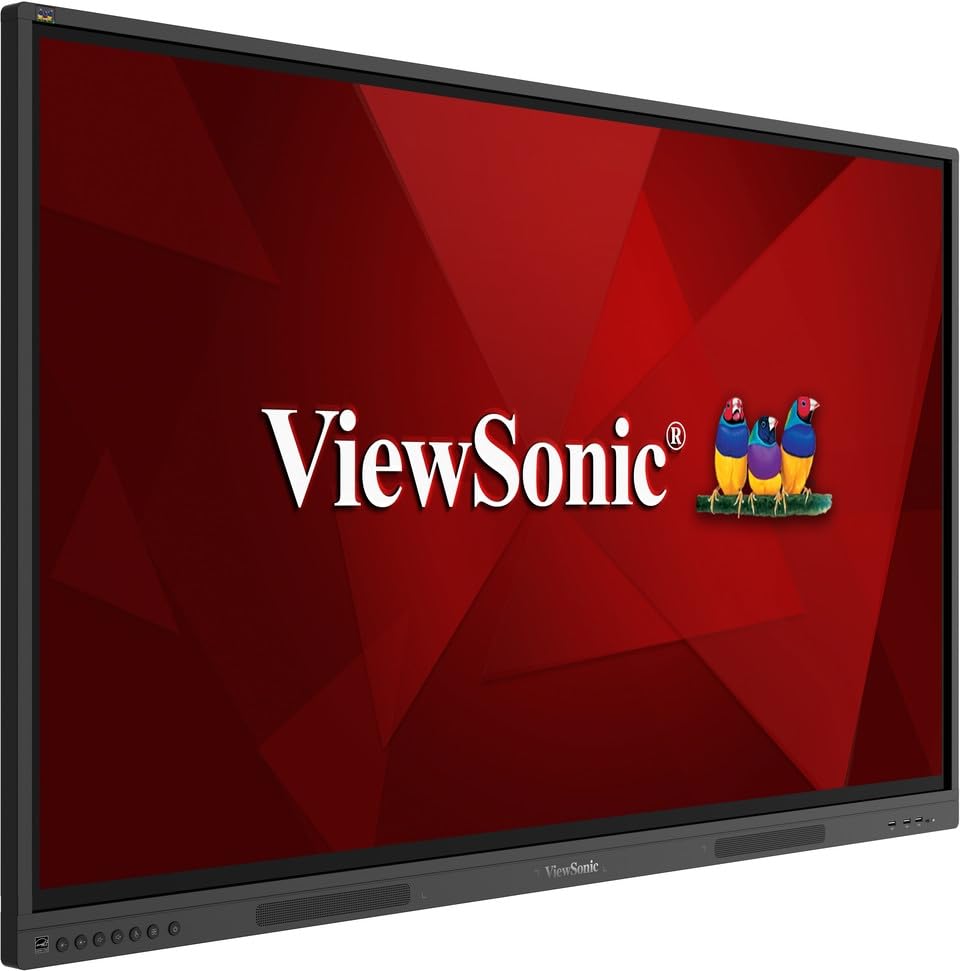
Сүрөт: ViewSonic IFP55G1 55-inch ViewBoard Interactive Display, front view.
3. Орнотуу нускамалары
3.1 Дисплейди орнотуу
The IFP55G1 can be wall-mounted or installed on a compatible mobile cart (sold separately). Ensure the mounting solution supports the display's weight (approximately 59.3 lbs / 26.9 kg) and dimensions (3.37 x 49.7 x 30.3 inches).
- For wall mounting, use the provided wall mount screws and ensure the wall structure is robust enough.
- Follow the instructions provided with your specific wall mount or mobile cart.
3.2 Перифериялык түзүлүштөрдү туташтыруу
The display offers various ports for connecting external devices. Refer to the image below for port locations.

Сүрөт: каптал view -ныкы ViewSonic IFP55G1 interactive display showing various input ports including HDMI, VGA, and USB.
- Кубат туташуу: Connect the 3m power cable to the display and a grounded power outlet.
- Video Input: Connect your external PC or media player to the display using an HDMI 2.0 cable (provided), VGA cable, or USB-C cable. The display has 3 HDMI ports, 1 VGA port, and USB-C connectivity.
- Тийүү функциясы: For interactive touch features with an external PC, connect the 3m USB 2.0 touch cable from the display's USB-B (Touch) port to a USB-A port on your PC.
- OPS Slot: If using an optional ViewSonic Slot-in PC (OPS device), insert it into the dedicated OPS slot on the rear of the display. This provides an integrated computing solution.
- Тармак: Зымдуу тармакка кирүү үчүн Ethernet кабелин RJ45 портуна туташтырыңыз.
- USB түзмөктөрү: Use the available USB-A ports to connect USB drives, keyboards, mice, or other peripherals.

Сүрөт: The ViewSonic IFP55G1 display demonstrating connectivity with various external devices, including laptops and mini PCs, highlighting its 'Bring Your Own Devices' capability.
4. Иштөө нускамалары
4.1 Күйгүзүү/өчүрүү
- Күйгүзүү: Press the power button located on the display's front or side panel, or use the remote control. The display will power on and show the input source.
- Өчүрүү: Press the power button again. A confirmation message may appear; select 'Power Off'. For complete power disconnection, unplug the power cable.
4.2 Киргизүү булагын тандоо
Use the 'Source' button on the display or remote control to cycle through available input sources (HDMI 1, HDMI 2, HDMI 3, VGA, USB-C, OPS).
4.3 Using Touch Functionality
Once the USB touch cable is connected to your external PC, the display will function as a multi-touch input device. You can use your fingers or the provided passive pens for interaction.
- Finger Touch: Use gestures similar to a tablet or smartphone for navigation, zooming, and drawing.
- Passive Pens: The two included passive pens (VB-PEN-002) allow for precise writing and drawing on the screen. The display's Write-Away technology enables instant use of the pens.

Image: A group of individuals collaborating around a ViewSonic IFP55G1 interactive display in a modern meeting room, demonstrating its multi-touch capabilities for instantaneous collaboration.
4.4 Аудио башкаруу
The display features integrated 10W dual speakers. Adjust volume using the remote control or the buttons on the display panel.
5. Техникалык тейлөө
5.1 Дисплейди тазалоо
- Экран: Экранды жумшак, түксүз чүпүрөк менен акырын сүртүңүз. өжөр белгилери үчүн, жеңил гampen the cloth with water or a non-abrasive, ammonia-free screen cleaner. Do not spray cleaner directly onto the screen.
- Casing: с сүртүңүзasinжумшак, кургак чүпүрөк менен сүртүңүз. Катуу химиялык заттарды же абразивдүү материалдарды колдонуудан алыс болуңуз.
5.2 Жалпы кам көрүү
- Дисплейге оор буюмдарды коюудан алыс болуңуз.
- Do not block ventilation openings on the rear of the display.
- Keep the display away from direct sunlight, heat sources, and excessive moisture.
6. Кыйынчылыктарды
Эгер сиз менен көйгөйлөр пайда болсо ViewSonic IFP55G1, refer to the following common problems and solutions.
6.1 Дисплей жок / Кара экран
- Электр кабели дисплейге да, иштеп жаткан электр розеткасына да бекем туташтырылганын текшериңиз.
- Verify that the display is powered on (power indicator light should be active).
- Check that the video cable (HDMI, VGA, USB-C) is securely connected to both the display and the source device (PC, OPS).
- Select the correct input source using the 'Source' button on the display or remote control.
- Ensure the source device (PC, OPS) is powered on and outputting a video signal.
6.2 Touch Functionality Not Working
- Confirm the USB touch cable is securely connected from the display's USB-B (Touch) port to a USB-A port on your external PC.
- Ensure your external PC's operating system has the necessary drivers installed for touch input.
- Restart both the display and the connected PC.
6.3 Үн жок
- Check the volume level on the display and the connected source device.
- Ensure the audio output from your source device is routed correctly to the display (e.g., via HDMI).
- If using an external audio system, ensure it is properly connected and powered on.
7. Техникалык шарттар
Төмөндө техникалык мүнөздөмөлөр келтирилген ViewSonic IFP55G1 interactive display.
| Өзгөчөлүк | Спецификация |
|---|---|
| Бренд | ViewSonic |
| Модель аты | IFP55G1 |
| Screen Size | 55 дюйм |
| Дисплейдин максималдуу чечилиши | 3840x2160 Pixels (4K UHD) |
| Native Resolution | 3840 x 2160 |
| Дисплей түрү | LCD |
| Аспект катышы | 16:9 |
| Адам-интерфейс киргизүү | Сенсордук экран |
| Байланыш технологиясы | Ethernet, HDMI, USB Type C, VGA |
| HDMI портторунун жалпы саны | 3 |
| Жалпы USB порттору | 9 |
| Видео чыгаруу интерфейси | DisplayPort |
| Аудио чыгаруу | Integrated 10W Dual Speakers |
| Элементтин өлчөмдөрү (LxWxH) | 3.37 x 49.7 x 30.3 дюйм |
| Элемент Салмагы | 59.3 фунт |
| Түс | Кара |
| Өзгөчөлүктөр | All-in-one USB port, Anti Glare Display, Light Sensor, Speakers, Touchscreen |
| Шайкеш түзмөктөр | Иш такта, ноутбук |
| UPC | 766907024654 |
8. Кепилдик жана колдоо
8.1 Кепилдик маалыматы
The ViewSonic IFP55G1 interactive display comes with an industry-leading 3 жылдык чектелген кепилдик on parts, labor, and backlight. Onsite warranty service may also be available. Please refer to the warranty card included in your package or visit the official ViewSonic website for detailed terms and conditions, and information on optional warranty extensions.
8.2 Кардарларды колдоо
Техникалык жардам, продукт боюнча суроолор же кепилдик боюнча дооматтар үчүн, сураныч, кайрылыңыз ViewSonic's award-winning customer service team. Contact information can be found on the official ViewSonic webсайтында же продуктуңуз менен кошо берилген Тез баштоо колдонмосунда.