
1. Продукт бүтүп калдыview
The Aiandcc M12 is a compact and portable MP3 player designed for high-fidelity audio playback. It features Bluetooth 5.3 connectivity, an integrated FM radio, and a 1.8-inch screen. With 128GB of internal storage, it can store a substantial music library. The device supports expandable storage via a TF card (not included) and offers up to 48 hours of music playback on a single charge.

Сүрөт 1.1: Алдыңкы жана арткы view of the Aiandcc M12 MP3 Player, showing the screen, control buttons, and rear panel with model information.
Негизги өзгөчөлүктөрү:
- 128 ГБ ички сактагыч: Capable of storing approximately 5000 songs.
- Bluetooth 5.3: For wireless connection to headphones, speakers, and car audio systems within an optimal range of 5-10 meters.
- HiFi үн сапаты: Үндү так кайра чыгаруу үчүн иштелип чыккан.
- FM радиосу: Built-in radio functionality (requires wired headphones as an antenna).
- Батареянын узак иштөө мөөнөтү: Up to 48 hours of music playback on a 3-hour charge.
- Кеңейтүүчү эстутум: Supports TF memory cards (not included).
- Компакт дизайн: Lightweight and portable, suitable for various activities.
2. Орнотуу
2.1 Пакеттин мазмуну
Пакетиңизде төмөнкү заттар бар экенин текшериңиз:
- Aiandcc M12 MP3 Player
- Зымдуу наушниктер
- C түрүндөгү кубаттоочу кабель
- User Manual

Image 2.1: The MP3 player shown alongside its included accessories: earphones, Type-C cable, and instruction manual. Dimensions are also indicated.
2.2 Аппаратты заряддоо
Before first use, fully charge the MP3 player. Use the provided Type-C charging cable to connect the device to a USB power source (e.g., computer USB port, USB wall adapter). A full charge typically takes approximately 3 hours.

Image 2.2: Close-up of the MP3 player's Type-C charging port with the charging cable connected, illustrating the charging process.
2.3 Күйгүзүү/өчүрүү
- Күйгүзүү үчүн: Экран жарык кылганга чейин кубат баскычын басып, кармап туруңуз.
- Өчүрүү үчүн: Press and hold the power button until the power-off prompt appears, then confirm.
2.4 Музыка жүктөлүүдө
Connect the MP3 player to your computer using the Type-C cable. The device will appear as a removable disk. Drag and drop your music files (MP3, WMA, APE, FLAC, WAV, DRM, ACELP, etc.) into the designated music folder on the player. The player has 128GB of built-in memory. For additional storage, insert a TF card into the dedicated slot.
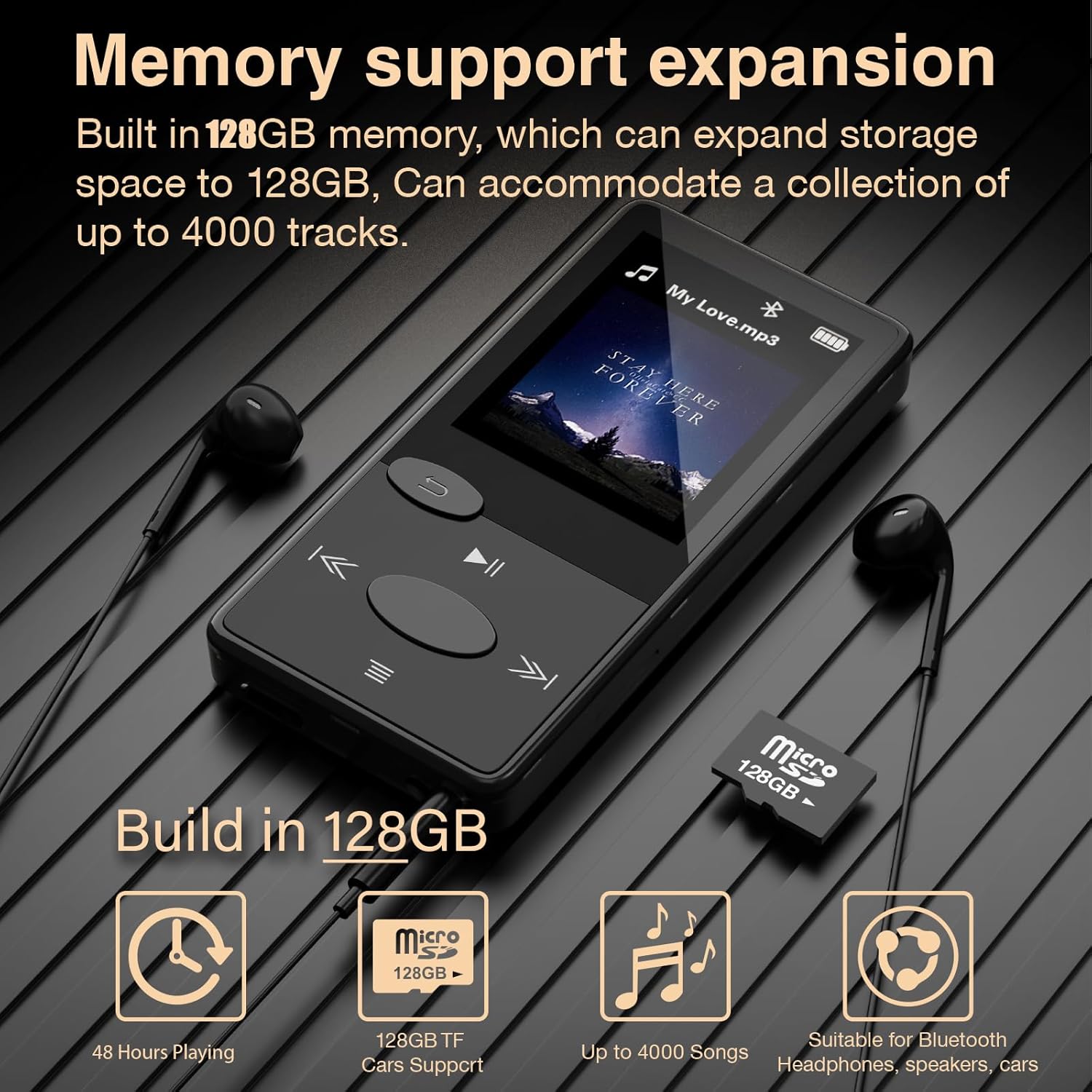
Image 2.3: The MP3 player displaying its memory capacity and illustrating the use of a Micro SD (TF) card for expanded storage.
3. Иштөө нускамалары
3.1 Негизги навигация
The device features push buttons for navigation. Refer to the diagram below for button functions:
| баскыч | Функция |
|---|---|
| Кубат баскычы | Power On/Off, Screen On/Off |
| Кайтуу баскычы | Go back to the previous menu/screen |
| Ойнотуу/тындыруу баскычы | Учурдагы тректи ойнотуу же тындыруу |
| Кийинки / Ылдам Алга Баскычы | Skip to next track, fast forward (hold) |
| Мурунку / Артка түрүү баскычы | Skip to previous track, rewind (hold) |
| Үнүн жогорулатуу (+) | Үнүн жогорулатуу |
| Үнүн азайтуу (-) | Үнүн азайтуу |
| Меню баскычы | Access settings or context menu |
3.2 Музыканы ойнотуу
- Navigate to the 'Music' menu.
- Select 'All Songs', 'Artists', 'Albums', 'Genres', or 'Update Playlist' to browse your music.
- Use the navigation buttons to select a song and press the Play/Pause button to start playback.
- Үндү атайын үн баскычтарын колдонуп жөндөңүз.
3.3 Bluetooth жупташтыруу
To connect to Bluetooth headphones, speakers, or car audio:
- Bluetooth аксессуарыңыз жупташтыруу режиминде экенин текшериңиз.
- MP3 ойноткучта "Bluetooth" менюсуна өтүңүз.
- Жеткиликтүү Bluetooth түзмөктөрүн табуу үчүн "Түзмөктү издөө" дегенди тандаңыз.
- Жупташтыруу үчүн тизмеден каалаган түзмөктү тандаңыз.

Image 3.1: The MP3 player demonstrating its ability to connect wirelessly to various Bluetooth devices, including headphones, portable speakers, and car audio systems.
3.4 FM радиосу
To use the FM radio function, you must plug in wired earphones. The earphones act as the antenna for receiving radio signals.
- Plug in the wired earphones into the 3.5mm audio jack.
- Navigate to the 'FM Radio' menu.
- Use the navigation buttons to scan for stations or manually tune to a frequency.
4. Техникалык тейлөө
4.1 Тазалоо
Wipe the device with a soft, dry cloth. Avoid using liquid cleaners or abrasive materials, as these can damage the screen or casing.
4.2 Батареяга кам көрүү
- Аппаратты экстремалдык температурага тийгизүүдөн сактаңыз.
- Батареянын ден соолугун сактоо үчүн аппаратты тез-тез колдонбосо дагы, дайыма заряддаңыз.
- Батареяны өзүңүз алмаштырууга аракет кылбаңыз.
5. Кыйынчылыктарды
5.1 Device Unresponsive / Freezing
If the MP3 player becomes unresponsive or freezes, perform a manual restart:
- Press and hold the power button for approximately 8 seconds. This will force the device to restart.
- Ensure the MP3 player has sufficient power before attempting a restart.

Image 5.1: Visual guide demonstrating how to perform a manual restart by pressing and holding the power button for 8 seconds.
5.2 Data Transfer Failure
Эгер сиз которууда кыйынчылыктарга туш болсоңуз files to or from the device:
- Try using a different Type-C data cable.
- Ensure the cable is securely connected to both the MP3 player and the computer.
- Restart both the MP3 player and your computer.
5.3 Bluetooth туташуу маселелери
If the MP3 player fails to connect to a Bluetooth device:
- Ensure both devices are within the optimal range (5-10 meters).
- Verify that the Bluetooth accessory is in pairing mode.
- Эки түзмөктөгү мурунку жупташтырууларды өчүрүп, кайра жупташтырууга аракет кылыңыз.
- Жакын жерде күчтүү тоскоолдуктар жок экенин текшериңиз (мисалы, Wi-Fi роутерлери, башка Bluetooth түзмөктөрү).
6. Техникалык шарттар
| Өзгөчөлүк | Деталь |
|---|---|
| Модель номери | M12 |
| Ички эс тутум | 128 ГБ |
| Expandable Memory | Supports TF Card (up to 128GB, not included) |
| Bluetooth версиясы | 5.3 |
| Screen Size | 1.8 inches (4.57 CM) |
| Өлчөмдөрү (L x W x T) | 3.23 x 1.57 x 0.37 inches (8.2 x 4.0 x 0.95 CM) |
| Элемент Салмагы | 29г (1.02 унция) |
| Батарея сыйымдуулугу | 300 мАч |
| Заряддоо убактысы | Болжол менен 3 саат (Тип-C аркылуу) |
| Музыканы ойнотуу убактысы | Up to 48 hours (varies with volume) |
| Аудио форматтары колдоого алынат | MP3, WMA, APE, FLAC, WAV, DRM, ACELP, etc. |
| Өзгөчөлүктөр | FM Radio, Voice Recorder, E-Book Reader |
7. Кепилдик жана колдоо
7.1 Кепилдик маалыматы
This product is covered by a manufacturer's warranty against defects in materials and workmanship. Please retain your proof of purchase for warranty claims. Specific warranty terms and duration may vary by region. For detailed warranty information, please refer to the documentation included with your purchase or contact customer support.
7.2 Кардарларды колдоо
If you have any questions, require technical assistance, or experience issues not covered in this manual, please contact Aiandcc customer support. Contact details can typically be found on the product packaging or the official Aiandcc webсайт.