
1. Киришүү
Thank you for choosing the Intelbras PFL7560 Full HD Wi-Fi Projector. This projector is designed to deliver a high-quality visual and audio experience for various applications, from home cinema to business presentations. It features Full HD resolution, 8000 lumens brightness, and integrated 12W stereo speakers. This manual provides essential information for safe and efficient operation of your projector.
2. Коопсуздук маалыматы
Проекторду колдонуудан мурун бардык коопсуздук нускамаларын кылдат окуп чыгыңыз. Бул колдонмону келечекте маалымат алуу үчүн сактаңыз.
- Электр камсыздоо: Use only the power adapter provided with the projector. Ensure the voltage сиздин жергиликтүү электр камсыздооңузга дал келет.
- Вентиляция: Желдетүүчү тешиктерди жаппаңыз. Ашыкча ысып кетүүнүн алдын алуу үчүн проектордун айланасында абанын туура айланышы үчүн жетиштүү орун бар экенин текшериңиз.
- Жайгашкан жери: Проекторду туруктуу, тегиз жерге коюңуз. Аны күн нуру түз тийген жерге, жылуулук булактарынын жанына же нымдуулугу жогору же чаңдуу чөйрөгө койбоңуз.
- Көздү коргоо: l болгондо проектордун объективине тике карабаamp күйүп турат, анткени жаркыраган жарык көзгө зыян келтириши мүмкүн.
- Тазалоо: Тазалоодон мурун проекторду электр кубатынан сууруп алыңыз. Жумшак, кургак чүпүрөктү колдонуңуз. Суюк же аэрозоль тазалоочу каражаттарды колдонбоңуз.
- Тейлөө: Проекторду өз алдынча оңдоого аракет кылбаңыз. Бардык тейлөө иштерин квалификациялуу тейлөө кызматкерлерине тапшырыңыз.
3. Пакеттин мазмуну
Пакетте бардык буюмдар бар экенин текшериңиз:
- Intelbras PFL7560 Projector Unit
- Алыстан башкаруу
- Электр кабели
- User Manual
4. Продукт бүтүп калдыview
Familiarize yourself with the main components and ports of your Intelbras PFL7560 projector.
4.1. Проектор компоненттери

Image: Intelbras PFL7560 Projector with included remote control.
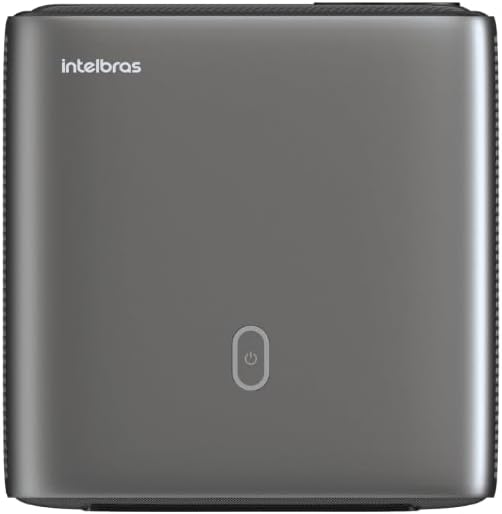
Сүрөт: Жогорку view of the projector, highlighting the power button and sleek design.
4.2. Порттор жана байланыш
Проектор бир нече туташуу параметрлерин сунуштайт:
- HDMI: For connecting high-definition devices such as laptops, gaming consoles, or Blu-ray players.
- USB: Медияны ойнотуу үчүн USB сактагыч түзмөктөрдү туташтыруу үчүн fileтүздөн-түз с.
- Wi-Fi (802.11 ac/b/g/n): For wireless connectivity and screen mirroring from compatible Android devices.
- Аудио чыгышы: Тышкы аудио тутумдарды же кулакчындарды туташтыруу үчүн.
5. Орнотуу
5.1. Жайгаштыруу
Choose a suitable location for your projector. The PFL7560 can project images from 60 to 150 inches, making it versatile for various room sizes. Ensure the projector is placed on a stable surface and is not obstructed.
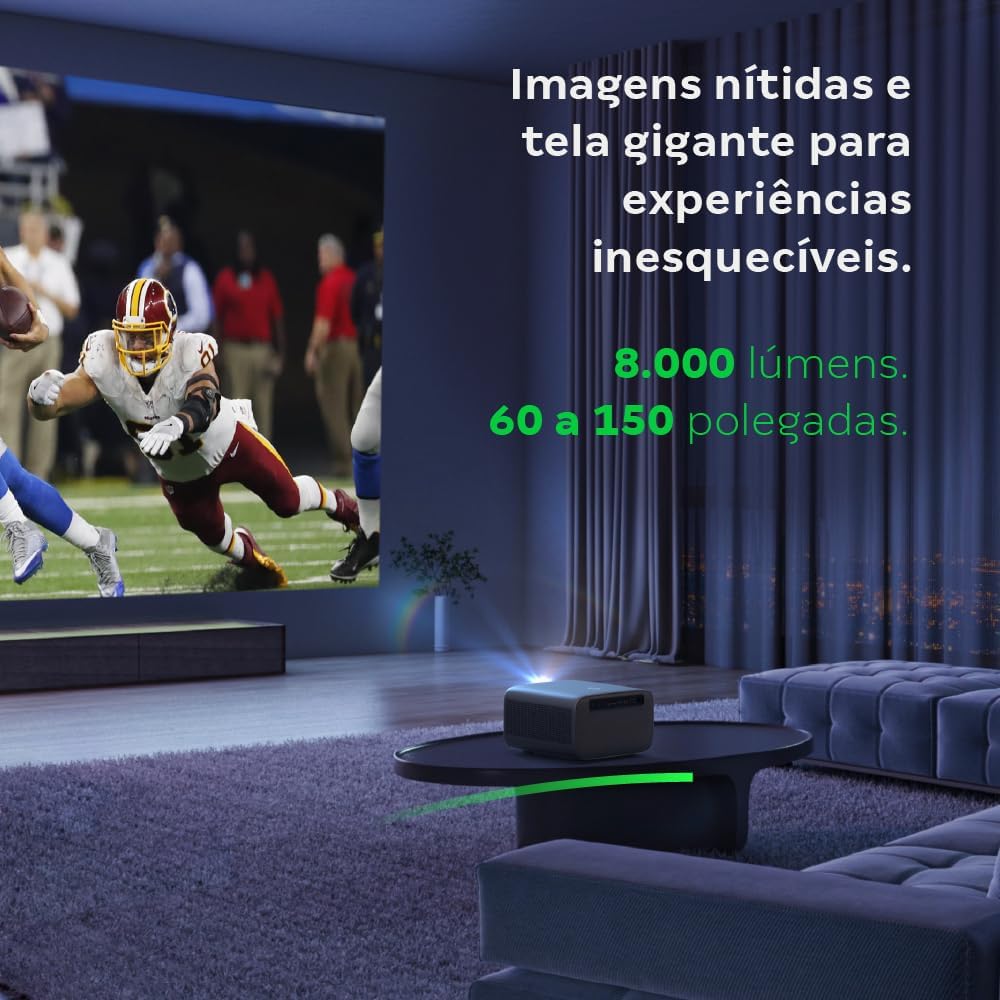
Image: The projector creating a large, clear image in a home environment, demonstrating its capability for immersive viewing.
5.2. Power Connection
Кубат кабелин проектордун кубат киргизүү булагына, андан кийин розеткага туташтырыңыз.
5.3. Баштапкы күйгүзүү
Түзмөктү күйгүзүү үчүн проектордогу же пульттагы күйгүзүү баскычын басыңыз. Проектор ишке киргизүү ыраатын баштайт.
5.4. Фокусту жана Keystone коррекциясын түзүү
The PFL7560 features automatic focus and keystone correction for a perfectly aligned and sharp image without manual effort. If manual adjustment is needed, refer to the on-screen display (OSD) menu.
6. Иштөө нускамалары
6.1. Түзмөктөрдү туташтыруу
- HDMI: Connect your device using an HDMI cable to the HDMI port on the projector. Select the corresponding HDMI input from the projector's source menu.
- USB: Insert a USB drive into the USB port. The projector's media player will typically detect the drive automatically, allowing you to browse and play files.
- Wi-Fi / Screen Mirroring: For compatible Android devices, enable screen mirroring on your device and select the projector from the available devices. Ensure both devices are connected to the same Wi-Fi network.
6.2. Аудио чыгаруу
The projector is equipped with two integrated 12W speakers, providing clear and immersive audio. For external audio, connect speakers or headphones to the audio output port.

Image: Detail of the projector's integrated 12W speakers, designed for powerful and clear sound.
7. Техникалык тейлөө
7.1. Объективди тазалоо
Проектордун линзасын акырын сүртүү үчүн оптикалык линзалар үчүн атайын жасалган жумшак, мамыксыз чүпүрөктү колдонуңуз. Абразивдүү материалдарды же катуу химиялык заттарды колдонуудан алыс болуңуз.
7.2. Проектордун корпусун тазалоо
Wipe the exterior of the projector with a soft, dry cloth. Do not use liquid or spray cleaners directly on the unit.
7.3. LED Light Source Longevity
The Intelbras PFL7560 uses an LED light source with a lifespan of up to 30,000 hours, ensuring long-term use and consistent performance without significant brightness degradation.
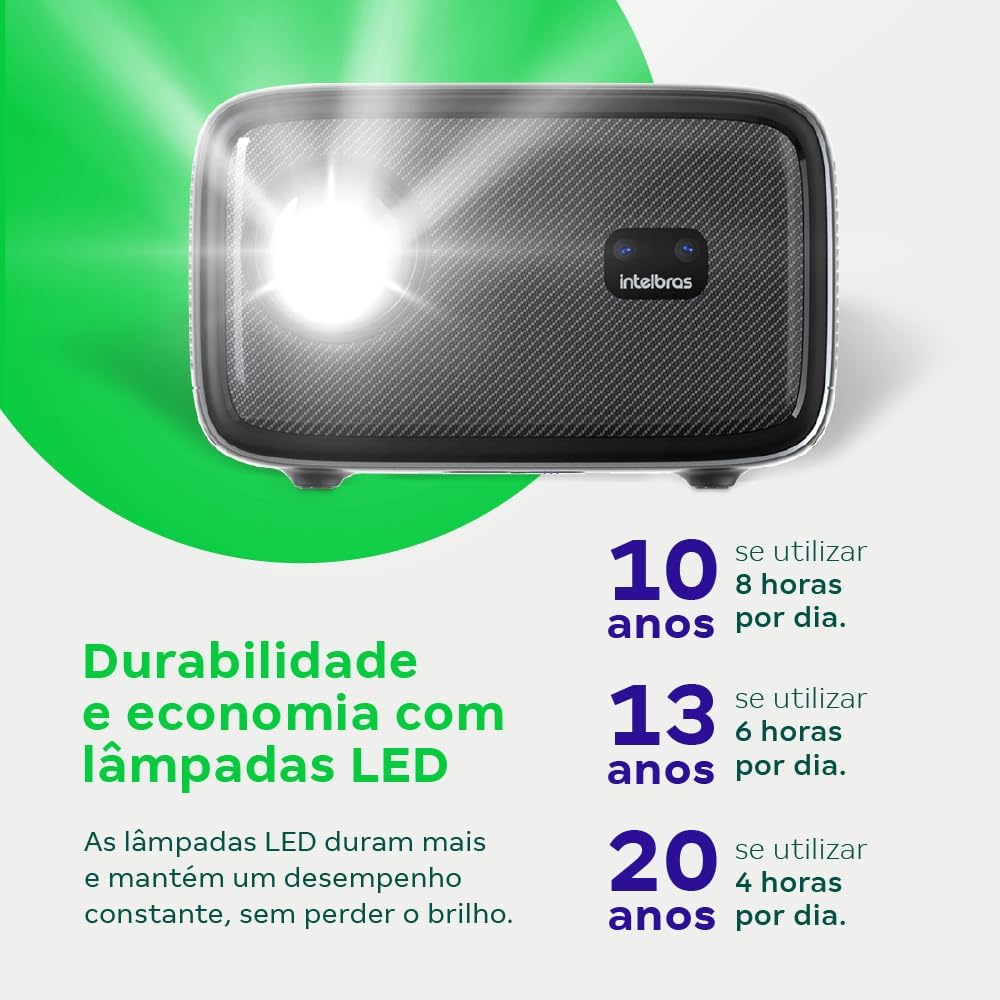
Image: An infographic illustrating the extended durability and economic benefits of the LED lamp, lasting up to 30,000 hours.
8. Кыйынчылыктарды
Проекторуңузда көйгөйлөргө туш болсоңуз, төмөнкү жалпы көйгөйлөрдү жана чечимдерди караңыз:
- Сүрөт жок: Ensure the power cable is securely connected and the projector is turned on. Check the input source selection to match your connected device.
- бүдөмүк сүрөт: Adjust the focus. If the image is distorted, check for automatic keystone correction or adjust it manually via the settings menu.
- Үн жок: Verify the volume level on both the projector and the connected device. Ensure external speakers are properly connected if used, or that the internal speakers are enabled.
- Туташуу маселелери: For Wi-Fi or screen mirroring, ensure both the projector and your device are on the same network. Restart both devices if necessary.
- Ашыкча ысып кетүү: Ensure the projector's ventilation openings are not blocked. Turn off the projector and allow it to cool down if it feels excessively hot.
9. Техникалык шарттар
| Өзгөчөлүк | Спецификация |
|---|---|
| Бренд | Intelbras |
| Модель аты | PFL 7560 |
| Байланыш технологиясы | Wi-Fi |
| Өзгөчөлүктөр | Wi-Fi даяр |
| Display Resolution | 1920 x 1080 (Full HD) |
| Native Resolution | 1920 x 1080 |
| Дисплейдин максималдуу чечилиши | 1920 x 1080 |
| Дисплей түрү | LCD |
| Жарыктык | 8000 Lumens |
| Шайкеш түзмөктөр | Ноутбук, смартфон, планшет |
| Жарык булагы иштөө мөөнөтү | 30000 саат |
| Аппараттык интерфейс | 802.11 ac/b/g/n |
| Видеону коддоо | H.264, H.265 |
| Сунушталган Колдонуулар | Үй кинотеатры |
| Аудио | 2 x 12W интеграцияланган динамиктер |
10. Кепилдик жана колдоо
For warranty information, technical support, or service requests, please refer to the official Intelbras webсайтка же түздөн-түз кардарларды тейлөөгө кайрылыңыз. Сатып алуу квитанциясын кепилдик дооматтары үчүн сатып алуунун далили катары сактаңыз.