
Introduction
Thank you for choosing the dbsono DB T804 Wireless Earbuds. These sports Bluetooth headphones are designed for active lifestyles, offering sweatproof and waterproof features, extended playtime, and secure fit with earhooks. This manual provides essential information for setup, operation, and maintenance to ensure optimal performance.
Кутуда эмне бар
- Кулакчындар (L&R)
- Сенсордук экранды заряддоо кутусу
- User Manual
- 3 ear caps (S M L)
- C түрүндөгү кубаттоочу кабель

Жайгашуу
Инструкцияларды кийүү
Properly wearing your earbuds ensures the best sound quality and a secure fit during activities. Follow these steps:
- Кулак кеңештерин тандоо: Choose the suitable ear tip size (S, M, L) for your ear canal. Size M is pre-installed.
- Кулакчындарды салуу: Gently insert the ear tips into your ear canal.
- Secure Ear Hooks: Adjust the 360° rotating ear hooks over your ears for a stable and comfortable fit.
- Ыңгайлуулук үчүн тууралоо: Ensure the earbuds feel secure without being too tight or too loose.


Баштапкы жупташтыруу
The earbuds utilize Bluetooth 5.3 for fast and stable connectivity.
- Кулакчындарды иштетүү: Remove the protective film from the earbuds and place them back into the charging case to activate them.
- Ачык иш: Lift the lid of the charging case. The earbuds will automatically enter pairing mode.
- Bluetooth иштетүү: On your smart device (phone, tablet, computer), enable Bluetooth.
- Туташуу: Издөө Bluetooth devices and select "DB T804" from the list. You will hear a "connected" prompt.
- Эскертүү: If the earbuds automatically connect to a previously paired device, turn off Bluetooth on the previous device to connect to a new one.

Иштөө нускамалары
Башкаруу баскычтары
The DB T804 earbuds feature physical push-button controls for reliable operation, avoiding accidental touches.
- Ойнотуу/тындыруу: Single press L/R button.
- Кийинки трек: Double press R button.
- Мурунку трек: Double press L button.
- Көлөмү: Long tap R button.
- Үнүн азайтуу: Long tap L button.
- Чалууга жооп берүү/аяктоо: Single press L/R button.
- Чакырууну четке кагуу: Press and hold L/R button for 2 seconds.
- Үн Жардамчысын жандыруу: Triple press L/R button.

Touchscreen Features (Charging Case)
The intuitive touchscreen on the charging case allows for effortless management of music, calls, and daily tasks without needing your phone.
- Музыкалык башкаруу: Adjust volume, skip tracks, play/pause directly from the screen.
- Батареянын абалы: Check the battery levels of both earbuds and the charging case.
- Алыскы камера: Snap remote photos by connecting to your phone's camera function.
- Ойготкучтар: Ойготкучтарды түздөн-түз корпустан орнотуңуз.
- Кулакчындарды табуу: Locate misplaced earbuds quickly using a dedicated function.
- Wallpaper/Brightness: Customize the screen's wallpaper and adjust brightness settings.


Аудио сапаты
The dbsono DB T804 Wireless Earbuds are equipped with 13mm speakers, delivering powerful bass and clear mid-to-high frequencies for an immersive audio experience. Whether for music, podcasts, or calls, the sound quality is optimized for clarity and rhythm.

With integrated microphones, these headphones ensure crystal clear calls, even in outdoor environments, making video calls smoother and ensuring your voice stands out.

Батареянын иштөө мөөнөтү
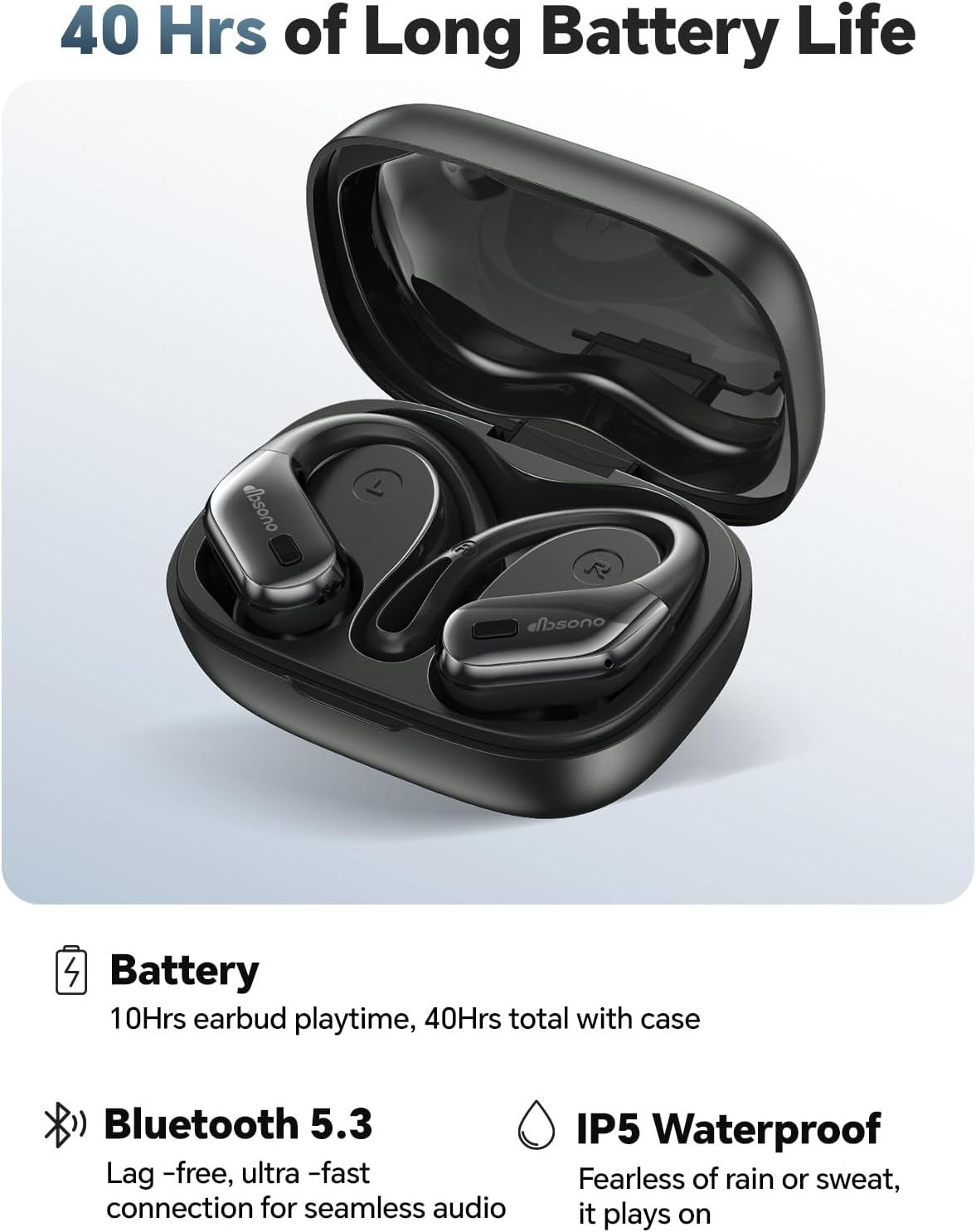
Each earbud provides up to 10 hours of continuous playtime on a single full charge. The compact charging case offers three additional charges, extending the total listening time to 40 hours. This ensures long-lasting performance for your workouts, commutes, or daily use without frequent recharging.
Техникалык тейлөө
Суу каршылык
The earbuds feature an IPX5 waterproof rating, making them sweatproof and resistant to splashes. This protection is ideal for intense workouts, jogging, or use in light rain. Please note that they are not suitable for swimming or skiing.

Тазалоо
To maintain optimal performance and hygiene, regularly wipe off sweat and debris from the earbuds and charging points after workouts. Use a soft, dry cloth to clean the surfaces. Avoid using harsh chemicals or abrasive materials.
Техникалык шарттар
| Өзгөчөлүк | Деталь |
|---|---|
| Бренд | дбсоно |
| Модель номери | DB T804 |
| Түс | Кара |
| Кулак жайгаштыруу | Кулак үстүндө |
| Форма фактору | Кулакта |
| Байланыш технологиясы | Зымсыз (Bluetooth 5.3) |
| Bluetooth диапазону | 10 метр (33 фут) |
| Battery Life (Earbud) | 10 саат |
| Жалпы ойноо убактысы (Кеп менен) | 40 саат |
| Сууга туруктуулук деңгээли | IPX5 суу өткөрбөйт |
| Аудио драйвер түрү | 13мм динамикалык драйвер |
| Башкаруу түрү | Push Button, Touch Screen (Case) |
| Микрофон | камтылган |
| Шайкеш түзмөктөр | Android/iOS smartphones, Apple Watch, Tablet, Desktop Computer, Laptop, Smart Watch, TV and other Bluetooth devices |
Кепилдик жана колдоо
The dbsono DB T804 Wireless Earbuds come with a 1-Year Manufacturer Warranty. For any support inquiries, troubleshooting, or warranty claims, please refer to the contact information provided in the Quick Start Guide included in your package or visit the official dbsono webсайт.