
1. Киришүү
Thank you for choosing the Redkey R10 Robot Vacuum Cleaner and Mop. This device is designed to provide efficient and automated cleaning for your home, combining powerful vacuuming with effective mopping capabilities. Equipped with advanced LiDAR navigation and a self-emptying station, the R10 offers a convenient and hands-free cleaning experience. This manual provides essential information for the safe and proper use, maintenance, and troubleshooting of your Redkey R10.
Сураныч, аппаратты иштетүүдөн мурун бул колдонмону кылдат окуп чыгыңыз жана аны келечекте маалымат үчүн сактап коюңуз.
2. Коопсуздук маалыматы
To reduce the risk of injury or damage, read these safety instructions carefully and keep them accessible when setting up, using, and maintaining your robot.
- The robot is for indoor use only. Do not use it outdoors or on commercial or industrial surfaces.
- Do not use the robot in environments with high humidity or near water sources.
- Before using the robot, remove any loose cables, small objects, or fragile items from the cleaning area to prevent entanglement or damage.
- Do not allow children or pets to play with the robot or the charging station.
- Use only the original charging station and power adapter provided by the manufacturer.
- Do not handle the robot or charging station with wet hands.
- Роботту чоң таштандыларды, курч буюмдарды же суюктуктарды чогултуу үчүн колдонбоңуз.
- Ensure the robot is turned off and unplugged from the charging station before performing any maintenance or cleaning.
- Электр зымы бузулган болсо, коркунучту болтурбоо үчүн аны өндүрүүчү, анын тейлөө агенти же ушуга окшогон квалификациялуу адамдар алмаштырышы керек.
3. Пакеттин мазмуну
Таңгактан чыгарганда бардык компоненттер бар экенин жана жакшы абалда экендигин текшериңиз.
- Redkey R10 Robot Vacuum Cleaner
- Өзүн-өзү тазалоочу станция
- Электр кабели
- Dust Collection Bag (pre-installed in station)
- Суу танкы
- сүртүүчү жай
- Каптал щеткалары (x2)
- Тазалоо куралы
- User Manual
4. Продукт бүтүп калдыview
4.1 робот чаң соргуч

Image: The Redkey R10 robot vacuum cleaner, its self-emptying station, and mopping accessories.
- Жогорку View: LiDAR Navigation Sensor, Power/Clean Button, Spot Clean Button.
- Front/Side View: Bumper, Wall Sensor, Charging Contacts, Dustbin Release Button.
- Төмөнкү View: Main Brush, Side Brushes, Driving Wheels, Universal Wheel, Cliff Sensors, Charging Contacts.
4.2 Өзүн-өзү тазалоочу станция
- Чаңды чогултуу порту
- Чаң баштык бөлүмү
- Байланыштарды заряддоо
- Кубат индикаторунун жарыгы
5. Орнотуу
5.1 Заряддоо станциясын жайгаштыруу
Place the self-emptying station on a hard, level surface against a wall. Ensure there is at least 0.5 meters (1.6 feet) of clear space on both sides and 1.5 meters (4.9 feet) in front of the station for optimal robot navigation and docking. Plug the power cord into the station and then into a wall outlet. Ensure the station is connected to power.
5.2 Алгачкы заряддоо
Place the Redkey R10 robot onto the charging station, aligning its charging contacts with those on the station. The robot will automatically begin charging. For first-time use, fully charge the robot before operation. The indicator light on the robot will show charging status.
5.3 Water Tank and Mopping Pad Preparation (for Mopping Function)
If you intend to use the mopping function, fill the water tank with clean water. Attach the mopping pad securely to the water tank module. Insert the prepared water tank module into the designated slot on the robot.
6. Иштөө нускамалары
6.1 Күйгүзүү/өчүрүү
- Күйгүзүү: Press and hold the Power/Clean button on the robot for a few seconds until the indicator lights illuminate.
- Өчүрүү: Press and hold the Power/Clean button for a few seconds until the indicator lights turn off.
6.2 Connecting to the Redkey App

Image: A smartphone displaying the Redkey app interface for controlling the robot vacuum cleaner, showing cleaning programs, specific room cleaning, and cleaning order settings.
- Download the 'Redkey' app from your smartphone's app store (iOS or Android).
- Register or log in to your Redkey account.
- Follow the in-app instructions to add your Redkey R10 device. Ensure your Wi-Fi network is 2.4GHz.
6.3 Карта түзүү жана навигация

Image: The Redkey R10 robot vacuum cleaner actively mapping a room using its LiDAR sensor, with text indicating 360° LiDAR navigation, room mapping, path planning, and efficient cleaning.
The R10 uses LiDAR navigation to create a precise map of your home. During its first cleaning cycle, it will map out your floor plan. This map can be viewed and managed within the Redkey app.
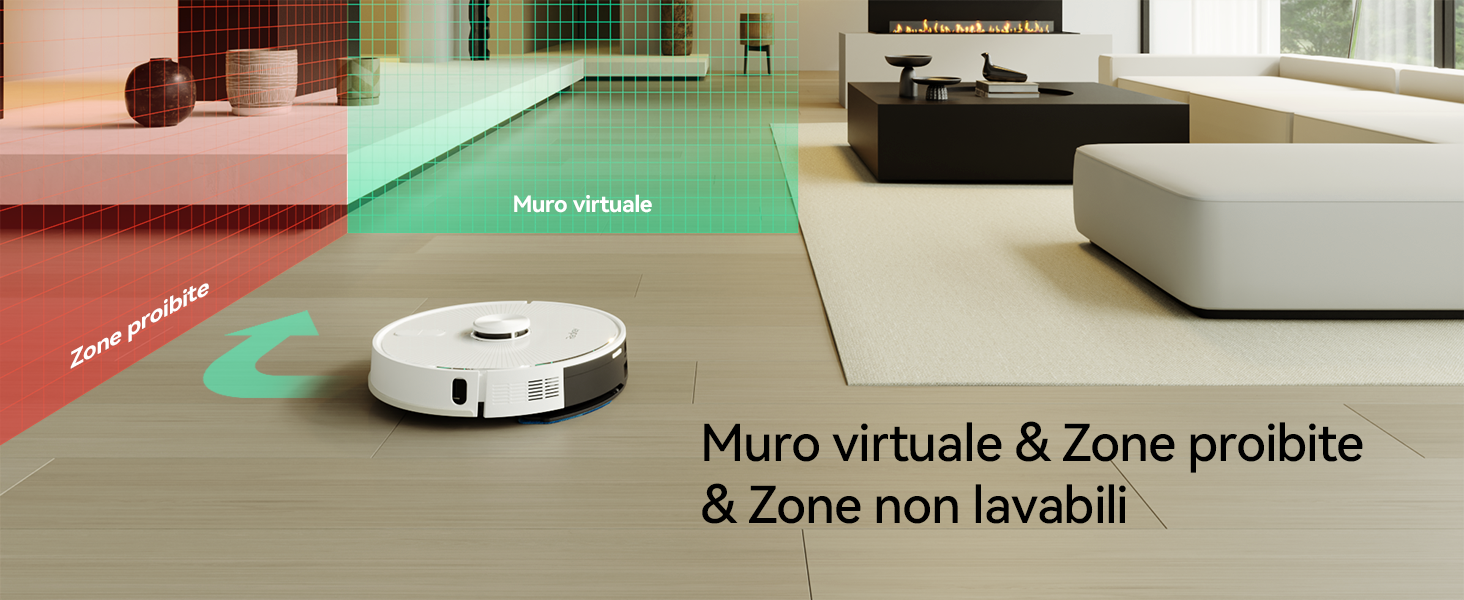
Image: A woman relaxing on a sofa while the Redkey R10 robot vacuum cleaner maps her home, with a holographic representation of a house map indicating customized mapping for efficient cleaning.
6.4 Тазалоо режимдери

Image: A woman reading on a sofa while the Redkey R10 robot vacuum cleaner operates on a rug, with icons indicating 'Silent', 'Standard', 'Strong', and 'MAX' suction modes up to 4000Pa.
- Автоматтык тазалоо: Робот картага түшүрүлгөн аймактын баарын автоматтык түрдө тазалайт.
- Таза так: The robot cleans a specific small area intensively.
- Таза аймак: Select specific rooms or zones on the app map for the robot to clean.
- Чыпкалоо режими: Attach the water tank and mopping pad. The robot will mop the selected area. It can adjust water flow automatically.
- Чаң соргуч: The robot can perform both vacuuming and mopping simultaneously.
6.5 Setting Virtual Walls and No-Go Zones
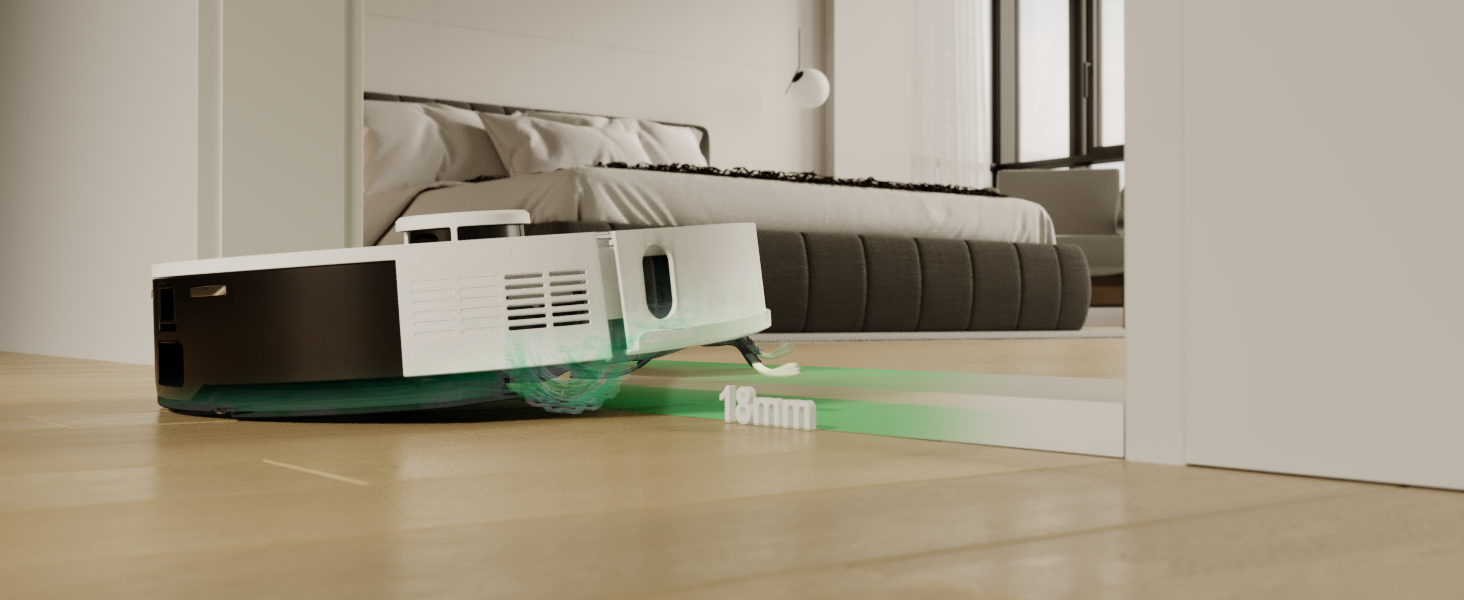
Image: The Redkey R10 robot vacuum cleaner navigating a room, with red and green shaded areas indicating 'Prohibited Zones' and 'Virtual Wall' respectively, demonstrating its ability to avoid restricted areas.
Using the Redkey app, you can draw virtual walls or define no-go zones on the map to prevent the robot from entering specific areas (e.g., pet bowls, fragile items, or areas with loose cables).
6.6 Пландаштыруу
Set up cleaning schedules through the app for automated cleaning at preferred times and days.
6.7 Үн менен башкаруу
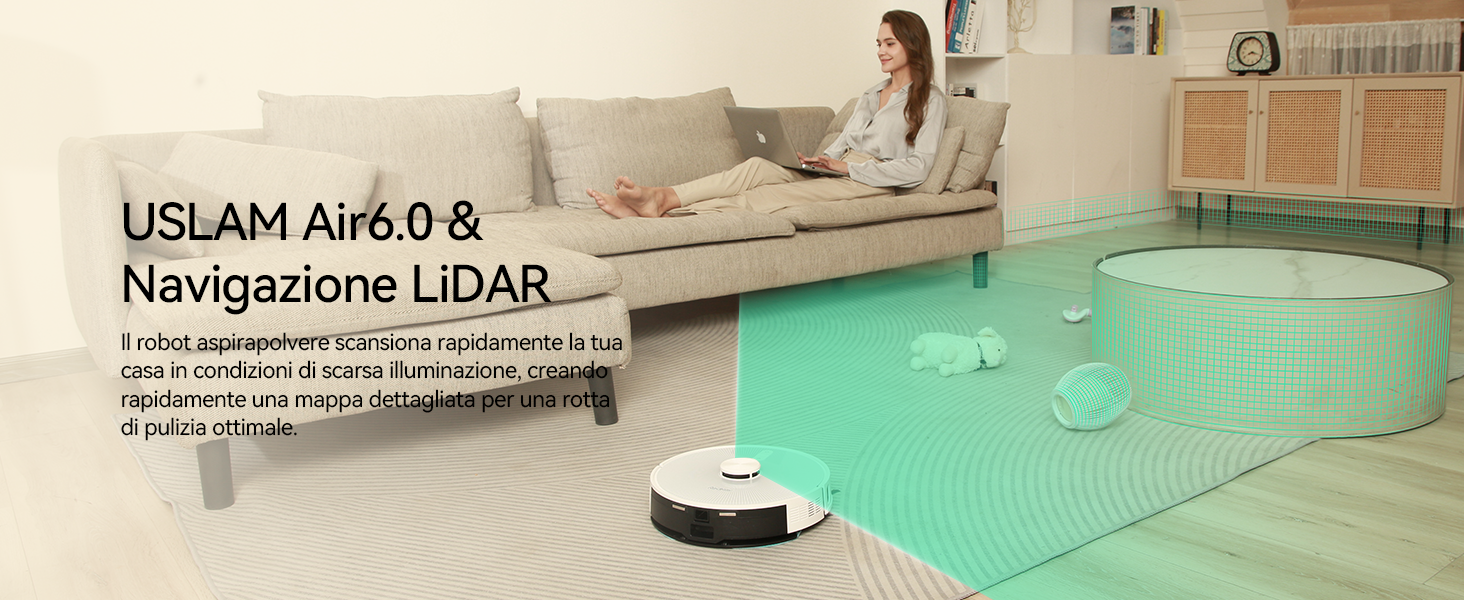
Image: A woman sitting on a sofa, speaking into her phone, with the Redkey R10 robot vacuum cleaner in the foreground. Text indicates voice control compatibility with Alexa and Google Assistant, allowing commands like 'Tell R10 to vacuum and mop in front of the counter.'
The Redkey R10 supports voice control via Amazon Alexa and Google Assistant. Link your Redkey account in the respective voice assistant app and use commands to start, stop, or send the robot to its charging station.
7. Техникалык тейлөө
Regular maintenance ensures optimal performance and extends the lifespan of your Redkey R10.
7.1 Emptying Dustbin / Self-Emptying Station Bag

Image: The Redkey R10 robot vacuum cleaner docked at its self-emptying station, with a visual representation of dust being transferred from the robot's dustbin to the station's 4L dust bag, indicating up to 90 days of hands-free cleaning.
- Робот таштанды челек: Even with the self-emptying station, it is recommended to periodically check and manually empty the robot's internal dustbin, especially if you notice reduced suction. Press the dustbin release button and pull out the dustbin. Empty its contents into a trash bin.
- Self-Emptying Station Dust Bag: The 4L dust bag in the self-emptying station can hold debris for up to 90 days. When the bag is full, the app will notify you. Open the station's lid, remove the full bag, and dispose of it. Install a new dust bag.
7.2 тазалоо щеткасы
- Негизги щетка: Turn the robot over. Remove the main brush cover and lift out the main brush. Use the provided cleaning tool to remove hair and debris tangled around the brush. Reinstall the brush and cover.
- Каптал щеткалар: Check the side brushes for tangled hair or debris. If damaged or worn, replace them.
7.3 Чыпкаларды тазалоо
Remove the dustbin. Take out the filter assembly. Tap the filter to remove loose dust. Do not wash the HEPA filter with water. Replace filters every 3-6 months depending on usage.
7.4 Сенсорлорду тазалоо
Wipe the cliff sensors (on the bottom of the robot), wall sensors (on the side), and charging contacts (on the robot and station) with a clean, dry cloth to ensure proper function.
7.5 Cleaning Water Tank and Mopping Pad
- Суу багы: After each mopping session, empty any remaining water from the tank and allow it to air dry.
- Mopping Pad: Remove the mopping pad and wash it by hand or machine. Allow it to air dry completely before reattaching.
7.6 Батареяга кам көрүү
To maintain battery life, ensure the robot is regularly charged. If storing the robot for an extended period, fully charge it and power it off. Recharge every three months to prevent battery degradation.
8. Кыйынчылыктарды
| Көйгөй | Мүмкүн себеп | Чечим |
|---|---|---|
| Робот күйбөйт. | Батарея аз; заряддалган эмес. | Place robot on charging station and ensure it is charging. |
| Робот докко отура албайт. | Charging station obstructed; contacts dirty. | Clear area around station; clean charging contacts on robot and station. |
| Азайтылган соргуч күчү. | таштанды челек толгон; фильтр бүтөлгөн; негизги щетка чаташкан. | Empty dustbin; clean/replace filter; clean main brush. |
| Робот бат-баттан тыгылып калат. | Obstacles in path; cliff sensors dirty. | Clear cleaning area; clean cliff sensors. |
| Чыпкалоо функциясы иштебейт. | Суу куюлган бак бош; жуугуч машина туура эмес орнотулган. | Fill water tank; ensure mopping pad is correctly installed. |
| Колдонмого туташуу маселелери. | Incorrect Wi-Fi password; 5GHz Wi-Fi network. | Ensure correct password; connect to a 2.4GHz Wi-Fi network. |
9. Техникалык шарттар
| Өзгөчөлүк | Спецификация |
|---|---|
| Бренд | Redkey |
| Модель аты | R10 |
| Түс | Ак |
| Продукциянын өлчөмдөрү (робот) | 33 см (Диаметр) x 9.4 см (Бийиктик) |
| Продукциянын өлчөмдөрү (жалпы) | 38л x 41л x 37H см |
| Элемент Салмагы | 8.16 килограмм |
| Соруу күчү | 4000Па чейин |
| Чаң баштыктарынын сыйымдуулугу (Станция) | 4L (up to 90 days hands-free cleaning) |
| Суу резервуарынын сыйымдуулугу | 350мл |
| Навигация түрү | LiDAR (360° intelligent navigation) |
| Obstacle Crossing Capability | 18 мм чейин |
| Батареянын иштөө мөөнөтү (макс.) | 150 minutes (up to 180 minutes in silent mode) |
| Башкаруу ыкмасы | APP Control (2.4GHz Wi-Fi), Voice Control (Alexa, Google Assistant) |
| Өзгөчөлүктөр | Exclusion zones, Auto-emptying, 2-in-1 Vacuum & Mop |
10. Кепилдик жана колдоо
Redkey provides a limited warranty for this product. For detailed warranty information, please refer to the warranty card included in your package or visit the official Redkey website. If you encounter any issues or require technical assistance, please contact Redkey customer support through the contact information provided on the product packaging or the official webсайт. Колдоо кызматына кайрылганда моделиңиздин номерин жана сатып алуу чоо-жайын дайындаңыз.