
NIMO NIMO N154G
NIMO 15.6 FHD-Laptop User Manual
Model: NIMO N154G
Introduction
Thank you for choosing the NIMO 15.6 FHD-Laptop. This powerful and versatile laptop is designed to enhance your productivity and entertainment experience. Featuring an Intel Core i3-1215U processor, 16GB RAM, and a 1TB SSD, it delivers fast and efficient performance for all your tasks. This manual provides essential information on setting up, operating, maintaining, and troubleshooting your new laptop.

Image: The NIMO 15.6 FHD-Laptop, showcasing its sleek design and key features like Full HD display, 16GB RAM, 1TB SSD, Type-C PD Charger, Fingerprint reader, and Backlit keyboard.
Кутуда эмне бар
Сураныч, бардык буюмдар бар экенине ынануу үчүн пакетиңиздин мазмунун текшериңиз:
- 1 x Nimo N154 Laptop
- 1 x Type-C 65W PD Fast Charger
- 1 x User Manual
- Windows 11 Home (pre-installed)
Жайгашуу
Баштапкы күйгүзүү жана заряддоо
- Unpack your NIMO laptop and the Type-C 65W PD Fast Charger.
- Connect the Type-C charger to the laptop's Type-C charging port and plug the adapter into a power outlet.
- Ноутбукту биринчи жолу колдонуудан мурун же батареянын индикатору жетиштүү зарядды көрсөткөнгө чейин кеминде 30 мүнөт заряддаңыз.
- Press the power button located on the top right side of the keyboard to turn on the laptop.
Windows 11 орнотуу
Windows 11ди баштапкы орнотууну аяктоо үчүн экрандагы көрсөтмөлөрдү аткарыңыз. Бул адатта төмөнкүлөрдү камтыйт:
- Аймагыңызды жана клавиатураңызды тандоо.
- Wi-Fi тармагына туташууда.
- Лицензиялык келишимди кабыл алуу.
- Microsoft эсеп жазуусун түзүү же кирүү.
- Setting up a PIN or password for login.
- Купуялык жөндөөлөрү конфигурацияланууда.
Ноутбугуңузду иштетүү
Дисплей жана Визуалдар
The NIMO laptop features a stunning 15.6-inch Full HD (1920x1080) display with an 85% screen-to-body ratio and razor-thin bezels, providing vibrant colors and sharp details for an immersive viewтажрыйбасы.

Image: The NIMO laptop screen displaying a vibrant image, highlighting its Full HD (1920x1080) resolution, IPS technology, bright view, and eye protection features.
Performance
Equipped with an Intel Core i3-1215U processor, 16GB DDR4 RAM, and a 1TB SSD, your NIMO laptop delivers powerful performance for multitasking, productivity, and entertainment. The 12th Gen Intel Core i3-1215U processor offers 6 cores and 8 threads, with a turbo boost up to 3.7 GHz, ensuring smooth and responsive operation.

Сүрөт: деталдуу view of the 12th Gen Intel Core i3-1215U Processor, illustrating its 6 cores, 8 threads, 15W power consumption, and 3.7 GHz Turbo Boost frequency, with a performance improvement indicator.
Клавиатура жана киргизүү
The laptop features a backlit keyboard for comfortable typing in various lighting conditions, a responsive touchpad, and a numeric keypad for efficient data entry. The integrated fingerprint reader provides seamless and secure login.
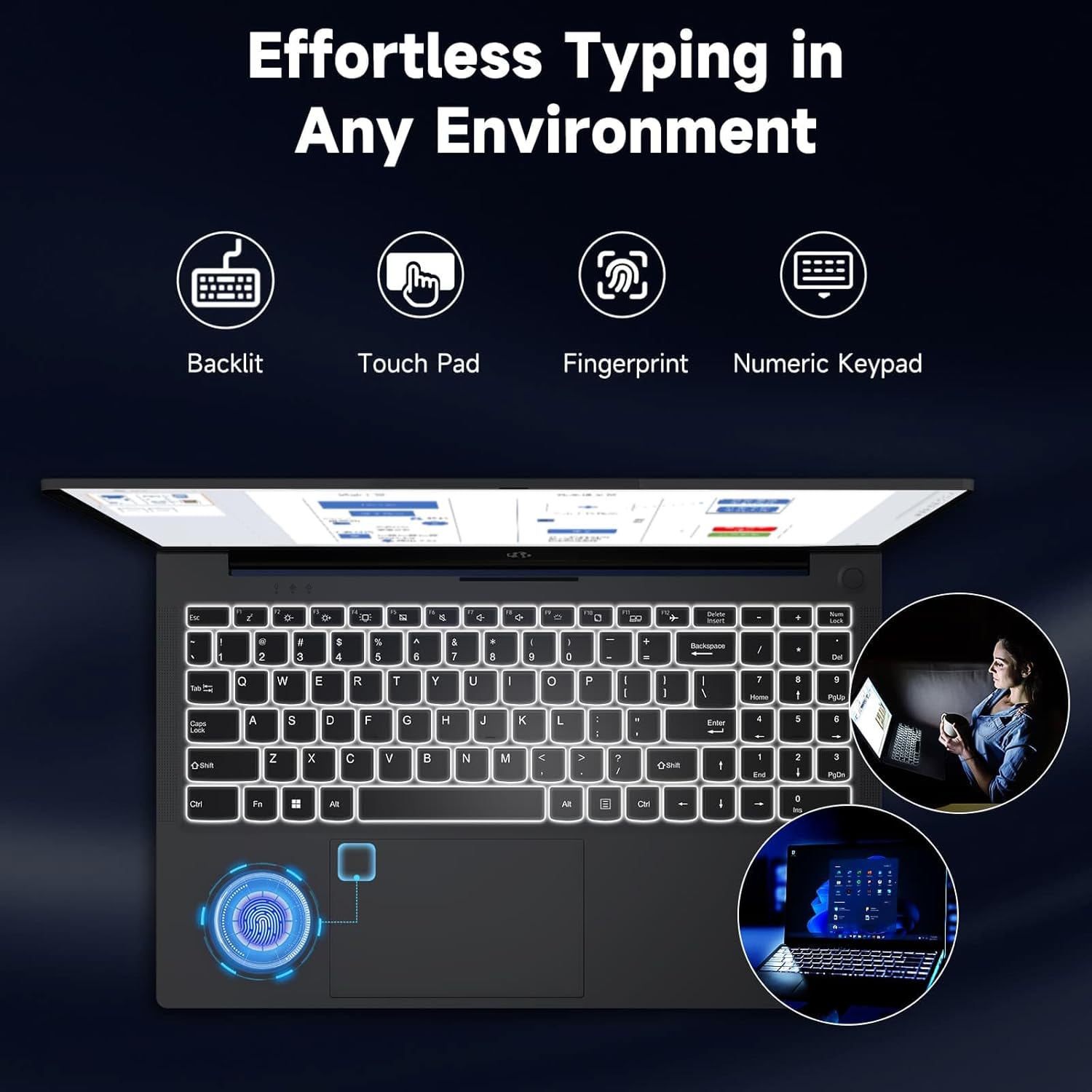
Image: The NIMO laptop keyboard, highlighting its backlit keys, touchpad, fingerprint sensor, and numeric keypad for effortless typing in any environment.
Коопсуздук жана Купуялык
Unlock your laptop with ease and speed using the integrated fingerprint scanner. For privacy, the 2.0MP webcam includes a physical privacy switch, allowing you to control when your camera is active.
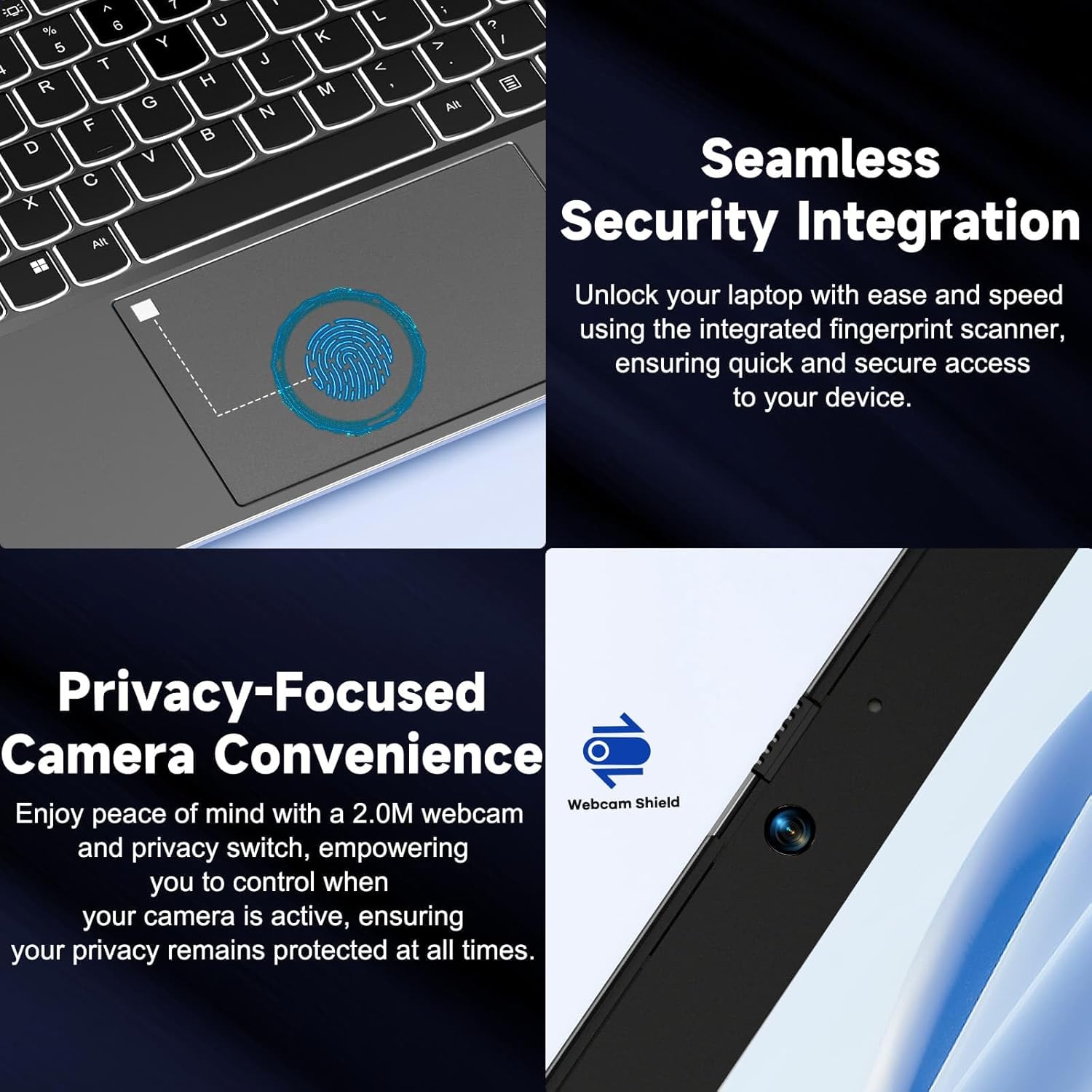
Сүрөт: Жакын план views of the laptop's fingerprint sensor for seamless security integration and the webcam with its privacy shield for enhanced privacy.
Байланыш
The NIMO laptop offers multiple ports for versatile connectivity, including USB 2.0, USB 3.0, HDMI, and Type-C ports (one for charging, one for multifunction). It also features a Micro SD card reader, a headphone combo jack, and a Kensington lock slot.

Сүрөт: жарылган view of the NIMO laptop, highlighting the location and type of its multiple ports, including USB, HDMI, Type-C, Micro SD, headphone combo, and Kensington lock.
180° Lay-Flat Hinge
The laptop is equipped with a 180° lay-flat hinge, allowing the screen to lie completely flat. This feature expands usage scenarios, making it easier to share content or collaborate with others.

Image: The NIMO laptop demonstrating its 180° lay-flat hinge, showing the screen fully opened and flat, ideal for sharing content.
Техникалык тейлөө
Тазалоо
- Бир аз жумшак, түксүз кездемени колдонуңуз dampдисплейди тазалоо үчүн суу же экран тазалагыч менен иштетиңиз.
- Баскычтоп жана шасси үчүн жумшак, кургак чүпүрөктү колдонуңуз. Катуу химиялык заттардан же абразивдүү материалдардан алыс болуңуз.
- Клавиатура баскычтары менен желдетүү торлорунан чаңды тазалоо үчүн кысылган абаны колдонуңуз.
Батареяга кам көрүү
- Батареяны бат-баттан толук кубаттап калуудан алыс болуңуз.
- Ноутбукту узак убакыт бою колдонбосо, салкын, кургак жерде сактаңыз.
- Use only the provided NIMO 65W PD fast charger.
Программалык камсыздоо жаңыртуулары
- Regularly check for Windows updates to ensure your system has the latest security patches and performance improvements.
- Keep your drivers updated for optimal hardware performance.
Проблемаларды чечүү
| Көйгөй | Мүмкүн себеп | Чечим |
|---|---|---|
| Ноутбук күйбөйт | Low battery; Power adapter issue | Ensure charger is properly connected and plugged in. Allow to charge for a few minutes before attempting to power on again. |
| Wi-Fi туташуу маселелери | Driver issue; Router problem; Wi-Fi disabled | Check if Wi-Fi is enabled (Fn+F5). Restart your router. Update Wi-Fi drivers via Device Manager. |
| Жай аткаруу | Too many background apps; Low disk space; Malware | Керексиз тиркемелерди жабыңыз. Дисктеги орунду бошотуңуз. Антивирус программасы менен системаны толук сканерлеңиз. |
| Баскычтоптун жарыгы иштебейт | Арткы жарык өчүрүлгөн | Press Fn + F10 (or the key with the backlight icon) to toggle the backlight on/off or adjust brightness. |
| Fingerprint reader not responding | Sensor dirty; Driver issue; Incorrect setup | Clean the sensor with a soft cloth. Re-register your fingerprint in Windows Settings. Update fingerprint reader drivers. |
Техникалык шарттар
| Өзгөчөлүк | Деталь |
|---|---|
| Модель аты | NIMO N154G |
| Screen Size | 15.6 дюйм |
| Screen Resolution | 1920 x 1080 пиксел (Full HD) |
| Процессор | Intel Core i3-1215U (4.4 ГГц чейин) |
| RAM | 16 ГБ DDR4 (3200 МГц) |
| Сактагыч | 1 ТБ SSD |
| Графикалык сопроцессор | Интегралдык графика |
| Операция системасы | Windows 11 Home |
| Зымсыз түрү | 802.11a/b/g/n/ac |
| USB порттору | 1 х USB 2.0, 2 х USB 3.0 |
| Башка порттор | HDMI, 2 x Type-C (1 Charge Only, 1 Multifunction), Micro SD Reader, Headphone Combo, Kensington Lock |
| Webcam | 2 МП арткы Webcam Resolution |
| Батареянын иштөө мөөнөтү (орточо) | 5 саат |
| Power Source | Battery Powered (65W PD Type-C Charger) |
| Элемент Салмагы | 5 фунт |
| Продукциянын өлчөмдөрү | 14.07 x 8.98 x 0.76 дюйм |
| Түс | Боз |
| Өзгөчөлүктөр | Fingerprint Reader, HD Audio, Backlit Keyboard, Memory Card Slot, Numeric Keypad, 180° Lay-Flat Hinge |
Кепилдик жана колдоо
NIMO is committed to providing reliable products and excellent customer service. Your NIMO laptop comes with comprehensive warranty and support:
- 2-Year Laptop Protection: Enjoy peace of mind with a 2-year warranty covering manufacturing defects.
- 90 күндүк акысыз кайтаруулар: If you are not satisfied with your purchase, you can return it within 90 days.
- 24/7 Customer Service Support: Our dedicated team of laptop experts is available around the clock to provide instant assistance and resolve any issues you may encounter.
For support, please refer to the contact information provided on the NIMO official website or the packaging. Please have your model number (NIMO N154G) and purchase details ready when contacting support.

Image: An illustration of NIMO's after-sales excellence, showing domestically partial assembly, 90-day free returns, 2-year after-sales support, and 24/7 customer service support.