
1. Продукт бүтүп калдыview
The LEVN Open Ear Headphones (Model: LE-HS017-V1) are designed to provide audio while allowing you to remain aware of your surroundings. Featuring an ultra-lightweight design and advanced noise-cancelling microphone, these headphones are suitable for various activities including work, exercise, and calls.

Figure 1: LEVN Open Ear Headphones LE-HS017-V1
The open-ear design ensures comfort during extended wear and compatibility with glasses, hats, or helmets. The flexible and non-slip construction keeps the headphones securely in place.

Figure 2: Open-ear design for situational awareness and comfort.
2. Пакеттин мазмуну
Пакетте бардык буюмдар бар экенин текшериңиз:
- LEVN Open Ear Headphones (Model: LE-HS017-V1)
- Магниттик кубаттоочу кабель
- User Manual

Figure 3: Included accessories with the headphones.
3. Орнотуу
3.1 Наушниктерди заряддоо
Before first use, fully charge the headphones. Connect the magnetic charging cable to the charging port on the headphones. Connect the other end of the cable to a USB power source. The LED indicator on the headphones will show the charging status.
3.2 Күйгүзүү/өчүрүү
- Күйгүзүү үчүн: Press and hold the Multi-Function Button (MFB) for approximately 3 seconds until the LED indicator flashes.
- Өчүрүү үчүн: Press and hold the Multi-Function Button (MFB) for approximately 5 seconds until the LED indicator turns off.
3.3 Bluetooth жупташтыруу
- Наушниктердин өчүрүлгөнүн текшериңиз.
- Press and hold the MFB for 5-7 seconds until the LED indicator flashes red and blue alternately, indicating pairing mode.
- Түзмөгүңүздө (смартфон, планшет, компьютер) Bluetooth иштетип, жеткиликтүү түзмөктөрдү издеңиз.
- Select "LEVN LE-HS017-V1" from the list of devices.
- Туташтырылгандан кийин, LED индикатору акырындык менен көк болуп жанат.
3.4 Көп чекиттүү туташуу
The headphones support connecting to two Bluetooth devices simultaneously (Bluetooth 5.3). To use this feature:
- Наушниктерди 3.3-бөлүмдө сүрөттөлгөндөй биринчи аппарат менен жупташтырыңыз.
- Биринчи түзмөктө Bluetooth'ду өчүрүңүз. Кулакчындар жупташтыруу режимине кайра кирет.
- Наушниктерди экинчи аппарат менен жупташтырыңыз.
- Enable Bluetooth on the first device. The headphones will automatically connect to both devices.

Figure 4: Headphones supporting multipoint connection to two devices.
3.5 Наушник тагынуу
Place the headphones over your ears with the ear hooks resting comfortably behind your ears. The lightweight (29g) and ergonomic design ensures a secure and comfortable fit without slipping, even during intense activities.
4. Иштөө нускамалары
4.1 Controls Overview
The headphones feature intuitive controls for easy management of audio and calls:
- Көп функциялуу баскыч (MFB): Located on the right earbud.
- Үн баскычтары (+/-): Located on the right earbud.
- Үнсүз баскычы: Located on the microphone boom.
- Микрофон: 270° rotatable for optimal positioning.

Figure 5: Key control buttons and microphone.
4.2 Чалууларды башкаруу
- Чалууга жооп берүү/аяктоо: MFB бир жолу басыңыз.
- Чакырууну четке кагуу: MFBди 2 секунд басып туруңуз.
- Микрофондун үнүн басуу/ачуу: Press the dedicated Mute Button on the microphone boom. The 270° rotatable microphone allows for precise positioning to ensure clear voice transmission, enhanced by AI noise cancellation.
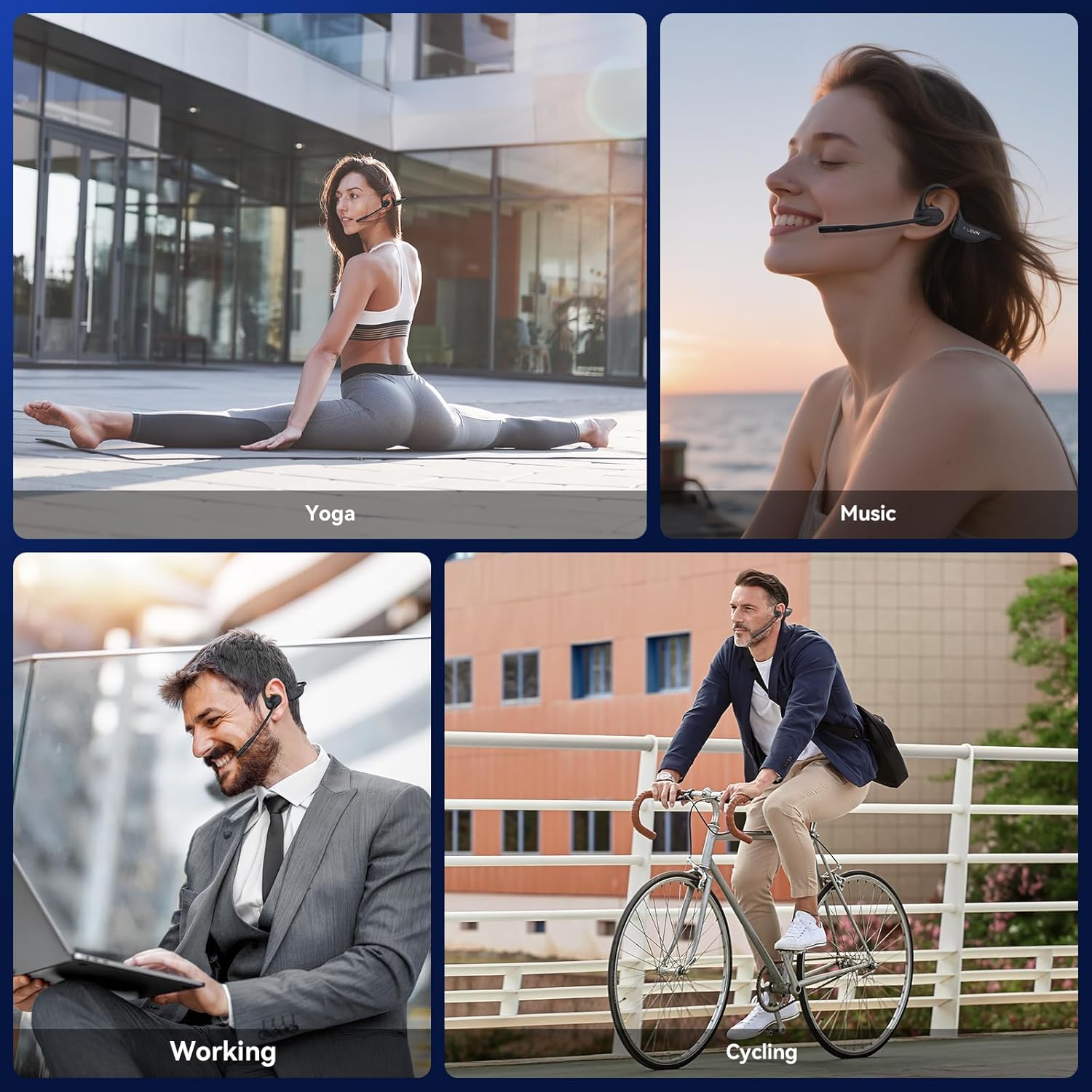
Figure 6: Using the headphones for clear communication.
4.3 Музыканы ойнотуу
- Ойнотуу/тындыруу: MFB бир жолу басыңыз.
- Кийинки трек: MFBди эки жолу басыңыз.
- Мурунку трек: Көп функциялуу баскычты үч жолу басыңыз.
- Көлөмү: '+' баскычын басыңыз.
- Үнүн азайтуу: '-' баскычын басыңыз.
5. Техникалык тейлөө
5.1 Тазалоо
Wipe the headphones with a soft, dry, lint-free cloth. Avoid using abrasive cleaners, solvents, or harsh chemicals, as these may damage the device.
5.2 Сактоо
Кулакчындарды салкын, кургак жерде, күн нуру түз тийбеген жана өтө жогорку температурадан алыс сактаңыз. Кулакчындардын үстүнө оор нерселерди койбоңуз.
5.3 Сууга туруктуулук
The LEVN Open Ear Headphones have an IP65 water resistance rating, meaning they are protected against dust ingress and low-pressure water jets from any direction. This makes them suitable for workouts and light rain. Do not submerge the headphones in water or expose them to high-pressure water.

Figure 7: IP65 water resistance for durability.
6. Кыйынчылыктарды
Эгер гарнитураңызга байланыштуу көйгөйлөргө туш болсоңуз, төмөнкү жалпы чечимдерди караңыз:
| Көйгөй | Мүмкүн чечим |
|---|---|
| Кулакчындар күйбөйт | Ensure the headphones are fully charged. Connect to the magnetic charging cable and check the LED indicator. |
| Түзмөк менен жупташтыруу мүмкүн эмес | Ensure headphones are in pairing mode (LED flashes red/blue). Disable and re-enable Bluetooth on your device. Forget previous pairings on your device and try again. Ensure headphones are within Bluetooth range (up to 49 feet). |
| Үн жок же аз үн | Adjust the volume on both the headphones and your connected device. Ensure the headphones are properly connected. |
| Микрофон иштебей жатат же түшүнүксүз | Ensure the microphone is not muted. Rotate the microphone boom to position it closer to your mouth. Check microphone settings on your connected device. |
| үзгүлтүктүү байланыш | Ensure you are within the optimal Bluetooth range. Avoid obstacles between the headphones and your device. Reduce interference from other wireless devices. |
7. Техникалык шарттар
| Өзгөчөлүк | Деталь |
|---|---|
| Бренд | ЛЕВН |
| Модель номери | LE-HS017-V1 |
| Түс | Кара |
| Bluetooth версиясы | 5.3 |
| Салмагы | 29 грамм |
| Суу каршылык | IP65 |
| Наушник уясы | Жок Джек |
| Башкаруу ыкмасы | Push Button |
| Аудио драйвер түрү | Динамикалык драйвер |
| Жыштык диапазону | 20Гц - 20,000Гц |
8. Кепилдик жана колдоо
For any issues with your order or to inquire about warranty information, please contact LEVN customer support directly via email:
Электрондук почта: levn001@outlook.com
Additional support and product information may be available on the official LEVN brand store: LEVN Brand Store