
DigiLand R10 PRO
DigiLand 10.1" Android 14 Tablet User Manual
Model: R10 PRO | Brand: DigiLand
Introduction
This manual provides comprehensive instructions for setting up, operating, and maintaining your DigiLand 10.1" Android 14 Tablet. Please read this manual carefully before using your device to ensure optimal performance and longevity. For any further assistance, refer to the Warranty and Support section.
Кутуда эмне бар
- User Manual
- R10XS Tablet
- Заряддагыч
- Заряддоо кабели
- Tablet Stand Case
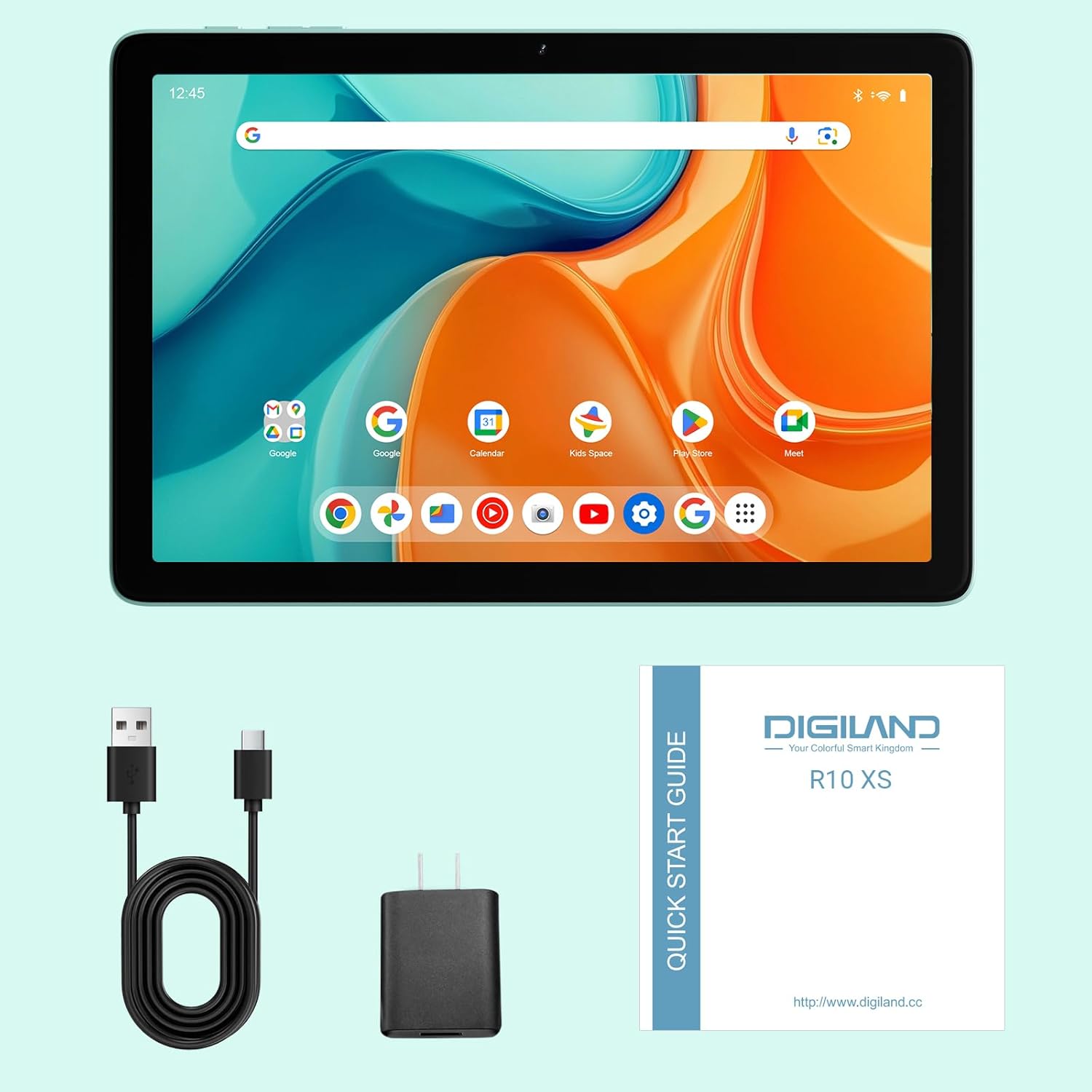
Image: The DigiLand R10 PRO tablet, along with its included accessories: charger, USB cable, and quick start guide.
Жайгашуу
Баштапкы заряддоо
Before first use, fully charge your tablet using the provided charger and USB cable. The battery indicator on the screen will show the charging status. A full charge ensures optimal performance from the start.
Күйгүзүү/өчүрүү
To power on, press and hold the power button located on the side of the tablet until the screen lights up and the DigiLand logo appears. To power off, press and hold the power button, then select "Power off" from the on-screen options.
Баштапкы орнотуу устасы
Upon first power-on, you will be guided through an initial setup wizard. Follow the on-screen prompts to select your preferred language, connect to a Wi-Fi network, and set up your Google account. This process is essential for accessing Android features and applications.
MicroSD картасын салуу
Locate the MicroSD card slot on the side of the tablet. Gently insert a compatible MicroSD card (up to 1TB capacity supported) into the slot until it clicks into place. This allows for significant expansion of your tablet's storage capacity for photos, videos, and applications.
Планшетиңизди иштетүү
Дисплей жана өз ара аракеттенүү
Your tablet features a vibrant 10.1-inch HD IPS screen with a resolution of 800x1280 pixels, providing clear and crisp visuals for all your content. The multi-touch display ensures intuitive navigation and interaction with applications.

Image: A close-up of the tablet screen highlighting its 10.1-inch wide-viewing angle and 1280x800 resolution, ideal for media consumption.
Performance
Equipped with an MTK Helio G80 Octa-Core processor and 10GB RAM (4GB physical + 6GB expandable virtual RAM), the tablet delivers smooth performance for multitasking, gaming, and running various applications. The Android 14 operating system provides enhanced privacy features and a streamlined user experience.

Image: An infographic detailing the tablet's core specifications, including the MTK Helio G80 Octa-Core processor and 10GB RAM.
Сактагыч
The tablet comes with 64GB of internal storage (ROM), providing ample space for your essential apps and files. This can be further expanded up to 1TB using a TF (MicroSD) card, allowing you to store a vast library of photos, videos, and documents.

Image: A visual representation emphasizing the tablet's 4GB RAM, 64GB ROM, and 1TB expansion capability for extensive storage.
Камералар
Capture your memories with the tablet's 13MP rear camera, suitable for everyday photography. The 8MP front camera is ideal for clear video calls and selfies.

Сүрөт: Графикалык көргөзмөasing the tablet's 13MP rear camera and 8MP front camera, accompanied by exampтүзмөк менен тартылган сүрөттөр.
Аудио
The tablet is equipped with dual BOX speakers, delivering rich and immersive audio for an enhanced experience when watching movies, listening to music, or participating in video conferences.
Байланыш
Stay connected with Dual-Band Wi-Fi 5 (2.4G/5G) for fast and reliable internet access. Bluetooth 5.0 ensures stable and efficient connections with your wireless headphones, keyboards, and other accessories.
Video: An official product video demonstrating the DigiLand 10.1" Android 14 Tablet's features, including its design, camera capabilities, and overall performance.
Техникалык тейлөө
Батареяга кам көрүү
The tablet is powered by a 6000mAh battery, offering up to 12 hours of typical usage. To maximize battery lifespan, avoid exposing the tablet to extreme temperatures. It is recommended to fully discharge and recharge the battery periodically.
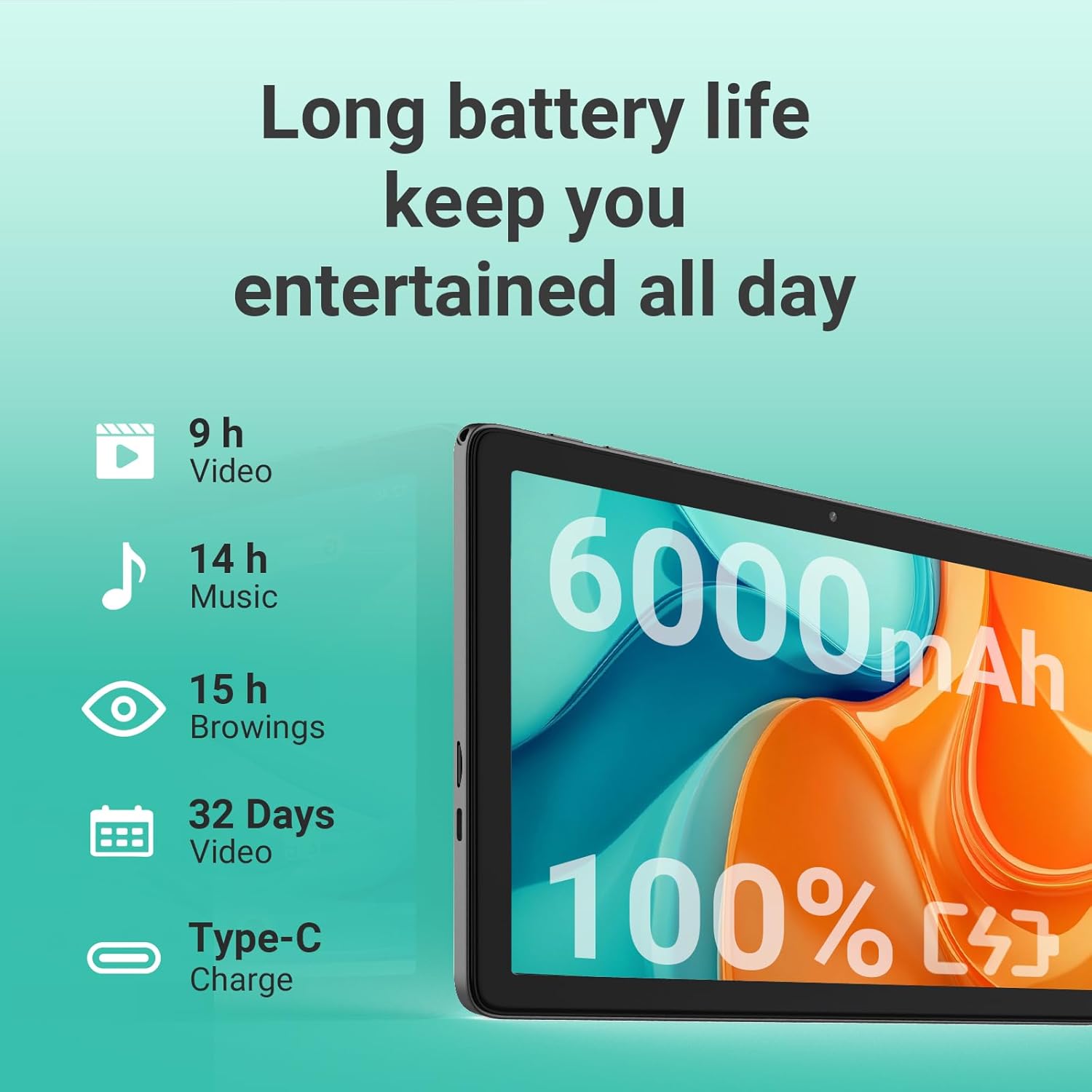
Image: An illustration detailing the long battery life of the tablet, with estimated usage times for video playback, music, and web серептөө.
Тазалоо
Планшетиңиздин экранын жана корпусун тазалоо үчүн жумшак, түксүз чүпүрөктү колдонуңуз. өжөр тактар үчүн, бир аз гampen the cloth with water. Avoid using abrasive materials, harsh chemicals, or aerosol sprays, as these can damage the device's finish.
Программалык камсыздоо жаңыртуулары
Regularly check for system software updates through the tablet's settings menu. Updates often include performance improvements, new features, and important security patches that enhance your device's functionality and protection.
Проблемаларды чечүү
Жалпы маселелер жана чечимдер
- Планшет күйбөйт: Ensure the battery is sufficiently charged. Connect the charger and wait a few minutes before attempting to power on again. If the issue persists, try holding the power button for 10-15 seconds for a forced restart.
- Wi-Fi туташуу көйгөйлөрү: Verify that Wi-Fi is enabled in the tablet's settings. Restart your Wi-Fi router and the tablet. Ensure you are within range of the Wi-Fi signal and that the password is entered correctly.
- Жай иштөө же тоңуп калуу: Close unused applications running in the background. Clear the cache of frequently used apps. If performance remains sluggish, consider backing up your data and performing a factory reset (Settings > System > Reset options).
- Экран тийүүгө жооп бербей жатат: Try restarting the tablet. If the screen remains unresponsive, ensure there is no physical damage or debris on the screen.
Колдоо кызматы менен байланышыңыз
If you encounter issues not covered in this troubleshooting guide, or if the suggested solutions do not resolve your problem, please refer to the Warranty and Support section for information on how to contact DigiLand customer service.
Техникалык шарттар
| Өзгөчөлүк | Деталь |
|---|---|
| Бренд | DigiLand |
| Модель аты | R10 XS |
| Элементтин моделинин номери | R10 PRO |
| Операция системасы | Android14 |
| Туруктуу экранды көрсөтүү өлчөмү | 10.1 дюйм |
| Screen Resolution | 1280x800 |
| Max Screen Resolution | 800 х 1280 МП |
| Процессор | 2 ГГц |
| Chipset маркасы | ARM |
| Card Description | Интеграцияланган |
| Зымсыз түрү | 802.11a, 802.11ac, 802.11b, 802.11g, 802.11n |
| Батареянын орточо иштөө мөөнөтү (саат менен) | 10 саат |
| Элемент Салмагы | 1.07 фунт |
| Продукциянын өлчөмдөрү | 9.54 x 6.35 x 0.31 дюйм |
| Элементтин өлчөмдөрү LxWxH | 9.54 x 6.35 x 0.31 дюйм |
| Түс | боз |
| Арткы Webcam Resolution | 13 депутат |
| Процессор бренди | MediaTek |
| Flash эстутум өлчөмү | 64 ГБ |
| Батареялар | 1 Стандарттуу эмес батарейка керек. (камтылган) |
| ASIN | B0F3X886H5 |
| Кардар Reviews | 4.4 5 жылдыздын 4.4 23 баа 5 жылдыздын 4.4 |
| Best Sellers Rank | #461,055 in Electronics (See Top 100 in Electronics) #6,537 in Computer Tablets |
| Дата биринчи жеткиликтүү | 7-апрель, 2025-жыл |
| Эстутум сактоо сыйымдуулугу | 64 ГБ |
| Screen Size | 10.1 дюйм |
| Дисплейдин максималдуу чечилиши | 800 х 1280 МП |
Кепилдик жана колдоо
Your DigiLand R10 PRO tablet comes with a 1-Year Warranty, ensuring peace of mind regarding manufacturing defects and performance issues. For technical support, warranty claims, or any inquiries, please contact DigiLand customer service.
You can find more information and support resources on the official DigiLand webсайт: www.digiland.cc. Please have your model number (R10 PRO) and purchase information ready when contacting support.
Ask a question about this manual
Ask about setup, troubleshooting, compatibility, parts, safety, or missing instructions. Manuals+ will review the question and use this page’s manual context to help answer it.