
1. Киришүү
Thank you for choosing the Offgridtec Smart WiFi Power Strip. This device is designed to provide convenient control over your electronic appliances through smart features. It includes four AC outlets, two USB-A ports, and two USB-C ports, allowing you to manage multiple devices simultaneously. This manual provides essential information for safe and efficient use, including setup, operation, and troubleshooting.
2. Коопсуздук нускамалары
Please read and follow these safety instructions carefully before using the device to prevent damage, electric shock, fire, or injury.
- This power strip is designed for үй ичинде гана колдонуу. Do not expose it to moisture or use it in wet environments.
- Do not exceed the maximum load capacity of 16A / 3680W. Overloading can cause overheating and fire hazards.
- Ensure the power strip is fully plugged into a wall outlet. Do not use with extension cords or adapters unless absolutely necessary and rated for the same capacity.
- Do not disassemble, repair, or modify the device. Contact qualified service personnel for any repairs.
- Аппаратты балдардан жана үй жаныбарларынан алыс кармаңыз.
- The product is constructed from fire-retardant PC materials for enhanced safety.
- Unplug the power strip from the wall outlet during thunderstorms or when unused for extended periods.
3. Пакеттин мазмуну
Пакетте бардык буюмдар бар экенин текшериңиз:
- Offgridtec Smart WiFi Power Strip
- User Manual
4. Продукт бүтүп калдыview
Familiarize yourself with the components of your Smart WiFi Power Strip:
- AC розеткалары (x4): Individually controllable power sockets for your appliances.
- USB-A порттору (x2): For charging compatible USB devices.
- USB-C порттору (x2): Шайкеш келген USB-C түзмөктөрүн кубаттоо үчүн.
- Кубат баскычы: Short press to turn the entire strip on/off. Long press (approx. 5 seconds) to enter pairing mode.
- Индикатор жарыктары: Show power status and Wi-Fi connection status.
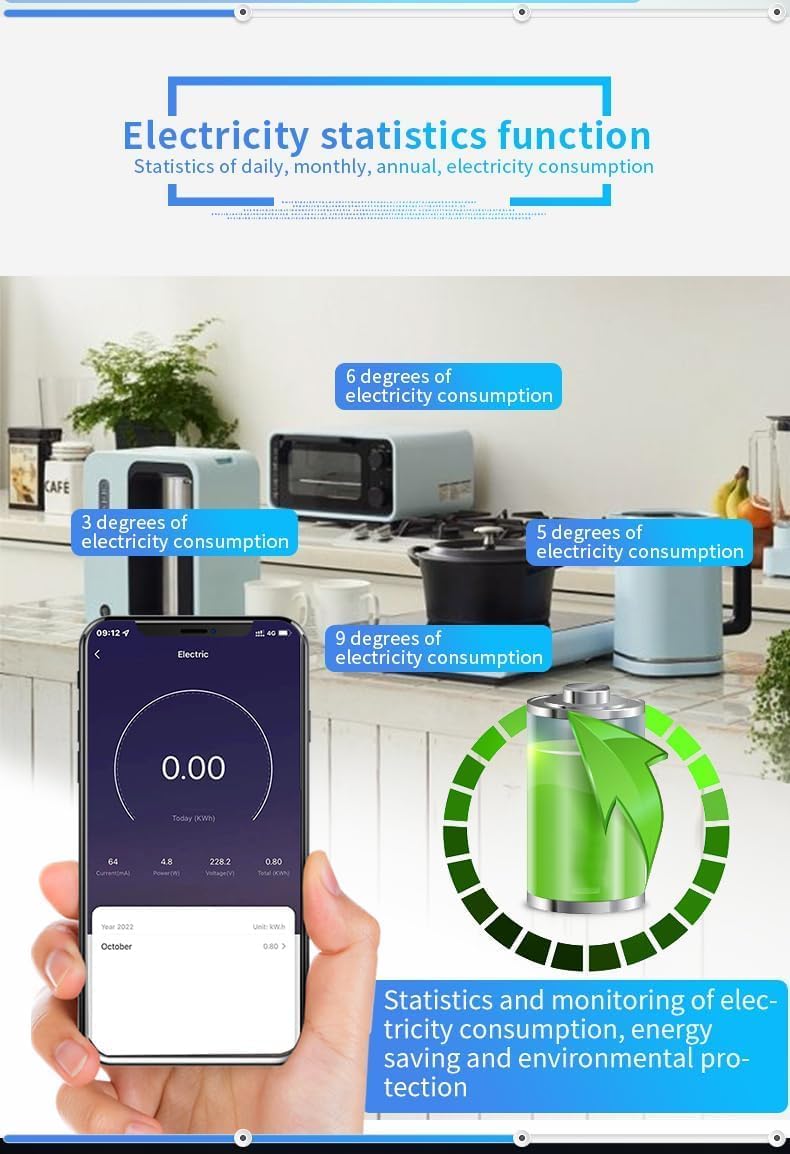
Image: The Offgridtec Smart WiFi Power Strip, showing its four AC outlets, two USB-A ports, two USB-C ports, and the main power button with indicator lights.
5. Орнотуу нускамалары
5.1. Колдонмону жүктөп алыңыз
The Offgridtec Smart WiFi Power Strip works with the Smart Life or Tuya Smart app. Download one of these apps from the App Store (iOS) or Google Play Store (Android).
- Издөө "Акылдуу жашоо" же "Туя Акылдуу".
- Колдонмону смартфонуңузга же планшетиңизге орнотуңуз.
5.2. Register and Log In
Колдонмону ачып, жаңы аккаунт каттоо же эгер сизде мурунтан эле бар болсо, кирүү үчүн экрандагы көрсөтмөлөрдү аткарыңыз.
5.3. Connect the Power Strip to Wi-Fi
- Plug the Smart WiFi Power Strip into a standard wall outlet.
- Press and hold the main power button on the power strip for approximately 5 seconds until the indicator light starts blinking rapidly. This indicates the device is in pairing mode.
- Open the Smart Life/Tuya Smart app. Tap the "+" icon in the top right corner to add a device.
- Select "Power Strip (Wi-Fi)" or allow the app to auto-discover the device.
- Confirm that the indicator light is blinking rapidly.
- 2.4 ГГц Wi-Fi тармагыңыздын атын жана сырсөзүн киргизиңиз. Эскертүү: Аппарат 2.4 ГГц Wi-Fi тармактарын гана колдойт.
- Wait for the app to connect the device. Once connected, the indicator light will stop blinking and remain solid.
- You can now rename the power strip and its individual outlets within the app for easier management.

Image: A smartphone screen showing the Smart Life app interface, with individual controls for the four AC outlets of the Offgridtec Smart Power Strip.
6. Иштөө нускамалары
6.1. Колдонмону башкаруу
The Smart Life/Tuya Smart app provides comprehensive control over your power strip:
- Жеке розетканы башкаруу: Each of the four AC outlets can be turned on or off independently via the app.
- USB портун башкаруу: The USB-A and USB-C ports are typically controlled as a single group.
- Timer Function (Scheduling): Set specific schedules for your devices to turn on or off automatically. This helps save energy and automate routines.

Image: A smartphone displaying the app's timer and scheduling interface, allowing users to set specific on/off times for connected devices.
- Сахнаны башкаруу: Create custom scenes to control multiple devices with a single command. For example, a "Movie Night" scene could turn off lights and turn on the TV.
- Түзмөктү бөлүшүү: Share control of the power strip with family members or friends through the app.
- Энергия мониторинги: Monitor the real-time power consumption of the entire power strip (total for all connected devices). This feature helps identify energy-intensive appliances and optimize usage.

Image: A smartphone screen showing the electricity statistics function within the app, displaying daily, monthly, and annual energy consumption data for the power strip.
6.2. Үн менен башкаруу
The Offgridtec Smart WiFi Power Strip is compatible with Amazon Alexa and Google Assistant for hands-free control.
- Каттоо эсептерин байланыштыруу: In the Alexa or Google Home app, enable the "Smart Life" or "Tuya Smart" skill/service and link your account.
- Түзмөктөрдү табуу: Үн жардамчыңыздан жаңы түзмөктөрдү табууну сураныңыз.
- Үн буйруктары: Мындай буйруктарды колдонуңуз:
- "Alexa, [Түзмөктүн аталышын] күйгүз"
- "Окей Google, [Түзмөктүн аталышын] өчүр"
- "Siri, turn on [Device Name]" (via Apple Home integration with Tuya/Smart Life)
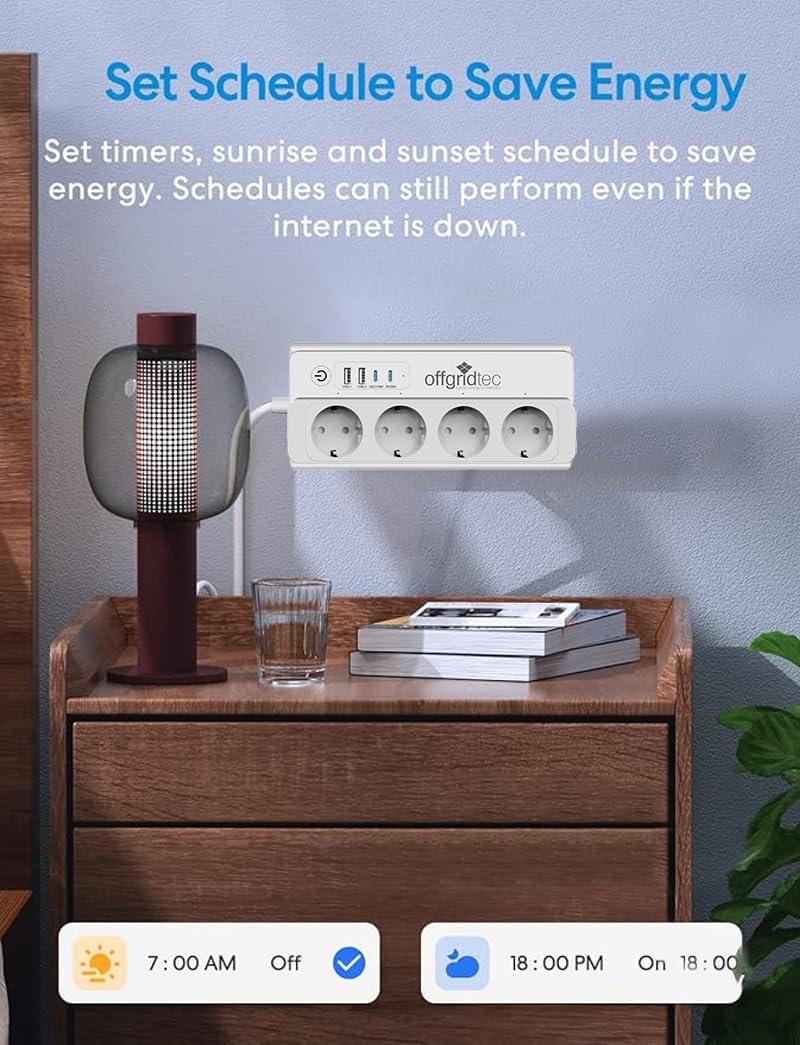
Image: The Offgridtec Smart Power Strip positioned near smart speakers (Google Home Mini, Amazon Echo Dot), illustrating its compatibility with voice control systems like Alexa and Google Assistant.
6.3. Оффлайн башкаруу
Even if your internet connection is down, you can still control your devices locally within your home Wi-Fi network via the Smart Life app, provided your smartphone and the power strip are connected to the same local network.
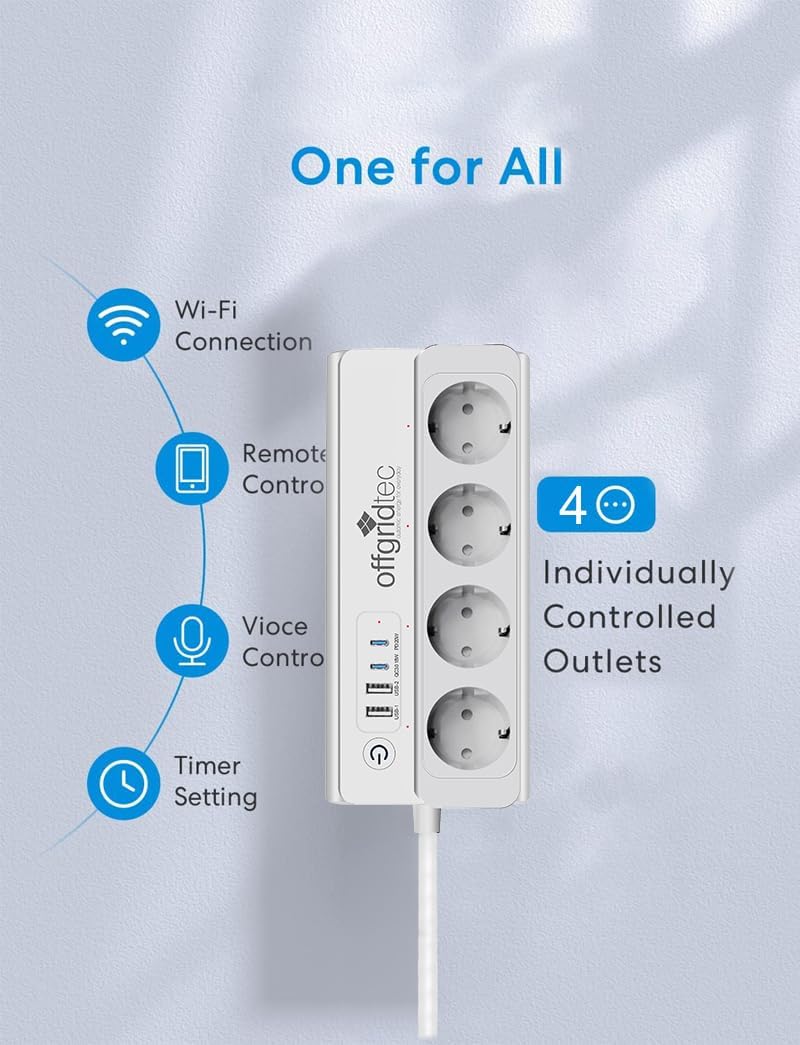
Image: A diagram illustrating how the Offgridtec Smart Power Strip and other smart devices can still be controlled via the Smart Life app on a smartphone, even if the external internet connection is unavailable, as long as they are on the same local Wi-Fi network.
7. Техникалык тейлөө
- Тазалоо: Disconnect the power strip from the wall outlet before cleaning. Use a soft, dry cloth to wipe the surface. Do not use liquid cleaners or sprays.
- Программалык камсыздоонун жаңыртуулары: The app may prompt you for firmware updates. It is recommended to keep the device's firmware updated for optimal performance and security. Follow the in-app instructions for any updates.
8. Кыйынчылыктарды
| Көйгөй | Мүмкүн себеп | Чечим |
|---|---|---|
| Түзмөк Wi-Fi'га туташа албайт. | Incorrect Wi-Fi password; 5GHz Wi-Fi network; device too far from router; power strip not in pairing mode. | Ensure correct 2.4GHz Wi-Fi password. Move device closer to router. Re-enter pairing mode (long press power button). |
| App cannot find the device. | Device not in pairing mode; app permissions not granted; router issues. | Verify device is blinking rapidly. Check app permissions. Restart router and try again. |
| Үн менен башкаруу (Alexa/Google) иштебей жатат. | Accounts not linked; device name not recognized; internet connection issue. | Ensure Smart Life/Tuya skill is enabled and accounts are linked. Try renaming the device in the app. Check internet connection. |
| Power monitoring shows total consumption only. | This model provides aggregate power consumption for the entire strip, not individual outlets. | This is expected behavior for this product. To monitor individual devices, use separate smart plugs with per-outlet monitoring. |
| Түзмөк жооп бербей жатат. | Temporary glitch; power outage. | Unplug the power strip for 10 seconds, then plug it back in. If issues persist, try resetting and re-pairing. |
9. Техникалык шарттар
| Өзгөчөлүк | Спецификация |
|---|---|
| Модел | B0F3ZVV45S |
| Киргизүү көлөмүtage | 230V AC, 50/60Hz (Standard EU) |
| Максималдуу ток | 16A |
| Max Power | 3680 Вт |
| AC розеткалары | 4 (Type E - France) |
| USB-A порттору | 2 |
| USB-C порттору | 2 |
| Wi-Fi стандарты | 2.4 ГГц (IEEE 802.11 b/g/n) |
| Кабелдин узундугу | 1.5 метр |
| Материал | Fire-retardant PC |
| Шайкештик | Smart Life/Tuya App, Amazon Alexa, Google Assistant |
| Өзгөчөлүктөр | Energy Optimization, Timer Function, Scene Control, Device Sharing, Voice Control, Overload Protection, Surge Protection, Overheating Protection, Child-Safe Design |
10. Кепилдик жана колдоо
10.1. Кепилдик маалыматы
Offgridtec provides a commitment to product longevity, with spare parts availability guaranteed for 7 years from the date of purchase. This warranty covers manufacturing defects under normal use conditions.
10.2. Кардарларды колдоо кызматы
For technical support, troubleshooting assistance, or warranty claims, please contact Offgridtec customer service through the following channels:
- Webсайт: Visit the official Offgridtec webКөп берилүүчү суроолор жана колдоо булактары үчүн сайт.
- Электрондук почта: Колдоо көрсөтүүчү электрондук почта даректеринин конкреттүүлөрүн сатып алуу документтеринен караңыз.
- Телефон: Refer to your purchase documentation for specific support phone numbers.
Please have your product model number (B0F3ZVV45S) and purchase date ready when contacting support.