
1. Киришүү
This manual provides detailed instructions for the setup, operation, and maintenance of your MAMBASNAKE M5 Ultra Carbon Fiber 8000Hz Wireless Gaming Mouse. Please read this manual thoroughly before using the product to ensure optimal performance and longevity.
2. Пакеттин мазмуну
Пакетте бардык буюмдар бар экенин текшериңиз:
- MAMBASNAKE M5 Ultra Wireless Gaming Mouse
- 2.4G зымсыз кабыл алгыч
- USB-C to USB-A Coiled Cable (1.6m)
- User Manual
- Grip Tape (optional application)
- PTFE Feet (pre-installed)
3. Продукт бүтүп калдыview
Familiarize yourself with the components of your M5 Ultra mouse.
Сүрөт: Бүттүview of the MAMBASNAKE M5 Ultra mouse, highlighting the Left Button, Middle Button (scroll wheel), Right Button, DPI Adjustment Button, 2.4G/Wired/BT Switch, and PTFE Feet.
- Сол баскыч: Стандарттык сол чыкылдатуу функциясы.
- Middle Button (Scroll Wheel): Scroll up/down, middle-click.
- Оң баскыч: Стандарттык оң баскычты чыкылдатуу функциясы.
- DPI жөндөө баскычы: Алдын ала коюлган DPI деңгээлдери аркылуу айлануу.
- 2.4G/Wired/BT Switch: Selects the connectivity mode.
- PTFE буттары: Provides smooth gliding on surfaces.
4. Орнотуу
4.1 Чычканды заряддоо
Before initial use, fully charge the mouse using the provided USB-C coiled cable. Connect the USB-C end to the mouse and the USB-A end to an available USB port on your computer or a USB wall adapter. The LED indicator will show charging status.

Сүрөт: The M5 Ultra mouse connected via its USB-C cable, illustrating the charging process.
4.2 Байланыш режимдери
The M5 Ultra supports three connectivity modes: 2.4G Wireless, Bluetooth, and USB-C Wired.

Сүрөт: The M5 Ultra mouse and its 2.4GHz wireless dongle, illustrating the three connection modes: 2.4GHz Wireless, USB-C Wired, and Bluetooth.
- 2.4G зымсыз режими:
- 2.4G зымсыз кабыл алгычты компьютериңиздеги жеткиликтүү USB портуна сайыңыз.
- Switch the mode selector on the bottom of the mouse to "2.4G".
- Чычкан автоматтык түрдө туташышы керек.
- Bluetooth режими:
- Switch the mode selector on the bottom of the mouse to "BT".
- Компьютериңизден Bluetooth жөндөөлөрүнө өтүп, жаңы түзмөктөрдү издеңиз.
- Select "MAMBASNAKE M5 Ultra" from the list to pair.
- USB-C зымдуу режими:
- Connect the USB-C coiled cable to the mouse and the USB-A end to your computer.
- Switch the mode selector on the bottom of the mouse to "Wired".
- Чычкан зымдуу түзүлүш катары иштейт жана бир эле учурда заряддалат.
5. Иштөө нускамалары
5.1 DPI жөндөө
The M5 Ultra features a PAW3950MAX sensor with up to 42,000 DPI. Use the DPI adjustment button on the bottom of the mouse to cycle through preset DPI levels. The default levels can be customized via the driver software.

Сүрөт: А жарылды view of the M5 Ultra mouse, highlighting the PAW3950MAX sensor, Nordic52840 Master Chip, F-Switch Flagship Encoder, OMRON Microswitches, and Long-Life Lithium Battery.
5.2 Сурамжылоо көрсөткүчү
The mouse supports an 8000Hz wireless polling rate, reducing response time significantly. This setting can be configured through the driver software.
Видео: This video demonstrates the features of the M5 Ultra Carbon Fiber 8000Hz Wireless Gaming Mouse, including its lightweight design, PAW3950MAX sensor, Nordic 52840 chip, and customizable settings.
5.3 Баскыч функциялары
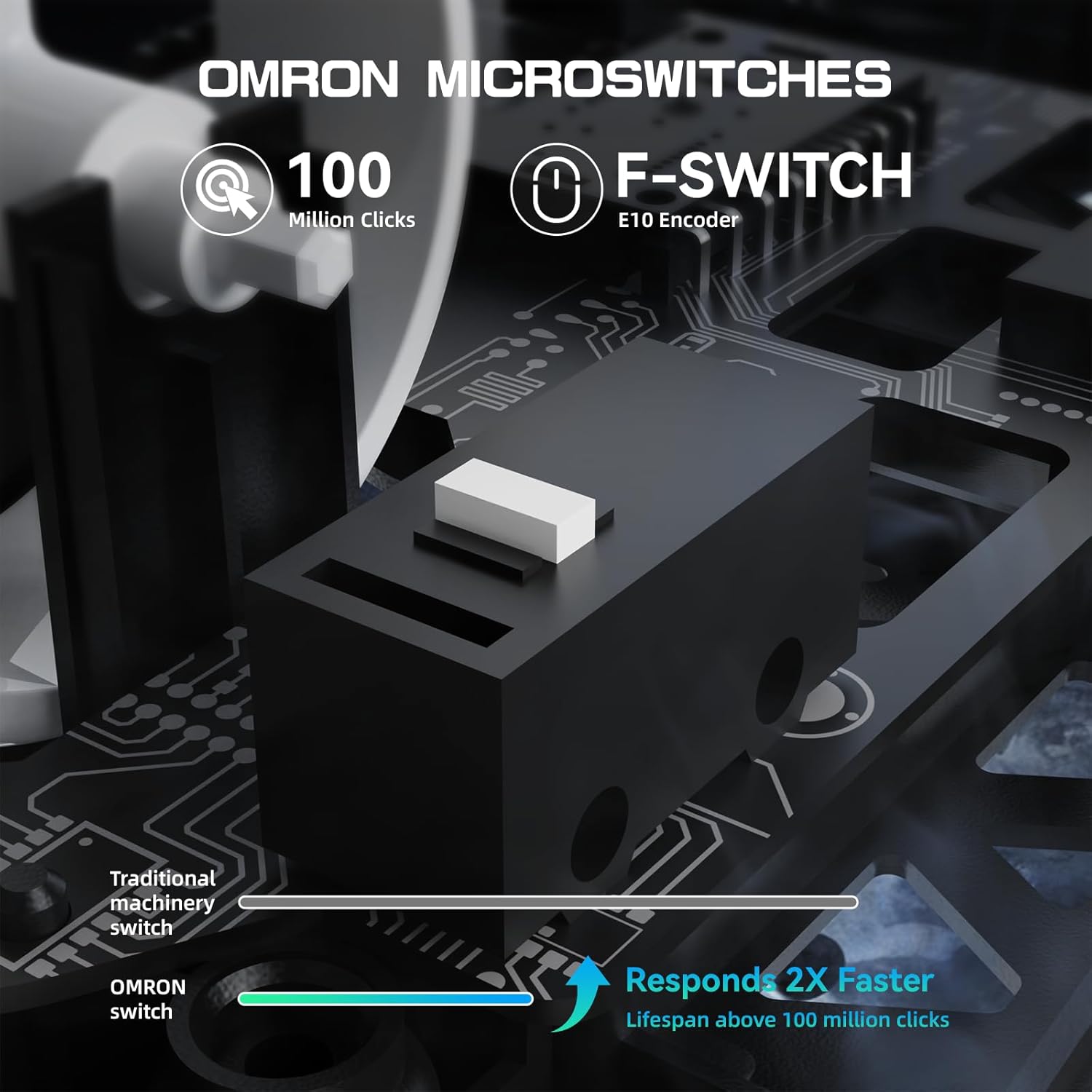
The M5 Ultra is equipped with durable switches rated for over 100 million clicks, ensuring reliable performance. All buttons are programmable via the driver software.

Сүрөт: Жакын план view of the Omron microswitches within the M5 Ultra mouse, emphasizing their 100 million click lifespan and faster response compared to traditional switches.
6. Ыңгайлаштыруу
The M5 Ultra mouse can be fully customized using the dedicated driver software. This software allows you to:
- Program buttons for specific functions or macros.
- DPI жөндөөлөрүн тууралаңыз жана ыңгайлаштырылган адис түзүңүзfiles.
- Modify the polling rate.
- Set lift-off distance.
- Manage other performance settings.

Сүрөт: Screenshot of the M5 Ultra's driver software interface, showing options for button programming, DPI settings, polling rate, and lift-off distance adjustments.
The driver software can typically be downloaded from the official MAMBASNAKE website. Some models may feature a web-based driver for direct configuration without installation.

Сүрөт: A visual representation of the web-based driver software for the M5 Ultra, demonstrating the ability to configure buttons, DPI, and polling rate settings.
7. Техникалык тейлөө
Proper maintenance ensures the longevity and performance of your M5 Ultra mouse.
- Тазалоо: Use a soft, dry cloth to wipe the mouse surface. For the carbon fiber shell, a slightly damp кездемени колдонсо болот, бул нымдуулуктун ички компоненттерге кирбешин камсыздайт.
- Сенсор: Көзөмөлдөөнүн тактыгын сактоо үчүн чычкандын түбүндөгү оптикалык сенсорду таза жана чаңдан же таштандылардан таза кармаңыз.
- Сактагыч: Чычканды күн нурунан жана экстремалдык температурадан алыс салкын, кургак жерде сактаңыз.
- Кабельге кам көрүү: Avoid sharp bends or excessive pulling on the USB-C coiled cable to prevent damage.
8. Кыйынчылыктарды
If you encounter issues with your M5 Ultra mouse, refer to the following common solutions:
| Көйгөй | Чечим |
|---|---|
| Чычкан жооп бербей жатат (Зымсыз) |
|
| Курсордун кечигип же туруксуз кыймылы |
|
| Баскычтар иштебейт |
|
| Чычкан кубатталбай жатат |
|
9. Техникалык шарттар
Key technical specifications for the MAMBASNAKE M5 Ultra Gaming Mouse:
- Модел: M5 Ultra
- Бренд: MAMBASNAKE
- Салмагы: Approximately 39g (±3g)
- Сенсор: PixArt PAW3950MAX
- DPI: 42,000 XNUMX DPI чейин
- Добуш берүү көрсөткүчү: 8000Гц (зымсыз)
- Көз салуу ылдамдыгы: 750IPS
- Ылдамдатуу: 50G
- Байланыш: 2.4G зымсыз, Bluetooth, USB-C зымдуу
- Которгучтар: Omron Microswitches (100 Million Clicks)
- Чип: Скандинавия 52840
- Кабель: 1.6m TPU Coiled Cable
- Өлчөмдөрү: 61*119.5*36.3mm (2.40*4.70*1.43 inches)
- Шайкеш түзмөктөр: PC, Gaming Console, Tablet
- Операция системасы: Windows, macOS, Linux

Сүрөт: The M5 Ultra mouse and its 8000Hz wireless polling rate, illustrating the low latency performance with a measured average key delay of 0.3993ms.
10. Кепилдик жана колдоо
The MAMBASNAKE M5 Ultra Gaming Mouse comes with a 1-year limited warranty from the date of purchase. This warranty covers manufacturing defects and workmanship under normal use.
For technical support, warranty claims, or additional information, please visit the official MAMBASNAKE website or contact customer service through the retailer where the product was purchased.
Өндүрүүчү: MAMBASNAKE