
1. Маанилүү коопсуздук нускамалары
Please read all instructions carefully before using the projector and retain this manual for future reference. Improper use may result in electric shock, fire, or other hazards.
- Желдетүүчү тешиктерди жаппаңыз. Аба агымынын туура болушу үчүн проектордун айланасында жетиштүү орун болушун камсыз кылыңыз.
- Өрт же электр тогуна урунуп калбаш үчүн проекторду жамгырга же нымдуулукка дуушар кылбаңыз.
- l болгондо проектордун объективине түз кароодон качыңызamp күйүп турат, анткени жаркыраган жарык көзгө зыян келтириши мүмкүн.
- Өндүрүүчү белгилеген тиркемелерди/аксессуарларды гана колдонуңуз.
- Чагылган бороондордо же көпкө колдонулбаганда проекторду электр розеткасынан ажыратыңыз.
- Do not attempt to repair this product yourself. Refer all servicing to qualified service personnel.
2. Орнотуу колдонмосу
2.1 Кутуда эмне бар
Пакетте бардык буюмдар бар экенин текшериңиз:
- HOMPOW Mini Projector
- Алыстан башкаруу
- Кубаттуу адаптер
- HDMI кабели
- User Manual
- Кепилдик картасы

Image: The HOMPOW Mini Projector shown with its remote control, power adapter, and HDMI cable.
2.2 Баштапкы орнотуу
2.2.1 Кубат туташтыруу
- Кубат адаптерин проектордун кубат киргизүү портуна туташтырыңыз.
- Кубат адаптерин ылайыктуу электр розеткасына сайыңыз.
2.2.2 Placement and Focus
Проекторду туруктуу, тегиз бетке коюңуз. Оптималдуу viewing, place it perpendicular to the projection surface (wall or screen).
- Проекциялык аралык: The recommended projection distance ranges from 3.49 feet to 7.26 feet.
- Сүрөттүн өлчөмү: This allows for an image size between 40 inches and 120 inches.
- Фокусту тууралоо: Rotate the focus ring on the projector lens until the image appears clear and sharp.

Image: Visual comparison demonstrating the clarity of 1080P Full HD supported resolution versus 480P.
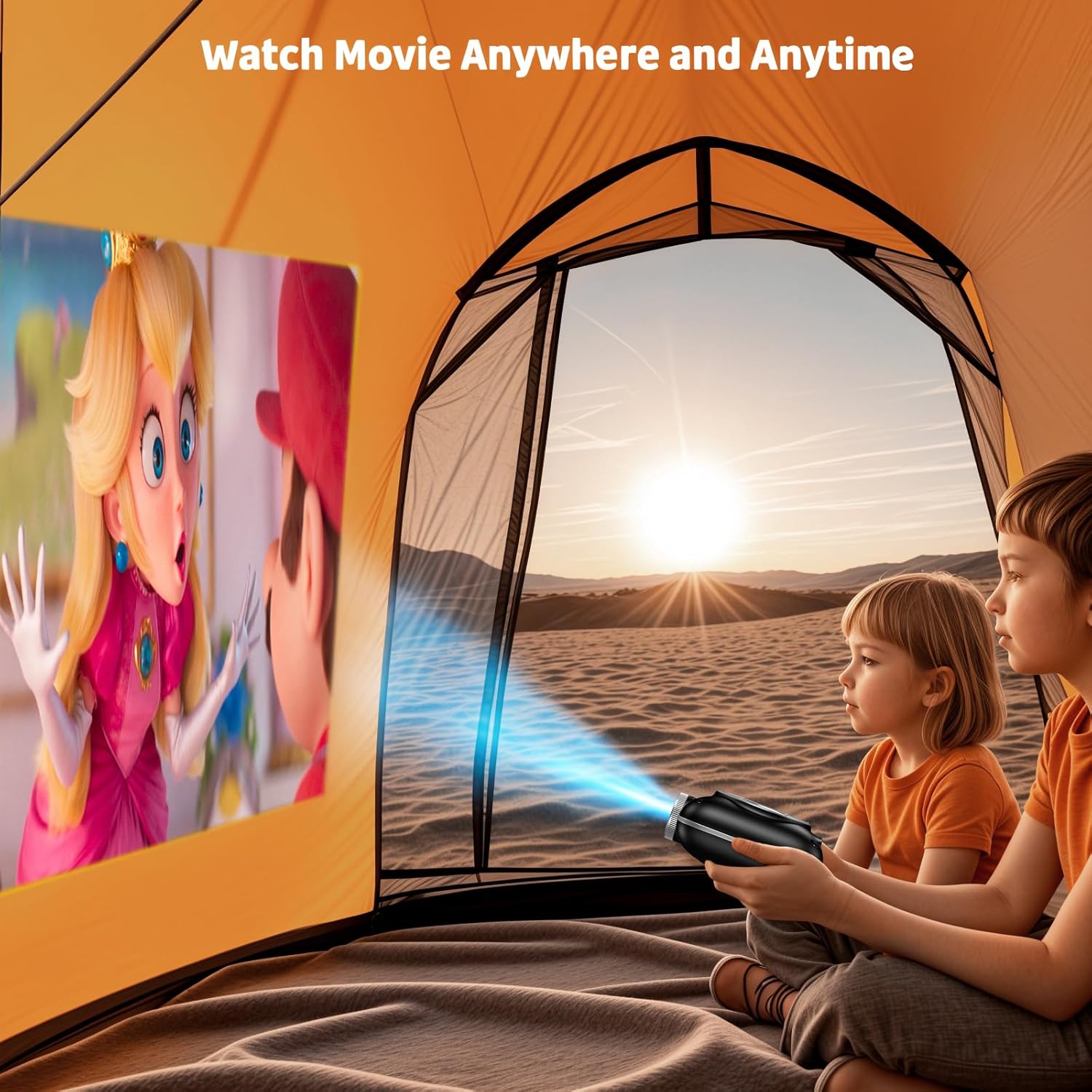
Image: The compact projector projecting a movie inside a tent, highlighting its portability for outdoor use.
3. Иштөө нускамалары
3.1 Күйгүзүү/өчүрүү
Press the power button on the projector or the remote control to turn the device on or off. The projector features an auto-off timer for convenient screen time management.
3.2 Байланыш
The HOMPOW Mini Projector offers multiple connectivity options:
- HDMI 2.0 порту: Connect to laptops, TV sticks, gaming consoles (PS4, PS5), and other HDMI-enabled devices using the included HDMI cable.
- USB 2.0 порт: Медиа ойнотуу үчүн USB дисктерди туташтырыңыз.
- Two-Way Bluetooth 5.1: Connect external Bluetooth speakers for enhanced audio or use the projector as a Bluetooth speaker to play music from your phone.

Image: The projector highlighting its wireless connectivity features, including WiFi and Bluetooth.

Image: A visual guide illustrating how to connect various devices such as smartphones, tablets, TV sticks, laptops, PS3/PS4, headphones, and USB drives to the projector.
3.3 Экранды чагылдыруу
To mirror your smartphone or tablet screen:
- Android телефондору үчүн: Use a Micro USB/Type-C to HDMI adapter (sold separately).
- For iPhones/iPads: Use a Lightning to HDMI adapter (sold separately).
- For Streaming Services: Plug in a TV stick (sold separately) for Netflix/Hulu and other HDCP-compliant streaming platforms.
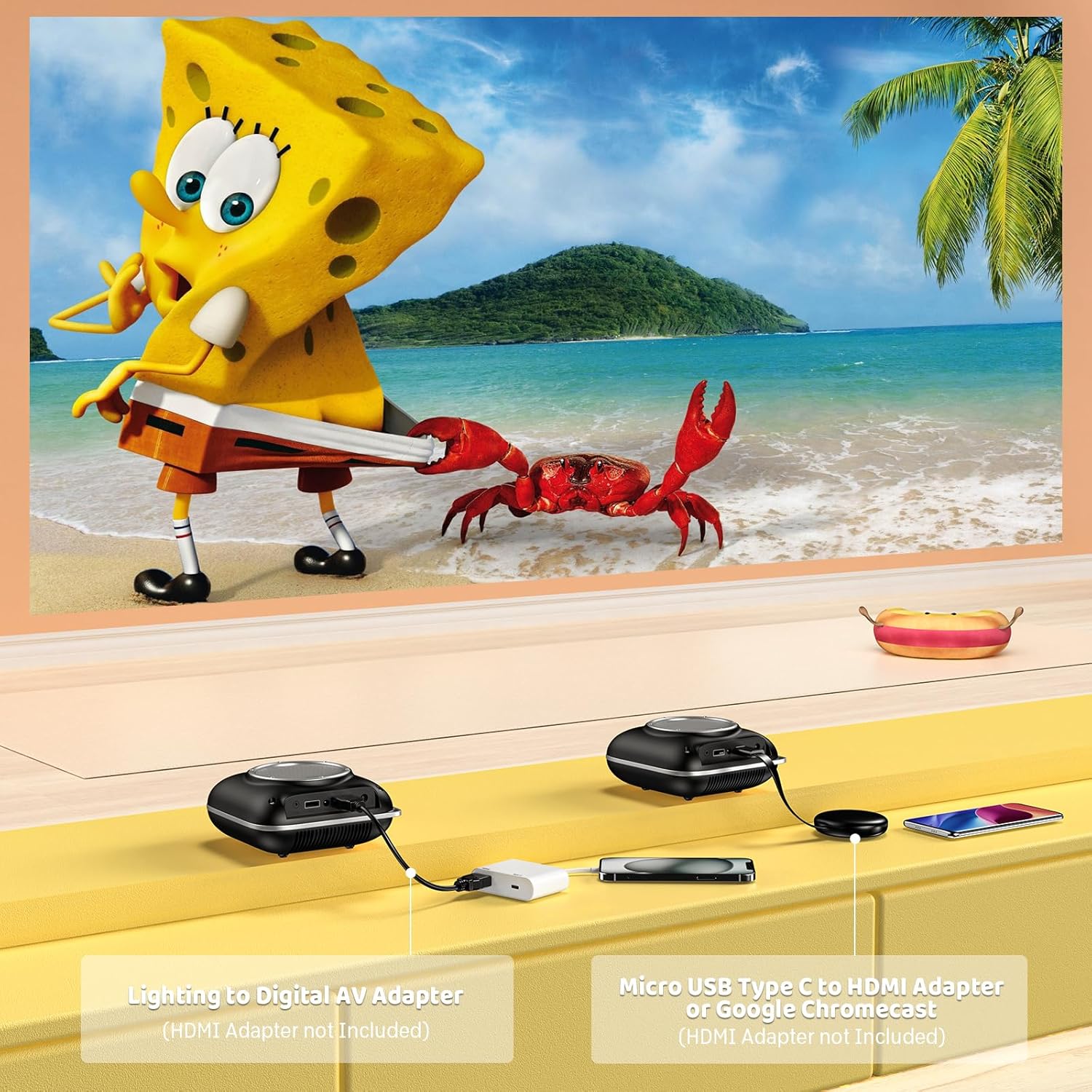
Image: Instructions for connecting mobile devices to the projector using Lightning to Digital AV Adapter for iOS and Micro USB Type-C to HDMI Adapter or Google Chromecast for Android.
3.4 Аудио чыгаруу
The projector features built-in 5W high-powered stereo speakers. For enhanced sound, utilize the bidirectional Bluetooth 5.1 to connect to external Bluetooth speakers or headphones.

Image: Diagram showing the projector's two-way Bluetooth functionality, allowing connection to an external speaker or functioning as a Bluetooth speaker for a phone.
3.5 Projection Size and Zoom
The projector supports a projection size from 40 to 120 inches. Use the 50%-100% zoom function to adjust the image size without moving the projector.

Image: A visual representation of the 50%-100% zoom function, showing how the projected image size can be adjusted.
4. Техникалык тейлөө
4.1 Тазалоо
- Объектив: Оптикалык линзалар үчүн атайын жасалган жумшак, түксүз кездемени колдонуңуз. Абразивдүү тазалагычтарды колдонбоңуз.
- Сырткы: Проектордун сыртын жумшак, кургак чүпүрөк менен сүртүңүз. Катуу химиялык заттарды же эриткичтерди колдонуудан алыс болуңуз.
- Вентиляция: Ашыкча ысып кетүүнүн алдын алуу үчүн желдетүү тешиктерин чаңдан жана таштандылардан тазалангандыгын текшериңиз.
4.2 Сактоо
When not in use, store the projector in a cool, dry place, away from direct sunlight and extreme temperatures. Use the original packaging or a protective case to prevent dust accumulation and damage.
5. Кыйынчылыктарды
Жалпы маселелер жана аларды чечүү үчүн төмөнкү таблицага кайрылыңыз.
| Маселе | Мүмкүн себеп | Чечим |
|---|---|---|
| Сүрөт чагылдырылган жок | Power not connected, input source incorrect, lens cap on. | Check power connection, select correct input source (HDMI/USB), remove lens cap. |
| бүдөмүк сүрөт | Фокус туураланган эмес, проектор өтө жакын/алыс. | Adjust the focus ring, ensure projector is within optimal projection distance (3.49-7.26 ft). |
| Үн жок | Volume too low, external speaker not connected, audio format unsupported. | Increase volume, connect Bluetooth speaker, check audio format compatibility. |
| Экранды чагылдыруу иштебей жатат | Incorrect adapter, device compatibility issue. | Ensure correct HDMI adapter for your phone (Micro USB/Type-C for Android, Lightning for iOS). |
| Проектордун ысып кетиши | Blocked ventilation, prolonged use. | Ensure clear space around vents, allow projector to cool down if used for extended periods. |
6. Техникалык шарттар
| Өзгөчөлүк | Деталь |
|---|---|
| Бренд | HOMPOW |
| Модел | B0F43PY223 |
| Native Resolution | 1280 x 720 (720P) |
| Колдоого алынган резолюция | 1920 x 1080 (1080P Full HD) |
| Байланыш технологиясы | HDMI, USB 2.0, Bluetooth 5.1 (Two-Way) |
| Дисплей түрү | CRT (as per specification, typically LCD for mini projectors) |
| Контраст катышы | 10000:1 |
| Проекциянын өлчөмү | 40 - 120 дюйм |
| Ыргытуу Дистанция | 3.49 - 7.26 фут |
| Жарык булагы иштөө мөөнөтү | 50000 саат |
| Камтылган динамик | 5W High-Powered Stereo Speakers |
| Zoom функциясы | 50%-100% |
| Өлчөмдөрү (L x W x Y) | 4.9" x 4.9" x 2.1" |
| Салмагы | 0.7 килограмм |
| Энергияны керектөө | 30 Ватт |
| Тtage | 110 вольт |
7. Кепилдик жана колдоо
7.1 Кепилдик маалыматы
The HOMPOW Mini Projector comes with:
- A 30-day replacement window.
- 2-year repair coverage.
Кепилдик дооматтары үчүн сатып алганыңыздын далилин сактап коюңуз.
7.2 Кардарларды колдоо
For any questions, troubleshooting assistance, or warranty inquiries, please contact HOMPOW customer support. We offer 24/7 assistance to ensure stress-free ownership.
Contact information can typically be found on the HOMPOW official webсайтында же топтомуңузга кирген кепилдик картасында көрсөтүлгөн.