
1. Киришүү
The NBVOICE PRX ONE is a professional-grade 15-inch Stage PA Speaker System designed for high-performance audio applications. This system delivers 2400W peak power and crystal-clear 131dB audio, suitable for venues up to 5,000 sq.ft. Featuring a 15-inch subwoofer, proprietary ArrayShade technology, Bluetooth DSP control, and a road-ready birch enclosure, it ensures exceptional sound quality and durability. This manual provides essential information for the safe and effective setup, operation, and maintenance of your NBVOICE PRX ONE system.
2. Коопсуздук маалыматы
Бул продуктуну колдонуудан мурун бардык коопсуздук көрсөтмөлөрүн окуп чыгып, түшүнүп алыңыз. Келечекте колдонуу үчүн бул колдонмону сактап коюңуз.
- Электр камсыздоо: Connect the unit only to a grounded AC power outlet of the correct voltage.
- Вентиляция: Агрегаттын айланасында жетиштүү желдетүүнү камсыз кылыңыз. Вентиляция тешиктерин жаап албаңыз.
- Нымдуулук: Аппаратты жамгыр же нымдуулукка дуушар кылбаңыз. Аппараттын үстүнө суюктук толтурулган нерселерди койбоңуз.
- Жылуулук: Агрегатты жылуулук булактарынан алыс кармаңыз.
- Тейлөө: Бардык тейлөөлөрдү квалификациялуу тейлөө кызматкерлерине тапшырыңыз. Бул продуктуну өзүңүз тейлөөгө аракет кылбаңыз.
- Угуу коргоо: Жогорку үн басымынын деңгээлине узак убакыт бою таасир этүү угууга туруктуу зыян келтириши мүмкүн. Системаны жогорку үн деңгээлинде иштетип жатканда угууну тийиштүү коргоо каражаттарын колдонуңуз.
3. Кутуда эмне бар
Кутудан чыгарууда бардык компоненттер бар экенин текшериңиз:
- 1x 15" Active Subwoofer
- 3x 4" Array Speakers (6 tweeters)
- 1x Telescopic Stand (78"-84" adjustable)
- 1x Telescopic Bracket
- 4x Spare Universal Wheels
- Necessary Power and Speaker Cables
4. Орнотуу
Follow these steps to assemble and connect your NBVOICE PRX ONE system:
- Attach Universal Wheels: Secure the 4 universal wheels to the bottom of the 15" active subwoofer for easy mobility.
- Install Telescopic Stand: Screw the telescopic stand into the designated mounting point on top of the subwoofer. Adjust the height as needed.
- Assemble Array Speakers: Connect the three 4" array speakers to the telescopic bracket. Ensure they are securely fastened.
- Динамик кабелдерин туташтыруу: Use the provided short speaker cables to link the array speakers to each other, then connect the bottom array speaker to the subwoofer's speaker output.
- Кубат туташуу: Connect the power cable to the subwoofer and then to a grounded AC power outlet.

Figure 4.1: Line Array Speaker Assembly Steps. This image illustrates the four main steps for assembling the speaker system: installing three speakers, installing speakers to brackets, installing the bracket pole to the subwoofer, and connecting audio cables.

Figure 4.2: Space-Saving Stack Industrial Casters. This image highlights the industrial casters on the subwoofer, emphasizing its portability and ease of movement.
Video 4.1: How to Set Up & Use NBVOICE 15" Subwoofer. This video provides a visual guide on the setup process, including connecting the line array speakers, subwoofer, and power cables, and initial power-on procedures.
5. Иштөө нускамалары
Familiarize yourself with the control panel and various input options:
5.1. Control Panel Overview

Figure 5.1: Control Panel. This image displays the rear control panel of the subwoofer, showing inputs for CH1/CH2 (Mic/Line), BT Level, DSP Mode selector, and various output options.
5.2. Күйгүзүү/өчүрүү
Locate the power switch on the rear control panel of the subwoofer. Flip the switch to the 'ON' position to power on the system. Flip to 'OFF' when not in use.
5.3. Аудио киргизүү байланыштары
- Microphone/Line Inputs (CH1/CH2): Use XLR or 1/4" TRS cables to connect microphones or line-level devices (e.g., mixing desks, musical instruments). Adjust the corresponding CH1/CH2 Level knobs. Ensure the 'MIC/LINE' button is pressed for microphone input or released for line input.
- Көмөкчү киргизүү: Connect devices via RCA or 3.5mm AUX inputs.
- USB ойнотуу: Insert a USB flash drive into the USB port for direct audio playback.
5.4. Bluetooth байланышы
The system supports Bluetooth 5.3 for wireless audio streaming up to 30m.
- Bluetooth иштетүү: Press the 'PAIRING' button on the control panel. The Bluetooth indicator light will flash.
- Түзмөктү жупташтыруу: On your smartphone or tablet, search for 'NBVOICE' in the Bluetooth settings and select to pair. The indicator light will become solid once connected.
- Adjust BT Level: Use the 'BT Level' knob to control the volume of the Bluetooth audio.
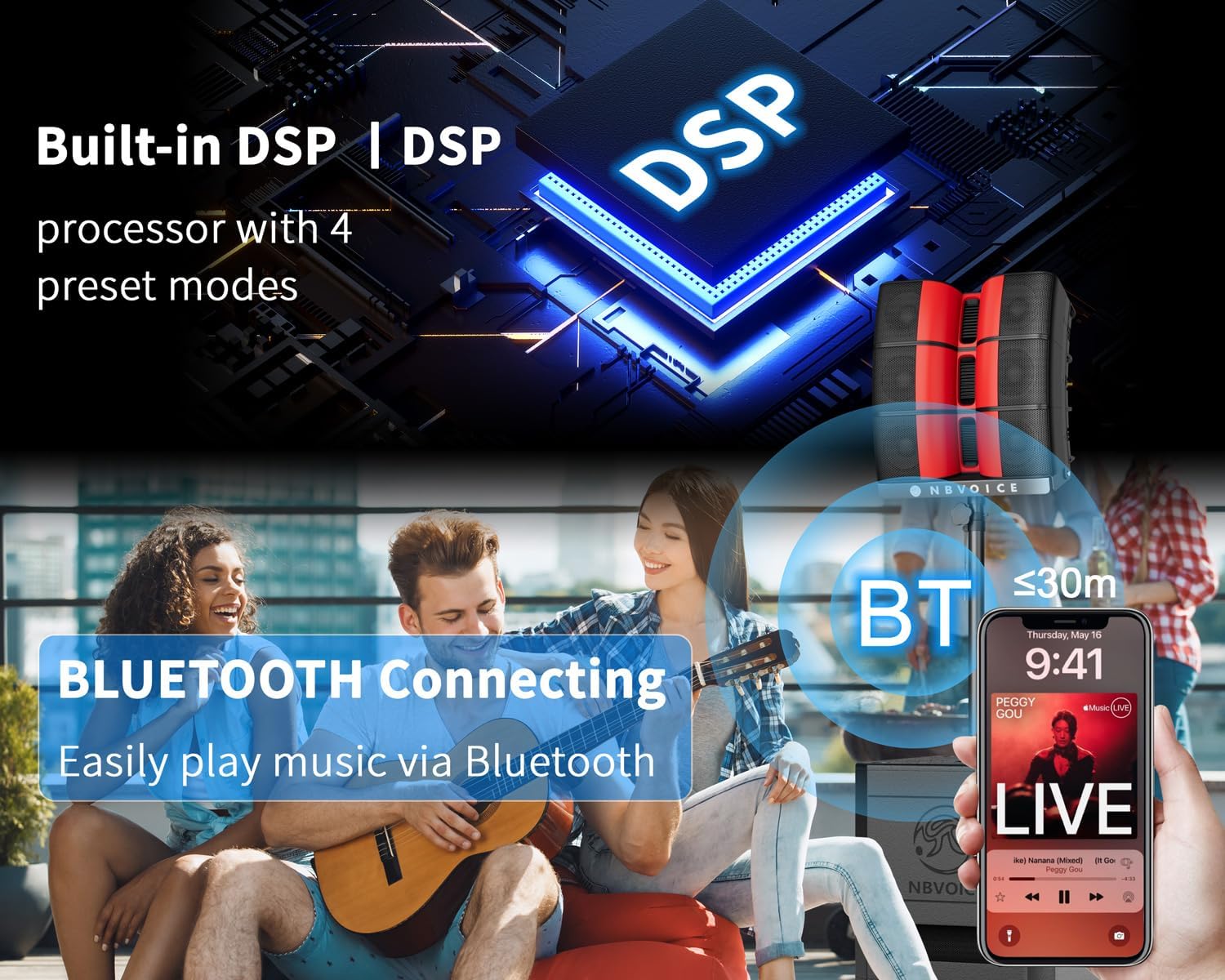
Figure 5.2: Bluetooth Connection. This image demonstrates a smartphone wirelessly connected to the speaker system via Bluetooth, with the Bluetooth indicator light illuminated.
5.5. DSP Mode Selection
The built-in Dual-Mode DSP processor offers 4 preset modes to optimize sound for different applications:
- Кадимки: Standard sound profile жалпы пайдалануу үчүн.
- Монитор: s үчүн оптималдаштырылганtage мониторинг.
- Playback/DJ: Enhanced bass and treble for music playback and DJ sets.
- Сүйлөө: Clear vocal reproduction for presentations and speeches.
Rotate the 'DSP MODE' knob to select the desired sound profile.

Figure 5.3: Bluetooth DSP Control. This image focuses on the DSP section of the control panel, showing the DSP Mode selector and Bluetooth pairing options.
5.6. TWS (True Wireless Stereo) жупташтыруу
For a true stereo experience, you can pair two NBVOICE PRX ONE systems wirelessly:
- Ensure both systems are powered on and Bluetooth is enabled on both.
- On one system (Master), press and hold the 'TWS LINK' button until the indicator light flashes.
- On the second system (Slave), press the 'TWS LINK' button briefly.
- The systems will automatically pair. The 'TWS LINK' indicator lights on both units will become solid when connected.

Figure 5.4: Dual Speaker Symphony. This image visually represents two NBVOICE PRX ONE systems set up for a stereo sound experience, highlighting the TWS capability.
Video 5.1: Our Speakers Powering Real US Festivals. This video demonstrates the NBVOICE PRX ONE system in an outdoor festival setting, showcasing its powerful sound and performance in a real-world scenario.
6. Техникалык тейлөө
Proper maintenance ensures the longevity and optimal performance of your NBVOICE PRX ONE system.
- Тазалоо: Сырткы беттерди тазалоо үчүн жумшак, кургак чүпүрөктү колдонуңуз. Абразивдүү тазалагычтарды же эриткичтерди колдонбоңуз.
- Сактагыч: Системаны күн нурунан жана экстремалдык температурадан алыс салкын, кургак жерде сактаңыз.
- Текшерүү: Regularly inspect cables and connections for any signs of wear or damage. Replace damaged components immediately.
- Узактыгы: The 18mm birch plywood enclosure and scratch-resistant steel grilles are designed for road-ready durability, surviving 100-hour pressure tests.

Figure 6.1: Road-Ready Durability. This image emphasizes the robust construction of the speaker system, built with 18mm birch plywood for enhanced durability.
7. Кыйынчылыктарды
If you encounter issues with your NBVOICE PRX ONE system, refer to the following common troubleshooting steps:
- Кубат жок: Check the power cable connection to both the unit and the outlet. Ensure the power switch is in the 'ON' position.
- Үн жок: Verify all audio cables are securely connected. Check input source volume and the master volume on the control panel. Ensure the correct input channel is selected.
- Бурмаланган үн: Reduce the input volume from your source device and the channel level on the speaker. Check for damaged cables.
- Bluetooth туташуу маселелери: Ensure the 'PAIRING' light is flashing or solid. Try unpairing and re-pairing your device. Ensure your device is within the 30m range.
- Пикир: Utilize the automatic feedback suppressor feature on the DSP control. Adjust microphone placement and volume levels.
8. Техникалык шарттар
| Өзгөчөлүк | Деталь |
|---|---|
| Бренд | NBVOICE |
| Модель номери | NBVXA115 |
| Чыгуу Wattage | 2400 Ватт (чоку) |
| Үн басымынын деңгээли (SPL) | 131дБ |
| Frequency Response | 38Гц-20кГц |
| Сабвуфердин өлчөмү | 15 дюйм |
| Array Speakers | 6x 4" Mid-high frequency drivers, 3x 1" horn tweeters |
| Байланыш технологиясы | AUX, Bluetooth 5.3, USB, Wireless (TWS) |
| Киргизүүлөр | XLR, 1/4" TRS, RCA, 3.5mm AUX, USB |
| Чыгуулар | Daisy-chain XLR outputs |
| DSP режимдери | Normal, Monitor, Playback/DJ, Speech |
| Коргоочу материал | 18mm Birch Plywood, Acrylonitrile Butadiene Styrene (ABS), Metal |
| Элементтин өлчөмдөрү (L x W x Y) | 23.28 x 20.58 x 24.41 дюйм |
| Элемент Салмагы | 128 фунт |

Figure 8.1: Innovative Acoustic Structure. This image details the speaker components, including 6x 4" mid-high frequency speakers, 3x 1" horn tweeters, and a 1x 15" subwoofer, highlighting the system's acoustic engineering.
9. Кепилдик
The NBVOICE PRX ONE Stage PA Speaker System is backed by a 7 жылдык кепилдик, which is three times the industry average. This warranty covers manufacturing defects and ensures long-term reliability.
For specific warranty details and claims, please contact the seller directly or refer to the manufacturer's official webсайт.
10. Колдоо
For further assistance, technical support, or inquiries regarding your NBVOICE PRX ONE system, please contact NBVOICE customer support through the platform where you purchased the product or visit the official NBVOICE webбайланыш маалыматы үчүн сайт.
Video 10.1: NBVOICE NBXA115: The Speaker That Doesn't Lie. This video provides an overview of the speaker's sound quality and features, which can be helpful for understanding its capabilities and troubleshooting.