
Introduction
Thank you for choosing the iKF T1 Max Wireless Bluetooth Over Ear Headphones. These headphones are designed to provide a premium audio experience with features like Active Noise Cancellation, HiFi sound, and extended battery life. This manual will guide you through the setup, operation, and maintenance of your new headphones to ensure optimal performance and enjoyment.
Сүрөт: алдыңкы view of the iKF T1 Max Wireless Bluetooth Over Ear Headphones.
Кутуда эмне бар
Сураныч, пакеттин мазмунун текшерип, бардык буюмдар бар экенин текшериңиз:
- iKF T1 Max Wireless Bluetooth Over Ear Headphones
- User Manual
- Заряддоо кабели
- Аудио кабель (3.5 мм AUX)

Image: The iKF T1 Max headphones and included accessories.
Продукт өзгөчөлүктөрү
Premium HiFi Sound with 40mm Drivers
The iKF T1 Max headphones feature 40mm HiFi speakers, engineered to deliver deep bass, rich mids, and crisp highs. This ensures a studio-quality audio performance for music, movies, and podcasts.

Image: Illustration of the 40mm dynamic driver for HiFi sound.
100 саатка чейин ойноо убактысы
Enjoy extended listening sessions with a long-lasting battery. The headphones offer up to 100 hours of wireless playtime with Active Noise Cancellation (ANC) off, and 75 hours with ANC on. This makes them suitable for long commutes, travel, or remote work without frequent recharging.

Image: Battery life details for iKF T1 Max headphones.
Active Noise Cancelling with Adjustable Levels
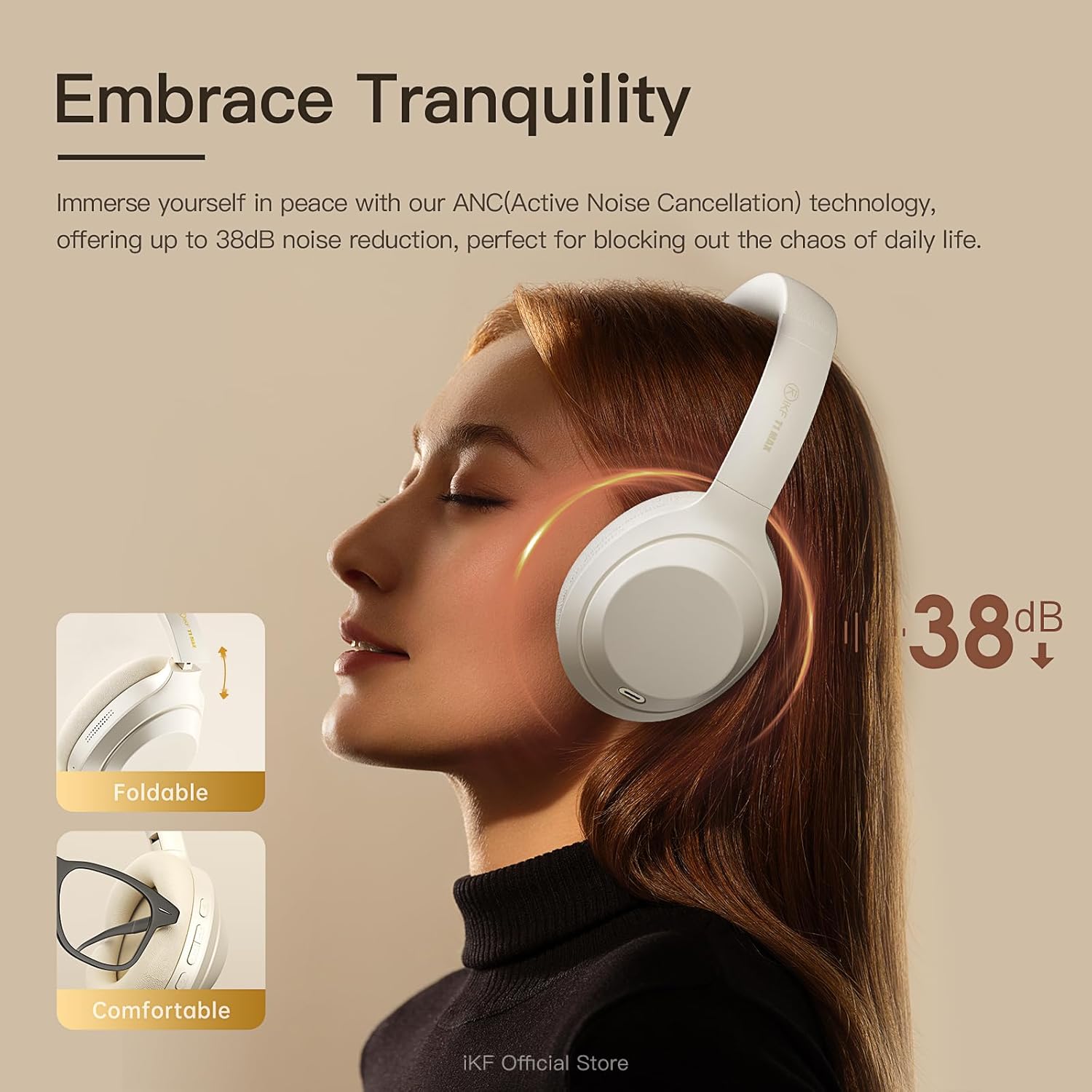
Immerse yourself in your audio with advanced Active Noise Cancellation (ANC) technology, providing up to 38dB noise reduction. Customize ANC levels through the iKF app to effectively block out distractions in various environments such as flights, offices, or public spaces.

Image: Active Noise Cancellation feature of the iKF T1 Max headphones.
Dual Device Bluetooth Connection
Connect your headphones to two Bluetooth devices simultaneously. This allows for seamless switching between your phone and laptop for calls, meetings, or music without the need to disconnect and reconnect. This feature is ideal for multitasking professionals.

Image: Dual device connection capability of the headphones.
Wireless and Wired Modes
The iKF T1 Max offers both wireless Bluetooth 5.4 connectivity and a wired mode via the included 3.5mm AUX audio cable. This ensures continuous listening even if the battery runs low, providing flexibility for various usage scenarios.

Image: Wireless and wired connection options.
Customization via iKF App
Connect to the iKF-APP to personalize your listening experience. Adjust ANC levels, create custom sound profiles, and fine-tune settings to match your unique preferences and lifestyle.

Image: iKF App interface for personalized settings.
Жайгашуу
1. Наушниктерди заряддоо
Before first use, fully charge your iKF T1 Max headphones. Connect the provided charging cable to the USB-C port on the headphones and to a USB power source (e.g., computer, wall adapter). The charging time is approximately 2 hours for a full charge.

Image: Charging port location on the headphones.
2. Күйгүзүү / Өчүрүү
- Күйгүзүү үчүн: Индикатор жарыгы күйгүчө кубат баскычын болжол менен 3 секунд басып туруңуз.
- Өчүрүү үчүн: Күйгүзүү баскычын болжол менен 5 секунд басып, индикатор өчкөнчө кармап туруңуз.
3. Bluetooth Жупташтыруу
- Наушниктердин өчүрүлгөнүн текшериңиз.
- Press and hold the Power button for about 5-7 seconds until the indicator light flashes blue and red, indicating pairing mode.
- Түзмөгүңүздө (смартфон, ноутбук ж.б.) Bluetooth'ду күйгүзүп, жеткиликтүү түзмөктөрдү издеңиз.
- Select "iKF T1 Max" from the list of found devices.
- Туташтырылгандан кийин, индикатор жарыгы көк түскө айланат же жай көк түскө күйөт.
4. Зымдуу туташуу (AUX режими)
To use the headphones in wired mode, connect one end of the 3.5mm audio cable to the AUX port on the headphones and the other end to your audio source. The headphones will automatically switch to wired mode, and Bluetooth will be disabled.
Иштөө нускамалары

Сүрөт: бүттүview of headphone control buttons.
Музыканы ойнотуу
- Ойнотуу/тындыруу: Press the Multi-function button (usually the power button or a dedicated play/pause button) once.
- Кийинки трек: Press and hold the Volume Up button or a dedicated "Next" button. (Refer to specific button layout in the included manual for exact controls).
- Мурунку трек: Press and hold the Volume Down button or a dedicated "Previous" button. (Refer to specific button layout in the included manual for exact controls).
- Көлөмү: Үндү жогорулатуу баскычын кыска басыңыз.
- Үнүн азайтуу: Үндү азайтуу баскычын кыска басыңыз.
Чалууларды башкаруу
- Чалууга жооп берүү/аяктоо: Көп функциялуу баскычты бир жолу басыңыз.
- Чакырууну четке кагуу: Көп функциялуу баскычты 2 секунд басып туруңуз.
- Үн жардамчысы: Double-press the Multi-function button to activate your device's voice assistant (Siri, Google Assistant).
Active Noise Cancellation (ANC) Control
- ANC режимдерин которуу: Press the ANC button once to cycle through ANC On, Ambient Sound Mode, and ANC Off.
- Customize ANC: Use the iKF app to fine-tune ANC levels and ambient sound settings.
Кош түзмөк байланышы
When connected to two devices, the headphones will intelligently switch audio sources. For exampМисалы, эгер сиз ноутбугуңузда музыка угуп жатсаңыз жана телефонуңузга чалуу келсе, кулакчындар автоматтык түрдө телефон чалуусуна которулат. Чалуудан кийин алар ноутбуктун аудиосуна кайтып келишет.
Техникалык тейлөө
- Тазалоо: Наушниктерди тазалоо үчүн жумшак, кургак чүпүрөктү колдонуңуз. Абразивдүү тазалагычтарды же эриткичтерди колдонбоңуз.
- Сактагыч: Store the headphones in a cool, dry place, away from direct sunlight and extreme temperatures. When not in use for extended periods, ensure they are fully charged.
- Суу таасири: Бул кулакчындар суу өткөрбөйт. Суунун же ашыкча нымдуулуктун таасиринен алыс болуңуз.
- Батареяга кам көрүү: Батареянын иштөө мөөнөтүн узартуу үчүн, кулакчындарды бат-баттан толук кубаттап турбаңыз. Аларды дайыма колдонууда болбосо да, үзгүлтүксүз заряддаңыз.
Проблемаларды чечүү
| Көйгөй | Мүмкүн чечим |
|---|---|
| Кулакчындар күйбөйт. | Кулакчындардын заряддалганын текшериңиз. Аларды кубаттоочу кабель аркылуу кубат булагына туташтырыңыз. |
| Bluetooth аркылуу жупташтыруу мүмкүн эмес. |
|
| Үн жок же үнү төмөн. |
|
| АНК натыйжалуу эмес. |
|
| Үн сапаты начар. |
|
Техникалык шарттар
| Өзгөчөлүк | Деталь |
|---|---|
| Модель аты | iKF T1 Max |
| Байланыш технологиясы | Bluetooth, Wired (3.5mm Jack) |
| Зымсыз байланыш | Bluetooth 5.4 |
| Кулак жайгаштыруу | Кулак үстүндө |
| Noise Control | Active Noise Cancellation, Environmental Noise Cancellation |
| Айдоочунун өлчөмү | 40мм |
| Батареянын иштөө мөөнөтү (ANC өчүк) | 100 саатка чейин |
| Батареянын иштөө мөөнөтү (ANC күйүк) | 75 саатка чейин |
| Заряддоо убактысы | Болжол менен 2 саат |
| Материал | Пластик, полиуретан (PU) |
| Камтылган компоненттер | Headphones, Charging Cable, Audio Cable, User Manual |
| Шайкеш түзмөктөр | Android Phone, Laptops, Smart Watch, Tablets, iPhone/iPad/Macbook |
Кепилдик маалымат
The iKF T1 Max headphones come with a standard manufacturer's warranty. Please refer to the warranty card included in your product packaging or visit the official iKF webдеталдуу кепилдик шарттары жана шарттары үчүн сайт. Кепилдик дооматтар үчүн сатып алганыңыздын далилин сактаңыз.
Колдоо
For further assistance, technical support, or customer service inquiries, please visit the official iKF store or contact their customer support team:
- iKF Official Store: Visit iKF Store on Amazon
- Онлайн колдоо: Refer to the official iKF webКөп берилүүчү суроолор жана байланыш маалыматы үчүн сайт.