1. Киришүү
Сатып алганыңыз үчүн рахматasing the Generic 1080p Digital Camera. This manual provides essential information for setting up, operating, and maintaining your camera. Please read this manual thoroughly before using the product to ensure proper operation and to prevent damage.
Коопсуздук чаралары:
- Камераны сууга же ашыкча нымдуулукка дуушар кылбаңыз.
- Камераны жерге түшүрүүдөн же катуу тийүүдөн сактаныңыз.
- Балдар жетпеген жерде сактаңыз.
- Бекитилген кубаттоочу кабелдерди жана адаптерлерди гана колдонуңуз.
2. Продукт бүтүп калдыview
The Generic 1080p Digital Camera is a compact and portable device designed for capturing photos and videos. It features a 2.4-inch flip screen, 8X optical zoom, and various functions including filters and games.
2.1. Камера компоненттери

Сүрөттүн сүрөттөлүшү: This diagram illustrates the camera's physical dimensions (117mm length, 64mm height, 29mm width) and labels key components. These include the Power button, T (Magnify) and W (Shrink down) buttons for zoom, an OK button, and directional buttons for navigation (upturning, right, on the left, flip down verify). The flip screen is shown in an open position.
- Кубат баскычы: Камераны күйгүзөт/өчүрөт.
- T/W баскычтары: Control optical zoom (T for Magnify, W for Shrink down).
- OK баскычы: Confirms selections or takes a picture/starts recording.
- Багыт баскычтары: Менюларды жана орнотууларды чабыттоо.
- Экранды айландыруу: 2.4-inch high-definition display that can be flipped for various shooting angles, including self-portraits.
- Объектив: Periscope lens with 8X optical zoom.
- Flash Fill: Provides additional light in low-light conditions.
2.2. Негизги өзгөчөлүктөрү
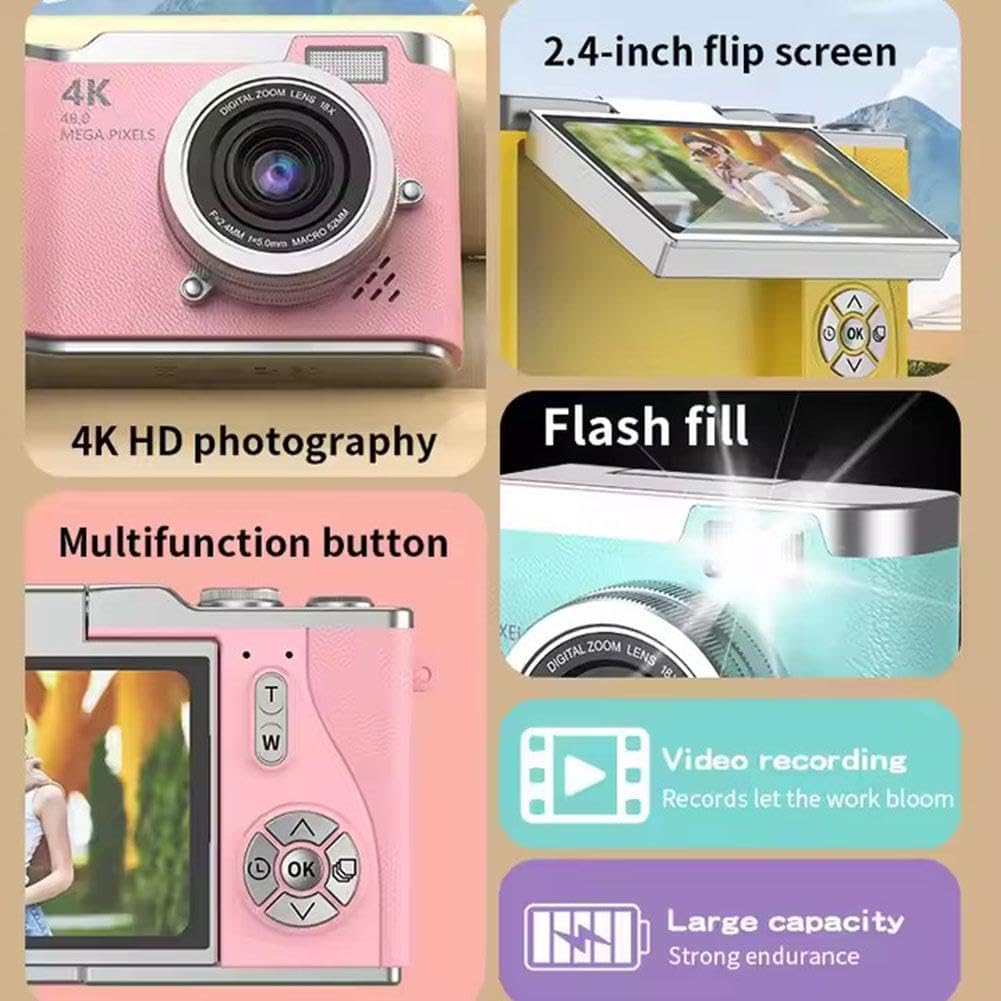
Сүрөттүн сүрөттөлүшү: A collage highlighting several camera features. It shows the 2.4-inch flip screen in action, mentions "4K HD photography" (note: actual video resolution is 1080p, effective still resolution is 0.31MP), indicates a flash fill, points to a multifunction button, and highlights video recording capabilities and a large capacity battery.
- Дисплей: 2.4-inch high-definition flip screen.
- Видеонун чечилиши: 1080p видео жаздырууну колдойт.
- Оптикалык масштаб: 8X optical zoom for capturing distant subjects.
- Негизги функциялары: Photo, video, filter effects, games, and MP3 playback.
- Батарея: 800mAh capacity Lithium Ion battery.
- Материал: Durable ABS plastic and hardware construction.
3. Орнотуу
3.1. Батареяны заряддоо
- Connect the provided charging cable to the camera's charging port.
- Connect the other end of the cable to the adapter, then plug the adapter into a power outlet.
- The charging indicator light will illuminate. Charging typically takes 1.5-2 hours.
- Once fully charged, the indicator light may change or turn off. Disconnect the camera from the charger.
Эскертүү: The camera's average battery life is approximately 3-4 hours for photos and 2 hours for recording.
3.2. Эстутум картасын салуу
This camera requires a memory card for storing photos and videos. A memory card is камтылган эмес продукт менен кошо жана өзүнчө сатып алынышы керек.
- Камерадагы эстутум картасынын уячасын табыңыз.
- Insert a compatible memory card (e.g., microSD) into the slot until it clicks into place. Ensure the card is inserted in the correct orientation.
- To remove the card, gently push it in until it clicks, then release, and it will eject.
3.3. Баштапкы күйгүзүү
- Экран жарык болгонго чейин Кубат баскычын басып, кармап туруңуз.
- The camera will boot up and display the main interface.
- If prompted, set the date and time using the directional buttons and the OK button.
4. Иштөө нускамалары
4.1. Сүрөт тартуу
- Камераны күйгүзүңүз.
- Frame your shot using the 2.4-inch flip screen. You can flip the screen to face forward for self-portraits.
- Сүрөткө тартуу үчүн OK баскычын басыңыз.
4.2. Видеолорду жаздыруу
- Камераны күйгүзүңүз.
- Navigate to video mode using the menu or a dedicated button (refer to on-screen icons).
- Press the OK button to start recording. Press it again to stop recording.
4.3. Zoom колдонуу
Use the 'T' button to zoom in (magnify) and the 'W' button to zoom out (shrink down). The camera features 8X optical zoom.
4.4. Autofocus and Anti-Shake
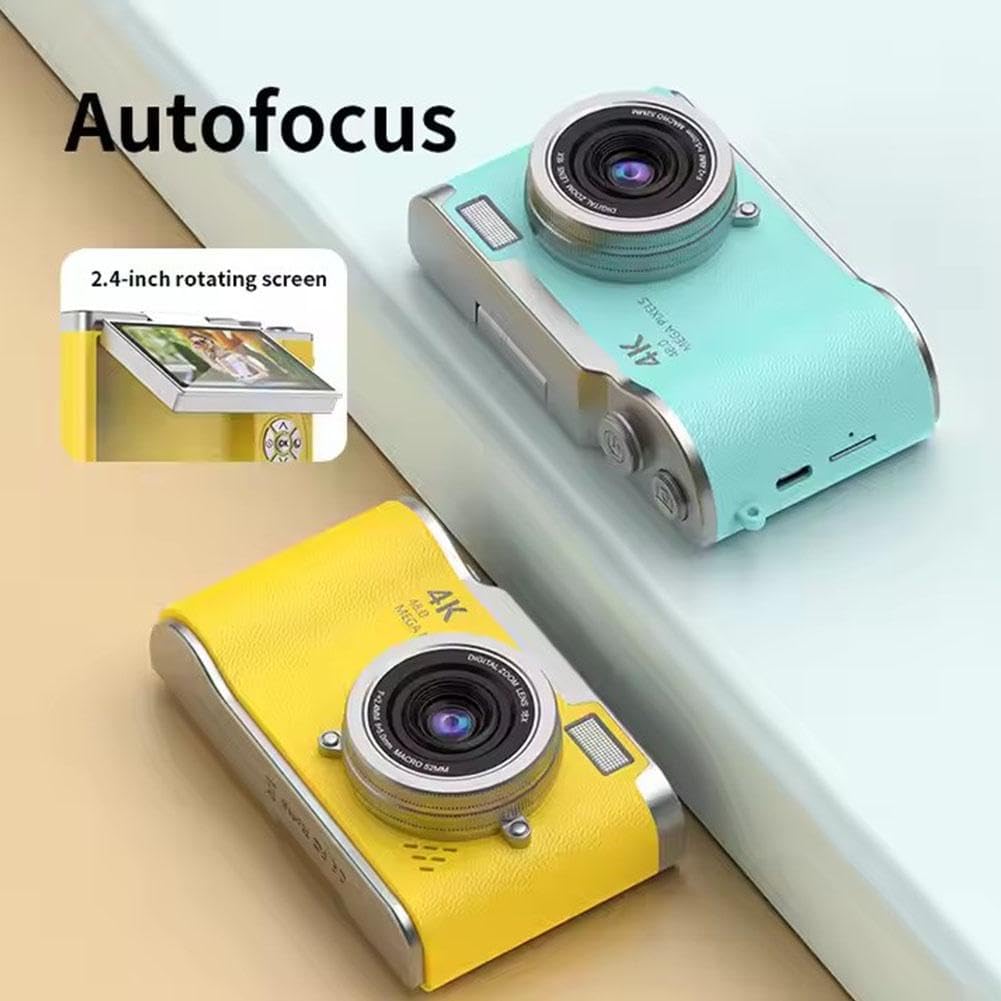
Сүрөттүн сүрөттөлүшү: This image highlights the camera's autofocus capability and its 2.4-inch rotating (flip) screen. The camera is shown in yellow and blue variants.

Сүрөттүн сүрөттөлүшү: This image demonstrates the camera's electronic anti-shake feature, indicating that it helps prevent blur and 'flutter' in photos and videos, even during dynamic movements.
The camera is equipped with autofocus technology to help achieve clear images. It also features electronic anti-shake to reduce blur caused by camera movement, particularly useful for active shots.
4.5. REviewСүрөттөрдү жана видеолорду тартуу
- Enter playback mode (usually via a dedicated button or menu option).
- Use the directional buttons to scroll through your captured media.
- үчүн OK баскычын басыңыз view сүрөт же видео ойнотуңуз.
4.6. өткөрүп берүү Files
The included multi-card reader allows for quick and easy transfer of files from your memory card to a computer, laptop, or other compatible devices.
- Remove the memory card from the camera.
- Эстутум картасын карта окугучка кыстарыңыз.
- Connect the card reader to your computer's USB port.
- кирүү files on the memory card through your computer's file изилдөөчү.
5. Техникалык тейлөө
5.1. Камераны тазалоо
- Камеранын корпусун тазалоо үчүн жумшак, кургак чүпүрөктү колдонуңуз.
- Линзаны жана экранды чийип калбаш үчүн атайын линзаны тазалоочу чүпүрөктү жана эритмени колдонуңуз.
- Катуу химиялык заттарды же абразивдүү материалдарды колдонбоңуз.
5.2. Сактоо
- Камераны салкын, кургак жерде күндүн тике тийген нурунан жана экстремалдык температурадан алыс сактаңыз.
- If storing for an extended period, ensure the battery is partially charged (around 50%) and remove it if possible to prolong battery life.
6. Кыйынчылыктарды
| Көйгөй | Мүмкүн себеп | Чечим |
|---|---|---|
| Камера күйбөйт. | Батарея түгөнүп калган же туура салынган эмес. | Батареяны толук кубаттаңыз. Батарея туура салынганын текшериңиз. |
| Сүрөткө/видео тартууга болбойт. | Эстутум картасы салынган эмес же карта толгон/бузулган. | Эстутум картасын салыңыз. Керексиз жок кылуу files or replace the card. Format the card if corrupted (this will erase all data). |
| Сүрөттөр бүдөмүк. | Camera shake, dirty lens, or out of focus. | Hold the camera steady. Clean the lens. Ensure autofocus is engaged. |
| Экран бош же катып калган. | Программанын катасы. | Turn off the camera and restart it. If unresponsive, remove and reinsert the battery. |
7. Техникалык шарттар
| Өзгөчөлүк | Спецификация |
|---|---|
| Модель аты | B0F488P9MD |
| Дисплей | 2.4-inch high-definition flip screen |
| Video Resolution | 1080p (AVI форматы) |
| Натыйжалуу дагы эле чечим | 0.31 MP (Advertised as 4K HD photography and 48.0 Mega Pixels in some marketing materials) |
| Фото сенсор технологиясы | CMOS |
| Оптикалык масштаб | 8X |
| Батарея түрү | Литий ион |
| Батарея сыйымдуулугу | 800mAh |
| Батареянын иштөө мөөнөтү (орточо) | 3-4 hours (photo), 2 hours (recording) |
| Заряддоо убактысы | 1.5-2 саат |
| Memory Expansion | Эстутум картасы камтылган эмес |
| Продукциянын өлчөмдөрү | 117мм x 64мм x 29мм |
| Продукт Салмагы | 140г |
| Материал | ABS Plastic and Metal |
| Өзгөчөлүктөр | Flip Screen, Periscope Lens, Electronic Anti-shake, Autofocus |
8. Кепилдик жана колдоо
Кепилдик жөнүндө маалымат жана кардарларды колдоо кызматы үчүн, сатып алуу учурунда берилген документтерди караңыз же сатуучуга кайрылыңыз. Сатып алуунун далили катары сатып алуу дүмүрчөгүңүздү сактап коюңуз.