
Introduction
WeCool Fairwhale спорттук аналогдук санариптик саатын тандаганыңыз үчүн рахмат. Бул саат классикалык аналогдук убакытты эсептөөнү заманбап санариптик функциялар менен айкалыштырып, бышык жана ар тараптуу болуу үчүн иштелип чыккан. Ал бекем конструкцияга, суу өткөрбөй тургандыгына жана ойготкуч, секундомер жана LED жарыгы сыяктуу бир нече функцияларга ээ, бул аны ар кандай иш-аракеттерге жана күнүмдүк тагынууга ылайыктуу кылат.

1-сүрөт: Билектеги WeCool Fairwhale спорттук аналогдук санарип сааты
Бул колдонмодо саатыңыздын оптималдуу иштешин жана узак мөөнөттүү иштешин камсыз кылуу үчүн аны кантип орнотуу, иштетүү жана тейлөө керектиги боюнча кеңири көрсөтмөлөр берилген. Саатыңызды колдонуудан мурун аны кунт коюп окуп чыгыңыз.
Продукт бүттүview
WeCool Fairwhale саатыңыздын негизги компоненттери жана баскычтары менен таанышып алыңыз:

2-сүрөт: Сааттын компоненттери жана баскычтын функциялары
- ЖАРЫК баскычы: LED арткы жарыгын иштетет.
- MODE баскычы: Ар кандай режимдер аркылуу цикл жасайт (Убакыт, Ойготкуч, Секундомер).
- RESET баскычы: Секундомерди баштапкы абалга келтирүү же жөндөөлөрдү тууралоо үчүн колдонулат.
- START баскычы: Секундомерди иштетүү же жөндөөлөрдү тууралоо үчүн колдонулат.
- ЖӨНДӨӨ баскычы: Орнотуу режимине кирүү жана тандоолорду ырастоо үчүн колдонулат.
Орнотуу жана баштапкы конфигурация
Санариптик убакытты жана датаны орнотуу
- Кадимки убакытты көрсөтүү режиминде басыңыз РЕЖИМ Убакытты орнотуу режимине өтүү үчүн баскычын үч жолу басыңыз. Секунддар күйүп-өчүп турат.
- басыңыз RESET баскычын басып, жөндөөлөрдү жылдырыңыз: Секунд → Саат → Мүнөт → Ай → Дата → Аптанын күнү.
- колдонуу START Жаркылдаган маанини тууралоо үчүн баскычын басыңыз. Тез көбөйтүү үчүн кармап туруңуз.
- Бардык орнотуулар туура болгондон кийин, басыңыз РЕЖИМ орнотуу режиминен чыгуу үчүн баскыч.
Аналогдук убакытты орнотуу
Аналогдук жебелер өз-өзүнчө коюлат. Таажыны (сааттын оң жагындагы кичинекей баскыч) сууруп чыгып, аналогдук убакытты тууралоо үчүн аны айландырыңыз. Бүткөндөн кийин таажыны кайра ичкери түртүңүз.

3-сүрөт: WeCool Fairwhale спорттук аналогдук санарип сааты
Иштөө нускамалары
LED арткы жарыгын колдонуу
басыңыз ЖАРЫК Санариптик дисплейди жарыктандыруу үчүн баскычты (жогорку сол жакта) басыңыз. Арткы жарык бир нече секунд күйүп турат, бул сизге аз жарык шарттарында убакытты окууга мүмкүндүк берет.

4-сүрөт: Караңгыдагы өтө жаркыраган дисплей
Секундомерди колдонуу
- Кадимки убакыт дисплейинен баскычын басыңыз РЕЖИМ Секундомер режимине өтүү үчүн баскычты бир жолу басыңыз. Дисплейде "00:00:00" көрсөтүлөт.
- басыңыз START убакытты белгилөөнү баштоо үчүн баскыч.
- басыңыз START убакытты тындыруу үчүн баскычты кайра басыңыз.
- басыңыз RESET баскычы секундомерди "00:00:00" абалына кайтаруу үчүн.
- басыңыз РЕЖИМ Кадимки убакытты көрсөтүүгө кайтуу үчүн баскычты басыңыз.
Сигналды орнотуу жана колдонуу
- Кадимки убакыт дисплейинен баскычын басыңыз РЕЖИМ Ойготкучту орнотуу режимине кирүү үчүн баскычты эки жолу басыңыз. Сааттын сандары күйүп-өчүп турат.
- басыңыз RESET саат жана мүнөт жөндөөлөрүнүн ортосунда тандоо үчүн баскычын басыңыз.
- колдонуу START жаркылдаган маанини тууралоо үчүн баскыч.
- Каалаган ойготкуч убактысы коюлгандан кийин, баскычын басыңыз РЕЖИМ чыгуу үчүн баскыч.
- Ойготкуч режиминде ойготкучту күйгүзүү/өчүрүү үчүн, баскычын басыңыз START баскычы. Дисплейде ойготкучтун сөлөкөтү пайда болот/жок болот.
Кароо жана тейлөө
- Тазалоо: Кирди жана терди кетирүү үчүн саатты жумшак, кургак чүпүрөк менен үзгүлтүксүз сүртүңүз. Өжөр кир үчүн бир аз сүртүңүз.amp чүпүрөк, анан кылдат кургатуу.
- Суу каршылык: Бул саат 50 метрге чейин (5 банкомат) сууга туруштук берет. Ал муздак сууга, жамгырга жана сууда сүзүүгө ылайыктуу. ЖОК Суу астында каалаган баскычты басыңыз. Бууга жана ысык сууга тийгизбеңиз, анткени бул суу өткөрбөй турган пломбага зыян келтириши мүмкүн.
- Температура: Саатты экстремалдык температурада (ысык же муздак) узак убакытка калтырбаңыз.
- Химиялык заттар: Саатты эриткичтерден, жуучу каражаттардан, атырлардан жана боого же корпуска зыян келтириши мүмкүн болгон башка химиялык заттардан алыс кармаңыз.
- Батареяны алмаштыруу: Дисплей күңүрт болуп калса же функциялар туруксуз болуп калса, батареяны алмаштырууга убакыт келген болушу мүмкүн. Суу өткөрбөй тургандыгын камсыз кылуу үчүн батареяны квалификациялуу саат адисине алмаштыруу сунушталат.
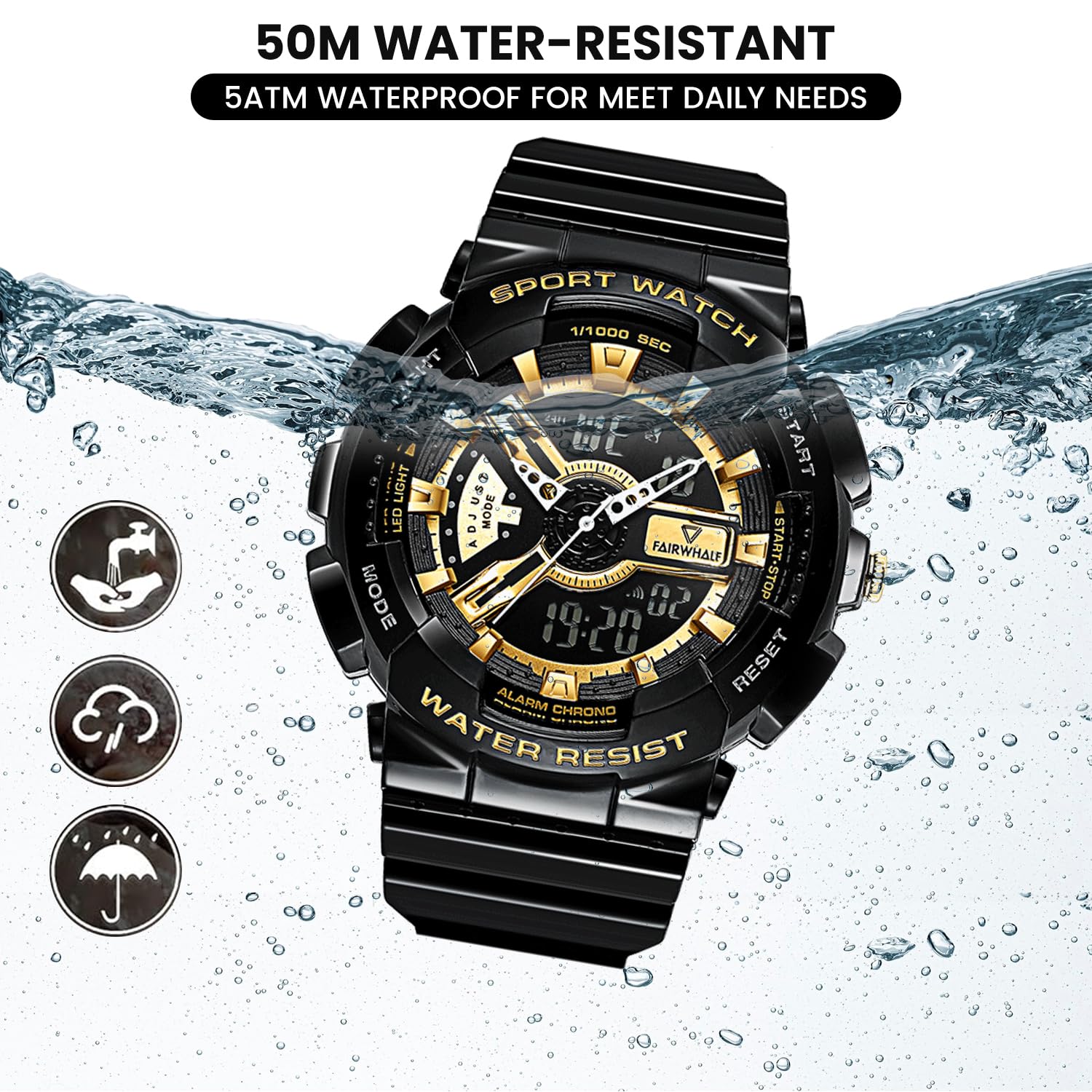
5-сүрөт: 50M суу өткөрбөй турган өзгөчөлүк
Проблемаларды чечүү
| Көйгөй | Мүмкүн себеп | Чечим |
|---|---|---|
| Санарип дисплей бош же күңүрт. | Батарея аз. | Батареяны алмаштырыңыз. |
| Аналогдук колдор кыймылдабай жатат же туура эмес иштеп жатат. | Таажы суурулуп алынган; батарея көйгөйү бар. | Таажыны кайра ичкери басыңыз. Эгер дагы эле иштебесе, батарейканы алмаштырыңыз. |
| Баскычтар жооп бербейт. | Саат кулпуланган режимде же батареясы аз болушу мүмкүн. | Бардык баскычтарды бекем басып көрүңүз. Эгер көйгөй чечилбесе, батарейканы алмаштырыңыз. |
| Сааттын ичиндеги суу. | Суу астында басылган баскычтар; ысык сууга/бууга дуушар болуу; пломба бузулган. | Дароо кесипкөй саат оңдоо кызматына кайрылыңыз. Андан ары сууга түшүүдөн алыс болуңуз. |
Техникалык шарттар
| Өзгөчөлүк | Деталь |
|---|---|
| Модель номери | FW-4300-1 |
| Кыймыл түрү | Импорттолгон жапон кварц механизми |
| Дисплей түрү | Аналогдук жана Санарип |
| Иштин диаметри | 52мм (2 дюйм) |
| Топтун материалы | Экологиялык жактан таза чайыр / полиуретан |
| Суу каршылык | 5 банкомат (50 метр) |
| Өзгөчөлүктөр | LED арткы жарыгы, кош убакыт дисплейи, секундомер, сигнализация, соккуга туруктуу, 12/24 саат форматы |
| Батарея | 1 AAA батарейка (кошулган) |
| Элемент Салмагы | 50 г |
| Продукциянын өлчөмдөрү | 20 x 5 x 2 см |

6-сүрөт: Сааттын параметрлери жана негизги функциялары
Кепилдик жана колдоо
Сиздин WeCool Fairwhale спорттук аналогдук санарип саатыңыз чектелген кепилдик менен келет. Кепилдиктин конкреттүү шарттары жана эрежелери үчүн, сатып алган нерсеңиз менен кошо берилген кепилдик картасын караңыз же WeCool компаниясынын расмий веб-сайтына кириңиз. webсайт.
Эгерде сизде саатыңыз боюнча кандайдыр бир көйгөйлөргө туш болсоңуз же суроолоруңуз болсо, Amazon аркылуу биздин кесипкөй сатуудан кийинки командабызга кайрылуудан тартынбаңыз. Биз канааттандырарлык жоопторду жана колдоо көрсөтүүгө умтулабыз.
Биз менен Amazon билдирүү системасы аркылуу байланышсаңыз болот, бул үчүн продукт баракчасына кирип, сатуучунун атын "WeCool Technology" чыкылдатып, андан кийин "Суроо берүү" баскычын тандаңыз.