
Introduction
The MAMBASNAKE M5 Ultra is a high-performance, ultra-lightweight gaming mouse designed for competitive gamers. Featuring a carbon fiber build, advanced sensor technology, and versatile connectivity options, it delivers precision and speed for an optimal gaming experience. This manual provides detailed instructions for setting up, operating, and maintaining your M5 Ultra gaming mouse.
Негизги өзгөчөлүктөрү:
- Ultra-Lightweight Carbon Fiber Build: Weighing only 39 grams, crafted from real carbon fiber for extreme strength and agility.
- Flagship Sensor & Processor: Equipped with PixArt PAW3950MAX sensor and Nordic 52840 chip, supporting up to 42,000 DPI, 750 IPS, and 50G acceleration.
- Чыныгы 8000Гц сурамжылоо жыштыгы: Ensures ultra-fast response times and stable wireless performance.
- Pro-Grade Switches & Encoder: Long-lasting micro switches rated for over 100 million clicks and a premium scroll encoder for crisp feedback.
- Үч режимдик байланыш: Offers Bluetooth, 2.4GHz wireless, and wired USB-C connection options.
- Flexible Driver Options: Экөөнү тең колдойт web-based driver access and downloadable software for customization.
Пакеттин мазмуну
Пакетиңизде бардык буюмдар бар экенин текшериңиз:
- MAMBASNAKE M5 Ultra Gaming Mouse
- 2.4 ГГц зымсыз алуучу
- USB-C - USB-A кабели
- USB-A to USB-C Adapter (for receiver extension)
- Grip Tape (pre-cut adhesive pads)
- Кошумча PTFE чычкан буттары
- User Manual
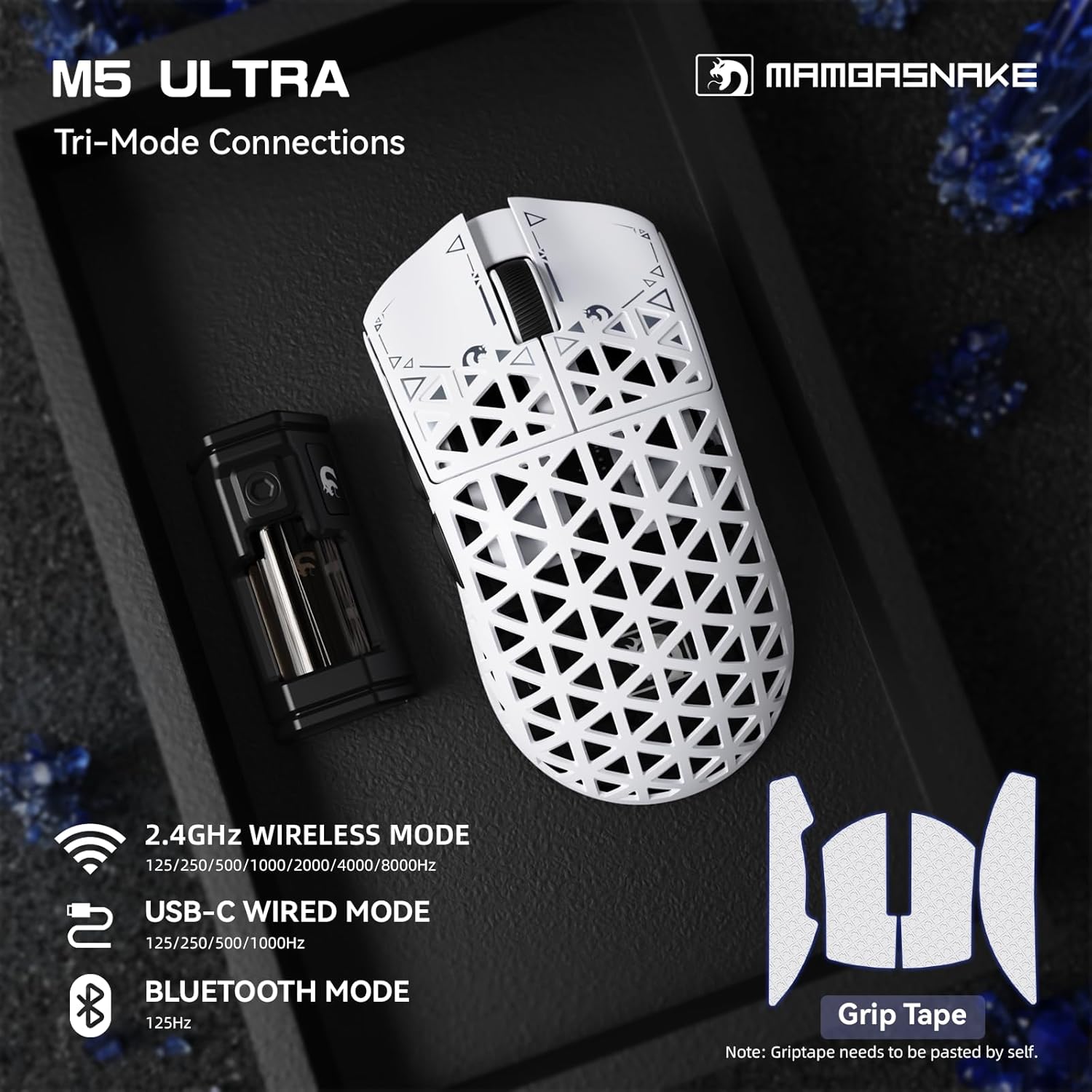
Image: Contents of the MAMBASNAKE M5 Ultra package, including the mouse, wireless receiver, cable, grip tape, and spare mouse feet.
Продукт бүттүview
Familiarize yourself with the components of your MAMBASNAKE M5 Ultra gaming mouse:

Image: The M5 Ultra mouse showcasing its carbon fiber shell and lightweight design.

Image: Labeled components of the M5 Ultra gaming mouse, including primary buttons, scroll wheel, DPI button, and connectivity switch.

Image: Underside of the M5 Ultra mouse, detailing the sensor, DPI button, and the switch for selecting 2.4G, Wired, or Bluetooth modes.
Жайгашуу
The M5 Ultra offers three connectivity modes: wired, 2.4GHz wireless, and Bluetooth. Choose the mode that best suits your needs.
1. Зымдуу туташуу
- Connect the provided USB-C to USB-A cable to the USB-C port on the front of the mouse.
- Кабелдин USB-A учунун компьютериңиздеги жеткиликтүү USB портуна сайыңыз.
- Ensure the switch on the bottom of the mouse is set to the 'Wired' position.
- The mouse will be recognized by your computer and is ready for use.
2. 2.4 ГГц зымсыз туташуу
- 2.4 ГГц зымсыз кабыл алгычты табыңыз.
- Plug the receiver directly into an available USB-A port on your computer, or use the provided USB-A to USB-C adapter and cable to position the receiver closer to the mouse for optimal signal.
- Ensure the switch on the bottom of the mouse is set to the '2.4G' position.
- The mouse should automatically connect to the receiver. If not, press the pairing button (if available, refer to the specific diagram on the mouse's underside) or cycle the power switch.
3. Bluetooth туташуусу
- Ensure the switch on the bottom of the mouse is set to the 'BT' (Bluetooth) position.
- Компьютериңизден Bluetooth жөндөөлөрүнө өтүңүз.
- Bluetooth'ту иштетип, жаңы түзмөктөрдү издеңиз.
- Select 'MAMBASNAKE M5 Ultra' from the list of available devices to pair.
- Жупташтыруу процессин аяктоо үчүн экрандагы көрсөтмөлөрдү аткарыңыз.
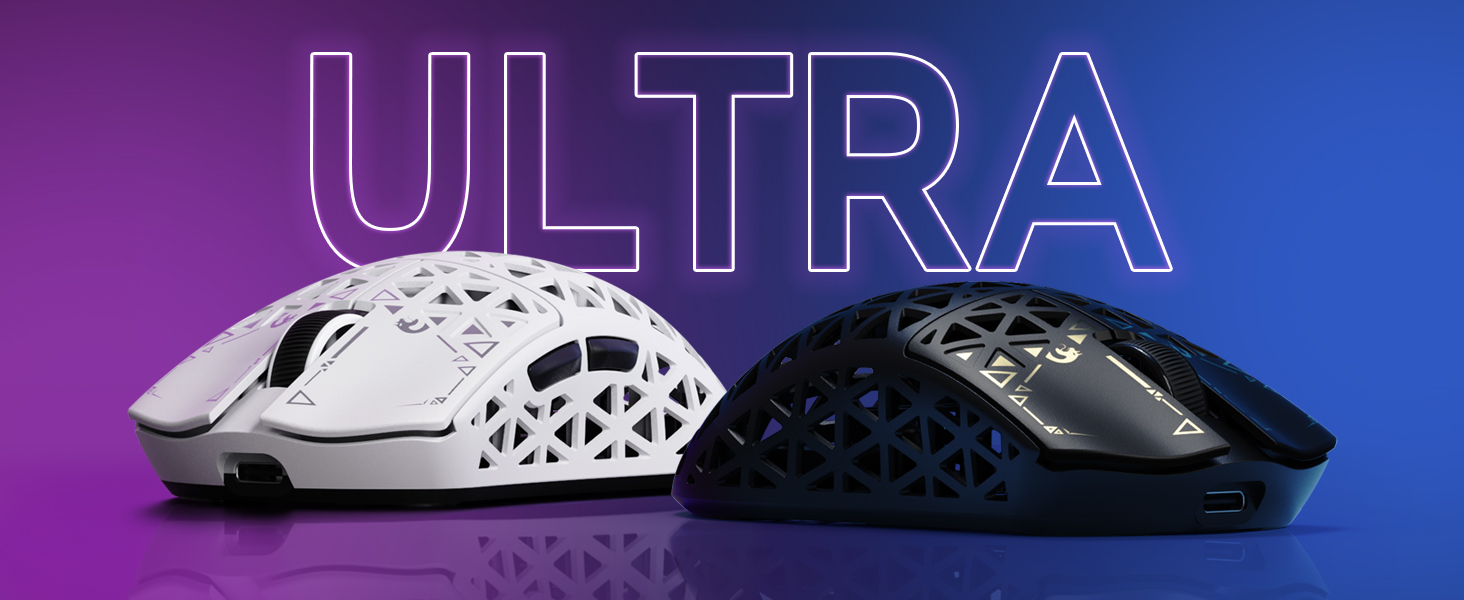
Image: Visual representation of the M5 Ultra's tri-mode connectivity options.
Видео: Бүттүview of the MAMBASNAKE M5 Ultra Carbon Fiber 8KHz Wireless Gaming Mouse, demonstrating its features and initial setup.
Иштөө нускамалары
DPI тууралоо
The M5 Ultra features a dedicated DPI adjustment button, typically located on the bottom of the mouse or near the scroll wheel. Press this button to cycle through preset DPI levels. The current DPI level may be indicated by an LED color change or can be viewed and customized via the web айдоочу.
Добуш берүү көрсөткүчү
The mouse supports an 8000Hz polling rate for ultra-low latency. While the default polling rate is often sufficient, you can adjust it using the customization software to match your preferences and system capabilities.

Image: Explanation of the 8000Hz polling rate and its benefit for gaming.
Customization Software (Web Айдоочу)
The M5 Ultra offers flexible customization through its web-based driver, eliminating the need for software installation. You can also download a dedicated driver from the official MAMBASNAKE webсайт.
- кирүү web driver by visiting the official MAMBASNAKE support website (refer to the product packaging or official webтак маалымат алуу үчүн сайт URL).
- Through the driver interface, you can:
- DPI жөндөөлөрүн тууралаңыз жана ыңгайлаштырылган адис түзүңүзfiles.
- Change polling rate (125Hz to 8000Hz).
- Program macros for various buttons.
- Adjust lift-off distance (LOD).
- Configure lighting effects (if applicable).
- Save your settings to the mouse's onboard memory for use on any computer without the software.

Сүрөт: The web driver interface for the M5 Ultra, illustrating customization options.
Техникалык тейлөө
Тазалоо
Оптималдуу иштөөсүн жана көрүнүшүн сактоо үчүн, чычканыңызды үзгүлтүксүз тазалап туруңуз:
- Бир аз жумшак, түксүз кездемени колдонуңуз dampчычкандын бетин сүртүү үчүн суу же жумшак тазалоо эритмеси менен иштетилген.
- Катуу химиялык заттарды же абразивдүү материалдарды колдонуудан алыс болуңуз.
- For the sensor, use a cotton swab lightly dampлинзаны акырын тазалоо үчүн изопропил спирти менен иштетилген.
- Колдонуудан мурун мышыктын толугу менен кургак экенине ынаныңыз.
Батареяны заряддоо
The M5 Ultra features a built-in rechargeable battery. When the battery level is low, connect the mouse via the USB-C cable to your computer or a USB power adapter for charging. The mouse can be used normally while charging in wired mode.
Проблемаларды чечүү
If you encounter issues with your MAMBASNAKE M5 Ultra mouse, refer to the following common problems and solutions:
| Көйгөй | Чечим |
|---|---|
| Чычкан зымсыз режимде жооп бербейт. | Ensure the mouse is charged and the power switch is ON. Verify the connectivity switch on the bottom is set to '2.4G' or 'BT'. Re-pair the device if using Bluetooth, or re-insert the 2.4GHz receiver. Try a different USB port. |
| Lag or intermittent connection in wireless mode. | Move the 2.4GHz receiver closer to the mouse, ideally using the extension adapter. Ensure there are no strong interference sources (e.g., other wireless devices, large metal objects) nearby. For Bluetooth, ensure your computer's Bluetooth drivers are up to date. |
| Чычкандын курсору туруксуз же жакшы көзөмөлдөнбөйт. | Clean the optical sensor lens on the bottom of the mouse. Ensure you are using the mouse on a suitable surface (a good quality mouse pad is recommended). Check DPI settings in the web айдоочу. |
| Buttons not registering clicks. | Ensure the mouse is properly connected and powered on. Check for any physical obstructions. If the issue persists, try resetting the mouse (refer to the web driver or official support for reset instructions). |
| Чычкан заряддалбай жатат. | Verify the USB-C cable is securely connected to both the mouse and the power source. Try a different USB port or charging cable. Ensure the power source is functional. |
Техникалык шарттар
| Өзгөчөлүк | Деталь |
|---|---|
| Модел | M5 Ultra |
| Сенсор | PixArt PAW3950MAX оптикалык сенсору |
| MCU | Түндүк 52840 чип |
| DPI | 42,000 XNUMX DPI чейин |
| IPS | 750IPS |
| Ылдамдатуу | 50G |
| Добуш берүү көрсөткүчү | 8000Hz (2.4GHz Wireless/Wired), 125Hz (Bluetooth) |
| Байланыш | 2.4 ГГц зымсыз, Bluetooth, USB-C зымдуу |
| Которгучтар | Omron Microswitches (100M+ Clicks) |
| Салмагы | Болжол менен 39 грамм |
| Өлчөмдөр | 61 x 119.5 x 36.3 мм (2.40 x 4.70 x 1.43 дюйм) |
| Пакеттин өлчөмдөрү | 6.85 x 4.17 x 2.83 дюйм |
| Item Weight (packaged) | 8.8 унция |
| Дата биринчи жеткиликтүү | 10-апрель, 2025-жыл |

Image: The PixArt PAW3950MAX sensor, a key component for high-precision tracking.

Image: The Nordic 52840 MCU chip, responsible for the mouse's processing power and 8000Hz polling rate compatibility.
Кепилдик жана колдоо
MAMBASNAKE products are designed for quality and performance. For warranty information, please refer to the warranty card included in your product packaging or visit the official MAMBASNAKE website. For technical support, driver downloads, or further assistance, please visit the official MAMBASNAKE support page or contact customer service through the details provided on the webсайт.
Видео: толугураакview of the MAMBASNAKE M5 Ultra Carbon Fiber Wireless Gaming Mouse, showcasing анын дизайны жана негизги өзгөчөлүктөрү.