
1. Киришүү
The HPRT MT620Pro is a compact, inkless portable thermal printer designed for convenient printing on the go. It utilizes advanced thermal printing technology to produce 300 dpi high-definition prints without the need for ink cartridges or toner. This printer supports various thermal paper sizes, including US Letter, Legal, A4, A5, and 4-inch widths. It offers versatile connectivity options, allowing wireless printing via Bluetooth from iOS and Android devices, and wired printing via USB cable from Windows and macOS computers.

Сүрөт 1.1: Бүттүview of the HPRT MT620Pro Portable Thermal Printer with key features labeled. Dimensions are 10.4 x 2.2 x 1.7 inches, and weight is 1.16 lb.
The printer features a built-in rechargeable battery, providing up to 96 hours of working time on a full charge. An automatic shutdown function activates after 15 minutes of inactivity to conserve power. Its automatic paper suction mechanism simplifies paper loading, requiring only insertion into the paper inlet.
2. Кутуда эмне бар
Upon unboxing your HPRT MT620Pro Portable Thermal Printer, please ensure all the following items are present:
- 1 Portable Thermal Printer
- 10 Sheets US Letter Thermal Paper
- 1 Charging Cable (USB-C)
- 1 USB-C Plug Adapter
- 1 Колдонуучунун колдонмосу (бул документ)
3. Орнотуу
3.1. Принтерди заряддоо
Before initial use, fully charge the printer using the provided USB-C charging cable and adapter. Connect the USB-C cable to the printer's charging port and the other end to a power source. The operational status LED will indicate charging status.
3.2. Термикалык кагазды жүктөө
The HPRT MT620Pro printer exclusively uses thermal paper. Ensure the paper is thermal-sensitive and compatible with the printer's width range (4 to 8.5 inches).
- Gently pull the cover-opening button to open the top cover of the printer.
- Adjust the paper separator inside the printer to match the width of your thermal paper.
- Insert the thermal paper face up into the paper inlet. The printer will automatically feed the paper into position.
- Close the top cover until you hear a "click" sound, indicating it is securely latched.

Image 3.1: Illustration of compatible thermal paper sizes and loading methods for the HPRT MT620Pro printer.
3.3. Connecting to Mobile Devices (iOS/Android)
To print wirelessly from your smartphone or tablet:
- Download the "Hereprint" app from your device's app store (Google Play Store for Android, Apple App Store for iOS).
- Мобилдик түзмөгүңүздө Bluetooth иштетилгенин текшериңиз.
- Turn on the printer by holding the power button for 3 seconds. The operational status LED will illuminate.
- Open the "Hereprint" app and follow the on-screen instructions to search for and connect to your HPRT MT620Pro printer via Bluetooth.
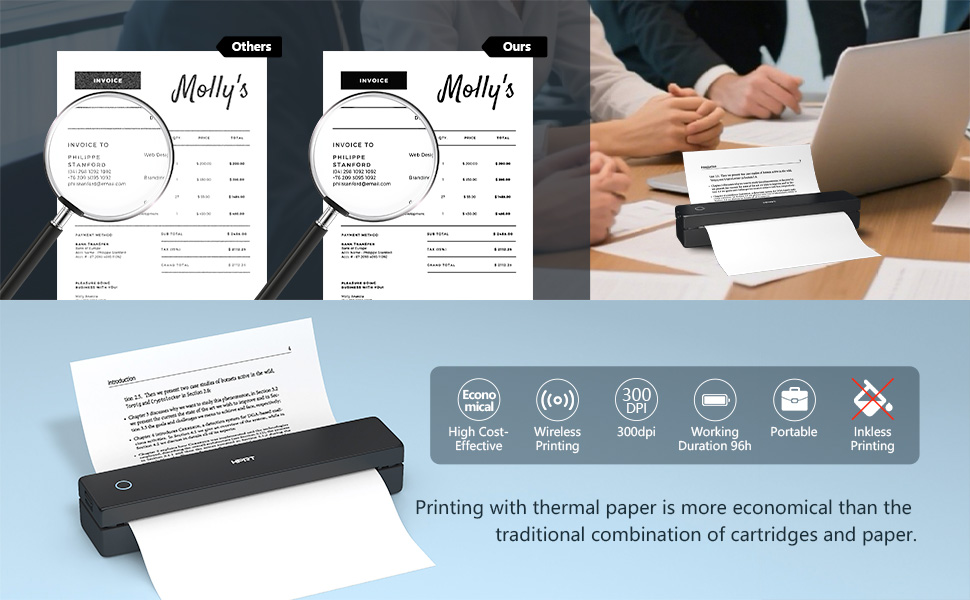
Image 3.2: Steps for connecting the HPRT MT620Pro printer to a mobile device via Bluetooth.
3.4. Connecting to PC (Windows/macOS)
To print from your computer, a USB connection and driver installation are required:
- Turn on the printer by holding the power button for 3 seconds.
- Берилген USB-C кабелин колдонуп, принтерди компьютериңизге туташтырыңыз.
- Visit the official HPRT webсайт (https://download.hprt.com/HPRT-MT620) to download the appropriate printer driver for your operating system (Windows or macOS).
- Install the downloaded driver by following the on-screen instructions. Ensure the printer remains connected via USB during installation.
Video 3.1: This video demonstrates the process of connecting the HPRT MT620Pro printer to a PC via USB and installing the necessary drivers for printing.
4. Операция
4.1. Printing from Mobile Devices
Bluetooth аркылуу туташкандан кийин:
- Open the "Hereprint" app.
- Select the type of content you wish to print (e.g., pictures, documents, web pages, or scanned items).
- Adjust print settings such as density, margins, and paper type within the app.
- Басып чыгарууну баштоо үчүн "Басып чыгаруу" баскычын таптаңыз.

Image 4.1: The 'Hereprint' app interface for mobile printing, showing various content options.
4.2. Printing from PC
After driver installation and USB connection:
- Документти, сүрөттү же web page you wish to print on your computer.
- Access the print function (usually File > Print or Ctrl+P/Cmd+P).
- From the list of available printers, select "HPRT MT620Pro".
- Adjust print preferences such as paper size, orientation, and number of copies as needed.
- Тапшырманы принтерге жөнөтүү үчүн "Басып чыгаруу" баскычын чыкылдатыңыз.
5. Техникалык тейлөө
5.1. Жалпы кам көрүү
- Keep the printer clean and free from dust. Use a soft, dry cloth for exterior cleaning.
- Принтерди өтө жогорку температурага, түз күн нуруна же жогорку нымдуулукка дуушар кылбаңыз.
- Do not use abrasive cleaners or solvents on the printer's surface.
5.2. Thermal Paper Handling
- Always use high-quality thermal paper to ensure optimal print quality and printer longevity.
- Store thermal paper in a cool, dry place away from direct light and heat to prevent premature fading.
- Avoid touching the thermal-sensitive surface of the paper unnecessarily.
6. Кыйынчылыктарды
If you encounter issues with your HPRT MT620Pro printer, refer to the following common solutions:
| Көйгөй | Мүмкүн себеп | Чечим |
|---|---|---|
| Принтер күйбөй жатат | Батареянын аздыгы же кубат маселеси | Charge the printer fully using the provided USB-C cable and adapter. |
| Bluetooth аркылуу туташуу мүмкүн эмес | Bluetooth not enabled, printer not in pairing mode, or app issue | Ensure Bluetooth is on, restart the printer and app, try re-pairing from the app. |
| Принтерди компьютер тааныган жок | Driver not installed or USB connection issue | Verify driver installation, try a different USB port or cable, restart PC and printer. |
| Poor print quality (faint, blank lines) | Incorrect paper loading, low battery, or print head issue | Ensure thermal paper is loaded face up, charge the printer, clean the print head if necessary (refer to manufacturer guidelines). |
| Кагаз тыгылышы | Кагазды туура эмес жүктөө же бөтөн нерсе | Open the top cover, carefully remove any jammed paper or obstructions. Reload paper correctly. |
7. Техникалык шарттар
| Өзгөчөлүк | Деталь |
|---|---|
| Модель аты | MT620 Pro |
| Продукциянын өлчөмдөрү | 2.2"D x 10.4"W x 1.7"H |
| Элемент Салмагы | 1.16 фунт |
| Басма технологиясы | Термикалык |
| Принтердин сыя түрү | No Ink (Inkless) |
| Принтердин чыгышы | Monochrome (Black) |
| Максималдуу басып чыгаруу чечими | 300x300 Dots Per Inch (DPI) |
| Максималдуу басып чыгаруу ылдамдыгы (кара жана ак) | 10 ppm (мүнөтүнө барак) |
| Байланыш технологиясы | Bluetooth, USB түрү C |
| Шайкеш түзмөктөр | Ноутбуктар, компьютерлер, смартфондор, планшеттер |
| Controller Type | Android, iOS |
| Максималдуу медиа өлчөмү | 4 to 8.5 inches wide (US Letter, Legal, A4, A5, 4 inch) |
| Максималдуу киргизүү барагынын сыйымдуулугу | 10 барак |
| Батареянын иштөө мөөнөтү | Up to 96 hours working time (on full charge) |
| Автоматтык өчүрүү | 15 мүнөт аракетсиздиктен кийин |
8. Кепилдик жана колдоо
For warranty information, technical support, or service inquiries, please refer to the warranty card included with your product or visit the official HPRT webсайт. Кардарларды колдоо үчүн байланыш маалыматтары, адатта, өндүрүүчүнүн сайтында болот webсайтында же продуктунун таңгагында.