
1. Киришүү
Thank you for choosing the Cuifati MP3 Player. This device is designed to provide a versatile portable audio experience, featuring Bluetooth connectivity, HiFi sound quality, a voice recorder, FM radio, and e-book functionality. This manual will guide you through the setup, operation, and maintenance of your new MP3 player.
2. Пакеттин мазмуну
Сураныч, төмөнкү нерселер үчүн кутучаны белгилеңиз:
- Cuifati MP3 Player
- USB кабели (Type-C)
- User Manual
- Optional: Small Memory Card (16G/32G/64G, depending on purchase)
3. Продукт бүтүп калдыview
Familiarize yourself with the device's layout and controls.

Image: Cuifati MP3 Player displaying its main menu interface with various function icons.

Сүрөт: алдыңкы view of the Cuifati MP3 Player, highlighting its screen and control buttons.
The device features a 2.01-inch screen and intuitive navigation buttons for easy access to its functions.
4. Орнотуу
4.1 Баштапкы күйгүзүү
To turn on the device for the first time, press and hold the power button located on the side or top of the player until the screen illuminates.
4.2 Аппаратты заряддоо
Before first use, fully charge the MP3 player. Connect the provided USB Type-C cable to the charging port on the device and the other end to a USB power adapter (not included) or a computer's USB port. A full charge typically takes approximately 2 hours and provides up to 48 hours of battery life.

Image: MP3 Player with its USB Type-C charging cable.
4.3 Сактагычты кеңейтүү
The MP3 player supports memory card expansion up to 128GB. Insert a compatible microSD card into the designated slot to store more music, videos, and other files.
5. Иштөө нускамалары
5.1 Негизги навигация
Use the circular navigation buttons to move through menus and select options. The central button typically acts as 'Enter' or 'Play/Pause', while the surrounding buttons control direction (Up, Down, Left, Right). A dedicated 'M' button often accesses menu options, and a 'Return' button navigates back.
5.2 Музыканы ойнотуу
The player supports various music formats including MP3, WMA, WAV, APE, FLAC, AAC-LC, M4A, and OGG. Navigate to the 'Music' icon on the main menu to browse and play your audio files. The device features HiFi lossless sound quality for an enhanced listening experience.

Image: Illustrates the HiFi sound quality feature of the MP3 player.
5.3 Bluetooth байланышы
The MP3 player is equipped with Bluetooth 5.4 for stable wireless audio transmission. To connect to Bluetooth headphones or speakers:
- Go to the 'Bluetooth' menu on the player.
- Bluetooth гарнитураңыз же динамигиңиз жупташтыруу режиминде экенин текшериңиз.
- тандоо 'Издөө devices' on the MP3 player.
- Жупташтыруу үчүн тизмеден түзмөгүңүздү тандаңыз.
Note: The Bluetooth function only supports connection to Bluetooth headphones and Bluetooth speakers. It does not support file transfer or connection to smartphones.
5.4 FM радиосу
To use the FM radio function, connect wired headphones to the 3.5mm headphone jack. The wired headphones act as an antenna. Navigate to the 'FM' icon on the main menu to access radio functions, scan for stations, and listen.

Image: Demonstrates listening to FM radio with wired headphones.
5.5 Диктофон
The device includes a voice recording function with lossless sound quality. Select the 'Record' icon to start, pause, and save audio recordings. This feature is useful for meetings, interviews, or personal notes.
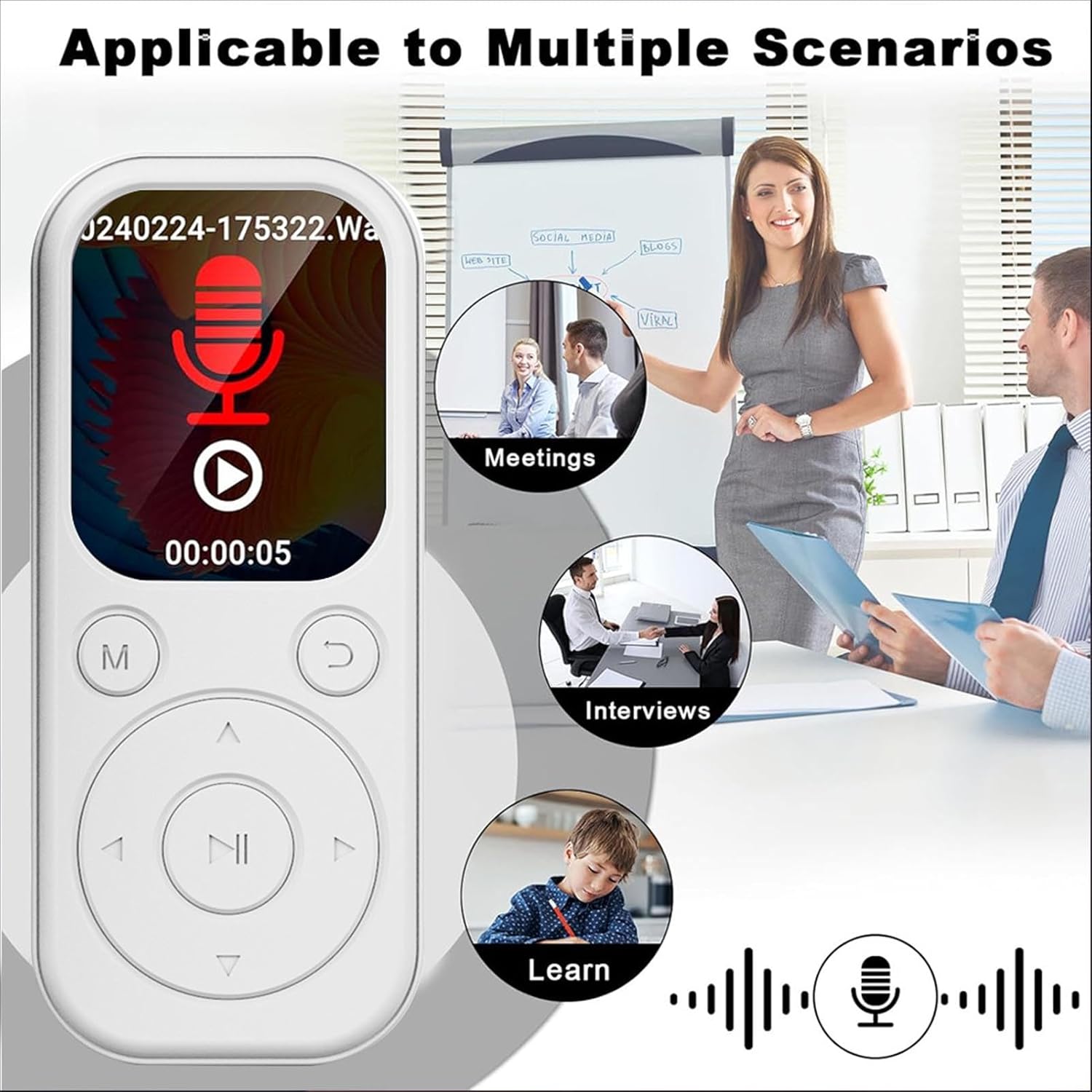
Image: MP3 Player showing its recording function, suitable for various scenarios.
5.6 Электрондук китеп окугуч
The MP3 player supports TXT format e-books. Transfer your TXT files to the device's storage and select the 'Ebook' icon to read them on the 2.01-inch screen.
5.7 Video and Picture Viewer
The device can play videos with a resolution of 240x288 in AVI format and display pictures. Use the 'Video' and 'Picture' icons to access these functions.
6. Техникалык тейлөө
- Аппаратты кургак кармаңыз. ным же суюктуктардын таасиринен алыс болуңуз.
- Экранды жана корпусту жумшак, кургак чүпүрөк менен тазалаңыз. Абразивдүү тазалоочу каражаттарды колдонбоңуз.
- Ашыкча температурадан алыс болуңуз. Түзмөктү түз күн нуруна же өтө суук чөйрөгө калтырбаңыз.
- Этияттык менен колдонуңуз. Түзмөктү түшүрүп албаңыз же катуу соккуга дуушар кылбаңыз.
- Колдонулбаган учурда коопсуз жерде сактаңыз.
7. Кыйынчылыктарды
7.1 Түзмөк күйбөйт
- Батарея заряддалганын текшериңиз. Түзмөктү кубат булагына туташтырыңыз жана аны кайра күйгүзүү аракетинен мурун кеминде 15 мүнөт кубаттоого уруксат бериңиз.
- Эгер түзмөк жооп бербесе, жумшак баштапкы абалга келтирүүнү аткарып көрүңүз (эгер мүмкүн болсо, түзмөктүн атайын баштапкы абалга келтирүү процедурасын караңыз же кубат баскычын узак убакытка чейин басып туруңуз).
7.2 Bluetooth түзмөгүнө туташуу мүмкүн эмес
- Ensure both the MP3 player and the Bluetooth audio device are in pairing mode.
- Verify that the Bluetooth audio device is within range (typically 10 meters or 33 feet).
- Confirm that the Bluetooth function on the MP3 player is enabled.
- Remember that the MP3 player's Bluetooth only connects to headphones and speakers, not other devices like phones.
7.3 No Sound from Headphones
- Үндүн көтөрүлгөндүгүн текшериңиз.
- Ensure headphones are properly plugged into the 3.5mm jack.
- Test with another pair of headphones to rule out a faulty headphone issue.
8. Техникалык шарттар
| Элемент түрү | MP3 Player |
| Модель номери | CUIFATIu1wiqvc6xd-13 |
| Материал | ABS |
| Өлчөмдөрү (LxWxT) | 92 x 39.8 x 8mm / 3.62 x 1.57 x 0.31in |
| Салмагы | 26g / 0.9 oz (approx.) |
| Түс | Ак |
| Батарея | Камтылган 500mAh Li-ion батареясы |
| Экран | 2.01 дюйм |
| Bluetooth версиясы | 5.4 |
| Заряддоо порту | Type-C |
| Наушник уясы | 3.5мм |
| Video Resolution | 240x288 |
| Video Format | AVI |
| Электрондук китеп форматы | TXT |
| Колдоого алынган операциялык системалар | For Vista, for OS X 10, 12 above |
| Программа тили | English, French, German, Russian, Spanish, Korean |
9. Кепилдик жана колдоо
For warranty information and customer support, please refer to the documentation provided with your purchase or contact the retailer. Specific warranty terms may vary by region and seller.