
1. Киришүү
This manual provides detailed instructions for the setup, operation, maintenance, and troubleshooting of your NIMO Mini PC Desktop, Model DNB1. Please read this manual thoroughly before using the device to ensure proper functionality and to maximize your user experience. Keep this manual for future reference.

Image 1.1: The NIMO Mini PC Desktop DNB1, a compact and powerful computing device.
2. Кутуда эмне бар
Carefully unpack your NIMO Mini PC Desktop and verify that all items listed below are included:
- NIMO Mini PC Desktop (DNB1)
- Колдонуучунун Колдонмосу (бул документ)
- Кронштейн орнотуу
- Кубаттуу адаптер

Image 2.1: Contents of the NIMO Mini PC Desktop packaging, including the Mini PC, user manual, VESA mount, and power adapter.
3. Продукт бүтүп калдыview
The NIMO Mini PC Desktop DNB1 is designed for versatility and performance. Familiarize yourself with its various ports and features.
3.1. Front and Rear Panel Interfaces

Сүрөт 3.1: Детальдуу view of the NIMO Mini PC Desktop DNB1's interfaces, including USB, HDMI, LAN, Type-C, and power ports.
- DC-IN порту: Кубат адаптерине туташат.
- USB 3.2 Type-A порттору (x3): For connecting peripherals such as keyboards, mice, and external storage devices.
- HDMI 2.0 порттору (x2): For connecting to displays, supporting up to 4K resolution.
- LAN порту (Gigabit Ethernet): Зымдуу тармак туташуусу үчүн.
- Аудио порт: Наушниктерди же тышкы динамиктерди туташтыруу үчүн.
- Type-C Port (Multifunction): Supports data transfer and display output.
- SD картаны окугуч: SD эстутум карталарына окуу жана жазуу үчүн.
- Кубат баскычы: Аппаратты күйгүзүү же өчүрүү үчүн.
- Калыбына келтирүү баскычы: Түзмөктү кайра иштетүү үчүн.
4. Орнотуу колдонмосу
Follow these steps to set up your NIMO Mini PC Desktop.
4.1. Баштапкы байланыш
- Перифериялык түзүлүштөрдү туташтыруу: Connect your keyboard, mouse, and any other USB devices to the available USB 3.2 ports.
- Дисплей(лер)ди туташтырыңыз: Connect your monitor(s) to the HDMI 2.0 ports. The Mini PC supports up to three 4K displays simultaneously.
- Тармакка туташуу (милдеттүү эмес): For a wired internet connection, connect an Ethernet cable to the LAN port. For wireless, ensure your WiFi network is available during initial setup.
- Туташуу кубаты: Кубат адаптерин Мини компьютердеги DC-IN портуна сайыңыз, андан кийин адаптерди розеткага сайыңыз.
4.2. VESA монтаждоо
Комплекттеги VESA орнотуусу Mini PCти шайкеш келген монитордун артына же дубалга бекитүүгө мүмкүндүк берет, бул столдун мейкиндигин үнөмдөйт.
- Attach the VESA bracket to the back of your monitor using the provided screws. Ensure the monitor has VESA mounting holes (typically 75x75mm or 100x100mm).
- Slide the NIMO Mini PC Desktop onto the mounted bracket until it clicks securely into place.
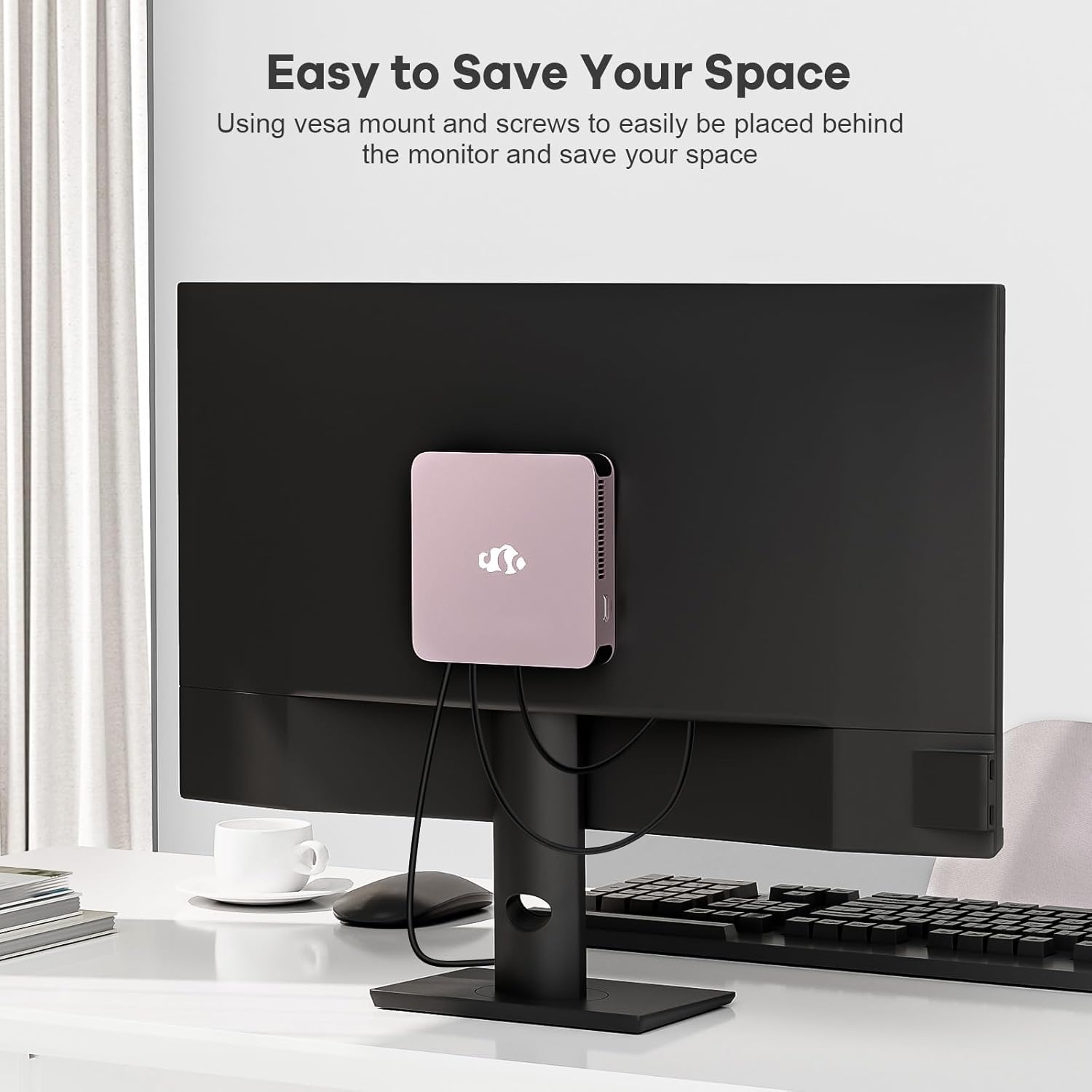
Image 4.1: The NIMO Mini PC Desktop DNB1 mounted on the back of a monitor using the VESA bracket, demonstrating space-saving placement.
5. Иштөө нускамалары
5.1. Күйгүзүү / Өчүрүү
- Күйгүзүү үчүн: Press the Power Button once. The power indicator light will illuminate.
- Өчүрүү үчүн: From the operating system, select 'Shut Down'. Alternatively, press and hold the Power Button for 5-7 seconds to force a shutdown (use only when necessary).
5.2. Баштапкы жүктөө жана Windows 11 орнотуу
Upon first power-on, the system will guide you through the Windows 11 setup process. Follow the on-screen prompts to configure language, region, network, and user accounts.
5.3. Тармактарга туташуу
- Зымдуу туташуу: If an Ethernet cable is connected to the LAN port, the system will automatically detect and connect to the wired network.
- Wireless Connection (WiFi 6): Access the network settings in Windows 11, select your desired WiFi network, and enter the password.
- Bluetooth байланышы (Bluetooth 5.2): Enable Bluetooth in Windows 11 settings, search for devices, and pair with your Bluetooth peripherals.
5.4. Using Multiple Displays
The NIMO Mini PC supports up to three 4K displays. Connect your monitors to the available HDMI and Type-C ports. Windows 11 display settings allow you to extend, duplicate, or show only on one display.

Image 5.1: The NIMO Mini PC Desktop DNB1 supporting a triple monitor 4K display setup, enhancing productivity and multimedia experiences.
6. Техникалык тейлөө
Тийиштүү техникалык тейлөө сиздин мини-компьютериңиздин узак мөөнөттүү иштешин жана оптималдуу иштешин камсыз кылат.
- Тазалоо: Use a soft, dry cloth to clean the exterior of the Mini PC. For dust in vents, use compressed air. Do not use liquid cleaners directly on the device.
- Вентиляция: Ensure the ventilation openings are not blocked to prevent overheating. Operate the device in a well-ventilated area.
- Программалык камсыздоо жаңыртуулары: Коопсуздукту жана натыйжалуулукту сактоо үчүн Windows операциялык тутумуңузду жана драйверлерди дайыма жаңыртып туруңуз.
- Маалыматтын камдык көчүрмөсү: Маанилүү маалыматтардын камдык көчүрмөсүн мезгил-мезгили менен тышкы дискке же булут сактагычына сактап туруңуз.
7. Кыйынчылыктарды
Бул бөлүм сиз кабылышы мүмкүн болгон жалпы көйгөйлөрдү карайт.
7.1. Күч жок
- Кубат адаптери Мини компьютерге жана иштеген электр розеткасына бекем туташып турганын текшериңиз.
- Башка аспапка сайып, розетка иштеп жатканын текшериңиз.
- Электр адаптеринде көрүнгөн зыяндын бар-жоктугун текшериңиз.
7.2. Дисплейдин чыгышы жок
- Confirm that the monitor is powered on and set to the correct input source (HDMI, Type-C).
- Check that the HDMI or Type-C cable is securely connected to both the Mini PC and the monitor.
- Башка дисплей кабелин же бар болсо мониторду колдонуп көрүңүз.
7.3. Интернет байланышы жок
- текст: Ensure the Ethernet cable is properly connected and your router/modem is working.
- Зымсыз: Check WiFi settings in Windows 11, ensure WiFi is enabled, and you are connected to the correct network with the correct password. Restart your router/modem if necessary.
7.4. Peripherals Not Responding
- Перифериялык түзүлүштү башка USB портуна туташтырууга аракет кылыңыз.
- Перифериялык драйверлердин орнотулганын жана жаңыртылганын текшериңиз.
- Test the peripheral on another computer if possible.
8. Техникалык шарттар
Detailed technical specifications for the NIMO Mini PC Desktop DNB1.
| Өзгөчөлүк | Спецификация |
|---|---|
| Модел | DNB1 |
| Процессор | Intel 12th Gen N100 (up to 3.4 GHz) |
| Cores/Treads | 4 өзөк / 4 жип |
| Графика | Intel UHD графикасы |
| RAM | 16 ГБ DDR5 |
| Сактагыч | 512 ГБ PCIe SSD |
| Max Screen Resolution | 3840x2160 пиксел (4K) |
| Display Output | 2x HDMI 2.0, 1x Type-C (supports triple display) |
| USB порттору | 3x USB 3.2 Type-A, 1x USB Type-C |
| Network | Gigabit Ethernet (LAN), WiFi 6 |
| Bluetooth | Bluetooth 5.2 |
| Операция системасы | Windows 11 |
| Элемент Салмагы | 1.76 фунт |
| Power Source | DC |

Image 8.1: Summary of key features including Intel 12th Gen N100 processor, 4K Ultra HD support, Bluetooth 5.2, LPDDR5, WiFi 6, and PCIe SSD.
9. Кепилдик жана колдоо
NIMO is committed to providing excellent customer service and product reliability.
- Кайтаруу саясаты: You may request a return or exchange within 90 days of purchase.
- Техникалык колдоо: The NIMO Mini PC Desktop comes with 2 years of technical support. If you encounter any issues, please contact our dedicated customer support team for assistance.
For support, please refer to the contact information provided with your purchase or visit the official NIMO webсайт.