
1. Киришүү
This manual provides essential information for setting up, operating, maintaining, and troubleshooting your GIGABYTE AORUS Elite 16 BWH gaming laptop. The AORUS Elite 16 BWH is designed for high-performance gaming and demanding applications, featuring an Intel Core Ultra 9 processor, NVIDIA GeForce RTX 5070 laptop GPU, a 16-inch WQXGA 165Hz display, and Windows 11 Pro.
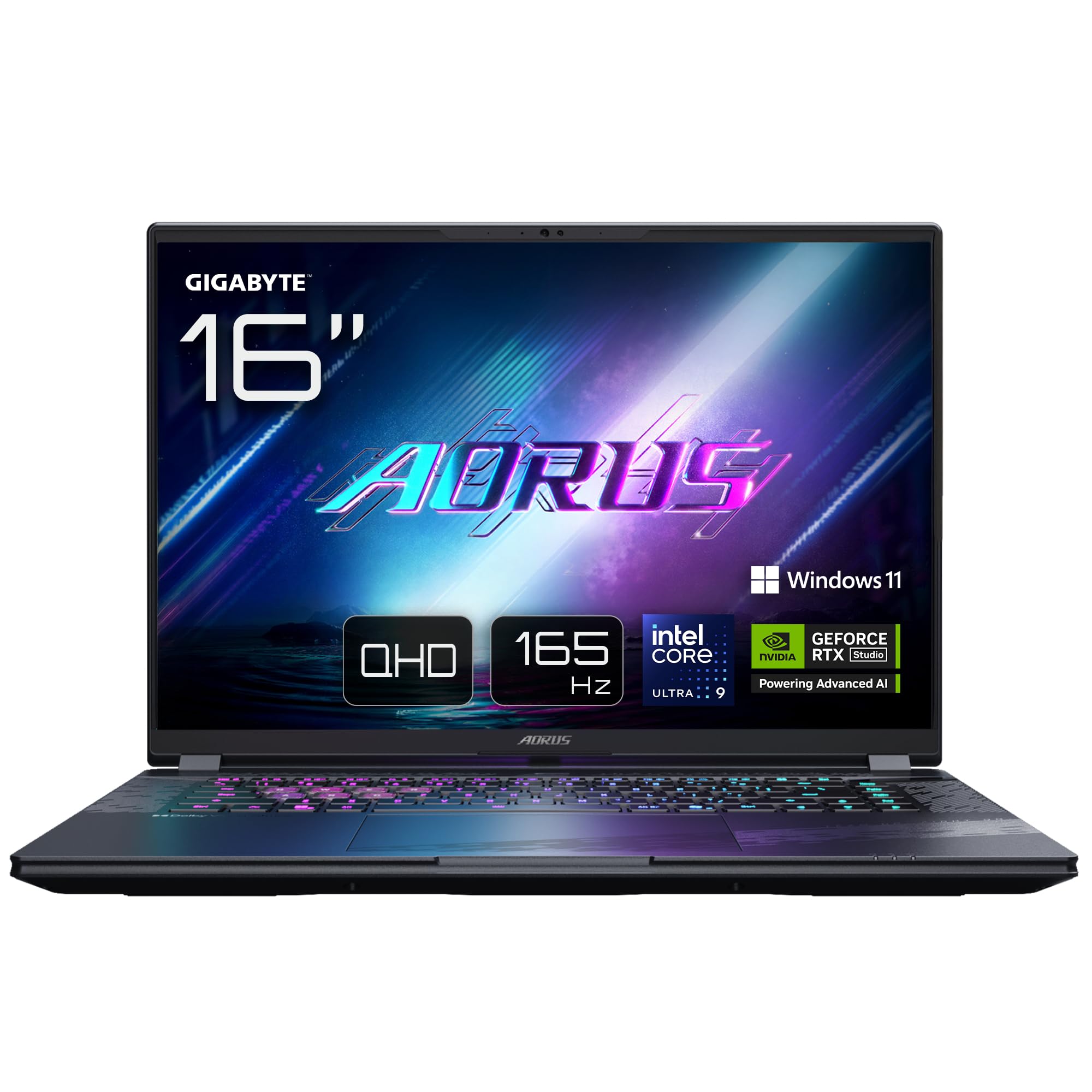
Image: The GIGABYTE AORUS Elite 16 BWH gaming laptop, showcasing its open display and keyboard.
2. Орнотуу
2.1 Кутудан чыгаруу жана алгачкы текшерүү
Ноутбукту жана бардык аксессуарларды таңгактан этияттык менен алып чыгыңыз. "Кутунун ичинде эмне бар" бөлүмүндө көрсөтүлгөн бардык компоненттердин бар экенин жана бузулбаганын текшериңиз.
- GIGABYTE AORUS ELITE 16 BWHC3FRC65SP Laptop
- Кубаттуу адаптер жана кабель
- Документтер (бул колдонмо, кепилдик картасы)
2.2 Кубатты туташтыруу
Connect the power adapter to the laptop's power input port and then plug the power cable into an electrical outlet. It is recommended to fully charge the battery before initial use.
2.3 Биринчи күйгүзүү
Press the power button to turn on the laptop. Follow the on-screen instructions to complete the Windows 11 Pro setup process, including language selection, network connection, and user account creation.
2.4 Перифериялык түзүлүштөрдү жана тармакты туташтыруу
The laptop features various ports for connecting external devices and networks.
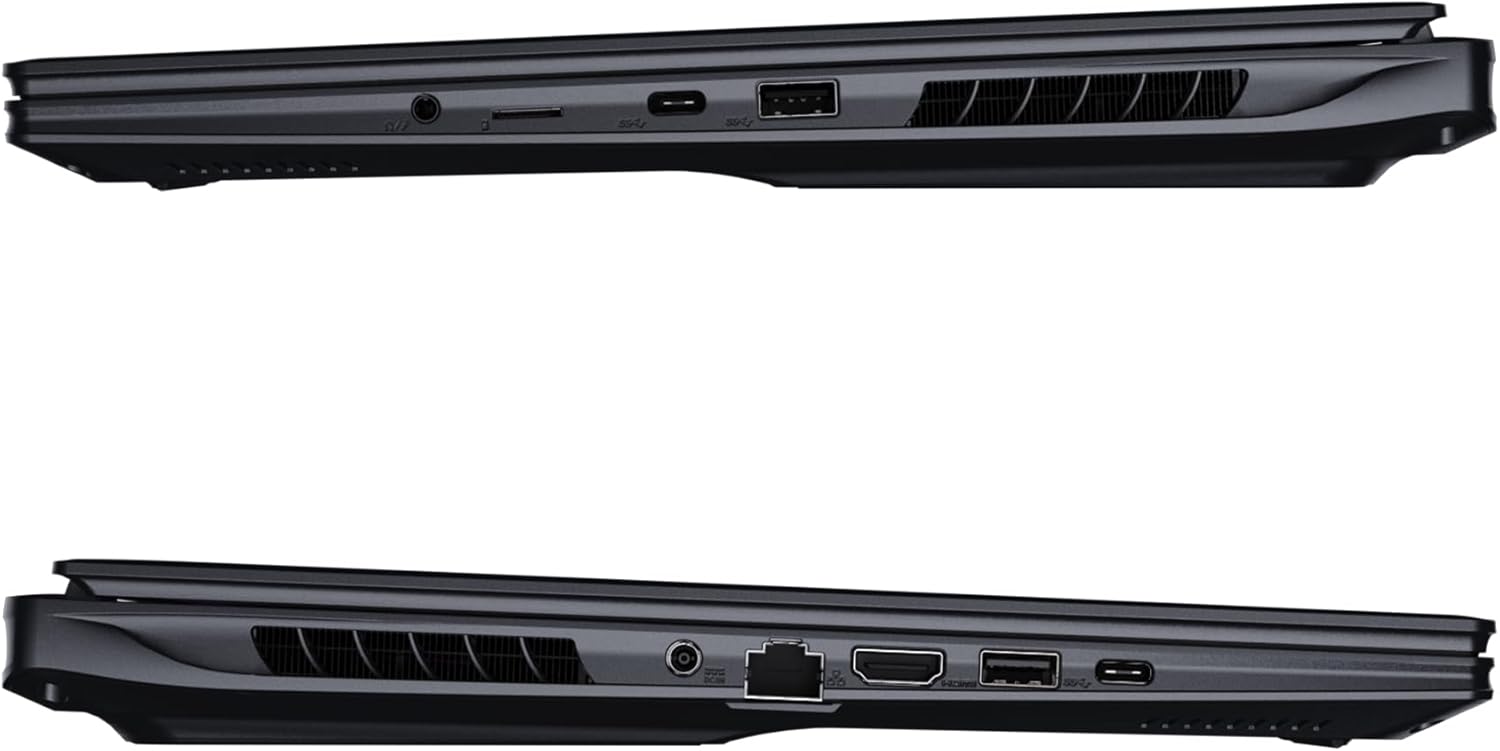
Сүрөт: каптал view of the laptop illustrating the available ports for connectivity.
- USB порттору: Чычкан, клавиатура же тышкы сактагыч сыяктуу USB түзмөктөрүн туташтырыңыз.
- HDMI порту: Connect to an external display or TV.
- Thunderbolt 4 порту: жогорку ылдамдыктагы маалыматтарды берүү жана дисплей чыгаруу үчүн.
- Ethernet порту: Зымдуу тармак туташуусу үчүн.
- Гарнитура уячасы: Кулакчындарга же тышкы динамиктерге аудио чыгаруу үчүн.
- Wi-Fi 7: Connect to wireless networks via the integrated Wi-Fi 7 module.
- Bluetooth 5.4: Bluetooth иштетилген түзмөктөр менен жупташтыруу.
3. Ноутбугуңузду иштетүү
3.1 Дисплейдин өзгөчөлүктөрү
Your AORUS Elite 16 BWH features a 16-inch WQXGA (2560x1600) IPS display with a 165Hz refresh rate and 16:10 aspect ratio, offering a wide viewing experience. It supports Dolby Vision for enhanced visual quality and is Pantone validated for color accuracy.

Image: The laptop's 16:10 aspect ratio display, highlighting its IPS panel and Pantone validation.
3.2 Баскычтоп жана сенсордук такта
The laptop is equipped with a backlit keyboard for comfortable typing in various lighting conditions and a responsive touchpad for navigation.
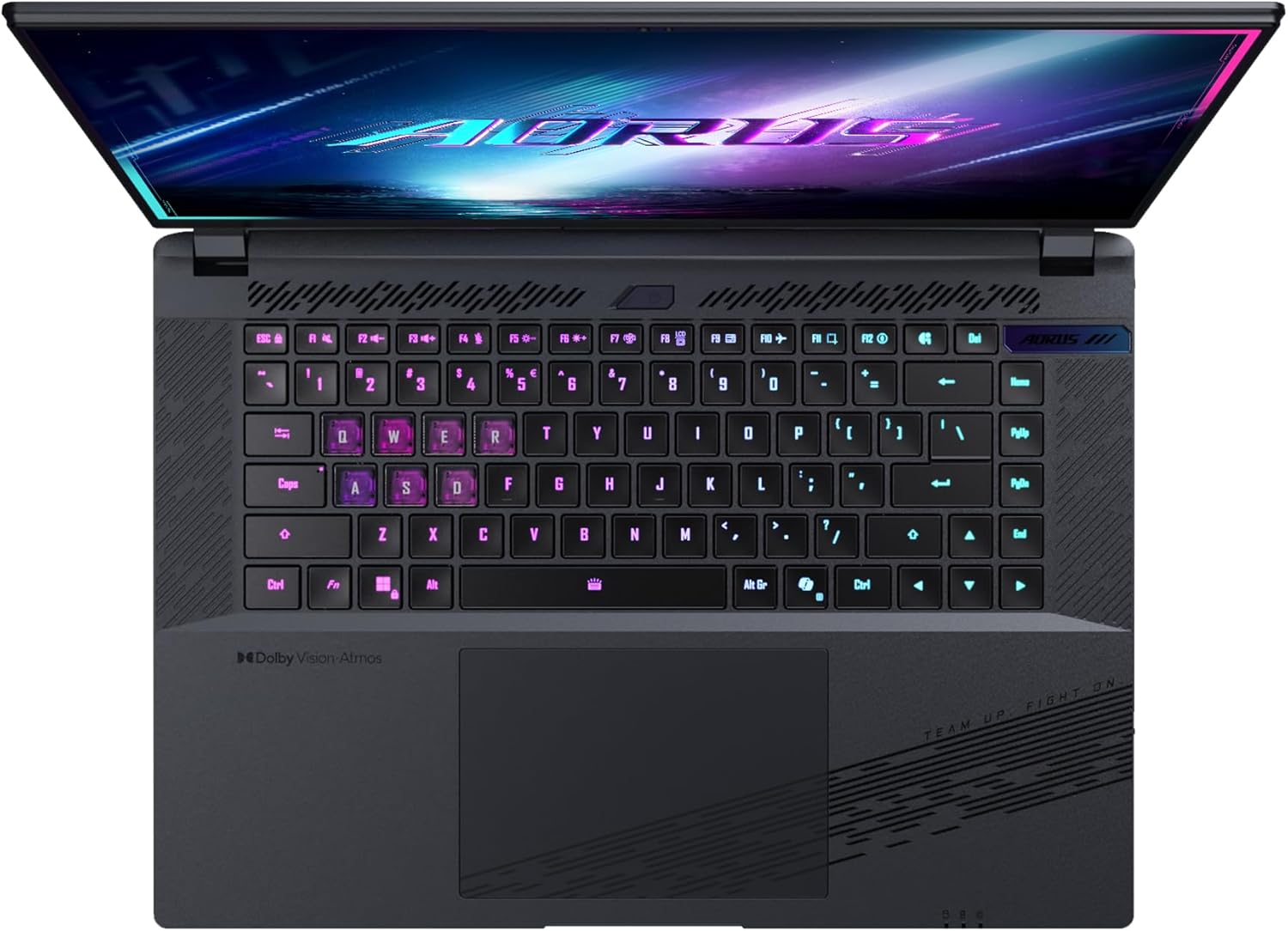
Сүрөт: жогорудан төмөнгө view of the laptop's keyboard, showcasing its backlit keys.
The keyboard also features a dedicated Copilot Key for quick access to AI functionalities in Windows 11.

Image: Close-up of the keyboard, highlighting the Copilot Key for AI features.
3.3 Аудио системасы
Experience immersive audio with Dolby Atmos support and integrated 2W speakers. The laptop also includes a built-in microphone for communication.

Image: Visual representation of Dolby Atmos and Dolby Vision audio and visual enhancements.
3.4 Аткаруу өзгөчөлүктөрү
The AORUS Elite 16 BWH is powered by an Intel Core Ultra 9 processor with an integrated NPU for AI acceleration and an NVIDIA GeForce RTX 5070 laptop GPU, ensuring high performance for gaming and demanding tasks. It also features Advanced Optimus with DDS Technology for optimized graphics performance.

Сүрөт: деталдуу view of the Intel Core Ultra 9 processor chip.

Сүрөт: деталдуу view of the NVIDIA GeForce RTX 50 Series laptop GPU chip.
3.5 GiMATE AI Agent
Utilize GiMATE, your personal AI agent, to optimize performance, manage smart cooling, enhance privacy, control power settings, and improve audio and voice functionalities.

Image: GiMATE AI Agent interface showing various optimization features.
4. Техникалык тейлөө
4.1 Муздатуу системасы
The laptop features the WINDFORCE Infinity cooling system to maintain optimal temperatures during intensive use. Ensure the vents are clear of obstructions to allow proper airflow.

Image: Representation of the WINDFORCE Infinity cooling system.
4.2 Тазалоо
Экранды жана сырткы беттерди тазалоо үчүн жумшак, мамыксыз чүпүрөктү колдонуңуз. Өжөр тактар үчүн,ampчүпүрөккө бир аз суу же экранды тазалоочу эритме менен. Катуу химиялык заттардан алыс болуңуз.
4.3 Батареяга кам көрүү
To prolong battery life, avoid extreme temperatures and do not leave the laptop fully charged or fully discharged for extended periods.
4.4 Программалык камсыздоо жаңыртуулары
Regularly update your Windows operating system, drivers, and GIGABYTE software to ensure optimal performance and security.
5. Кыйынчылыктарды
5.1 Электр энергиясы маселелери
- Ноутбук күйбөйт: Кубат адаптери бекем туташтырылганын жана розетка иштеп турганын текшериңиз. Батареянын зарядынын деңгээлин текшериңиз.
- Батарея кубатталбай жатат: Кубат адаптери жана кабели бузулбаганын текшериңиз. Башка розеткадан аракет кылып көрүңүз.
5.2 Дисплей маселелери
- Дисплей жок: Connect an external monitor to check if the issue is with the laptop's screen. Ensure the laptop is powered on.
- Жаркылдаган же бурмаланган дисплей: Графикалык драйверлерди жаңыртуу. Тышкы монитор колдонулса, дисплей кабелдик байланыштарын текшериңиз.
5.3 Байланыш маселелери
- Wi-Fi туташпай жатат: Windows жөндөөлөрүндө Wi-Fi иштетилгенин текшериңиз. Роутериңизди жана ноутбукту өчүрүп күйгүзүңүз.
- Bluetooth түзмөгү жупташкан жок: Ensure the device is in pairing mode and within range. Update Bluetooth drivers.
5.4 Жалпы аткаруу маселелери
- Жай аткаруу: Close unnecessary applications. Check for malware. Ensure sufficient free disk space.
- Ашыкча ысып кетүү: Ensure cooling vents are clear. Use the laptop on a hard, flat surface.
For more complex issues, refer to the GIGABYTE support webсайтка же кардарларды тейлөөгө кайрылыңыз.
6. Техникалык шарттар
| Өзгөчөлүк | Деталь |
|---|---|
| Бренд | GIGABYTE |
| Модель аты | AORUS ELITE 16 BWHC3FRC65SP |
| Screen Size | 16 дюйм |
| Түс | Боз |
| Катуу дисктин өлчөмү | 2000 GB (2x 1TB SSD Gen4) |
| CPU модели | Intel Core Ultra 9 275HX |
| Орнотулган RAM өлчөмү | 32 ГБ DDR5 |
| Операция системасы | Windows 11 Pro |
| Өзгөчө өзгөчөлүк | Backlit Keyboard, Memory Card Slot |
| Графикалык картанын сүрөттөлүшү | арналган |
| Графикалык сопроцессор | NVIDIA GeForce RTX 5070 |
| Hard Disk Technology | SSD |
| Элемент Салмагы | 2300 грамм |
| Webcam Capability | Yes (Frontal) |
| Графикалык картанын RAM өлчөмү | 8 ГБ GDDR6 |
| Колдоого алынган максималдуу RAM | 64 ГБ |
| Батареянын энергия мазмуну | 99 Watt-hours (Lithium-polymer, 4 cells) |
| Байланыш | Bluetooth 5.4, Ethernet (10/1000 Mbit/s), HDMI (1 port), Thunderbolt 4 (1 port), USB 3.2 Gen 2 (2 ports), Wi-Fi 7 (802.11.be) |
| Процессордун ылдамдыгы | 2.7 GHz (Max 5.4 GHz) |
| Процессорлордун саны | 24 |
| Screen Resolution | 2560 x 1600 пиксел (WQXGA) |
| Дисплей түрү | IPS LCD |
| Аудио өзгөчөлүктөрү | Dolby Atmos, 2x 2W Integrated Speakers, Integrated Microphone |
7. Кепилдик маалыматы
Your GIGABYTE AORUS Elite 16 BWH laptop comes with a 2 жылдык чектелген кепилдик. This warranty covers manufacturing defects and hardware malfunctions under normal use. Please retain your proof of purchase for warranty claims. For detailed terms and conditions, refer to the warranty card included with your product or visit the official GIGABYTE webсайт.
8. Колдоо
For technical assistance, driver downloads, and further product information, please visit the official GIGABYTE support webсайт. Сиз ошондой эле көп берилүүчү суроолорду жана коомдук форумдарды ал жерден таба аласыз.
- GIGABYTE расмий Webсайт: www.gigabyte.com
- Кардарларды тейлөө: Refer to your regional GIGABYTE webжергиликтүү байланыш маалыматы үчүн сайт.