
Introduction
Thank you for choosing the EBTOOLS 720P USB Dash Camera DVR. This device is designed to enhance your driving safety and provide reliable video recording on the road. Featuring a 720P resolution, a 170-degree wide-angle lens, and Advanced Driver Assistance System (ADAS) functions, it captures clear footage and offers intelligent driving support. Its compact, curved zinc alloy body ensures discreet installation. Please read this manual thoroughly to understand the product's functions and ensure proper use.
Продукт өзгөчөлүктөрү
- Crystal Clear Recordings: Captures high-definition 720P video and images, even at high speeds.
- Durable Alloy Exterior: Features a sophisticated curved zinc alloy body, designed for durability and aesthetics.
- Колдонууга оңой: Simple plug-and-play operation with no additional wiring required. Records automatically upon vehicle ignition.
- ADAS Driving Assistance: Includes features such as fatigue detection, front car start reminder, and lane departure warning for safer driving.
- Hidden Mini Design: Compact size allows for discreet installation behind the rearview mirror, ensuring an unobstructed view and enhanced safety.

Сүрөт: бүттүview of the EBTOOLS USB Dash Camera highlighting its key features.
Пакеттин мазмуну
Сураныч, пакетте төмөнкү нерселерди текшериңиз:
- 1 x Main Unit (Dash Camera)
- 1 x USB кабели
- 1 x User Manual
Жайгашуу
- TF картасын салыңыз: Locate the TF memory card socket on the device. Insert a compatible TF card (up to 32GB, not included) into the slot. Ensure the card is inserted in the correct direction.
- Монтаждоо: Алдыңкы айнегиңизге, адатта арткы айнегиңиздин артына, ылайыктуу жерди тандаңызview тоскоолдуксуз камсыз кылуу үчүн күзгү view. Use the fixed adhesive provided to securely attach the dash camera.
- Туташуу кубаты: Insert the USB cable into the dash camera's USB port and connect the other end to your car's USB power source or a compatible car charger.
- Connect to Navigation System (Optional): If your car has a compatible retrofitting navigation system, insert the USB cable into it to enable viewing and control via the car's display.
- Камеранын бурчун тууралоо: The camera head offers 90° rotation. Adjust the video head to capture the desired field of view.

Image: Labeled diagram of the dash camera components and connection points.
Иштөө нускамалары
- Автоматтык жаздыруу: Once the dash camera is connected to power and the vehicle ignition is turned on, the device will automatically power on and begin recording.
- ViewЖаздыруулар: үчүн view recorded videos or photos, you can either connect the dash camera to a computer using the USB cable (it will function as a removable disk) or remove the TF card and insert it into a card reader connected to a computer.
- G-sensor функциясы: The built-in G-sensor detects sudden movements or impacts (e.g., collisions) and automatically locks the current video file to prevent it from being overwritten during loop recording.
- ADAS өзгөчөлүктөрү: The Advanced Driver Assistance System provides alerts for various driving conditions. These may include lane departure warnings, front vehicle start reminders, and fatigue detection. Ensure the camera has a clear view of the road for optimal ADAS performance.
- Үн жаздыруу: The device supports voice recording, capturing audio inside the vehicle along with video footage.

Image: Visual representation of the ADAS system in action, detecting vehicles and potential hazards.
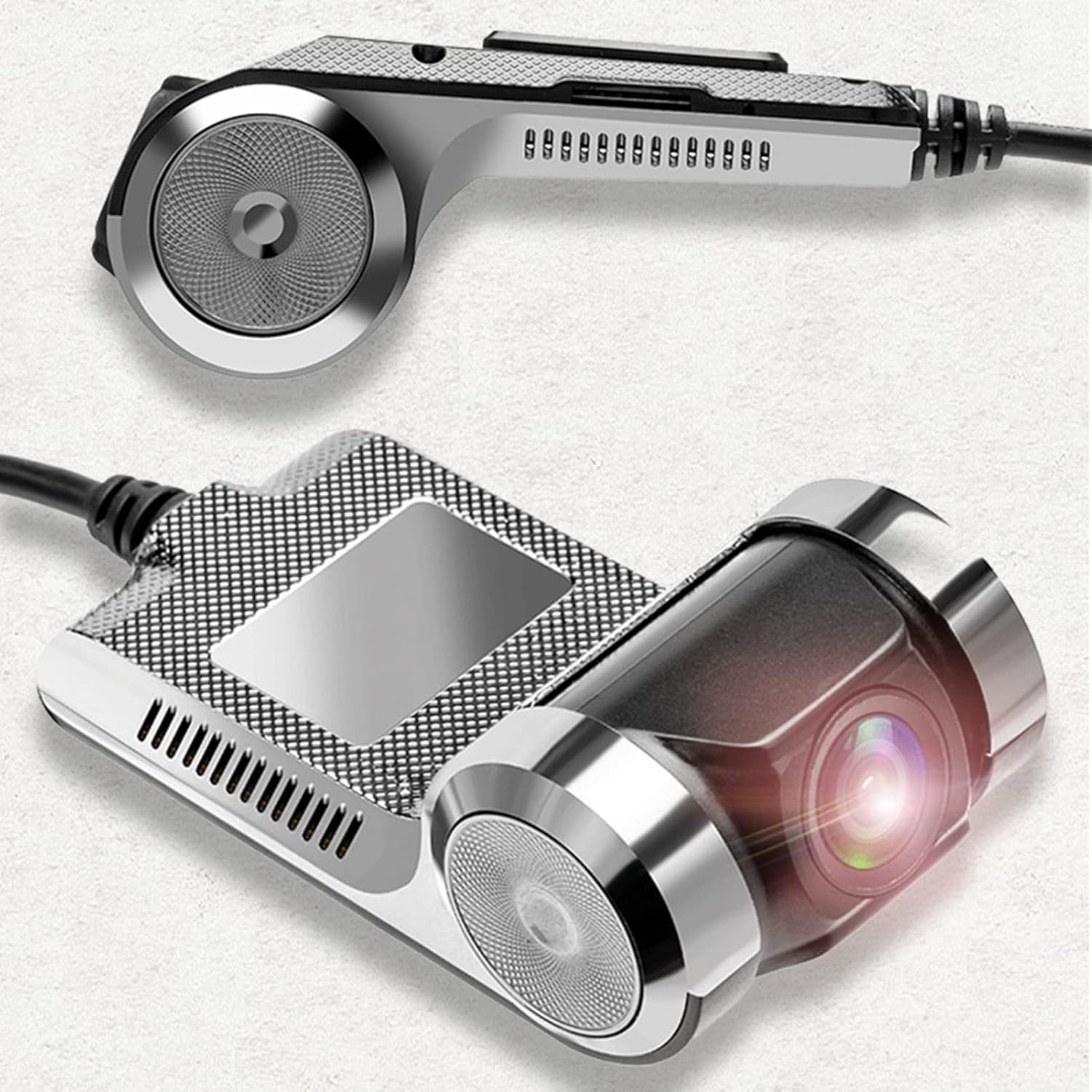
Image: Explanation of specific ADAS functions provided by the dash camera.
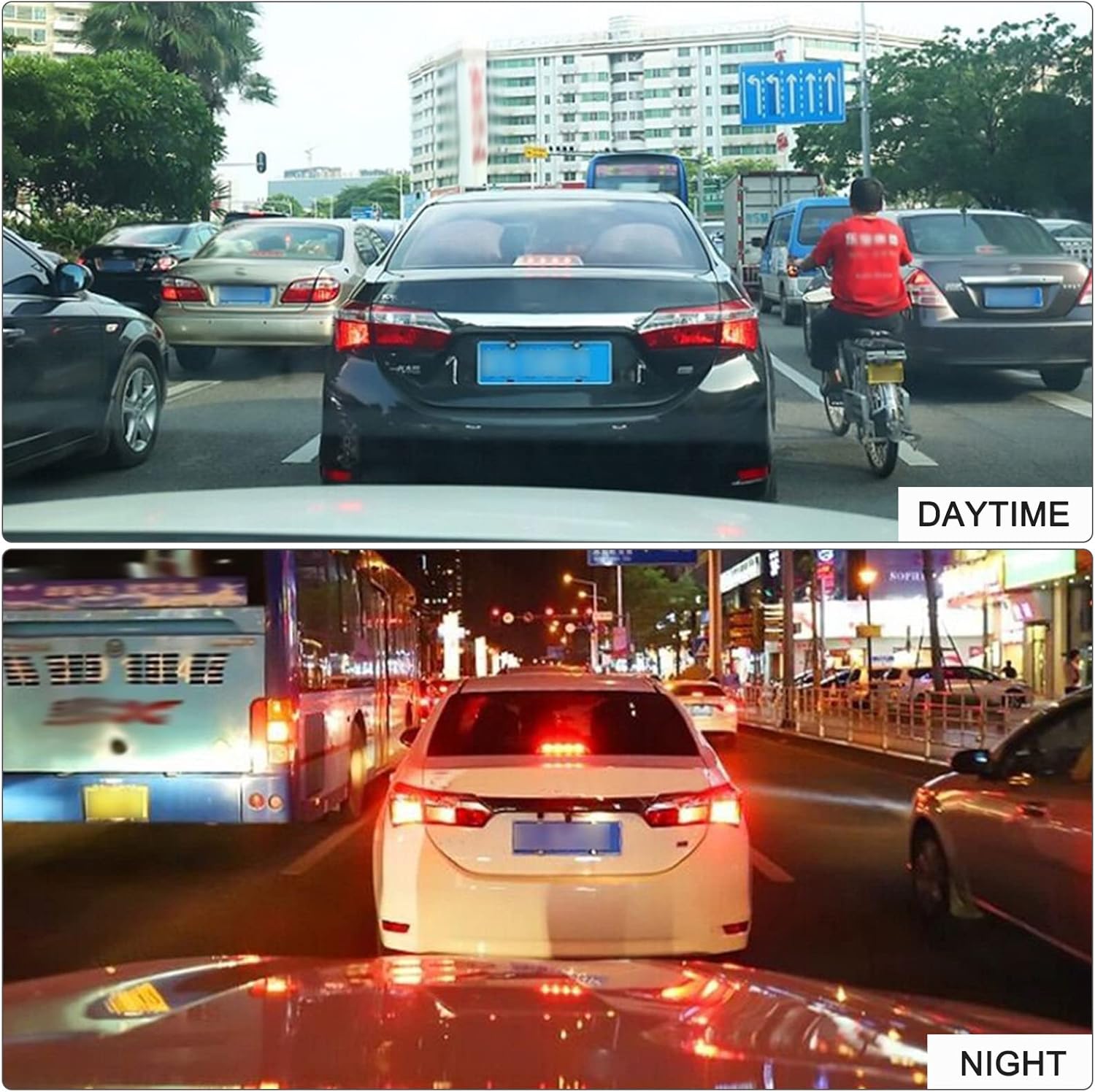
Сүрөт: Мисamples of daytime and nighttime recording quality.
Техникалык тейлөө
- Тазалоо: Use a soft, dry cloth to clean the camera lens and body. Avoid using abrasive cleaners or solvents that may damage the device.
- Эстутум картасын башкаруу: Regularly format your TF card (at least once a month) to ensure optimal performance and prevent data corruption. Back up important recordings before formatting.
- Температура: Avoid exposing the device to extreme temperatures, direct sunlight for prolonged periods, or high humidity, as this can affect its lifespan and performance.
- Программалык камсыздоонун жаңыртуулары: Өндүрүүчүнү текшериңиз webТүзмөгүңүздө эң акыркы функциялар жана каталарды оңдоо бар экенине ынануу үчүн, мезгил-мезгили менен сайтты микропрограммалык камсыздоонун бардык жеткиликтүү жаңыртуулары үчүн карап туруңуз.
Проблемаларды чечүү
- Түзмөк күйбөйт:
- Ensure the USB cable is securely connected to both the dash camera and a working power source in your vehicle. Check the vehicle's power outlet or USB port for functionality.
- Recording is not starting:
- Verify that a TF card is properly inserted and that it has sufficient free space. If the card is full, format it (after backing up important data). Ensure the vehicle ignition is on.
- Видеонун сапаты начар:
- Clean the camera lens. Ensure the protective film has been removed from the lens. Check if the camera angle is correctly adjusted and not obstructed.
- ADAS features are not working correctly:
- Камеранын ачык, тоскоолдуксуз болушун текшериңиз view of the road ahead. ADAS performance can be affected by weather conditions, lighting, and road markings. Recalibrate if an option is available.
- Түзмөк катып калат же иштебей калат:
- Try resetting the device by disconnecting and reconnecting the power. If the issue persists, format the TF card. Contact customer support if the problem continues.
Техникалык шарттар
| Бренд аты | EBTOOLS |
| Модель номери | EBTOOwqkxysdoaz |
| Түс | Кара |
| Материал | Цинк эритмеси |
| Айлануу бурч | 90° |
| Экранды көрсөтүү | Жок |
| CPU | JR3272 (High-end chip) |
| Resolution Recording | 720P (1280 * 960) |
| Фото формат | JPEG |
| Эстутум картасын колдоо | TF Card, Max 32GB (not included) |
| Баяндамачы | Ооба |
| G-сенсор | Колдоого алынган |
| Removable Disk Function | Колдоого алынган |
| Үн жаздыруу | Колдоого алынган |
| GPS | Жок |
| Back Camera Support | Жок |
| ADAS | ADAS Intelligent Driving Support |
| Пакеттин өлчөмдөрү | 14 x 10 x 5 см |
| Пакет Салмагы | 185 г |
Кепилдик жана колдоо
EBTOOLS products are designed for reliability and performance. For warranty information, please refer to the specific terms provided at the time of purchase or contact your retailer. If you encounter any issues or have questions regarding your EBTOOLS 720P USB Dash Camera DVR, please reach out to the seller or EBTOOLS customer support for assistance. Keep your purchase receipt as proof of purchase for any warranty claims.