
1. Киришүү
The Vipdream Wireless Headset with Mic for Work, Model BT-881C, is designed for clear communication and comfort in various professional and personal settings. Featuring Bluetooth 6.0 connectivity, AI noise-cancelling microphone, and a long-lasting battery, this headset is ideal for office use, remote work, and online meetings.
2. Пакеттин мазмуну
- Vipdream Wireless Headset (Model BT-881C)
- Кубаттоочу станция
- USB-C заряддоо кабели
- User Manual
- Ташуу баштыгы

Image 2.1: The Vipdream Wireless Headset with its charging dock, showcasing пакетке кирген негизги компоненттер.
3. Продукт бүтүп калдыview
3.1 Негизги өзгөчөлүктөрү
- Жасалма интеллект ызы-чууну жокко чыгаруу: Filters up to 99.9% of background noise for clear calls.
- Узартылган батареянын иштөө мөөнөтү: Up to 45 hours of call time.
- Зымсыз туташуу: Bluetooth 6.0 for stable connections up to 49 feet (15 meters).
- Ыңгайлуу дизайн: Soft protein ear pads, adjustable headband, and 270° rotatable microphone for all-day wear.
- Бир чыкылдатуу менен үнүн басуу: Quickly activate privacy mode during calls.
- Жалпы шайкештик: Works with PC, iPhone, Android devices, and platforms like Zoom, Microsoft Teams, Skype.
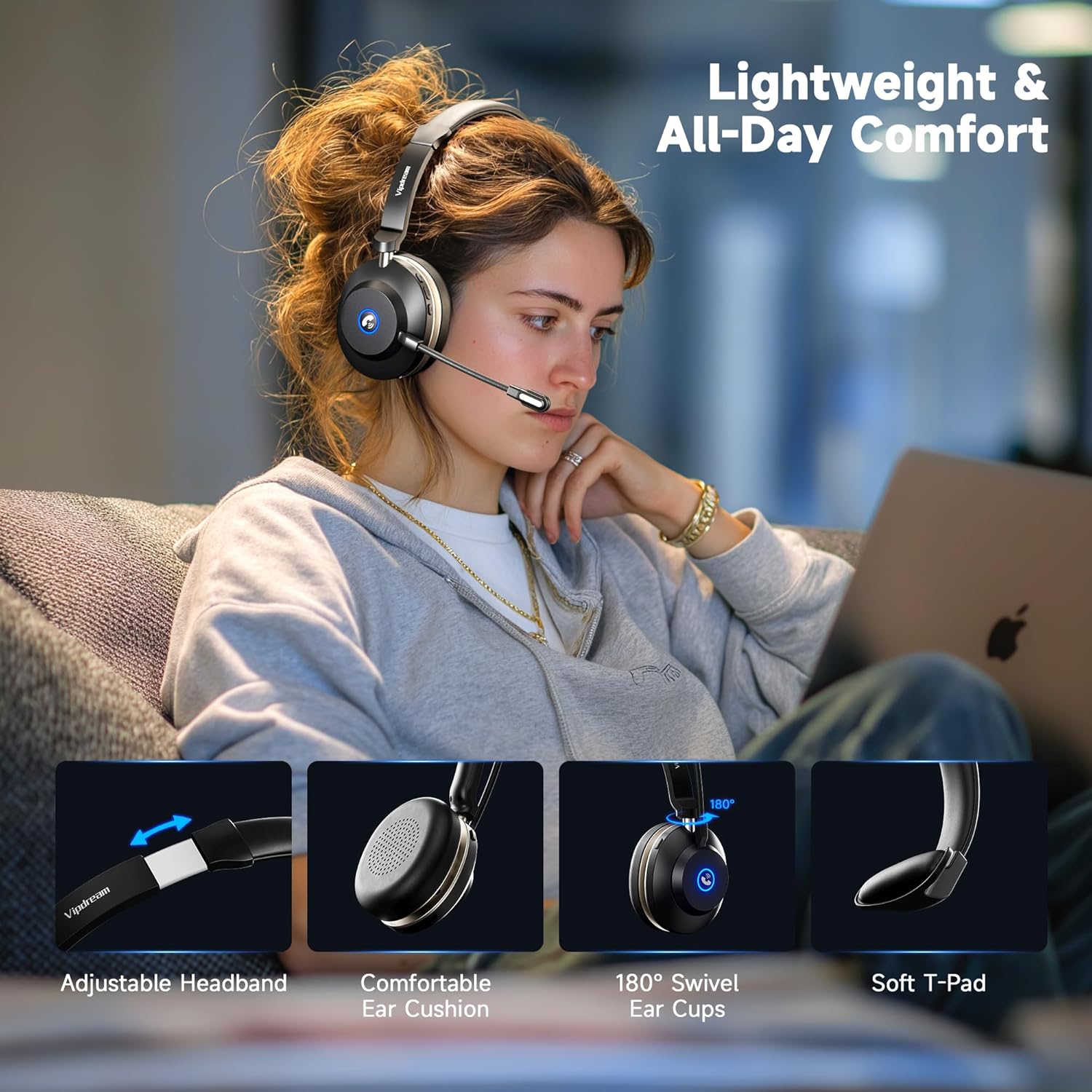
Image 3.1: Demonstrates the headset's comfort features including adjustable headband, comfortable ear cushions, 180° swivel ear cups, and soft T-pad.

Сүрөт 3.2: Жакын пландан view highlighting the soft ear cushions, adjustable headband, and 270° rotatable microphone for personalized fit.
3.2 Башкаруу каражаттары жана көрсөткүчтөр
The headset features intuitive controls for managing calls and audio. The microphone can be rotated 270° to be worn on either the left or right side. A dedicated mute button is located on the headset for quick privacy.
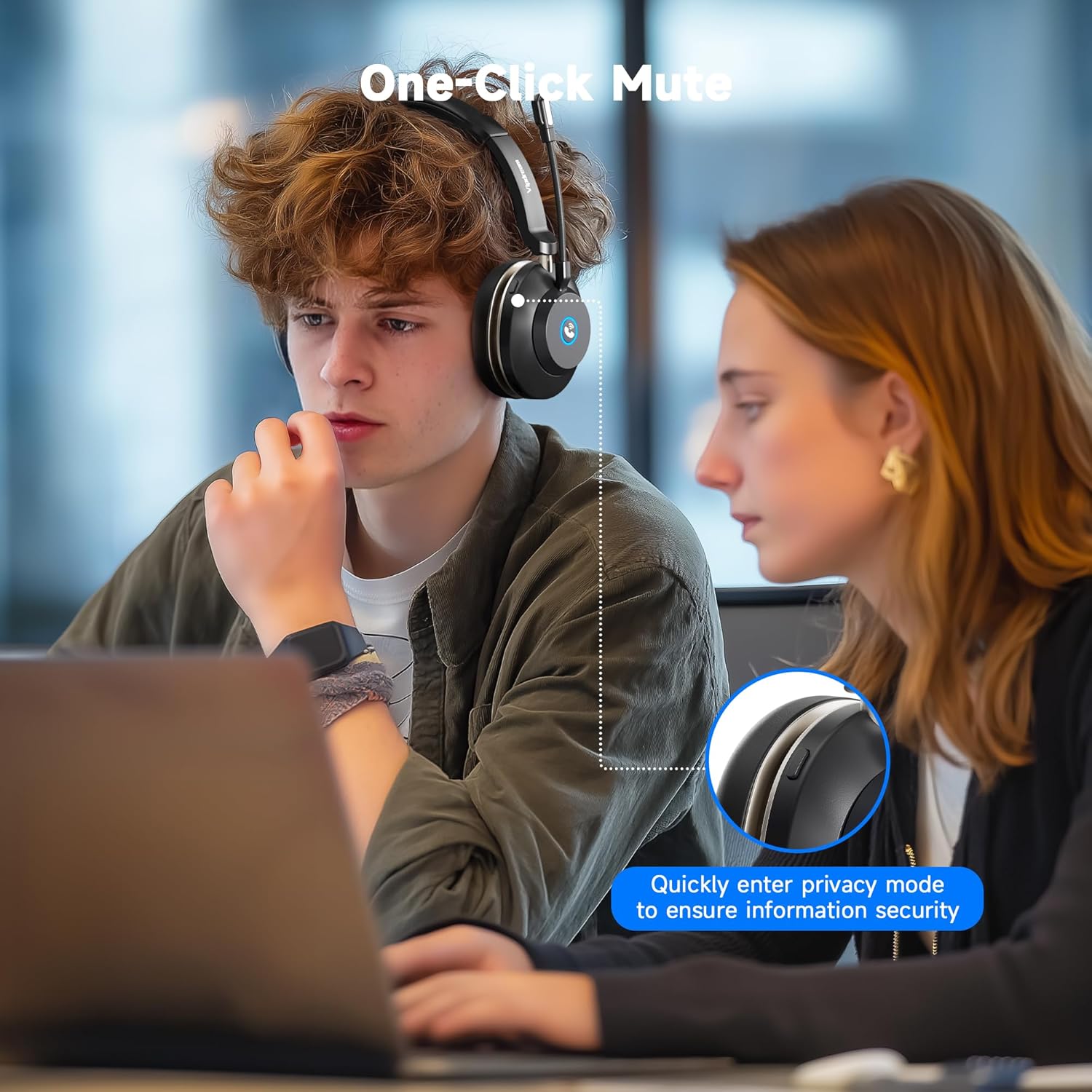
Image 3.3: A user demonstrating the one-click mute function on the headset, allowing for quick entry into privacy mode.
4. Орнотуу
4.1 Гарнитураны заряддоо
Before first use, fully charge the headset. You can charge it using the included charging station or directly via the USB-C cable.
- Place the headset onto the charging station, ensuring the contacts align. The indicator light on the station will show charging status.
- Alternatively, connect the USB-C cable directly to the headset's charging port and a power source.
Толук кубаттоо үчүн заряддоо убактысы болжол менен 2 саатты түзөт.

Image 4.1: The headset resting on its charging dock, indicating its 45-hour battery life and 2-hour charging time.
4.2 Bluetooth жупташтыруу
- Power on the headset. It will automatically enter pairing mode, indicated by a flashing LED.
- On your device (PC, iPhone, Android, etc.), go to Bluetooth settings.
- Издөө available devices and select "Vipdream Headset" (or similar name).
- Once connected, the LED indicator on the headset will change to a solid light or stop flashing.

Image 4.2: The headset connected wirelessly via Bluetooth 5.3 to a smartphone, illustrating quick connection capabilities.
5. Иштөө нускамалары
5.1 Чалууларды башкаруу
- Чалууга жооп берүү/аяктоо: Кулакчындагы көп функциялуу баскычты басыңыз.
- Микрофондун үнүн басуу: Press the dedicated mute button on the headset. This allows you to quickly switch to privacy mode.
- Үндү көзөмөлдөө: Үн деңгээлин тууралоо үчүн кулакчындагы үн баскычтарын колдонуңуз.
Маанилүү эскертүү:
The answer/end call button is compatible with phone system calls and most third-party software. However, it may not function for answering/ending calls directly within some third-party apps (e.g., Zoom, Cisco, Webex). For these applications, please manage calls directly within the software interface.
5.2 Mono Audio Mode (PC Users)
The headset defaults to mono mode. To merge left and right audio channels on a PC:
- Open your PC's system settings.
- Navigate to the "Sound" option.
- In the "Output" section, locate "Mono audio."
- Toggle the switch to the "On" position to merge channels.
5.3 Түзмөктөрдүн ортосунда которулуу
The headset supports quick switching between connected devices like a PC and a phone, allowing for seamless transitions between work and personal use.
Видео 5.1: Бүттүview of the Vipdream Wireless Headset, demonstrating its features, setup, and use in a work environment, including switching between devices.
6. Техникалык тейлөө
- Тазалоо: Use a soft, dry cloth to clean the headset and charging station. Avoid harsh chemicals or abrasive materials.
- Сактагыч: When not in use, store the headset on its charging station or in the provided carrying pouch to protect it from dust and damage.
- Батареяга кам көрүү: Батареянын иштөө мөөнөтүн узартуу үчүн, гарнитуранын тез-тез толук зарядын жоготпоңуз. Аны үзгүлтүксүз кубаттап туруңуз, айрыкча, көпкө колдонулбаса.
7. Кыйынчылыктарды
- Кубат жок: Ensure the headset is fully charged. Check the charging cable and power source.
- Жупташуу мүмкүн эмес: Make sure the headset is in pairing mode (flashing LED). Turn off and on your device's Bluetooth, then try pairing again. Ensure the headset is not already connected to another device.
- Начар аудио сапаты: Check the Bluetooth connection range (up to 49 feet/15 meters). Ensure there are no obstructions between the headset and your device. Verify device volume settings.
- Микрофон иштебейт: Ensure the microphone is not muted. Check your device's audio input settings to confirm the headset microphone is selected.
8. Техникалык шарттар
| Өзгөчөлүк | Спецификация |
|---|---|
| Модель аты | Зымсыз гарнитура |
| Элемент моделинин номери | BT-881C |
| Бренд | Vipdream |
| Байланыш технологиясы | Зымсыз (Bluetooth) |
| Зымсыз байланыш технологиясы | Bluetooth 6.0 |
| Bluetooth диапазону | 15 метр (49 фут) |
| Noise Control | Hybrid Noise Cancellation (AI Noise Cancelling Mic) |
| Батареянын иштөө мөөнөтү | Up to 45 Hours (Call Time) |
| Заряддоо убактысы | 2 саат |
| Камтылган компоненттер | Кубаттоочу станция |
| Кулак жайгаштыруу | On Ear |
| Башкаруу түрү | Button / Touch |
| Шайкеш түзмөктөр | Cellphones, Gaming Consoles, Laptops, Portable Media Player, Telephones |
| Элемент Салмагы | 0.55 килограмм (1.21 фунт) |
9. Кепилдик жана колдоо
For warranty information and technical support, please refer to the contact details provided in the product packaging or visit the official Vipdream webсайт. Кепилдик дооматтары үчүн сатып алуу дүмүрчөгүңүздү сактаңыз.