
Introduction
Thank you for choosing the WARSUN G7 Rechargeable LED HeadlampБул колдонмо башыңызды коопсуз жана натыйжалуу колдонуу үчүн маанилүү маалыматты беретamp, including setup, operation, maintenance, and troubleshooting. Please read this manual thoroughly before using the product and retain it for future reference.
Кутуда эмне бар
Carefully unpack your WARSUN G7 Headlamp and ensure all items are present. The package should contain the following components:
- Headlamp (1)
- Charging Station (1)
- Кронштейн (1)
- Hat Clip (1)
- Headband (1)
- Илмек (1)
- Заряддоо кабели (1)
- Колдонуучунун колдонмосу (1)

Продукт өзгөчөлүктөрү
The WARSUN G7 Headlamp is designed for versatility and performance in various outdoor activities. Key features include:
- Кош жарык булактары: Main Light (7000K, 30-450 Lumens) and Side Light (6500K, 30-150 Lumens).
- Кайра заряддалуучу батарея: Integrated 1500mAh battery in the headlamp.
- Portable Charging Station: An additional 2600mAh charging station for extended power.
- Бир нече жарык режимдери: 6 modes including Low, Mid, High, and Red Light for various situations.
- Кыймыл сенсору: Hands-free operation with a simple wave gesture.
- Жөнгө салынуучу боо: Ensures a comfortable and secure fit for all head sizes.
- Сууга чыдамдуу: Ар кандай аба ырайынын шарттарына туруштук берүү үчүн иштелип чыккан.
- Жеңил дизайн: Салмагы болжол менен 56 г (1.97 унция).
- Жөнгө салынуучу бурч: Жарыкты так багыттоо үчүн 180° бурчту жөндөө.
Жайгашуу
1. Баштапкы заряддоо
Биринчи колдонуудан мурун, башты толук заряддаңызamp and the charging station. Connect the provided USB charging cable to the charging port on the headlamp or charging station and a suitable USB power source (e.g., wall adapter, computer USB port). The indicator lights will show charging status and turn solid when fully charged.
2. Баш боону тагуу
Thread the adjustable headband through the slots on the headlamp. Adjust the strap to fit comfortably and securely around your head. The headlamp can be worn directly on your head or over a hat.

3. Using the Hat Clip or Mounting Bracket
For alternative mounting options, attach the hat clip or mounting bracket to the headlamp. The hat clip allows you to secure the headlamp to the brim of a cap, while the mounting bracket provides a stable base for other surfaces or hanging with the hook.
Иштөө нускамалары
1. Күйгүзүү/өчүрүү жана режимди тандоо
Башты күйгүзүү үчүн кубат баскычын бир жолу басыңызamp. Subsequent presses will cycle through the main light modes: Low, Mid, High, and Red Light. To turn off the headlamp, press and hold the power button for 2 seconds, or cycle through all modes until it turns off.

2. Кызыл жарык режими
The red light mode is ideal for preserving night vision and for situations where minimal light is desired, such as camping or stargazing, to avoid disturbing others.

3. Кыймыл сенсорун иштетүү
To activate the motion sensor, press the dedicated motion sensor button. Once activated, you can turn the headlamp on or off with a simple wave of your hand in front of the sensor. Press the motion sensor button again to deactivate this feature.

4. Башты кубаттооamp and Charging Station
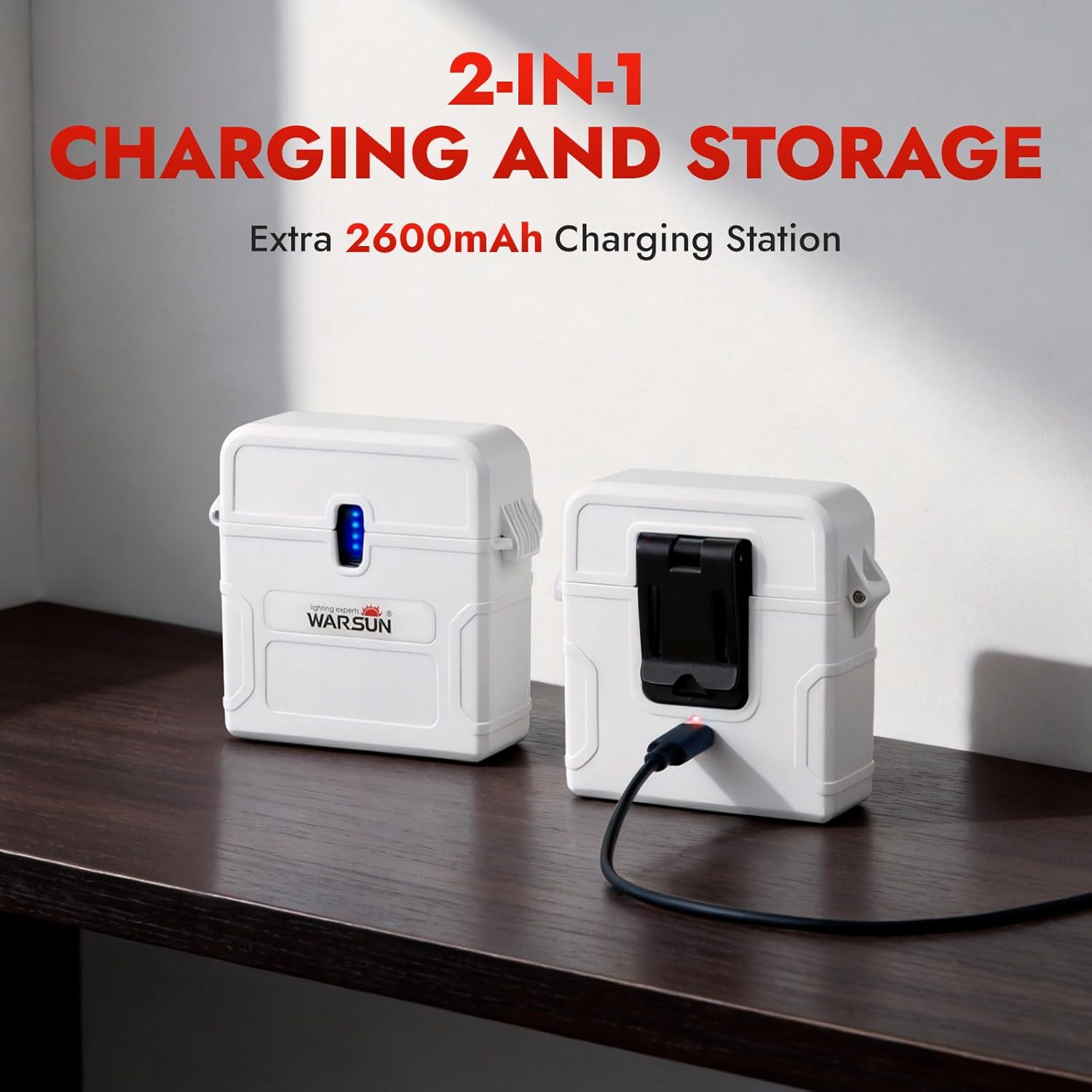
Use the provided USB-C cable to charge both the headlamp and the external charging station. The charging station can store the headlamp and recharge it on the go, providing extended battery life for longer adventures.
Техникалык тейлөө
1. Тазалоо
Башын сүртүңүзamp and charging station with a soft, damp cloth. Do not use abrasive cleaners or solvents, as these can damage the surface and internal components. Ensure the charging ports are clean and free of debris.
2. Сактоо
When not in use for extended periods, store the headlamp and charging station in a cool, dry place away from direct sunlight. It is recommended to charge the batteries every 3-6 months to maintain their health and prolong their lifespan.
3. Батареяга кам көрүү
Башчыamp uses a built-in rechargeable Lithium-Ion battery. Avoid fully discharging the battery frequently, as this can reduce its overall lifespan. Always use the provided charging cable and a compatible USB power source.
Проблемаларды чечүү
If you encounter any issues with your WARSUN G7 Headlamp, төмөнкү жалпы көйгөйлөрдү жана чечимдерди караңыз:
| Көйгөй | Мүмкүн себеп | Чечим |
|---|---|---|
| Headlamp күйбөйт. | Батарея түгөнүп калды. | Башты заряддаңызamp толугу менен. |
| Headlamp төлөбөйт. | Заряддоо кабели же адаптер туура эмес. | Башка USB-C кабелин же кубат адаптерин колдонуп көрүңүз. Туташуулардын коопсуз экенин текшериңиз. |
| Motion sensor is not responding. | Motion sensor is not activated or obstructed. | Press the motion sensor button to activate. Ensure there are no obstructions in front of the sensor. |
| Жарыктын чыгышы күңүрт. | Батареянын деңгээли төмөн. | Башты кайра заряддаңызamp. |
If the problem persists after trying these solutions, please contact WARSUN customer support for assistance.
Техникалык шарттар
| Өзгөчөлүк | Деталь |
|---|---|
| Модель номери | G7 |
| Негизги жарыктын жарыктыгы | 30-450 Lumens (7000K) |
| Каптал жарыктарынын жарыктыгы | 30-150 Lumens (6500K) |
| Headlamp Батарея сыйымдуулугу | 1500mAh литий-ион |
| Charging Station Capacity | 2600mAh |
| Runtime | 10 саатка чейин (режимге жараша) |
| Жарык булагы түрү | LED |
| Материал | Пластик |
| Сууга туруктуулук деңгээли | Сууга чыдамдуу |
| Салмагы | Болжол менен. 56г (1.97oz) |
| Өлчөмдөрү (L x W x Y) | 1.73"L x 6.93"W x 1.73"H |
Кепилдик маалымат
The WARSUN G7 Headlamp comes with a manufacturer's warranty. Please refer to the warranty card included in your package for specific terms and conditions. Generally, WARSUN products are covered by a 2-year limited warranty against defects in materials and workmanship from the date of purchase. This warranty does not cover damage caused by misuse, accidents, unauthorized modifications, or normal wear and tear.
Колдоо
For further assistance, technical support, or warranty claims, please contact WARSUN customer service. You can typically find contact information on the WARSUN official webсайты же продуктуну сатып алган сатуучу аркылуу.
We value your feedback and are committed to providing high-quality products and support.