
Dytole DY108
Dytole DY108 Wireless Headset User Manual
Модел: DY108
Introduction
This manual provides detailed instructions for the proper use, setup, and maintenance of your Dytole DY108 Wireless Headset. Please read this manual thoroughly before using the product to ensure optimal performance and longevity. The Dytole DY108 is designed for professional use, offering advanced features such as AI Noise Cancelling, Bluetooth 5.3 connectivity, and extended battery life for clear communication in various work environments.
Пакеттин мазмуну
Upon unboxing your Dytole DY108 Wireless Headset, please verify that all components listed below are present:
- Wireless Headset with Mic x 1
- USB Dongle x 1
- USB-C заряддоо кабели x 1
- Колдонуучунун колдонмосу x 1

Image: Contents of the Dytole DY108 Wireless Headset package, including the headset, USB dongle, USB-C charging cable, and user manual.
Продукт бүттүview
Familiarize yourself with the various components and controls of your Dytole DY108 Wireless Headset.
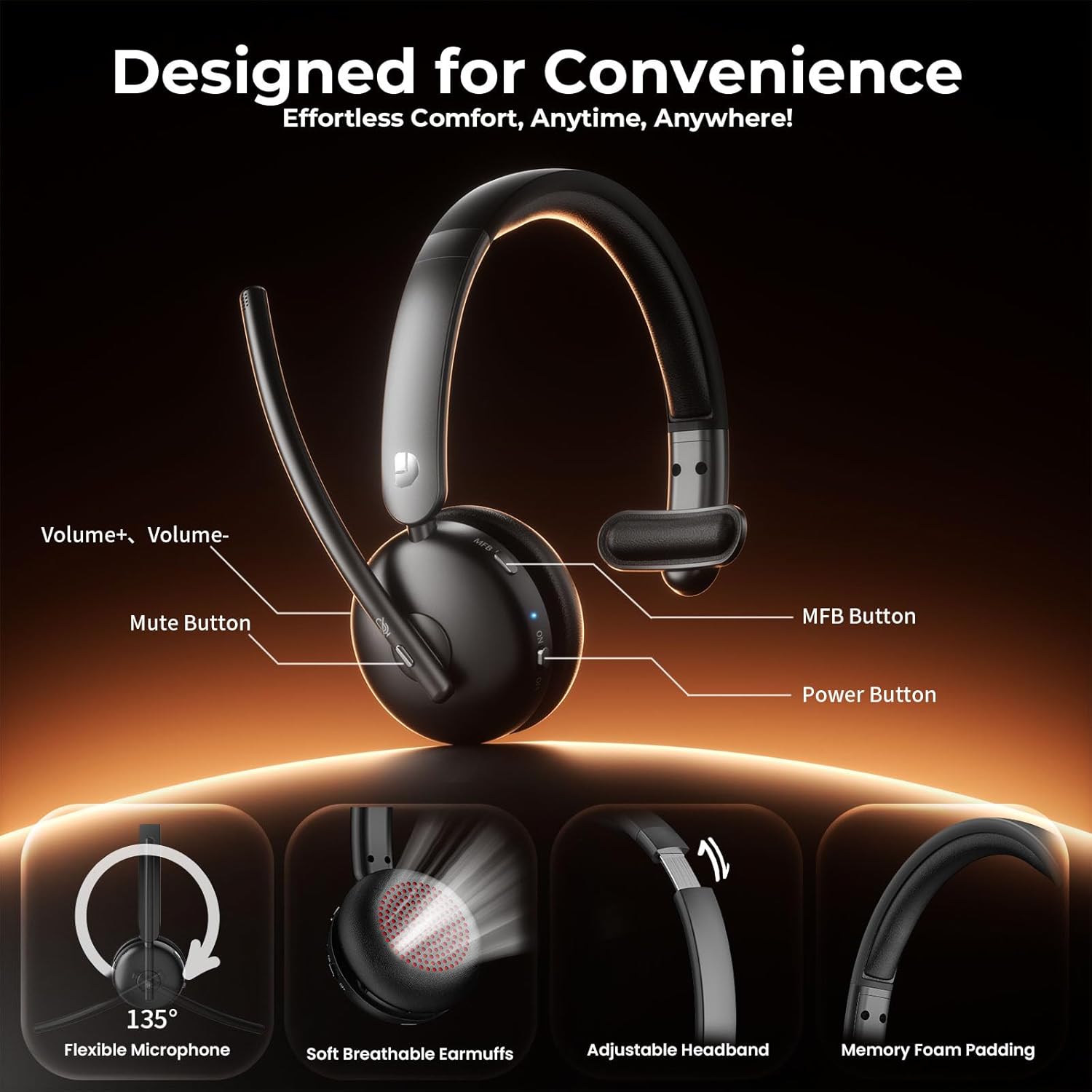
Image: Diagram illustrating the controls of the Dytole DY108 headset, including Volume+ / Volume-, Mute Button, MFB Button, Power Button, Flexible Microphone (135° adjustable), Soft Breathable Earmuffs, Adjustable Headband, and Memory Foam Padding.
- Микрофон бум: 135° adjustable for optimal voice pickup.
- Үнсүз баскычы: Микрофондун үнүн басуу/ачуу үчүн басыңыз.
- Үн баскычтары: Аудио чыгаруу деңгээлин тууралаңыз.
- Көп функциялуу баскыч (MFB): Controls power, pairing, call management, and music playback.
- Кубат баскычы: Гарнитураны күйгүзөт же өчүрөт.
- USB-C заряддоо порту: Гарнитуранын батареясын заряддоо үчүн.
- LED көрсөткүчү: Абалды көрсөтөт (кубат, жупташтыруу, кубаттоо).
- Жөнгө салынуучу баш боосу: Ыңгайлуу жана коопсуз отуруу үчүн.
- Soft Earcup: Узакка созулган кийүүдө ыңгайлуулук үчүн иштелип чыккан.
Жайгашуу
Гарнитураны заряддоо
Before initial use, fully charge your headset. A full charge takes approximately 2 hours and provides up to 65 hours of talk time.
- Connect the provided USB-C charging cable to the charging port on the headset.
- Кабелдин экинчи учун USB кубат булагына туташтырыңыз (мисалы, компьютердин USB порту, дубал адаптери).
- The LED indicator will show charging status (e.g., solid red while charging, turns off or blue when fully charged).
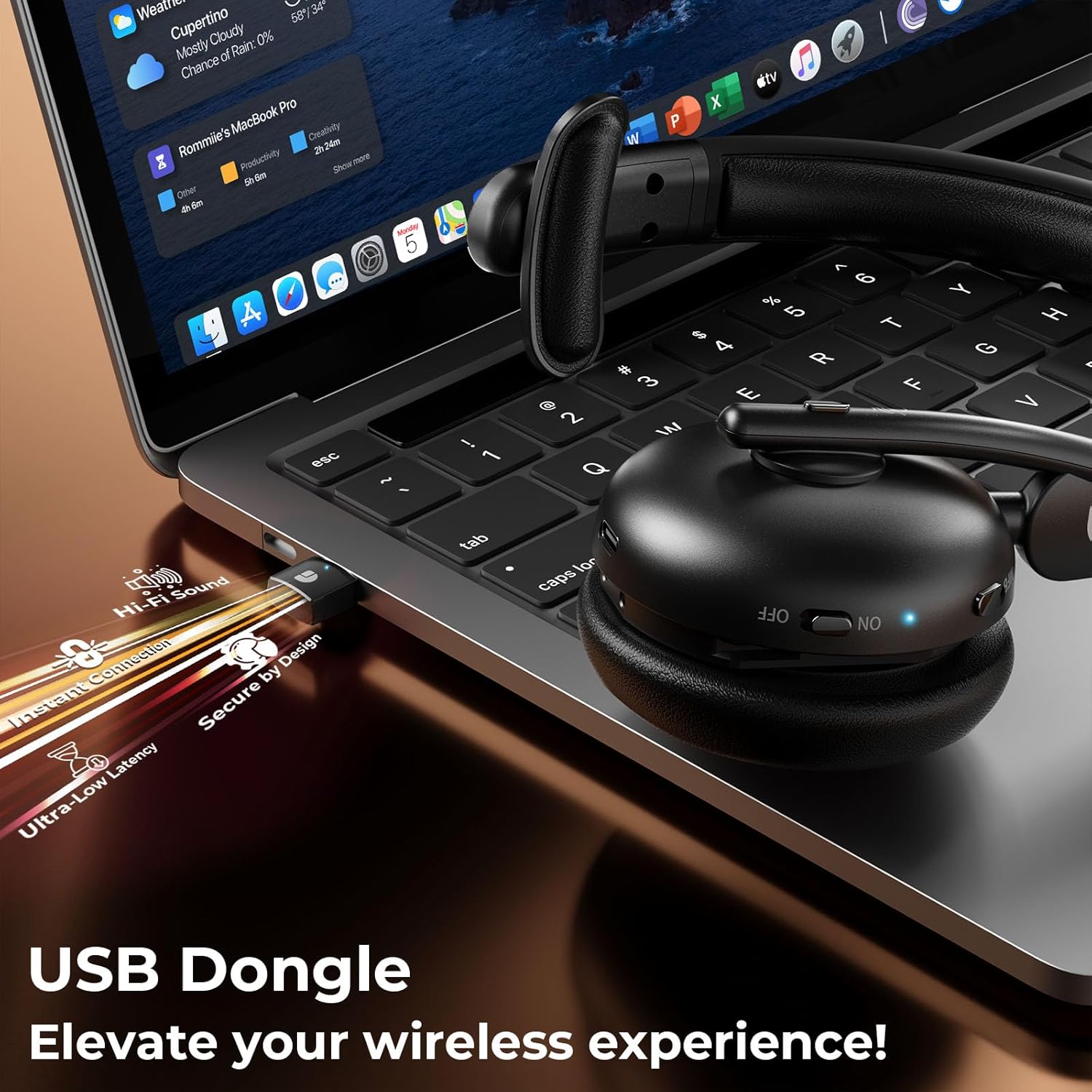
Image: The Dytole DY108 headset connected to a laptop via its USB-C charging cable, illustrating the charging process.

Сүрөт: ички view of the Dytole DY108 headset highlighting its long-lasting battery, indicating up to 65 hours of use on a single charge.
Түзмөктөргө туташуу
The Dytole DY108 headset offers two primary connection methods: via Bluetooth 5.3 or the included USB Dongle.
Bluetooth Pairing (for Smartphones, Tablets, Laptops with Bluetooth)
- Гарнитура заряддалганын жана өчүрүлгөнүн текшериңиз.
- Press and hold the MFB button for approximately 5-7 seconds until the LED indicator flashes blue and red alternately, indicating pairing mode.
- Түзмөгүңүздө Bluetooth иштетип, жаңы түзмөктөрдү издеңиз.
- Select "DY108" from the list of available devices.
- Туташкандан кийин гарнитурадагы LED индикатору жай көк түстө күйөт.
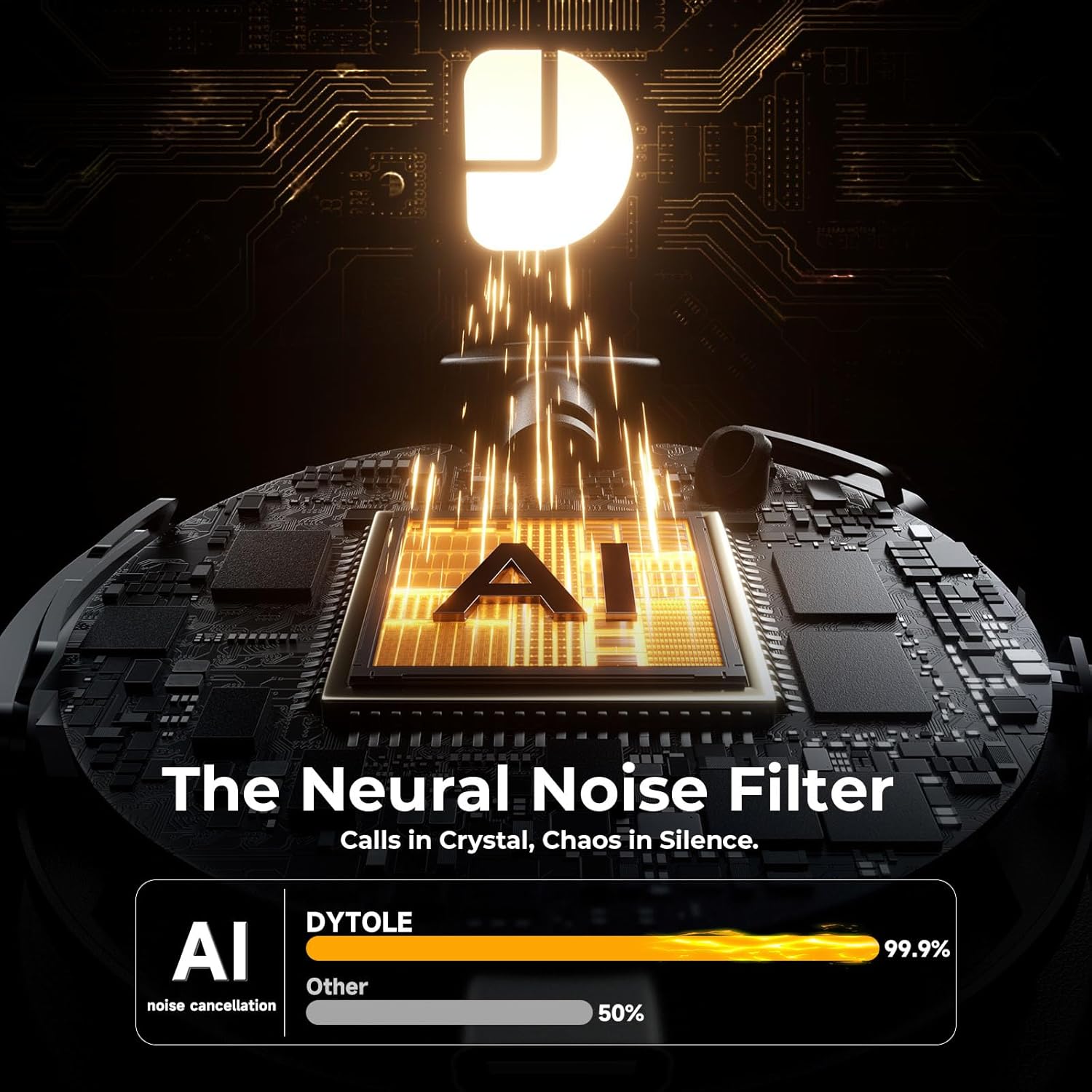
Image: The Dytole DY108 headset surrounded by various devices (smartphone, laptop, tablet), illustrating its universal compatibility and effortless Bluetooth 5.3 pairing.
USB Dongle Connection (for PC/Laptop)
The USB dongle provides a stable and low-latency connection, ideal for PC and laptop use, especially for applications like Teams, Skype, and call centers.
- USB жабдыкты компьютериңиздеги жеткиликтүү USB портуна кыстарыңыз.
- Power on the Dytole DY108 headset. It will automatically attempt to connect to the dongle.
- The LED indicator on both the headset and the dongle will turn solid blue once connected.
- On your computer, ensure the Dytole DY108 is selected as the default audio input and output device in your sound settings.
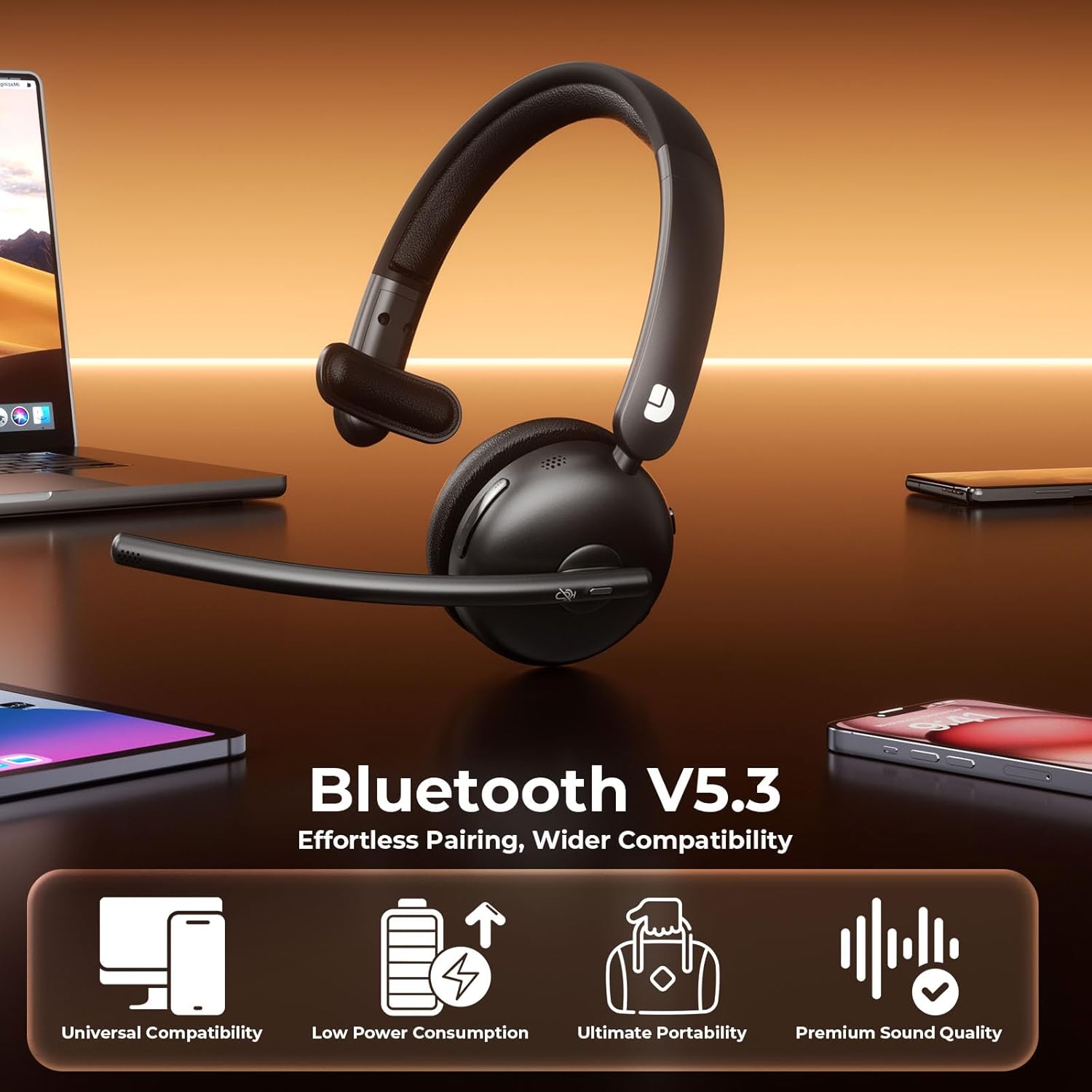
Image: The Dytole DY108 headset with its USB dongle inserted into a laptop, demonstrating the instant and secure connection for an enhanced wireless experience.
Иштөө нускамалары
Негизги функциялар
| Функция | Акция | Indicator/Result |
|---|---|---|
| Күйгүзүү | Кубат өчүргүчтү ON абалына жылдырыңыз. | LED көк түстө күйөт. |
| Өчүрүү | Кубат өчүргүчтү OFF абалына жылдырыңыз. | LED өчөт. |
| Чалууга жооп берүү/аяктоо | MFB баскычын бир жолу басыңыз. | Call connected/disconnected. |
| Чакырууну четке кагуу | MFB баскычын 2 секунд басып туруңуз. | Call rejected. |
| Микрофондун үнүн басуу/өчүрүү | Press the Mute button once. | Microphone muted/unmuted. |
| Үндү көтөрүү | Үн+ баскычын басыңыз. | Volume increases. |
| Үндү төмөндөтүү | Үн баскычын басыңыз. | Volume decreases. |
| Музыканы ойнотуу/тындыруу | MFB баскычын бир жолу басыңыз. | Music playback toggled. |
| Кийинки трек | Press and hold Volume+ button for 2 seconds. | Skips to next song. |
| Мурунку трек | Press and hold Volume- button for 2 seconds. | Skips to previous song. |
| Үн жардамчысын жандырыңыз | Double-press the MFB button. | Voice assistant activated. |
AI Noise Cancelling Feature
The Dytole DY108 headset incorporates advanced AI Noise Cancelling technology to reduce up to 99% of background noise, ensuring crystal-clear voice transmission during calls.
- This feature is automatically active when the microphone is in use.
- Ensure the microphone boom is positioned correctly, approximately 1-2 inches from your mouth, for optimal noise cancellation performance.

Image: The Dytole DY108 headset, showcasing its sleek design and the integrated USB dongle, emphasizing its AI noise-cancelling capabilities for clear communication.
Image: A conceptual diagram illustrating the "Neural Noise Filter" technology of the Dytole DY108 headset, demonstrating its ability to filter out 99.9% of background noise for crystal-clear calls.
Техникалык тейлөө жана кам көрүү
Proper maintenance ensures the longevity and optimal performance of your Dytole DY108 Wireless Headset.
- Тазалоо: Use a soft, dry cloth to wipe the headset. For stubborn dirt, a slightly damp кездемени колдонсо болот, бирок портторго же динамиктердин торлоруна ным кирбеши керек. Катуу химиялык заттарды же абразивдүү тазалагычтарды колдонбоңуз.
- Сактагыч: Колдонулбай турган учурда, гарнитураны салкын, кургак жерде, күн нуру түз тийген жерден жана өтө жогорку температурадан алыс сактаңыз.
- Батареяга кам көрүү: Батареянын кубатын сактоо үчүн, гарнитуранын тез-тез толук зарядын жоготпоңуз. Аны дайыма колдонбосоңуз да, үзгүлтүксүз кубаттап туруңуз.
- Колдонуу: Avoid dropping the headset or subjecting it to strong impacts. Do not twist or bend the microphone boom excessively beyond its intended 135° adjustment range.
Проблемаларды чечүү
If you encounter issues with your Dytole DY108 Wireless Headset, refer to the following common problems and solutions:
| Көйгөй | Мүмкүн себеп | Чечим |
|---|---|---|
| Гарнитура күйбөй жатат. | Батарея аз. | Гарнитураны толук заряддаңыз. |
| Bluetooth аркылуу жупташтыруу мүмкүн эмес. | Гарнитура жупташтыруу режиминде эмес; түзмөк Bluetooth өчүк; аппараттан өтө алыс. | Ensure headset is in pairing mode (flashing blue/red). Turn on device Bluetooth. Move headset closer to device (within 15 meters). |
| Үн жок же үн сапаты начар. | Volume too low; incorrect audio output selected; headset not connected. | Increase headset and device volume. Select "DY108" as default audio device. Reconnect headset. |
| Микрофон иштебей жатат. | Microphone muted; incorrect audio input selected; microphone boom not positioned correctly. | Unmute microphone. Select "DY108" as default microphone device. Adjust microphone boom closer to mouth. |
| USB Dongle not connecting. | Dongle not fully inserted; driver issue; headset not powered on. | Ensure dongle is fully inserted. Try a different USB port. Restart computer. Power on headset. |
| AI Noise Cancelling not effective. | Microphone position; extremely loud environment. | Adjust microphone closer to your mouth. While the AI NC is highly effective, extreme noise levels may still be audible. |
If the problem persists after trying these solutions, please contact Dytole customer support for further assistance.
Техникалык шарттар
| Өзгөчөлүк | Деталь |
|---|---|
| Модель аты | DY108 |
| Байланыш технологиясы | Bluetooth 5.3, 2.4GHz USB Dongle |
| Зымсыз диапазон | 15 метрге чейин (49 фут) |
| Noise Control | AI Environmental Noise Cancellation (ENC) |
| Батареянын иштөө мөөнөтү | Up to 65 hours (talk time) |
| Заряддоо убактысы | Болжол менен 2 саат (USB-C) |
| Микрофон | 135° Adjustable Boom Mic |
| Кулак жайгаштыруу | On Ear (Single-Ear) |
| Материал | Faux Leather, Stainless Steel |
| Салмагы | 10.2 унция (0.29 кг) |
| Шайкеш түзмөктөр | PC, Laptops, Macbooks, Cellphones |
| Сунушталган колдонуу | Business, Customer Service, Remote Work, Call Center, Online Meetings |
Кепилдик жана колдоо
Dytole products are designed for reliability and performance. This product comes with a standard manufacturer's warranty. Please refer to the warranty card included in your package for specific terms and conditions.
For technical support, warranty claims, or any inquiries regarding your Dytole DY108 Wireless Headset, please contact Dytole customer service through the contact information provided on the official Dytole webсайт же сатып алуу платформаңыз.
Онлайн ресурстар: For additional support, FAQs, and product updates, visit the official Dytole store or support page: Dytole Official Store
Ask a question about this manual
Ask about setup, troubleshooting, compatibility, parts, safety, or missing instructions. Manuals+ will review the question and use this page’s manual context to help answer it.