
Introduction
Thank you for choosing the Sudio A3 Pro Noise Cancelling Earbuds. These earbuds are designed to provide an immersive audio experience with active noise cancellation, clear call quality, and a comfortable fit. This manual provides essential information for setting up, operating, maintaining, and troubleshooting your earbuds.
The Sudio A3 Pro features:
- Активдүү ызы-чууну жокко чыгаруу (ANC): Reduces ambient noise by up to 18dB for focused listening.
- Узартылган ойноо убактысы: Up to 5 hours per charge, with a total of 25 hours using the charging case.
- Чалууларды тазалоо: Equipped with enhanced microphones for natural voice clarity.
- Multipoint Bluetooth 5.4: Seamlessly connect and switch between two devices simultaneously.
- Туруктуу дизайн: IPX4 sweat and splash resistant, suitable for various activities.
- Туруктуу материалдар: Made from 20% recycled plastics.
Кутуда эмне бар
Verify that all items are present in your Sudio A3 Pro package:
- Sudio A3 Pro кулакчындары жана кубаттоочу кутуча
- USB-C заряддоо кабели
- Eartip Card with 4 Silicone Eartip Sizes (XS, S, M, L)
- Колдонуучунун колдонмосу

Image: Sudio A3 Pro packaging and its contents.
Жайгашуу
1. Баштапкы заряддоо
Before first use, fully charge your Sudio A3 Pro earbuds and charging case. Connect the included USB-C cable to the charging case and a power source. The indicator light on the case will show charging status.

Image: Sudio A3 Pro charging case with USB-C cable connected.
2. Түзмөк менен жупташтыруу
- Заряддоо кутучасын ачыңыз. Кулакчындар жупташтыруу режимине автоматтык түрдө кирет.
- Түзмөгүңүздө (смартфон, планшет, ноутбук) Bluetooth жөндөөлөрүнө өтүңүз.
- Select "Sudio A3 Pro" from the list of available devices.
- Туташтырылгандан кийин, сиз аудио сигналды угасыз жана кулакчындардагы индикатор жарыгы ийгиликтүү жупташууну тастыктайт.

Image: Sudio A3 Pro earbuds in their open charging case.
3. Оптималдуу туура келүү
For the best sound quality and active noise cancellation, ensure a proper fit. Experiment with the different silicone eartip sizes provided to find the most comfortable and secure seal for your ears.

Image: A person wearing a Sudio A3 Pro earbud.
Иштөө нускамалары
Күйгүзүү/өчүрүү
- Күйгүзүү: Кубаттоочу кутучаны ачыңыз же кулакчындарды кутучадан чыгарыңыз.
- Өчүрүү: Кулакчындарды кайра заряддоо кутусуна салып, капкагын жабыңыз.
Touch Controls
The Sudio A3 Pro earbuds feature intuitive touch controls on the stem of each earbud. Specific functions may vary slightly depending on your device and operating system.
| Акция | Функция |
|---|---|
| Бир таптоо (Сол/Оң) | Музыканы ойнотуу/тындыруу, Чалууга жооп берүү/Аяктоо |
| Эки жолу таптаңыз (оңго) | Кийинки трек |
| Эки жолу таптаңыз (солго) | Мурунку трек |
| Үч жолу таптап (Сол/Оң) | Үн жардамчысын жандырыңыз |
| Узун басуу (Сол/Оң) | Активдүү ызы-чууну жокко чыгаруу (ANC) / Ачыктык режимин которуштуруу |
Активдүү Шумду Жоюу (ANC)
The Sudio A3 Pro features Active Noise Cancellation to reduce ambient sounds. To activate or deactivate ANC, perform a long press on either earbud. This action typically cycles between ANC On, Transparency Mode, and ANC Off.
Көп чекиттүү туташуу
The earbuds can connect to two devices simultaneously. To use this feature:
- Кулакчындарды биринчи түзмөгүңүз менен жупташтырыңыз.
- Кулакчындарды биринчи түзмөктүн Bluetooth жөндөөлөрүнөн ажыратыңыз.
- Кулакчындарды экинчи түзмөгүңүз менен жупташтырыңыз.
- Кулакчындарды биринчи түзмөккө анын Bluetooth жөндөөлөрүнөн кайра туташтырыңыз.
The earbuds will now be connected to both devices, allowing you to switch audio sources seamlessly.
Видео: Кыскачаview of the Sudio A3 Pro earbuds, showcasinалардын дизайны жана өзгөчөлүктөрү.
Техникалык тейлөө
Тазалоо
Regularly clean your earbuds and charging case to ensure optimal performance and hygiene. Use a soft, dry, lint-free cloth. For the eartips, you may gently wipe them with a slightly damp чүпүрөк менен жумшак самын, анан кайра кийер алдында жакшылап кургатып алыңыз.
Суу каршылык
The Sudio A3 Pro earbuds are IPX4 sweat and splash resistant. This means they can withstand splashes of water and sweat, making them suitable for workouts and light rain. They are not designed for submersion in water or exposure to pressurized water jets.
Сактагыч
Кулакчындарды колдонбогон учурда, аларды чаңдан, бузулуудан коргоо жана кубатталган бойдон сактоо үчүн кубаттоочу кутучасында сактаңыз.
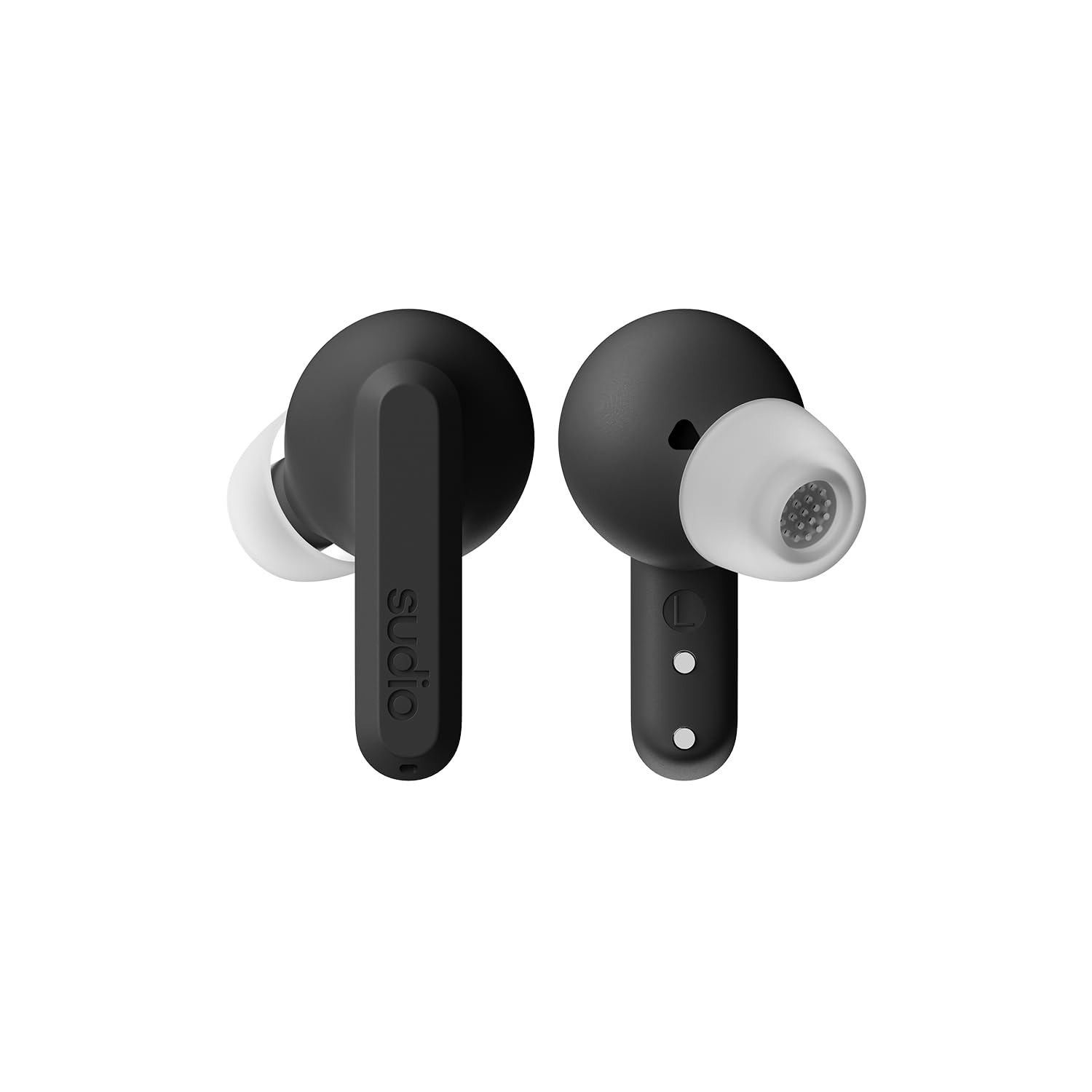
Image: Sudio A3 Pro charging case, closed.
Проблемаларды чечүү
If you encounter issues with your Sudio A3 Pro earbuds, try the following solutions:
- Үн жок: Ensure earbuds are charged and properly paired. Check device volume and earbud fit.
- Жупташтыруу маселелери: Make sure Bluetooth is enabled on your device. Try forgetting the device in your Bluetooth settings and re-pairing. Ensure earbuds are in pairing mode.
- ANC иштебейт: Confirm ANC is activated via touch control. Ensure a snug fit in your ears.
- Заряддоо көйгөйлөрү: Check the USB-C cable and power source. Ensure earbuds are correctly seated in the charging case.
- Жооп бербеген тийүү башкаруулары: Clean the touch surface of the earbuds. Ensure your fingers are dry.
Көбүрөөк жардам алуу үчүн, колдоо бөлүмүнө кайрылыңыз.
Техникалык шарттар
| Өзгөчөлүк | Деталь |
|---|---|
| Бренд | Sudio |
| Модель аты | SUDIO A3 Pro |
| Модель номери | A3PROBLK |
| Түс | Кара |
| Кулак жайгаштыруу | Кулакта |
| Форма фактору | Кулакта |
| Импеданс | 32 Ом |
| Байланыш технологиясы | Зымсыз |
| Зымсыз технология | Bluetooth |
| Bluetooth версиясы | 5.4 |
| Батареянын орточо иштөө мөөнөтү | 5 Hours (earbuds) |
| Жалпы ойноо убактысы (капка менен) | 25 саат |
| Noise Control | Активдүү ызы-чууну жокко чыгаруу |
| Аудио драйвер түрү | Динамикалык драйвер |
| Жыштык диапазону | 20Гц - 20,000Гц |
| Башкаруу ыкмасы | тийүү |
| Сууга туруктуулук деңгээли | IPX4 (Сууга туруктуу) |
| Коргоочу материал | Пластик |
| Элемент Салмагы | 93.6 грамм |
| Шайкеш түзмөктөр | Telephones, Laptops, Tablets |
Кепилдик жана колдоо
The Sudio A3 Pro Noise Cancelling Earbuds come with a 1 жылдык өндүрүүчү кепилдик сатып алынган күндөн тартып. Бул кепилдик нормалдуу колдонуудагы материалдардагы жана жасалгадагы кемчиликтерди камтыйт.
For warranty claims, technical support, or additional product information, please visit the official Sudio store or contact Sudio customer service directly.
Sudio Official Store: https://www.amazon.com/stores/Sudio/page/1289E5A4-9764-4F59-AD68-C945769F5E3A