
1. Киришүү
Thank you for choosing the BABELIO Wireless Baby Car Camera. This device is designed to provide a secure and convenient way to monitor your child in the car and at home. Featuring a 5-inch HD display, night vision capabilities, and a 360° rotatable camera, it offers peace of mind without the need for Wi-Fi or complex wiring. Please read this manual thoroughly before use to ensure proper operation and safety.
2. Пакеттин мазмуну
Төмөндө тизмеленген нерселердин баары пакетиңизге камтылганын текшериңиз:
- Baby Monitor (5.0" Display) x 1
- Wireless Camera x 1
- USB Charging Cables x 2
- Monitor Mounting Bracket x 1
- Camera Mounting Straps x 1
- Заряддоо адаптери x 1
- Унаа кубаттагыч x 1
3. Орнотуу жана орнотуу
3.1 Аппараттарды заряддоо
Before first use, fully charge both the baby monitor and the wireless camera using the provided USB charging cables and adapters. A full charge provides up to 8 hours of battery life for the camera.
3.2 Car Installation
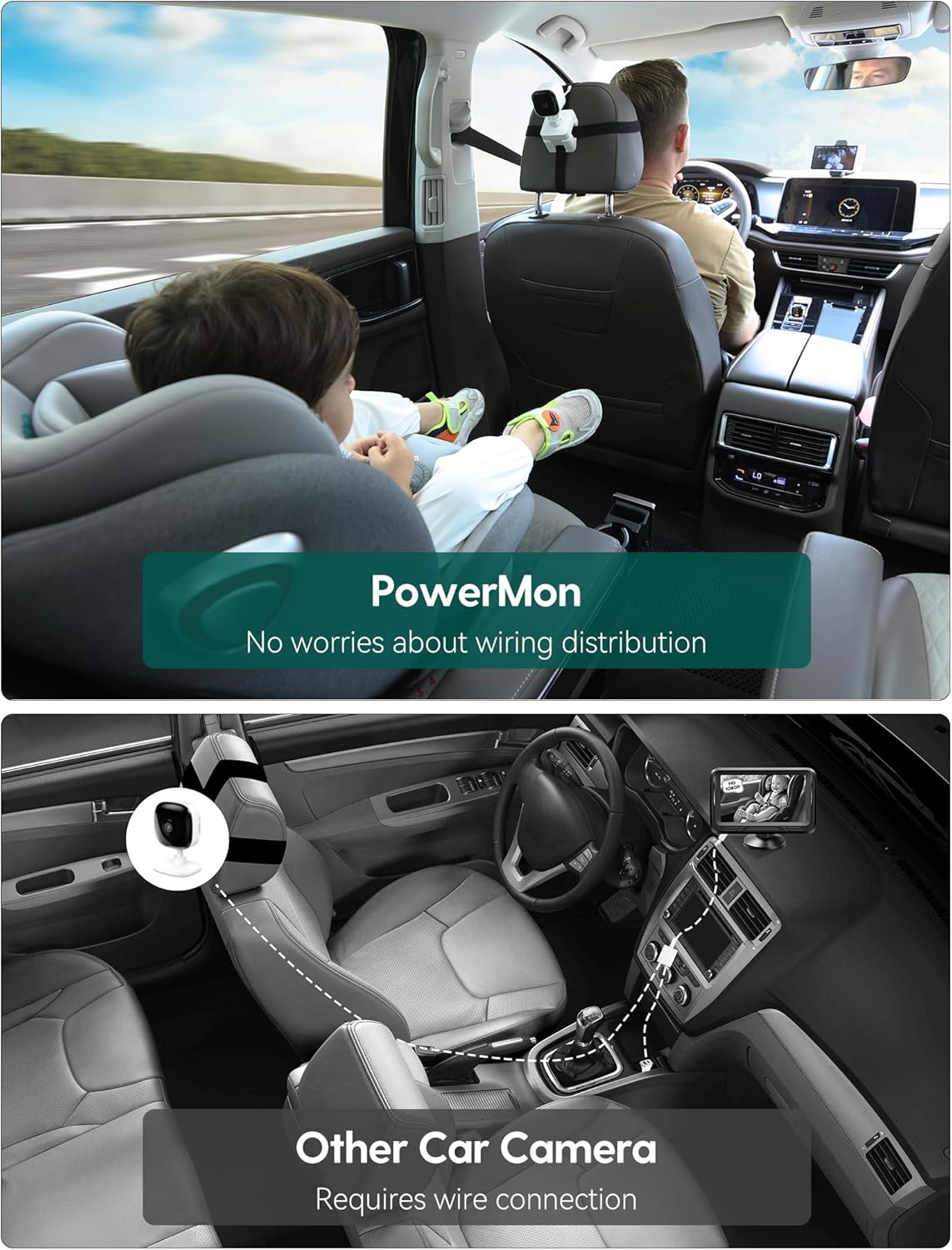
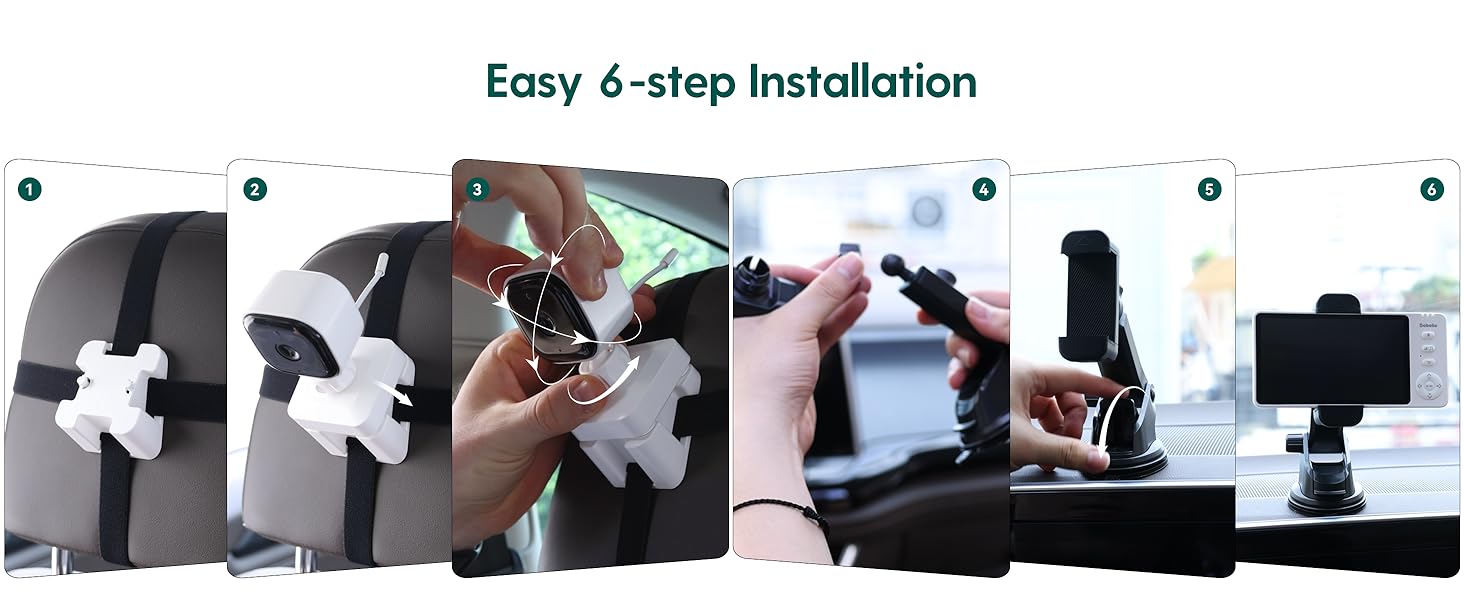
- Камераны орнотуу: Secure the camera to the headrest of the rear seat using the camera mounting straps. Position it to have a clear view of your child in their car seat. The camera features 360° rotation for optimal angle adjustment.
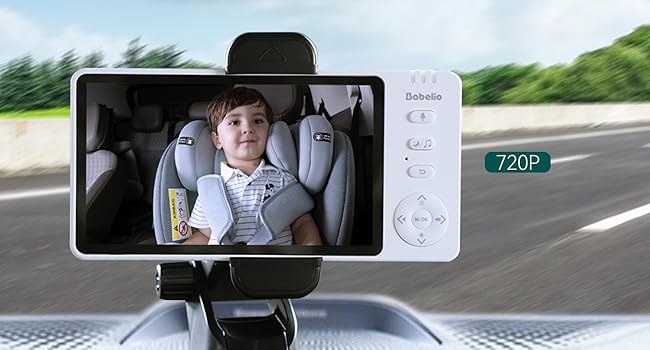
- Мониторду орнотуу: Attach the monitor mounting bracket to your car's dashboard or windshield. Ensure it does not obstruct your driving view. Insert the 5-inch monitor into the bracket.
- Күйгүзүү: Turn on both the camera and the monitor. They will automatically pair.
3.3 Үй шартында колдонуу
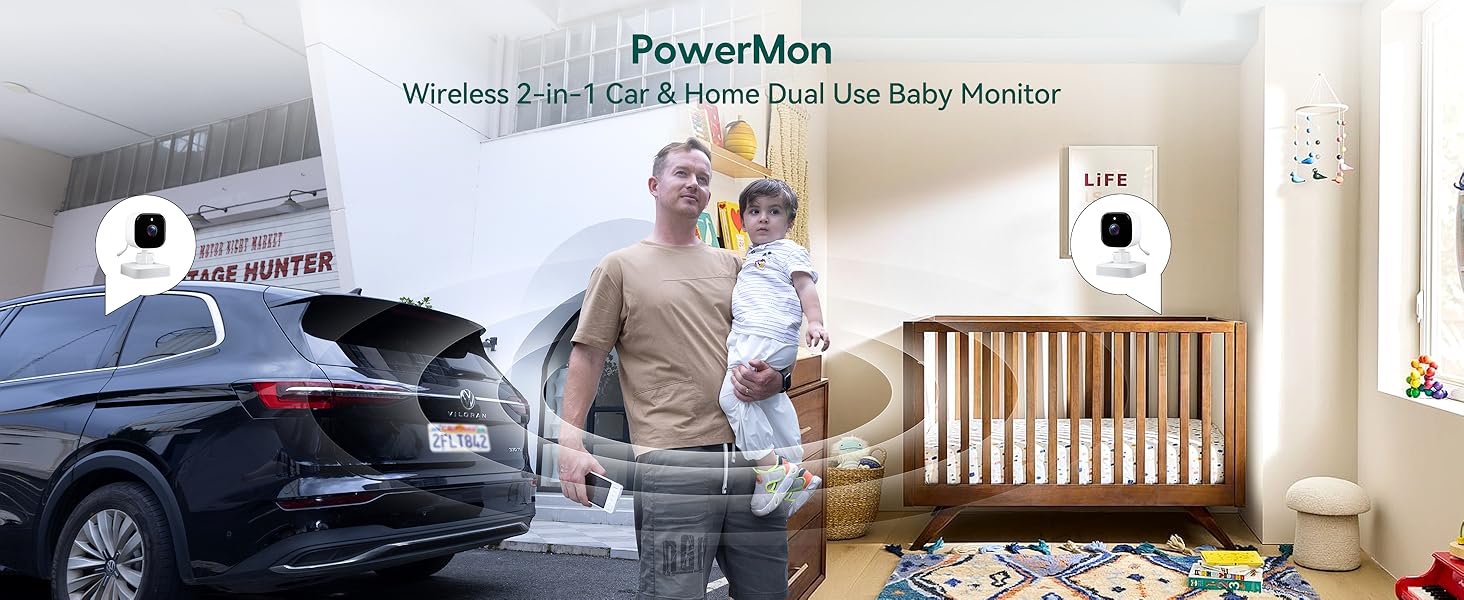
The BABELIO camera can also be used as a home monitor. Simply place the camera on a flat surface in your child's room or play area. The monitor can be placed nearby for continuous viewing.
4. Иштөө нускамалары
4.1 Негизги операция
- Күйгүзүү/өчүрүү: Press and hold the power button on both the monitor and camera to turn them on or off.
- Үндү көзөмөлдөө: Use the volume buttons on the monitor to adjust the audio level.
- Меню навигациясы: Use the directional buttons and M/OK button to navigate through the monitor's menu options.
4.2 Түнкү көрүнүш
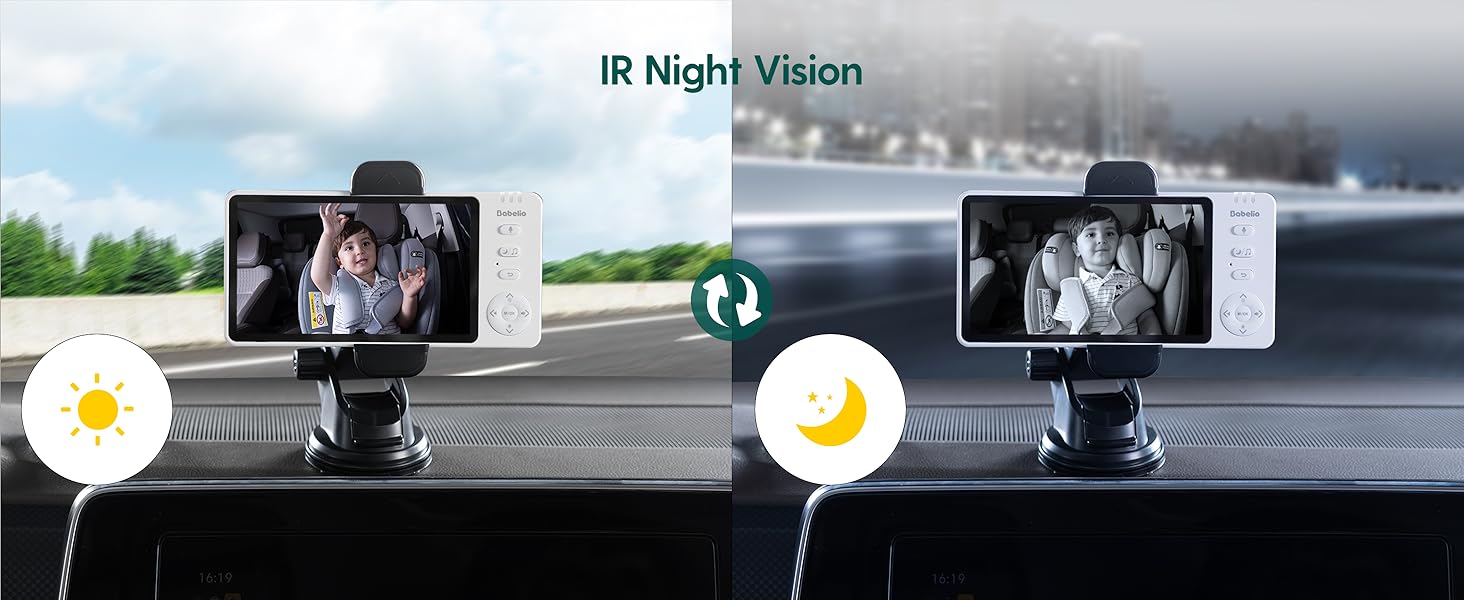
The camera automatically switches to black and white night vision in low-light conditions using 940nm invisible IR lights. This ensures clear monitoring without disturbing your child.
4.3 Чоңойтуу функциясы
Use the zoom controls on the monitor to get a closer view of your child. The monitor supports up to 4x digital zoom.

4.4 VOX режими (Үн менен иштетүү)
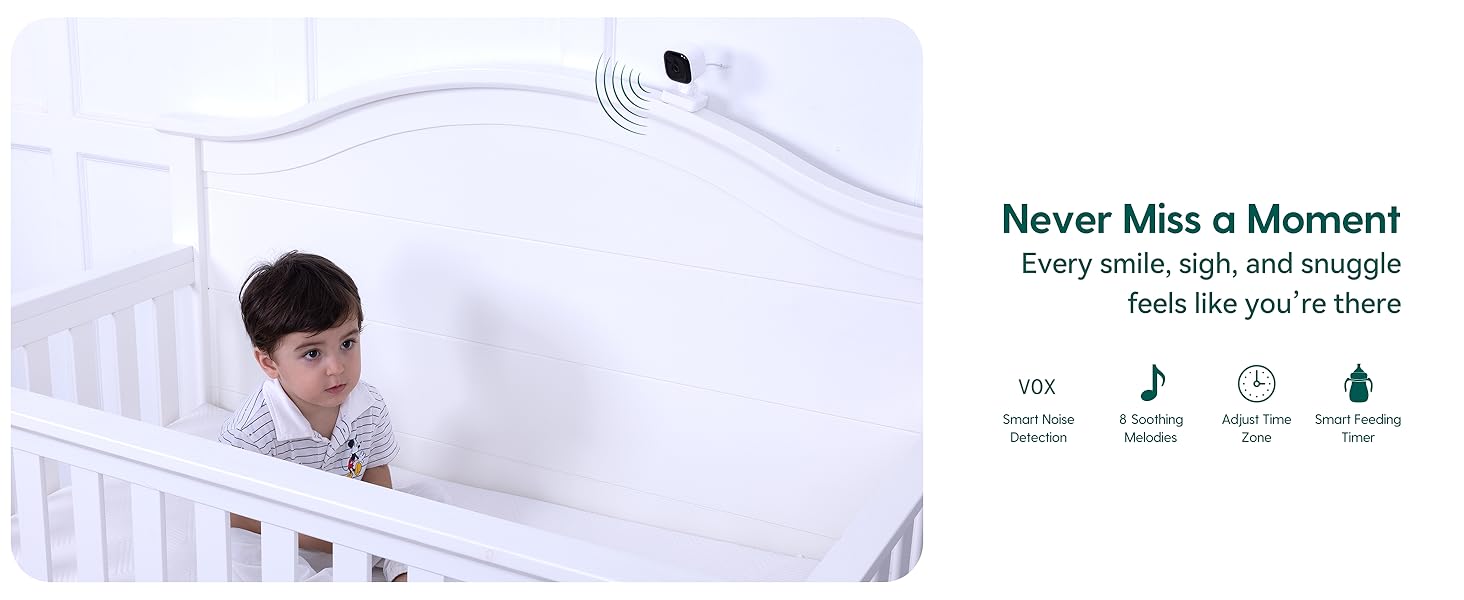
Activate VOX mode to conserve battery. The monitor screen will turn off, but the audio will remain active. The screen will automatically turn on when sound is detected from the camera. You can adjust the sensitivity levels (High, Mid, Low) in the settings.
4.5 Эки тараптуу сүйлөшүү
Press and hold the microphone button on the monitor to speak to your child through the camera's speaker. Release the button to listen.
4.6 Бешик ырлары
The monitor includes pre-programmed lullabies to help soothe your child. Access this feature through the menu settings.
5. Техникалык шарттар
| Өзгөчөлүк | Спецификация |
|---|---|
| Модель аты | ABM950 |
| Screen Size | 5.0 дюйм |
| Видео тартуунун резолюциясы | 720p |
| Байланыш технологиясы | Зымсыз (2.4 ГГц FHSS) |
| Ички/тышкы колдонуу | Indoor |
| Power Source | Батарея менен иштейт |
| Батареянын иштөө мөөнөтү (камера) | 8 саатка чейин (бир кубаттоодо) |
| Өзгөчө өзгөчөлүк | Night Vision, Two-Way Talk, VOX Mode, Lullabies, Temperature Monitoring |
| Монтаж түрү | Headrest Mount (Camera), Dashboard/Window Mount (Monitor) |
| Продукциянын өлчөмдөрү | 4 x 0.75 x 6 дюйм |
| Элемент Салмагы | 1.54 фунт |
6. Техникалык тейлөө
- Тазалоо: Use a soft, dry cloth to clean the monitor and camera. Do not use liquid or aerosol cleaners.
- Сактагыч: Аппаратты түз күн нурунан жана экстремалдык температурадан алыс салкын, кургак жерде сактаңыз.
- Батареяга кам көрүү: Батареянын иштөө мөөнөтүн узартуу үчүн, бат-баттан батарейканы толук зарядсыздандырбаңыз. Дайыма заряддаңыз.
7. Кыйынчылыктарды
- Сигнал жок/Начар туташуу:
- Ensure both the camera and monitor are powered on and fully charged.
- Move the camera and monitor closer to each other.
- Avoid placing the devices near other electronic equipment that may cause interference. - Үн жок:
- Check the volume settings on the monitor.
- Ensure the microphone on the camera is not obstructed. - Түнкү көрүү функциясы иштетилбей жатат:
- Ensure the camera is in a sufficiently dark environment for automatic night vision activation. - Кыска батареянын иштөө мөөнөтү:
- Ensure the devices are fully charged before use.
- Reduce screen brightness or activate VOX mode to extend battery life.
8. Кепилдик жана колдоо
For warranty information or technical support, please refer to the contact details provided with your purchase or visit the official Babelio webсайт. Кепилдик дооматтар үчүн сатып алганыңыздын далилин сактаңыз.