
1. Киришүү
This manual provides essential information for the safe and efficient use of your BOOX Go 7 ePaper Tablet. Please read it thoroughly before operating the device and retain it for future reference.

Figure 1.1: BOOX Go 7 ePaper Tablet
2. Коопсуздук маалыматы
- Аппаратты экстремалдык температурага, түз күндүн нуруна же жогорку нымдуулукка дуушар кылбаңыз.
- Аппаратты түшүрүүдөн же катуу таасирлерден сактаныңыз.
- Заряддоо үчүн берилген USB кабелин гана колдонуңуз.
- Keep the device away from water and liquids, despite its water-repellent features.
- Do not attempt to disassemble or repair the device yourself. Contact authorized service personnel.
3. Пакеттин мазмуну
Пакетте бардык буюмдар бар экенин текшериңиз:
- BOOX Go 7 ePaper Tablet
- USB кабели
- Ыкчам баштоо колдонмосу (аймакка жараша өзгөрүшү мүмкүн)

Figure 3.1: BOOX Go 7 Package Contents
4. Түзмөк бүттүview
4.1 Физикалык компоненттер
Familiarize yourself with the main components of your BOOX Go 7 tablet:
- E Ink Screen: 7-inch monochrome display with 300 ppi resolution.
- Алдыңкы жарык: Adjustable illumination for reading in various lighting conditions.
- Page-Turn Buttons: Ergonomically designed buttons for easy navigation.
- USB-C порту: Заряддоо жана маалыматтарды өткөрүү үчүн.
- Кубат баскычы: Эң жогорку четинде жайгашкан.
- Камтылган микрофон: Аудио киргизүү үчүн.
- Орнотулган кош динамиктер: Аудио чыгаруу үчүн.

Figure 4.1: Page-Turn Buttons and Water-Repellent Protection
5. Орнотуу
5.1 Алгачкы заряддоо
Before first use, fully charge your BOOX Go 7 tablet. Connect the provided USB-C cable to the device and a compatible power adapter (not included) or a computer's USB port. The charging indicator will show the charging status.
5.2 Күйгүзүү/өчүрүү
- Күйгүзүү үчүн: Press and hold the Power button until the BOOX logo appears.
- Өчүрүү үчүн: Кубат баскычын басып, кармап туруңуз, андан кийин экрандагы параметрлерден "Өчүрүү" дегенди тандаңыз.
- Уйку/ойгонуу үчүн: Кубат баскычын кыскача басыңыз.
5.3 Тармакка туташуу (Wi-Fi)
- Башкы экрандан, Тез жөндөөлөр панелине кирүү үчүн жогору жагынан ылдый серпиңиз.
- Wi-Fi'ды иштетүү үчүн Wi-Fi сөлөкөтүн таптаңыз.
- Wi-Fi жөндөөлөрүн ачуу үчүн Wi-Fi сүрөтчөсүн басып, кармап туруңуз.
- Тизмеден каалаган тармакты тандап, суралса сырсөздү киргизиңиз.
- Туташкандан кийин, Wi-Fi сөлөкөтү ийгиликтүү туташууну көрсөтөт.
6. Иштөө нускамалары
6.1 Негизги навигация
- Сенсордук экран: Tap, swipe, and pinch to navigate menus, open applications, and interact with content.
- Page-Turn Buttons: Use the physical buttons on the side to turn pages in documents and books.
6.2 Reading Documents and Books
The BOOX Go 7 supports various document formats. Open your desired file from the library. Use the page-turn buttons or swipe gestures to navigate through pages. Adjust font size, contrast, and frontlight settings for optimal reading comfort.
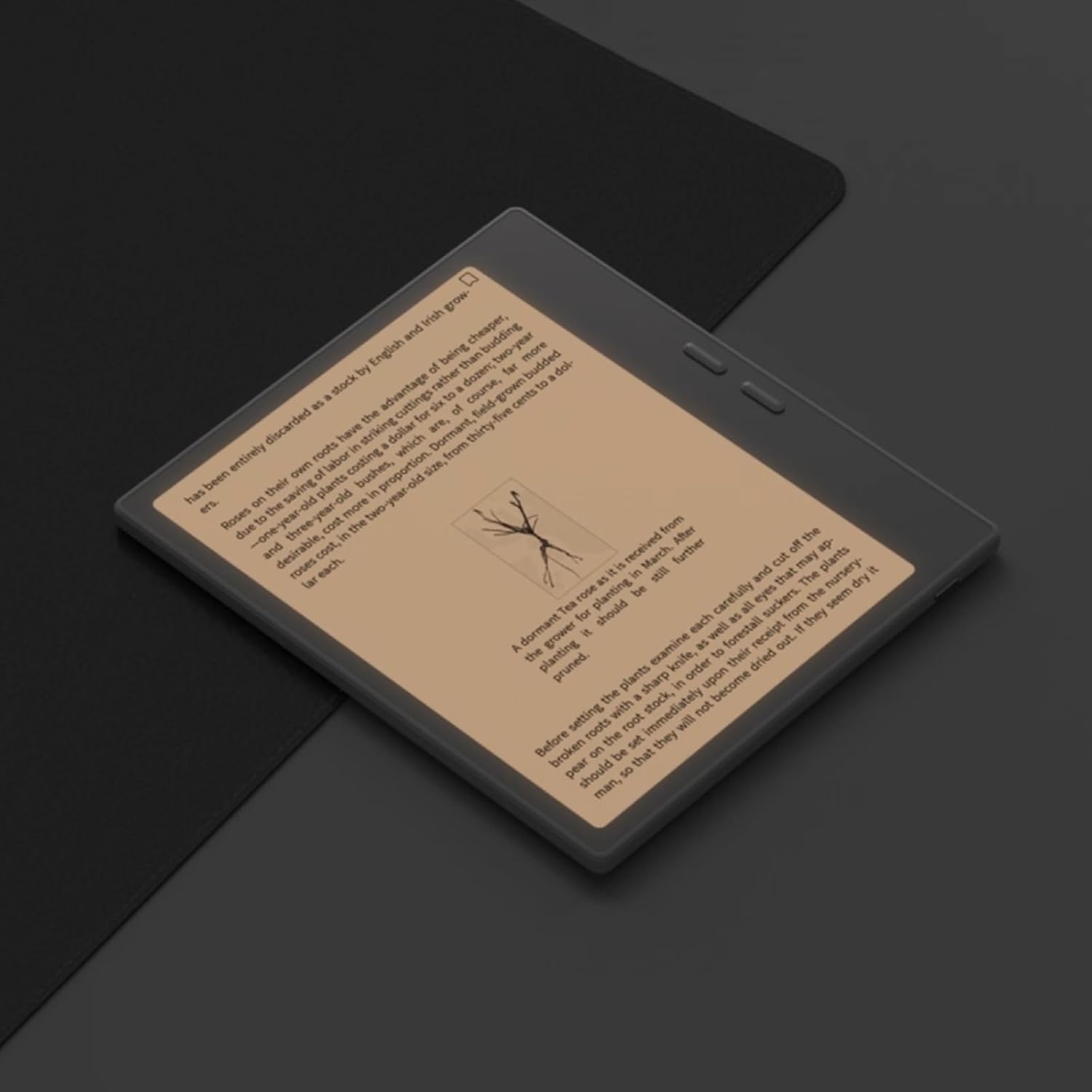
Figure 6.1: Reading with Frontlight
6.3 Android тиркемелерин колдонуу
As an Android 13 device, the BOOX Go 7 allows installation of various applications from the Google Play Store. Navigate to the App Store, search for your desired application, and install it. Note that some applications may not be fully optimized for ePaper displays.

Figure 6.2: Various Android Applications on BOOX Go 7
6.4 Note-Taking and Drawing
Utilize the stylus (if included or purchased separately) for note-taking, sketching, and annotating documents. The device offers various templates and tools for creative and organizational tasks.

Figure 6.3: Stylus Use for Note-Taking

Figure 6.4: Handwriting to Text Conversion
7. Техникалык тейлөө
7.1 Аппаратты тазалоо
Use a soft, lint-free cloth to gently wipe the screen and body of the device. Do not use harsh chemicals, abrasive cleaners, or excessive moisture.
7.2 Программалык камсыздоо жаңыртуулары
Regularly check for and install software updates to ensure optimal performance and access to new features. Connect to Wi-Fi and navigate to Орнотуулар > Система > Система жаңыртуу жеткиликтүү жаңыртууларды текшерүү үчүн.
8. Кыйынчылыктарды
- Түзмөк күйбөй жатат: Ensure the device is charged. Connect it to a power source and try again.
- Экран жооп бербей жатат: Perform a soft reset by holding the Power button for 10-15 seconds.
- Wi-Fi туташуу көйгөйлөрү: Verify your Wi-Fi password and router settings. Try restarting your router and the device.
- Колдонмолор бузулуп жатат: Ensure applications are updated to their latest versions. Clear the app's cache or reinstall if issues persist.
9. Техникалык шарттар
| Бренд | BOOX |
| Модель аты | Барыңыз 7 |
| Сактоо сыйымдуулугу | 64 ГБ |
| Screen Size | 7 дюйм |
| Max Display Resolution | 300 Pixels per inch |
| Операция системасы | Android 13 |
| Түс | Нуар (Кара) |
| Орнотулган RAM өлчөмү | 4 ГБ |
| Өзгөчөлүктөр | USB OTG support, Expandable storage, Stylus support |
| Модель жылы | 2025 |
| Батарея түрү | Литий-ион |
| Батареянын энергия мазмуну | 8.8 Ватт-саат |
| Процессор бренди | Qualcomm |
| Процессордун сүрөттөлүшү | Qualcomm Snapdragon |
| Камера | Камера жок |
| Сенсор түрү | Гироскоп |
| Item Dimensions (LxWxT) | 15.6L x 0.6W x 13.7T centimeters |
| Киргизүү ыкмасы | Touchscreen with stylus |
| Графикалык картанын сүрөттөлүшү | Интеграцияланган |
| Шайкеш түзмөктөр | Стилус |
| Дисплей түрү | Электрондук сыя |
| Screen Resolution | 1280 x 800 пиксель |
| Аспект катышы | 16:10 |
| Аппараттык байланыш | USB |
| Зымсыз технология | Bluetooth, Wi-Fi (802.11ax) |
| Жалпы USB порттору | 1 |

Figure 9.1: BOOX Go 7 Energy Label (EPREL шилтемеси)
10. Кепилдик маалыматы
The BOOX Go 7 ePaper Tablet comes with a 2 жылдык чектелген кепилдик. This warranty covers manufacturing defects under normal use. For specific terms and conditions, please refer to the warranty card included in your package or contact customer support.
The standard return policy allows for returns within 30 days of purchase for refund or replacement.
11. Колдоо
For technical assistance, troubleshooting, or warranty claims, please contact BOOX customer service. You can find support resources and submit inquiries through the official BOOX help center.
- Программалык камсыздоонун жаңыртуулары: BOOX commits to at least 3 years of firmware updates for each product.
- Булуттагы сактагыч: 10 GB of free cloud storage is provided for each user.
- Жооп убактысы: Кардарлардын суроолоруна, адатта, 24 сааттын ичинде жооп берилет.
Көбүрөөк маалымат алуу үчүн, киргиле BOOX Brand Store on Amazon.


