
Introduction
This manual provides instructions for the safe operation, installation, and maintenance of your jojofuny 30W Mini Ceiling Fan with LED Light and Remote Control. Please read this manual thoroughly before use and retain it for future reference.
Пакеттин мазмуну
Таңгактан чыгарганда төмөндө көрсөтүлгөн бардык буюмдардын бар экенин жана жакшы абалда экенин текшериңиз.
- 1 x jojofuny Mini Ceiling Fan with LED Light
- 1 x Алыстан башкаруу
- 1 х Колдонуучунун колдонмосу (бул документ)

Image: The jojofuny Mini Ceiling Fan with LED Light and its accompanying remote control.
Коопсуздук нускамалары
Өрт, электр тогуна урунуу жана жеке жаракат алуу коркунучун азайтуу үчүн электр шаймандарын колдонууда ар дайым негизги коопсуздук чараларын сактаңыз.
- Ensure the power supply is disconnected at the circuit breaker before installation, cleaning, or maintenance.
- Желдеткичти шнур же сайгыч бузулган менен иштетпеңиз.
- Keep hands, hair, and loose clothing away from moving parts of the fan.
- Бул шайман үйдүн ичинде гана иштөөгө ылайыкталган.
- Do not expose the fan to water or excessive moisture.
- Use only the remote control provided with the unit.
Орнотуу жана орнотуу
The jojofuny Mini Ceiling Fan is designed for easy installation into a standard E27 screw-in light socket.
- Өчүрүү: Ensure the power to the light fixture is turned off at the circuit breaker before beginning installation. This prevents electric shock.
- Кирүү: Carefully screw the fan light into a standard E27 light socket until it is secure. Do not overtighten.
- Күйгүзүү: Автоматтык өчүргүчтөгү кубаттуулукту калыбына келтириңиз.
- Сыноо: Use the remote control to test the fan and light functions.
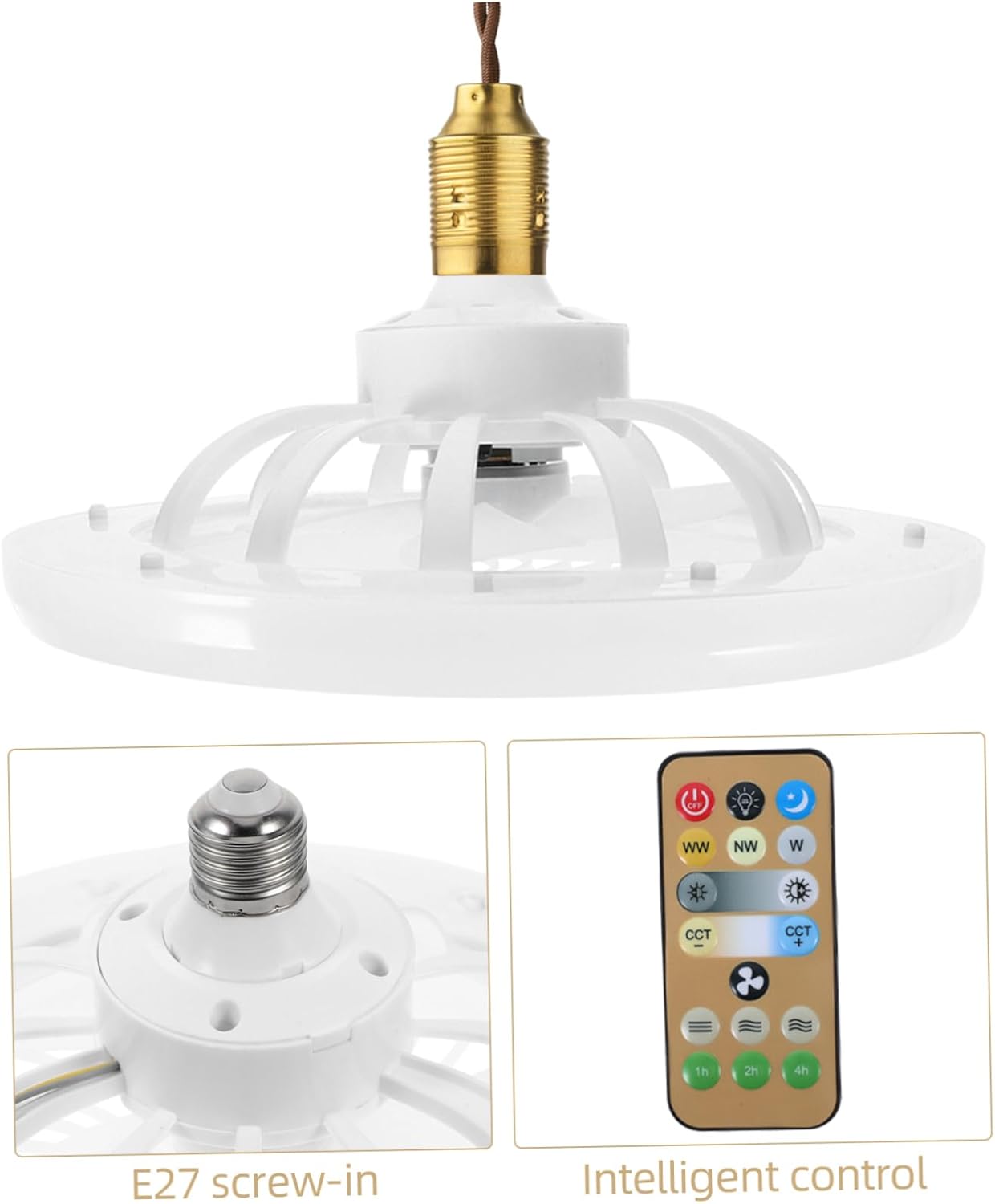
Сүрөт: Жакын план view of the E27 screw-in base for installation, alongside the remote control.
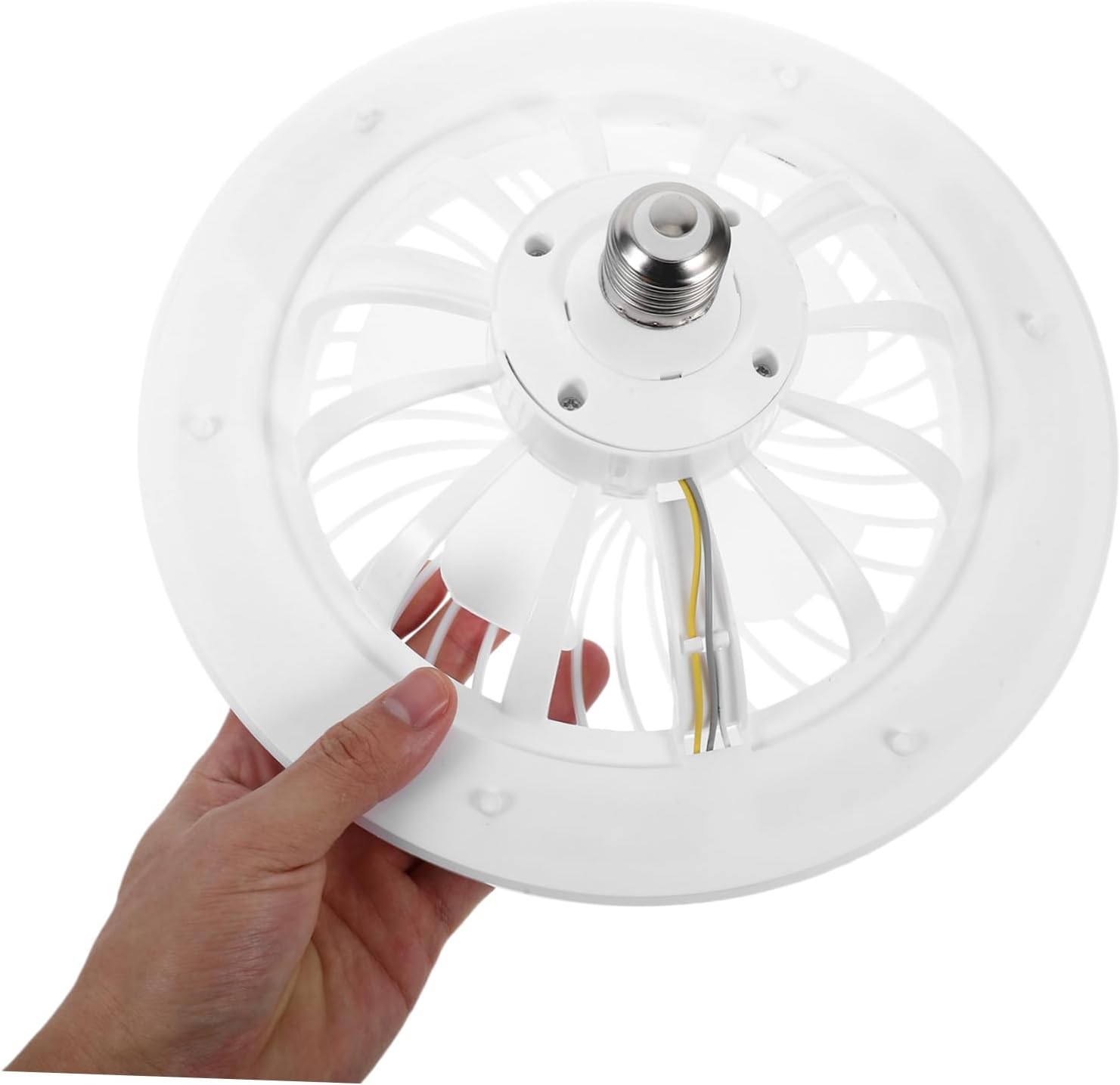
Image: A hand holding the fan light, illustrating its compact size and E27 screw-in base for easy handling.

Image: The mini ceiling fan installed and hanging from a ceiling fixture, ready for use.
Иштөө нускамалары
The fan and light functions are controlled via the included remote control.
Алыстан башкаруу функциялары

Image: The remote control for the fan light, showing various buttons for light and fan speed adjustments.
- Күйгүзүү/өчүрүү: басыңыз ӨЧҮРҮҮ button to turn off both the fan and light. Press any function button (e.g., light on, fan speed) to turn the unit on.
- Жарыкты башкаруу:
- Жарыктыкты жөндөө: Use the sun icon buttons (light up/down) to increase or decrease the light intensity.
- Түс температурасын жөндөө: колдонуу WW (Жылуу ак), NW (Neutral White), and W (Cool White) buttons to change the light color temperature.
- Түнкү жарык режими: Press the moon icon button for a low-brightness, soft light setting.
- Желдетүүчү ылдамдыкты көзөмөлдөө: Use the fan icon buttons (fan up/down) to adjust the fan speed to your preference.
- Таймер функциясы: Set the fan/light to turn off automatically after 1 hour, 2 hours, or 4 hours using the respective buttons.

Image: A hand operating the remote control, demonstrating its use with the installed ceiling fan light.
Техникалык тейлөө
Regular maintenance ensures optimal performance and longevity of your fan light.
- Тазалоо: Always disconnect power at the circuit breaker before cleaning. Wipe the fan and light surfaces with a soft, damp cloth. Do not use abrasive cleaners, harsh chemicals, or solvents, as these may damage the finish.
- Чаңды тазалоо: Periodically remove dust from the fan blades and light cover to maintain efficient airflow and consistent light output. A soft brush or vacuum cleaner with a brush attachment can be used.
- Лампаны алмаштыруу: The LED light source is integrated into the unit and is not user-replaceable. If the light fails, the entire unit may need servicing or replacement.
Проблемаларды чечүү
If you encounter any issues with your fan light, refer to the table below for common problems and solutions.
| Көйгөй | Мүмкүн себеп | Чечим |
|---|---|---|
| Fan/Light does not turn on. | No power to the socket; Remote control battery is dead; Unit not screwed in properly. | Check circuit breaker and wall switch; Replace remote battery; Ensure unit is securely screwed into the E27 socket. |
| Вентилятор иштейт, бирок жарык өчпөйт. | Light function is off on remote; Integrated LED failure. | Press the light ON button on the remote; Contact customer support if the integrated LED is faulty. |
| Алыстан башкаруу жооп бербей жатат. | Remote battery is dead or low; Obstruction between remote and fan; Remote not paired (if applicable). | Replace remote battery; Ensure clear line of sight to the fan; Refer to pairing instructions if the remote requires it (not typically for this model). |
| Желдетүүчү ызы-чуу же ашыкча титиреп жатат. | Loose installation; Obstruction in fan blades; Damaged fan blades. | Ensure unit is securely installed in the socket; Check for and remove any obstructions; Inspect blades for damage. |
Техникалык шарттар
Detailed technical specifications for the jojofuny Mini Ceiling Fan with LED Light.
| Өзгөчөлүк | Деталь |
|---|---|
| Бренд | jojofuny |
| Модель номери | QPW6304002SC263VF |
| Power Source | E27 Screw-in (Remote Control: Battery Powered) |
| Түс | Ак |
| Продукциянын өлчөмдөрү | 10.16"D x 10.16"W x 4.33"H (25.80cmx25.80cmx11.00cm) |
| Элемент Салмагы | 0.72 фунт (11.5 унция) |
| Өзгөчөлүктөр | Lightweight, Remote Control, Adjustable Brightness, Adjustable Color Temperature, Silent Operation |
| Камтылган компоненттер | Fan Light, Remote Control |

Image: Diagram showing the dimensions of the fan light: 25.8cm (10.14in) diameter and 11cm (4.32in) height.
Кепилдик жана колдоо
For warranty information or technical support, please contact jojofuny customer service. Refer to your purchase documentation for specific warranty terms and conditions.
For further assistance or to explore other jojofuny products, please visit the official jojofuny store on Amazon: jojofuny Amazon Store.