
1. Киришүү
Thank you for choosing the Kinglucky ClipFree Open-Ear Headphones Model A8. These innovative headphones combine high-quality audio with a unique jewelry-inspired design, featuring detachable butterfly earrings. Designed for comfort and awareness, they provide a secure fit without blocking your ear canal, allowing you to enjoy your audio while staying connected to your surroundings. This manual will guide you through the setup, operation, and maintenance of your new headphones.
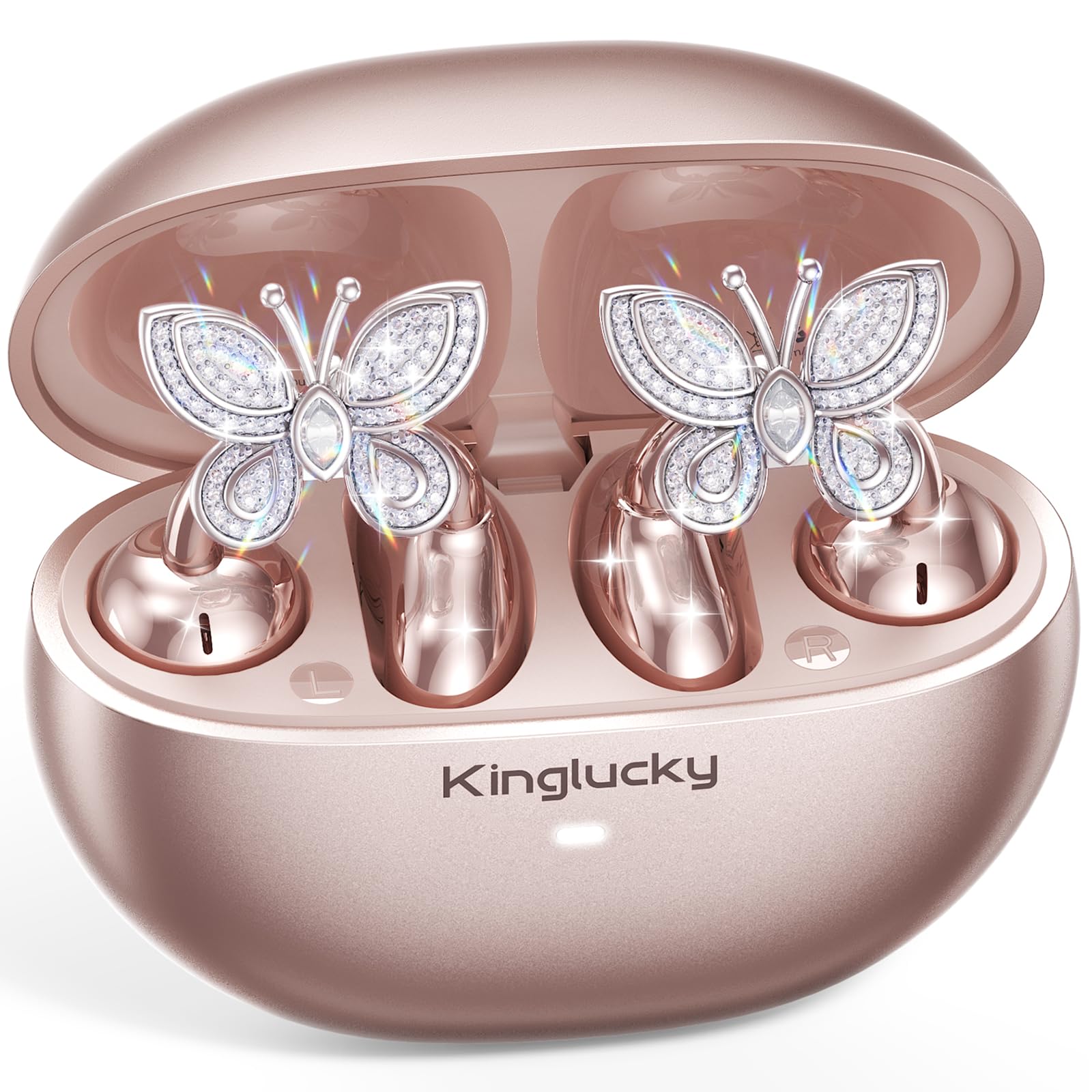
Image: Kinglucky ClipFree Open-Ear Headphones Model A8 in Rose Gold charging case.
2. Кутуда эмне бар
Your Kinglucky ClipFree Open-Ear Headphones package includes the following items:
- Kinglucky OpenEarRing A8 Headphones (Rose Gold)
- Заряддоо кутусу
- Crystal Butterfly Ear Clip Charms (Detachable)
- USB-C заряддоо кабели
- Колдонуучунун Колдонмосу (бул документ)

Image: All components included in the Kinglucky ClipFree Open-Ear Headphones package.
3. Setup: First-Time Pairing
Follow these steps to pair your Kinglucky headphones with your device for the first time:
- Коргоочу пленкаларды алып салуу: Carefully remove any protective films from the charging contacts on the earbuds.
- Place in Charging Case: Place both ear clips into the charging case and close the lid. Ensure they are seated correctly.
- Open Lid & Pair: Open the charging case lid. The earbuds will automatically enter pairing mode. On your device (smartphone, tablet, etc.), go to Bluetooth settings and select "Kinglucky Earbuds" from the list of available devices to connect.

Image: Visual guide for the initial pairing process of the earbuds.
4. Wearing the Earbuds & Attaching Charms
The Kinglucky ClipFree headphones are designed for an open-ear fit, resting gently on your ear without entering the ear canal. This ensures comfort and situational awareness.
4.1 Кулакчындарды тагынуу
Gently place the ear clip over the helix (the outer rim) of your ear. Adjust for a secure and comfortable fit. The speaker component should be positioned near your ear canal for optimal sound delivery.

Image: The C-shaped design ensures a comfortable and stable fit on the ear.
4.2 Attaching the Butterfly Charms
To personalize your headphones, you can attach the included crystal butterfly charms:
- Gently Open Ear Cuff: Locate the small opening on the earbud's cuff.
- Clip onto Earphone Stem: Carefully clip the butterfly charm onto the stem of the earphone.
- Кызмат орду: Place the earbud with the attached charm over your ear. Ensure the charm is securely fastened.
The silicone pad helps secure the charm. The charms are detachable and not stored in the charging case.

Image: Step-by-step guide to attaching the butterfly charms to your earbuds.
5. Иштөө нускамалары
5.1 Сенсордук башкаруу
Кулакчындар үн жана чалууларды башкаруу үчүн интуитивдик сенсордук башкаруу элементтерине ээ:
- Ойнотуу/тындыруу: Кулакчындарды бир жолу таптаңыз.
- Чалууга жооп берүү/аяктоо: Кулакчындарды бир жолу таптаңыз.
- Кийинки трек: Оң кулакчынды эки жолу таптаңыз.
- Мурунку трек: Сол кулакчынды эки жолу таптаңыз.
- Көлөмү: Оң кулакчынды үч жолу таптаңыз.
- Үнүн азайтуу: Сол кулакчынды үч жолу таптаңыз.
- Үн Жардамчысын жандыруу: Кулакчындардын бирин (2 секунд) көпкө басып туруңуз.
5.2 Заряддоо
To charge your earbuds and charging case:
- Кулакчындар: Place the earbuds into the charging case. They will automatically begin charging. The indicator light on the case will show charging status.
- Заряддоо кутусу: Connect the provided USB-C charging cable to the port on the back of the charging case and to a power source. The indicator light will show charging progress.
Толук кубаттоо кубаттоочу куту менен 50 саатка чейин жалпы ойноо убактысын камсыз кылат.

Image: The charging case provides extended battery life for your earbuds.
5.3 Көп чекиттүү жупташтыруу
Your Kinglucky headphones support MultiPoint Pairing, allowing seamless connection to two devices simultaneously. This enables you to effortlessly switch between your phone, tablet, smartwatch, or computer without re-pairing.

Image: MultiPoint Pairing allows connection to two devices simultaneously.
6. Features & Benefits
- Jewelry-Inspired Design: Unique clip-on open-ear earbuds with detachable crystal butterfly earrings, offering both audio and style.
- Secure & Comfortable Open-Ear Fit: Weighing just 4.0g each, they rest gently on the ear without blocking the canal, providing a pressure-free and stable fit. Ideal for small ears, long hair, or glasses.
- Таза аудио сапаты: Tuned for clear vocals and balanced sound, allowing you to enjoy podcasts, calls, and music without the fatigue of in-ear headphones.
- Bluetooth 6.0: Ensures fast pairing and a stable wireless connection.
- IP56 сууга туруктуулугу: Designed to withstand sweat and rain, making them suitable for daily commutes, office calls, and light workouts.
- Узартылган ойноо убактысы: Up to 50 hours of listening time with the portable charging case.
- AI-Powered Call Clarity: Equipped with 2 beamforming microphones and advanced noise-canceling technology for crisp conversations.

Image: The unique design blends elegance with everyday comfort and functionality.
7. Техникалык шарттар
| Өзгөчөлүк | Деталь |
|---|---|
| Модель аты | A8 |
| Бренд | Кинглаки |
| Байланыш технологиясы | Зымсыз (Bluetooth 6.0) |
| Кулак жайгаштыруу | Ачык кулак |
| Форма фактору | Чыныгы зымсыз |
| Батареянын иштөө мөөнөтү | 50 саатка чейин (заряддоо кутусу менен) |
| Сууга туруктуулук деңгээли | IP56 (Sweat and Rain Resistant) |
| Башкаруу ыкмасы | тийүү |
| Материал | Plastic, Metal, Rhinestones |
| Элемент Салмагы | 3.17 унция |
| Камтылган компоненттер | USB-C Cable |
8. Техникалык тейлөө
To ensure the longevity and optimal performance of your Kinglucky headphones, follow these maintenance guidelines:
- Тазалоо: Кулакчындарды жана кубаттоочу кутучаны тазалоо үчүн жумшак, кургак чүпүрөктү колдонуңуз. Катуу химиялык заттарды же абразивдүү материалдарды колдонуудан алыс болуңуз.
- Заряддоо байланыштары: Жакшы туташууну камсыз кылуу үчүн, кулакчындардын жана кутучанын ичиндеги кубаттоочу контакттарды кургак кебез менен мезгил-мезгили менен тазалап туруңуз.
- Сактагыч: Колдонулбаганда, кулакчындарды чаңдан жана бузулуудан коргоо үчүн кубаттоочу кутуга салып сактаңыз.
- Суу таасири: While IP56 rated for sweat and rain, avoid submerging the headphones in water. Dry them thoroughly if they get wet.
- Charms: Handle the detachable charms with care to prevent damage to the crystals or clips.
9. Кыйынчылыктарды
If you encounter any issues with your Kinglucky headphones, refer to the following common solutions:
- Кулакчындар жупташкан жок:
- Эки кулакчындын тең кубатталганын текшериңиз.
- Түзмөгүңүздөгү Bluetooth'ду өчүрүп, кайра күйгүзүңүз.
- Forget "Kinglucky Earbuds" from your device's Bluetooth list and attempt to re-pair.
- Place earbuds back in the case, close the lid for 5 seconds, then open to reset pairing mode.
- Үн жок же үнү төмөн:
- Check the volume levels on both your device and the earbuds (using touch controls).
- Ensure earbuds are correctly seated on your ears.
- Confirm the earbuds are connected to the correct device.
- Бир кулакчын иштебей жатат:
- Эки гарнитураны тең заряддоо кутусуна салып, капкагын жаап, кайра ачыңыз.
- Эки кулакчындын тең кубатталганын текшериңиз.
- Try resetting the earbuds (refer to the full manual for specific reset instructions if available).
- Заряддоо маселелери:
- USB-C кабели корпуска да, кубат булагына да бекем туташып турганын текшериңиз.
- Кулакчындардагы жана кутучадагы заряддоо контакттары таза жана калдыктары жок экенин текшериңиз.
- Башка USB-C кабелин же кубат адаптерин колдонуп көрүңүз.
10. Кепилдик жана колдоо
Kinglucky is committed to providing quality products and customer satisfaction. Your Kinglucky ClipFree Open-Ear Headphones Model A8 come with the following:
- 18 айлык кепилдик: Scan the QR code on the product packaging to activate your warranty within 14 days of purchase.
- 180 күндүк кепилдик: Enjoy peace of mind with our extended guarantee.
- Акысыз алмаштыруу: In case of eligible issues, a free replacement will be provided.
- 24/7 Тез колдоо: For any questions, concerns, or assistance, please contact Kinglucky customer support.
If you encounter issues such as a used item, no sound, inability to pair, or charging problems, please reach out to our support team for hassle-free assistance.

Image: Kinglucky customer care details for support and warranty.