
Micool T18
Micool Invisible Sleep Wireless Earphone T18 User Manual
Модел: T18
1. Киришүү
Thank you for choosing the Micool Invisible Sleep Wireless Earphone T18. These earbuds are designed for comfort during sleep and extended wear, featuring a non-in-ear design, Bluetooth 5.4 connectivity, and intuitive touch controls. This manual provides detailed instructions for setup, operation, and maintenance to ensure optimal performance and longevity of your device.
2. Пакеттин мазмуну
Сураныч, пакетте төмөнкү нерселерди текшериңиз:
- Micool Invisible Sleep Wireless Earphones (T18)
- Заряддоо кабели
- Колдонуучунун Колдонмосу (бул документ)
3. Продукт бүтүп калдыview
The Micool T18 earphones feature a unique, ergonomic design optimized for comfort, especially for side sleepers. Their ultra-thin body and non-in-ear placement minimize pressure on the ear canal.
Негизги өзгөчөлүктөрү:
- Non-In-Ear Design: Avoids ear canal pressure, suitable for extended wear and sleeping.
- Bluetooth 5.4: Provides stable wireless connection and low power consumption.
- Сенсордук башкаруу каражаттары: Easy management of audio playback and calls.
- IPX5 Суу өткөрбөйт: Терге жана жеңил чачыратууларга туруктуу.
- Компакт жана жеңил: Designed for discreet use and portability.
Кулакчындын компоненттери:
Refer to the images below for a visual guide to the earphone's design and components.
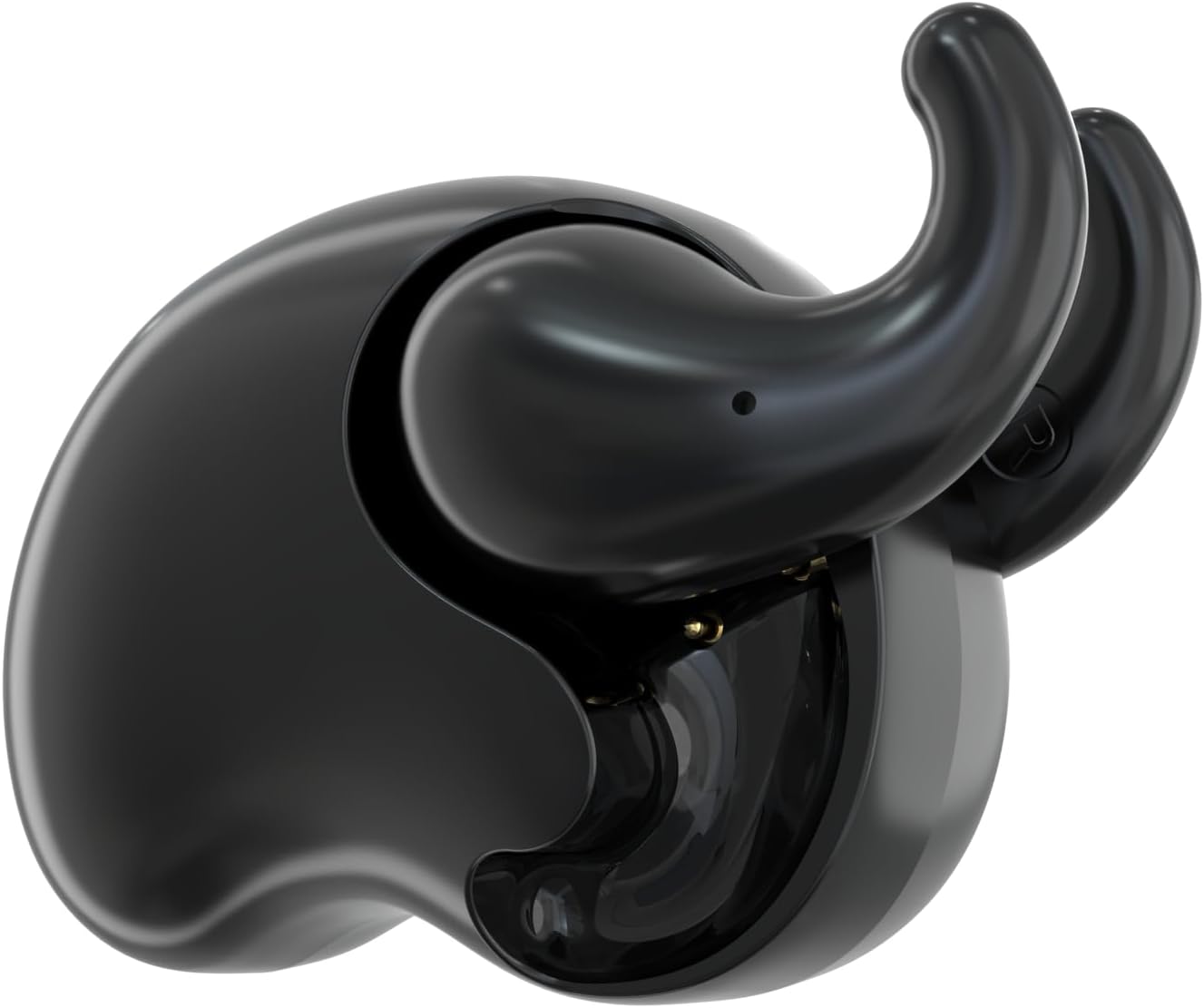
Figure 3.1: Micool T18 Invisible Sleep Wireless Earphones (Classic Black).

Figure 3.2: Earbud placement demonstrating the non-in-ear design for comfort.
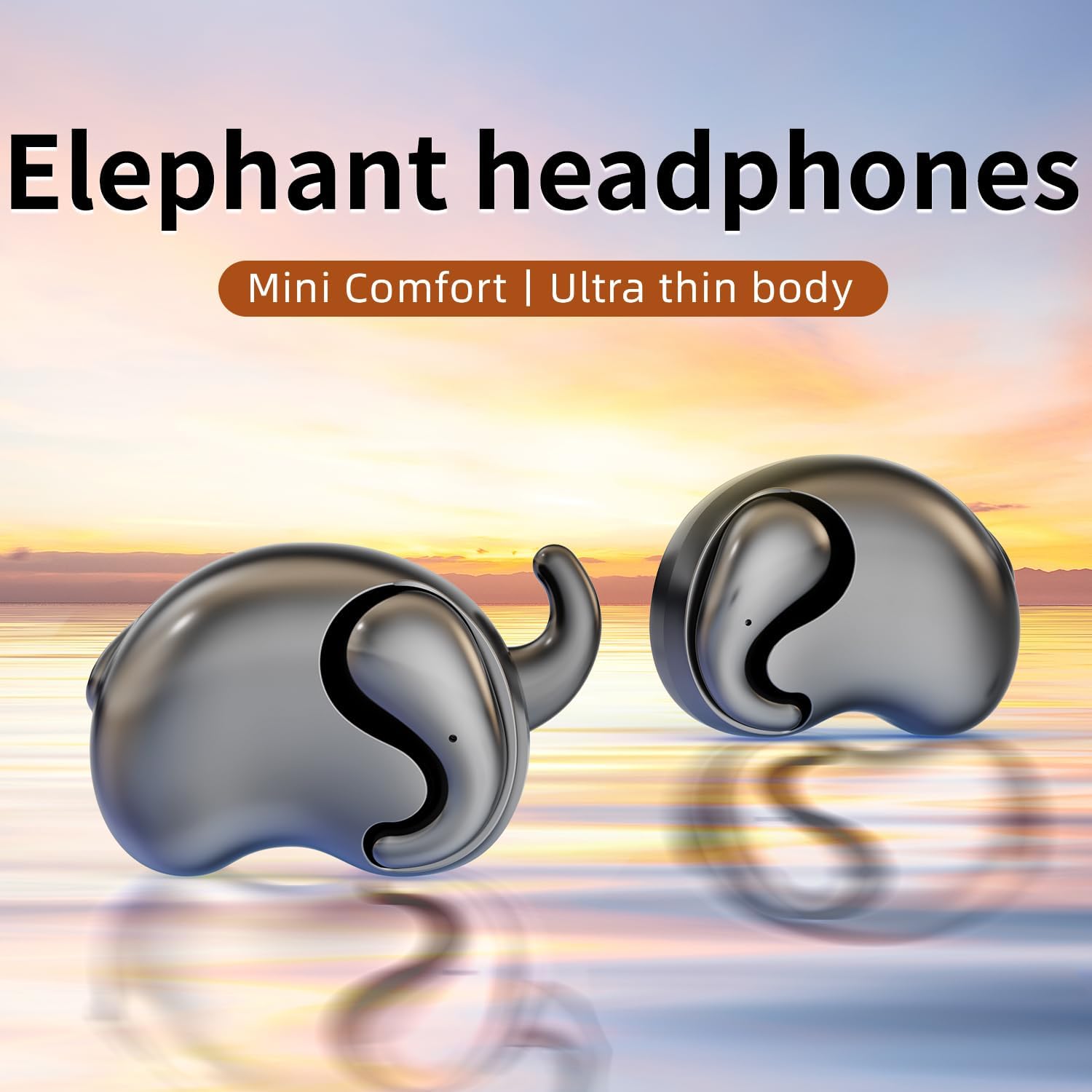
Figure 3.3: A pair of Micool T18 earbuds, highlighting their compact and ergonomic form factor.
4. Орнотуу
4.1 Алгачкы заряддоо
Before first use, fully charge the earphones. Connect the provided charging cable to the charging port on the earphones and to a USB power source. The indicator light will show charging status and turn off or change color when fully charged.
4.2 Күйгүзүү/өчүрүү
- Күйгүзүү: The earphones typically power on automatically when removed from the charging case. If not, press and hold the touch control area on each earbud for approximately 3 seconds until you hear a power-on prompt or see an indicator light.
- Өчүрүү: Place the earphones back into their charging case to power off automatically. Alternatively, press and hold the touch control area for approximately 5 seconds until you hear a power-off prompt.
4.3 Bluetooth жупташтыруу
- Ensure the earphones are charged and powered on. They will automatically enter pairing mode, indicated by a flashing LED light (usually blue and red alternating).
- Түзмөгүңүздө (мисалы, смартфон, планшет) Bluetooth иштетиңиз.
- Издөө available Bluetooth devices. Select "Micool T18" from the list.
- Once connected, the earphone's LED indicator will stop flashing or flash slowly, and you will hear a confirmation sound.
- If pairing fails, turn off the earphones and your device's Bluetooth, then repeat the steps.
5. Иштөө нускамалары
5.1 Наушник тагынуу
Gently place the earphones onto your outer ear, ensuring the non-in-ear design rests comfortably without entering the ear canal. Adjust for a secure fit that allows for comfort, especially when lying down.

Figure 5.1: Proper wearing of the Micool T18 earphone for optimal comfort.
5.2 Сенсордук башкаруу
The Micool T18 earphones feature intuitive touch controls on the outer surface of each earbud. The specific functions may vary slightly, but common controls include:
- Ойнотуу/тындыруу: Кулакчындарды бир жолу таптаңыз.
- Кийинки трек: Оң кулакчынды эки жолу таптаңыз.
- Мурунку трек: Сол кулакчынды эки жолу таптаңыз.
- Көлөмү: Оң кулакчынды үч жолу таптаңыз.
- Үнүн азайтуу: Сол кулакчынды үч жолу таптаңыз.
- Чалууга жооп берүү/аяктоо: Кирүүчү чалуу учурунда гарнитураны бир жолу таптаңыз.
- Чакырууну четке кагуу: Кирүүчү чалуу учурунда кулакчындын бирин 2 секунд басып туруңуз.
- Үн Жардамчысын жандыруу: Чалуу учурунда эмес болсоңуз, кулакчындын бирин 2 секунд басып туруңуз.
Note: Refer to the quick start guide included in your package for the most precise touch control mapping.
5.3 Наушниктерди заряддоо
Place the earphones into their charging case. Ensure they are correctly seated. The indicator lights on the earphones and/or case will show the charging status. A full charge typically takes 1-2 hours.
6. Техникалык тейлөө
6.1 Тазалоо
Wipe the earphones and charging case with a soft, dry, lint-free cloth. Do not use abrasive cleaners, alcohol, or chemical solvents. Avoid getting moisture into any openings.
6.2 Сактоо
Колдонулбай турган учурда, кулакчындарды коргоо жана кубаттоо үчүн кубаттоочу кутучасында сактаңыз. Кургак, салкын жерде, өтө жогорку температурадан жана күндүн түз нурларынан алыс сактаңыз.
6.3 Сууга туруктуулук
The Micool T18 earphones are IPX5 waterproof, meaning they are resistant to low-pressure water jets from any direction. They are suitable for use during exercise and in light rain, but should not be submerged in water or exposed to high-pressure water streams.
7. Кыйынчылыктарды
| Көйгөй | Мүмкүн себеп | Чечим |
|---|---|---|
| Earphones not powering on. | Батарея аз. | Наушниктерди толук заряддаңыз. |
| Түзмөк менен жупташтыруу мүмкүн эмес. | Түзмөктө Bluetooth өчүк; кулакчындар жупташтыруу режиминде эмес; түзмөктөн өтө алыс. | Ensure Bluetooth is on. Place earphones in pairing mode. Keep devices within 10 meters. Try restarting both devices. |
| Үн жок же үзгүлтүксүз үн жок. | Volume too low; earphones out of range; interference; incorrect audio output selected. | Increase volume on both earphones and device. Move closer to device. Check for other wireless devices causing interference. Ensure "Micool T18" is selected as audio output. |
| Кулакчындар заряддалбай жатат. | Charging cable faulty; poor connection; charging port dirty. | Try a different charging cable. Ensure earphones are correctly seated in the case. Clean charging contacts gently. |
8. Техникалык шарттар
| Өзгөчөлүк | Деталь |
|---|---|
| Бренд | Micool |
| Модель аты | T18 |
| Байланыш технологиясы | Зымсыз (Bluetooth) |
| Bluetooth версиясы | 5.4 |
| Кулак жайгаштыруу | In Ear (Non-in-ear design) |
| Форма фактору | Чыныгы зымсыз |
| Сууга туруктуулук рейтинги | IPX5 |
| Материал | Пластик |
| Шайкеш түзмөктөр | Уюлдук телефондор |
| Өзгөчө колдонуулар | Sleeping, Music |
| UPC | 770029330098 |
9. Кепилдик жана колдоо
9.1 Кепилдик маалыматы
The Micool T18 Invisible Sleep Wireless Earphones come with a 1-year limited warranty from the date of purchase. This warranty covers manufacturing defects. It does not cover damage caused by misuse, accidents, unauthorized modifications, or normal wear and tear.
9.2 Кардарларды колдоо
For technical assistance, warranty claims, or any questions regarding your Micool T18 earphones, please contact Micool customer service. Micool provides 24-hour after-sales service for all purchased items.
Please visit the official Micool store on Amazon for contact details or further information: Micool Store
Ask a question about this manual
Ask about setup, troubleshooting, compatibility, parts, safety, or missing instructions. Manuals+ will review the question and use this page’s manual context to help answer it.