
Wooask WOOASKW12-04
Wooask W12 AI тил котормочу түзмөгү колдонуучусунун колдонмосу
Model: WOOASKW12-04
1. Киришүү
The Wooask W12 AI Language Translator Device is an advanced tool designed to facilitate seamless communication across various languages. Featuring real-time voice, offline, and photo translation capabilities, this device is ideal for travel, business, and learning. Its compact design and long-lasting battery ensure reliable performance wherever you go.

Сүрөт: алдыңкы жана арткы view of the Wooask W12 AI Language Translator Device, showcasing its sleek design and screen.
2. Кутуда эмне бар
Пакетти ачканда, төмөнкү нерселердин бардыгы бар экенин текшериңиз:
- W12 Translator Device
- USB-A дан Type-C кубаттоо кабели
- Коргоочу кабык
- Lanyard
- Колдонуучунун Колдонмосу (бул документ)
3. Продукциянын өзгөчөлүктөрү
The Wooask W12 translator is equipped with a range of features designed for optimal translation performance:
- Кеңири тилди колдоо: Supports 144 online languages and 16 offline languages, ensuring broad communication capabilities without requiring a Wi-Fi connection for offline use.
- Реалдуу убакыттагы котормо: Utilizes advanced AI for ultra-fast 0.5-second voice translation with up to 98% accuracy, facilitating natural conversation flow.
- High-Definition Touchscreen: Features a 3.4-inch HD touchscreen with adjustable text size, providing clear visibility and ease of use.
- Dual Control Interface: Operates with both touch screen and physical buttons for accessibility and convenience.
- Integrated Camera for Text Translation: A 500MP camera allows for instant translation of text from menus, signs, and documents, with auto-focus and low-light enhancement.
- Noise-Canceling Speaker System: Ensures clear audio output even in noisy environments.
- Узак мөөнөттүү батарея: Provides up to 35 hours of continuous use on a single charge, with fast USB-C charging (approx. 1.5 hours for full charge).
- Портативдик дизайн: Lightweight (260g) and pocket-sized for easy carrying.
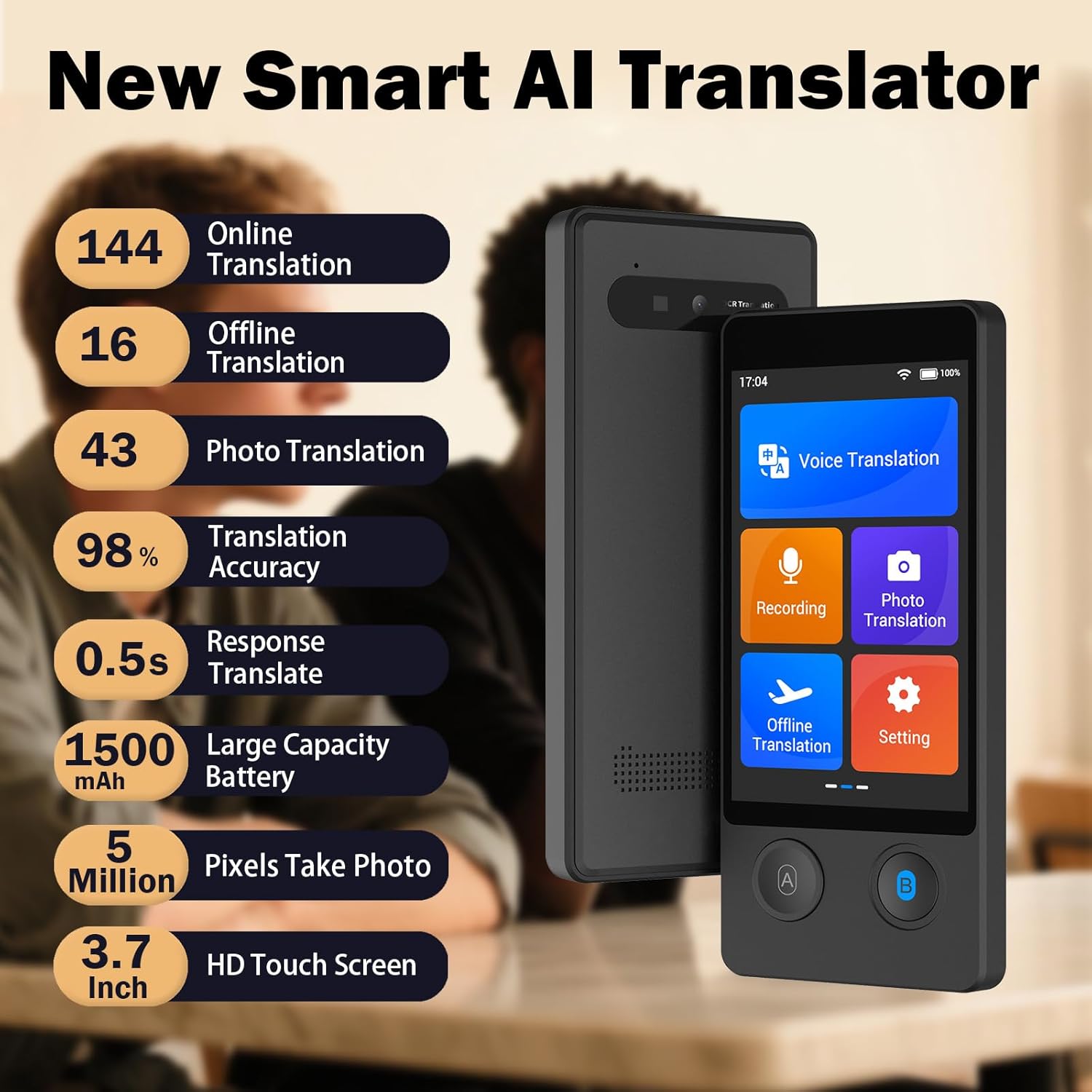
Сүрөт: бүттүview of Wooask W12 features, including 144 online languages, 16 offline languages, 43 photo translation languages, 98% accuracy, 0.5s response time, 1500mAh battery, 5 million pixels camera, and 3.7-inch HD touch screen.
4. Орнотуу колдонмосу
4.1 Алгачкы заряддоо
Before first use, fully charge the device. Connect the provided USB-A to Type-C charging cable to the device's charging port and a compatible USB power adapter. The charging indicator will show progress, and the device will indicate a full charge when complete. A full charge takes approximately 1.5 hours.
4.2 Күйгүзүү/өчүрүү
To power on, press and hold the power button (usually located on the side) until the screen illuminates. To power off, press and hold the power button until a power-off option appears on the screen, then confirm your selection.
4.3 Language and Network Settings
- Upon first power-on, select your preferred system language from the on-screen prompts.
- "Орнотуулар" менюсуна өтүңүз.
- Select 'Wi-Fi' and connect to an available network to enable online translation features and download offline language packs.
- For offline translation, go to 'Offline Translation' settings and download the desired language packs. It is recommended to download these packs via a stable Wi-Fi connection before traveling to areas without internet access.
5. Иштөө нускамалары
5.1 Үн менен которуу
The W12 features a dual-button interface for voice translation:
- On the main screen, select 'Voice Translation'.
- Choose the source language (your language) and the target language (the language you want to translate to).
- Press and hold Button A (usually on the left) and speak clearly in your source language. Release the button when finished. The device will translate and speak the text in the target language.
- For the other person to speak, they should press and hold Button B (usually on the right) and speak in their language. Release the button when finished. The device will translate and speak the text in your source language.
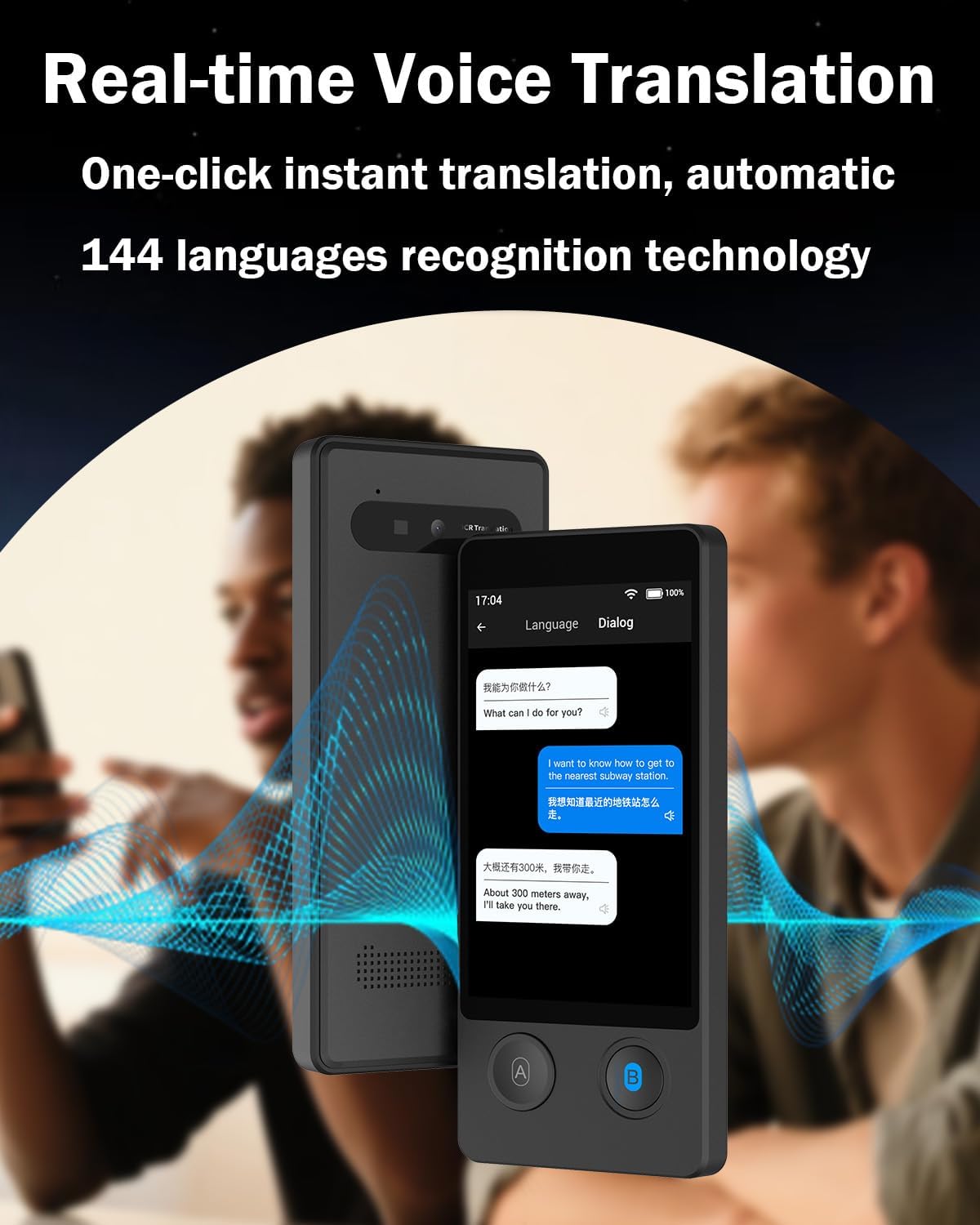
Image: The Wooask W12 device displaying a real-time voice translation conversation, with speech bubbles showing original and translated text.
5.2 Сүрөттөрдү которуу
To translate text from images:
- From the main screen, select 'Photo Translation'.
- Point the device's camera at the text you wish to translate (e.g., a menu, sign, or document). Ensure the text is well-lit and clear within the frame.
- Сүрөттү тартуу үчүн экранды таптаңыз.
- The device will process the image and display the translated text overlaid on the original image or as plain text.
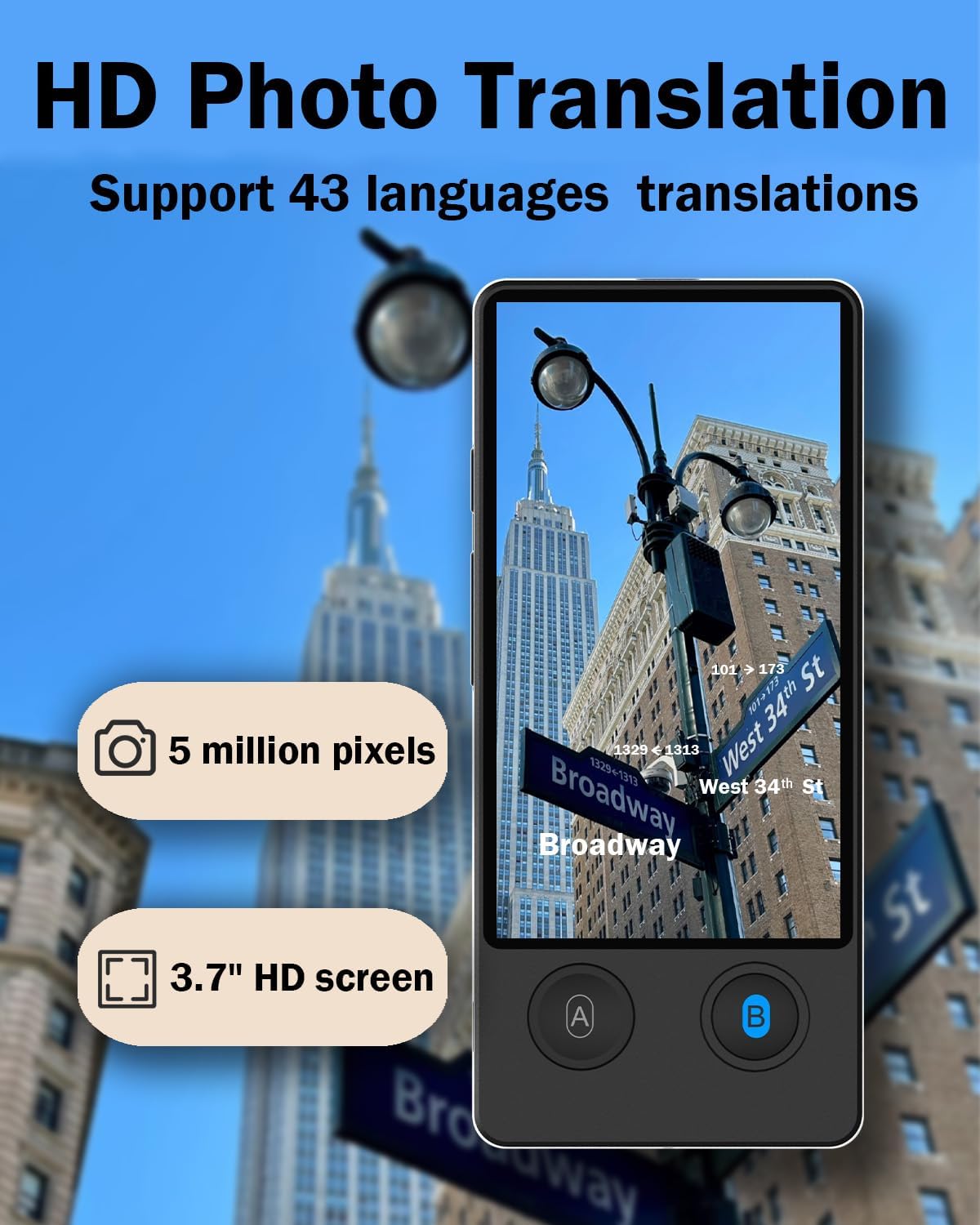
Image: A user holding the Wooask W12 device, using its camera to translate a street sign in a city environment.
5.3 Оффлайн котормо
The W12 supports offline translation for 16 major languages. To use this feature:
- Ensure you have downloaded the necessary offline language packs via Wi-Fi in the 'Settings' menu under 'Offline Translation'.
- Select 'Offline Translation' from the main menu.
- Choose the desired source and target languages from the downloaded offline packs.
- Proceed with voice translation as described in section 5.1. No internet connection is required for these specific language pairs.

Image: A graphic displaying flags of the 16 languages supported for offline translation, including English, Spanish, Chinese, Japanese, Korean, German, French, Russian, Arabic, Vietnamese, Thai, Italian, Portuguese, Hindi, Indonesian.
5.4 Жазуу функциясы
The device also offers a recording feature, useful for capturing conversations or notes:
- Select 'Recording' from the main screen.
- Жаздырууну баштоо үчүн жаздыруу баскычын басыңыз.
- Tap again to stop recording. Recordings are saved internally and can be reviewкийинчерээк.
6. Техникалык тейлөө
To ensure the longevity and optimal performance of your Wooask W12 translator, follow these maintenance guidelines:
- Тазалоо: Use a soft, dry, lint-free cloth to clean the device's screen and body. Avoid using abrasive cleaners, solvents, or aerosol sprays.
- Сактагыч: Аппаратты түз күн нурунан жана экстремалдык температурадан алыс салкын, кургак жерде сактаңыз.
- Батареяга кам көрүү: To preserve battery life, avoid fully discharging the battery frequently. Charge the device regularly, even if not in use for extended periods.
- Коргоо: Use the provided protective shell and lanyard to prevent accidental drops and scratches.
- Программалык камсыздоо жаңыртуулары: Periodically check for software updates in the 'Settings' menu to ensure you have the latest features and performance improvements.
7. Кыйынчылыктарды
If you encounter issues with your Wooask W12 translator, refer to the following common problems and solutions:
| Көйгөй | Мүмкүн себеп | Чечим |
|---|---|---|
| Түзмөк күйбөйт. | Батареянын аздыгы; аппарат катып калган. | Charge the device for at least 30 minutes. If still unresponsive, perform a hard reset (refer to manual for specific button combination, usually holding power button for 10+ seconds). |
| Котормо туура эмес же жай. | Poor internet connection (for online translation); unclear speech; strong accents; outdated software. | Ensure a stable Wi-Fi connection. Speak clearly and at a moderate pace. Check for and install any available software updates. |
| Оффлайн котормо иштебей жатат. | Оффлайн тил пакеттери жүктөлүп алынган же бузулган эмес. | Go to 'Settings' > 'Offline Translation' and ensure the required language packs are fully downloaded. Re-download if necessary. |
| Photo translation fails or is blurry. | Insufficient lighting; text too small or distorted; camera lens dirty. | Ensure adequate lighting. Position the device closer or further to get clear focus. Clean the camera lens with a soft cloth. |
| Батарея бат эле түгөнөт. | High screen brightness; continuous online use; many background apps. | Reduce screen brightness. Close unnecessary applications. Limit continuous online usage when possible. |
8. Техникалык шарттар
Key technical specifications for the Wooask W12 AI Language Translator Device:
- Модель номери: WOOASKW12-04
- Өлчөмдөрү: 6.57 x 3.7 x 1.73 дюйм (Пакет)
- Элемент Салмагы: 10.5 унция
- Дисплей: 3.4 дюймдук HD сенсордук экран
- Камера: 500MP for Photo Translation
- Батарея сыйымдуулугу: 1500mAh (approx. 35 hours continuous use)
- Заряддоо убактысы: Болжол менен 1.5 саат (USB-C)
- Онлайн тилдер: 144
- Оффлайн тилдер: 16
- Photo Translation Languages: 43
- Котормонун тактыгы: 98% чейин
- Жооп убактысы: 0.5 секунд
- Өндүрүүчү: Wooask
- Келип чыккан өлкө: Кытай
9. Кепилдик жана колдоо
Wooask is committed to providing high-quality products and customer satisfaction.
- Кепилдик: The Wooask W12 AI Language Translator Device comes with a 24-Month Hassle-Free Warranty.
- Кардарларды өмүр бою тейлөө: For any questions or concerns regarding product setup, usage, or if your translator stops working, please contact Wooask customer support. They aim to provide solutions and guidance within 24 hours.
- Байланыш маалыматы: Refer to the contact details provided in the packaging or on the official Wooask webколдоо үчүн сайт.
Ask a question about this manual
Ask about setup, troubleshooting, compatibility, parts, safety, or missing instructions. Manuals+ will review the question and use this page’s manual context to help answer it.