
1. Киришүү
Welcome to the user manual for your BOOX Tab X C 13.3-inch Color ePaper Tablet. This device combines the benefits of an e-reader with the versatility of an Android tablet, featuring a large color ePaper display, front light, G-Sensor, Wi-Fi, and Bluetooth connectivity. This manual provides essential information to help you set up, operate, maintain, and troubleshoot your device, ensuring an optimal user experience.

Image: The BOOX Tab X C tablet, showcasinанын кооз дизайны жана чоң дисплейи.
2. Орнотуу
2.1 Кутудан чыгаруу жана баштапкы төлөм
Upon opening the package, ensure all components are present. The box should contain your BOOX Tab X C tablet and a USB cable. Before first use, fully charge the device using the provided USB cable and a compatible power adapter (not included). A full charge ensures the device is ready for initial setup and optimal performance.
2.2 Күйгүзүү/өчүрүү
- Күйгүзүү үчүн: Press and hold the power button (typically located on the side or top edge) for a few seconds until the BOOX logo appears.
- Өчүрүү үчүн: Press and hold the power button until a power-off menu appears on the screen. Select "Power Off".
- Кайра баштоо үчүн: From the power-off menu, select "Restart".
2.3 Баштапкы конфигурация
After powering on for the first time, the device will guide you through an initial setup wizard. Follow the on-screen prompts to:
- Каалаган тилиңизди тандаңыз.
- Wi-Fi тармагына туташыңыз.
- Шарттарды жана шарттарды кабыл алыңыз.
- Google Play Дүкөнүнө жана башка кызматтарга кирүү үчүн Google аккаунтуңуз менен кириңиз.
- Optionally, sign in with your BOOX account for cloud synchronization and other BOOX-specific features.
3. Иштөө нускамалары
3.1 Дисплей жана навигация
The BOOX Tab X C features a 13.3-inch Color ePaper display, designed for comfortable reading. The display offers various refresh modes to balance clarity and speed. Navigate the interface using touch gestures similar to other Android devices.

Image: The BOOX Tab X C displaying a detailed document with handwritten notes and highlights.
3.2 Колдонмолор жана көп тапшырмалуулук
Running on Android 13, the Tab X C supports a wide range of applications available through the Google Play Store. You can install productivity tools, reading apps, and more.

Image: The BOOX Tab X C home screen displaying a grid of various application icons.
The device also supports multitasking, allowing you to switch between or view бир эле учурда бир нече тиркемелерди.

Image: The BOOX Tab X C displaying a view of multiple open applications for efficient multitasking.
3.3 Reading and Annotation
The Tab X C is optimized for reading various document formats, including PDFs and e-books. Use the built-in reader or third-party apps to open your files. The stylus allows for precise annotation, highlighting, and note-taking directly on documents.
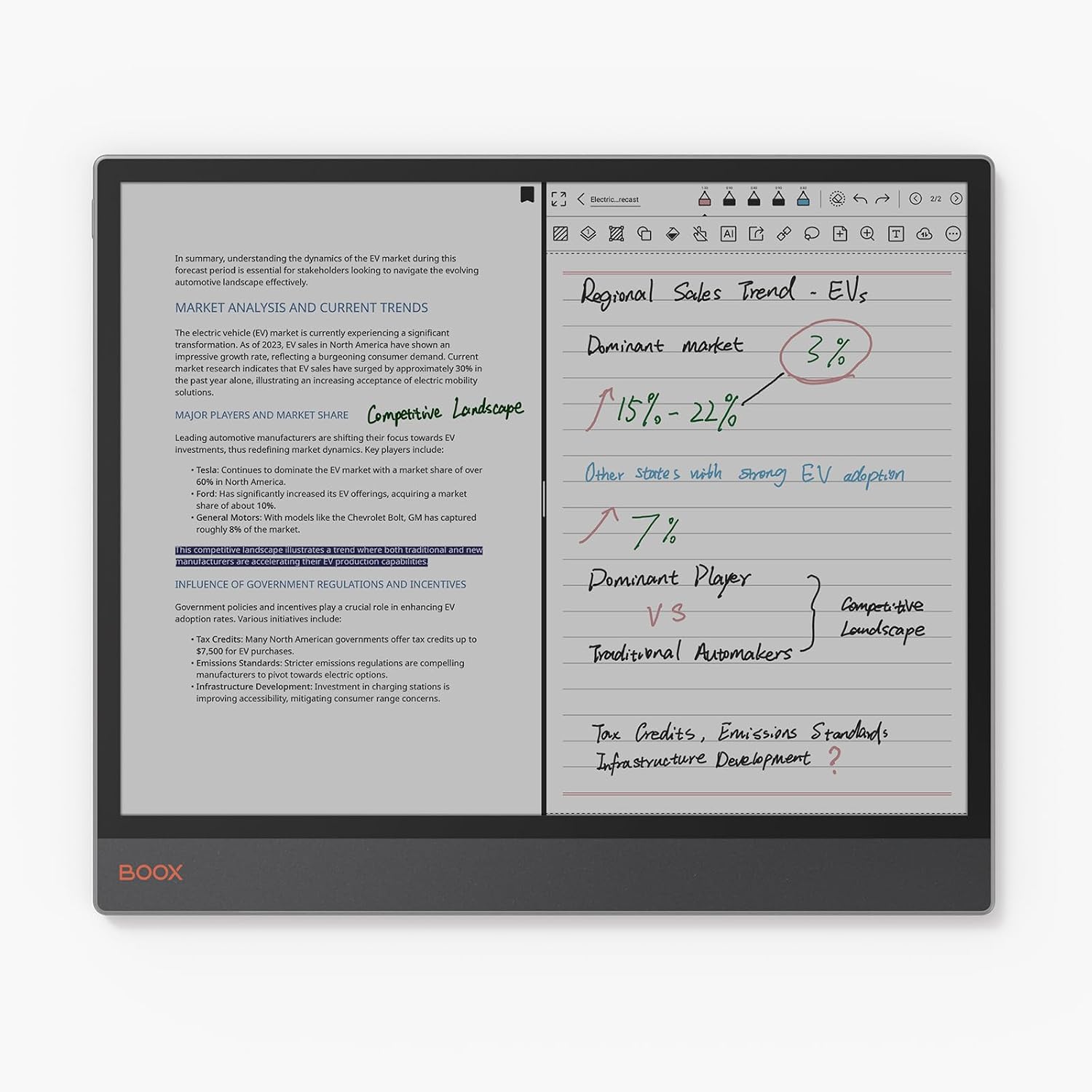
Image: The BOOX Tab X C in split-screen mode, showing a document on one side and handwritten notes on the other.
3.4 Стилусту колдонуу
The included stylus enhances interaction with the tablet, offering a natural writing and drawing experience. It features wireless charging and magnetic attachment for convenience. The tip is durable and replaceable.

Сүрөт: Жакын план view of the BOOX stylus, highlighting its wireless charging, magnetic attachment, and durable, replaceable tip.
3.5 Байланыш
- Wi-Fi: Connect to wireless networks for internet access, app downloads, and cloud synchronization.
- Bluetooth: Pair with Bluetooth accessories such as keyboards, headphones, or external speakers.
- USB OTG: The USB port supports On-The-Go (OTG) functionality, allowing you to connect external storage devices or peripherals.
4. Техникалык тейлөө
4.1 Аппаратты тазалоо
To clean the screen and body of your BOOX Tab X C, use a soft, lint-free cloth. For stubborn smudges, slightly dampen the cloth with water or a screen-cleaning solution specifically designed for electronic displays. Avoid using harsh chemicals or abrasive materials.
4.2 Батареяга кам көрүү
Батареянын иштөө мөөнөтүн узартуу үчүн:
- Батареяны бат-баттан толук кубаттап калуудан алыс болуңуз.
- Аппаратты экстремалдуу температурага дуушар кылбаңыз.
- Заряддоо үчүн берилген USB кабелин колдонуңуз.
4.3 Программалык камсыздоо жаңыртуулары
BOOX provides regular firmware updates to improve performance, add new features, and enhance security. It is recommended to keep your device's software up to date. You can check for updates in the device settings. BOOX commits to at least 3 years of firmware updates for each product.
5. Кыйынчылыктарды
5.1 Жалпы маселелер жана чечимдер
- Түзмөк күйбөй жатат: Батарея заряддалганын текшериңиз. Түзмөктү кубат булагына туташтырыңыз жана кайра аракет кылыңыз.
- Жай аткаруу: Колдонулбаган тиркемелерди жабыңыз, кэшти тазалаңыз же түзмөктү өчүрүп-күйгүзүңүз. Жетиштүү сактагыч орун бар экенин текшериңиз.
- Display ghosting: This is a characteristic of ePaper displays. Adjusting the refresh rate settings or performing a full refresh (if available in settings) can minimize ghosting.
- Wi-Fi/Bluetooth туташуу көйгөйлөрү: Ensure Wi-Fi/Bluetooth is enabled. Restart the device and your router/accessory. Forget and re-add the network/device.
5.2 Заводдук абалга кайтаруу
If you encounter persistent issues, a factory reset may resolve them. Эскертүү: A factory reset will erase all data on your device. Back up important files before proceeding. The option for factory reset is typically found in the device's system settings under "System" or "About Tablet".
6. Техникалык шарттар
| Өзгөчөлүк | Деталь |
|---|---|
| Бренд | BOOX |
| Модель аты | Tab X C |
| Сактоо сыйымдуулугу | 128 ГБ |
| Screen Size | 13.3 дюйм |
| Max Display Resolution | 300 Pixels per inch |
| Операция системасы | Android 13 |
| Орнотулган RAM өлчөмү | 6 ГБ |
| Өзгөчө өзгөчөлүк | USB OTG Support |
| Модель жылы | 2025 |
| Процессор бренди | Qualcomm |
| Процессордун сүрөттөлүшү | Qualcomm Snapdragon |
| Батарея түрү | Литий-ион |
| Батареянын энергия мазмуну | 21.2 Ватт-саат |
| Элемент Салмагы | 625 грамм |
| Өлчөмдөрү (L x W x Y) | 28.7L x 0.5W x 24.3H см |
| Киргизүү ыкмасы | Touchscreen with Stylus |
| Дисплей түрү | Электрондук сыя |
| Screen Resolution | 3990 x 2640 пиксель |
| Аспект катышы | 4:3 |
| Зымсыз технология | Bluetooth, Wi-Fi (802.11ac) |
| Камтылган компоненттер | USB кабели |
7. Кепилдик жана колдоо
7.1 Продукциянын кепилдиги
The BOOX Tab X C comes with an official 2-year warranty. This warranty covers manufacturing defects and ensures your device functions as intended under normal use. Please retain your proof of purchase for warranty claims.
7.2 Кардарларды колдоо
For any questions, technical assistance, or warranty claims, please visit the official BOOX help center. You can submit your inquiries there for prompt support. BOOX aims to respond to requests within 24 hours.
Көбүрөөк маалымат жана ресурстар үчүн, төмөнкү дарекке кириңиз: BOOX Brand Store.