Продукт бүттүview
The Generic XG99PRO Bluetooth Headphones are an innovative open-ear headset designed for comfort and situational awareness. Utilizing bone conduction technology, these headphones transmit sound through your skull, leaving your ear canals open to ambient sounds. This design ensures a secure fit and allows you to remain aware of your surroundings while enjoying audio content.
The headphones come with a compact charging case, providing extended battery life and convenient portability. The robust design is resistant to stains, making it suitable for various environments, including meetings, lectures, and outdoor activities.

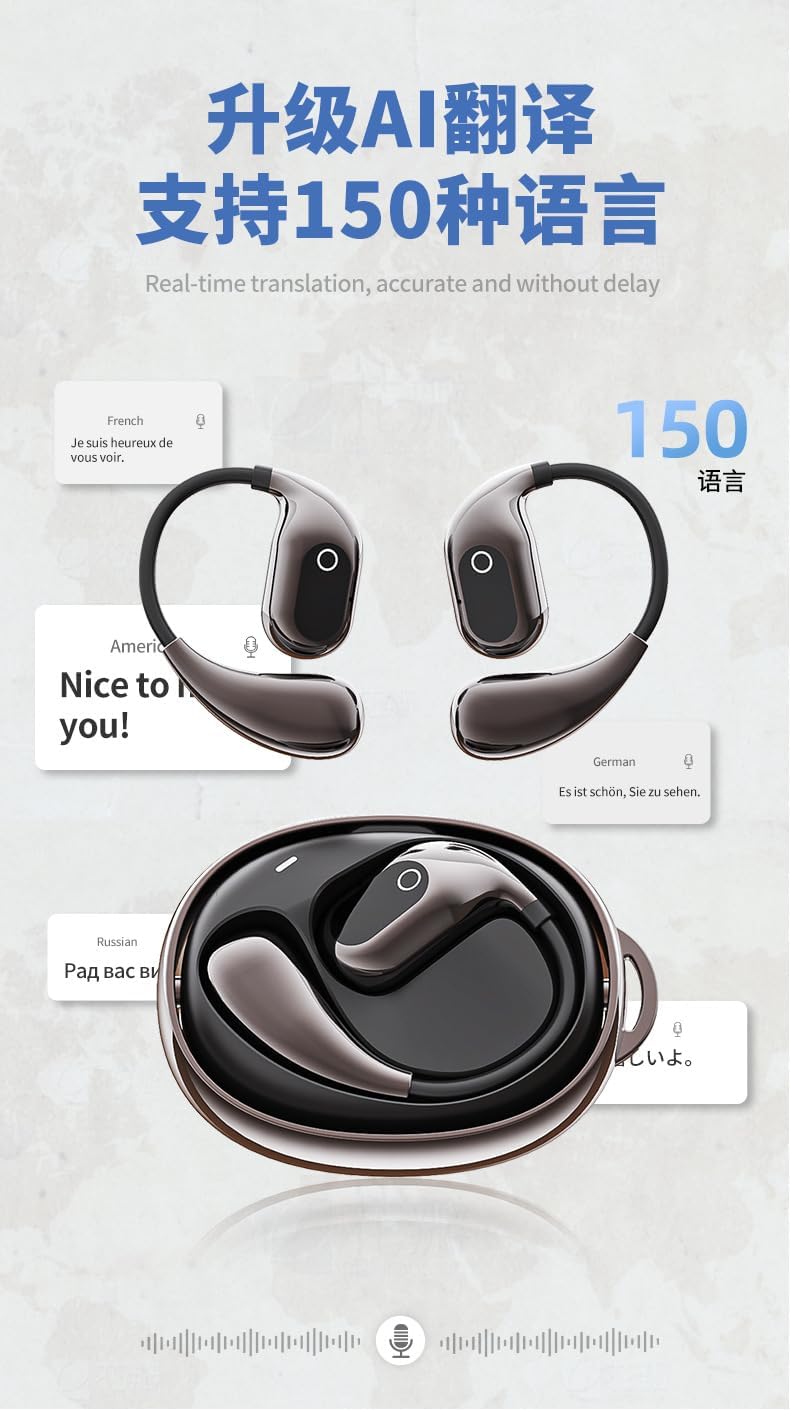
Image: The XG99PRO Bluetooth Headphones, showing both earbuds and the compact charging case. The earbuds feature an over-ear design for a secure fit.
Негизги өзгөчөлүктөрү:
- Comfortable Over-Ear Design: Ergonomically designed to reduce pressure on the ears during prolonged use.
- Safe and Open-Ear Listening: Bone conduction technology keeps ear canals open, allowing awareness of external sounds for increased safety.
- Secure Fit: The ear-hook structure ensures stability, even during intense physical activity.
- Узартылган батареянын иштөө мөөнөтү: The included charging case allows for multiple recharges, providing long-lasting use.
- Суу жана суу өткөрбөйт: Resistant to sweat and light rain, suitable for sports and various weather conditions.
Орнотуу колдонмосу
1. Баштапкы заряддоо
Before first use, ensure the headphones and charging case are fully charged. Place the headphones into the charging case. Connect the charging case to a USB power source using the provided cable. The indicator lights on the case will show charging status.

Image: The XG99PRO headphones securely placed within their charging case, illustrating how they are stored and charged.
2. Түзмөгүңүз менен жупташтыруу
- Ensure the headphones are charged and powered on. They typically enter pairing mode automatically when first removed from the case or when powered on for the first time.
- Смартфонуңузда, планшетиңизде же компьютериңизде Bluetooth жөндөөлөрүнө өтүңүз.
- Bluetooth'ду иштетиңиз жана жеткиликтүү түзмөктөрдү издеңиз.
- Select "XG99PRO" (or similar name) from the list of found devices.
- Туташтырылгандан кийин, ырастоо үнү же индикатор жарыгы ийгиликтүү жупташууну тастыктайт.
3. Наушник тагынуу
Gently place the headphones over your ears, ensuring the bone conduction transducers rest comfortably on your cheekbones, just in front of your ears. Adjust the ear hooks for a secure and comfortable fit. The open-ear design allows for ambient sound awareness.
Сүрөт: жакын план view of the XG99PRO headphones, highlighting their open-ear design and the area where the bone conduction transducers make contact with the user's head.
Иштөө нускамалары
Күйгүзүү/өчүрүү
- Күйгүзүү: Remove headphones from the charging case, or press and hold the multi-function button for 3 seconds.
- Өчүрүү: Place headphones back into the charging case, or press and hold the multi-function button for 5 seconds.
Музыканы ойнотуу
- Ойнотуу/тындыруу: Көп функциялуу баскычты бир жолу басуу.
- Кийинки трек: Оң кулакчындагы көп функциялуу баскычты эки жолу басыңыз.
- Мурунку трек: Сол кулакчындагы көп функциялуу баскычты эки жолу басыңыз.
- Көлөмү: Single press the volume up button.
- Үнүн азайтуу: Single press the volume down button.
Чалууларды башкаруу
- Чалууга жооп берүү/аяктоо: Көп функциялуу баскычты бир жолу басуу.
- Чакырууну четке кагуу: Көп функциялуу баскычты 2 секунд басып туруңуз.
- Үн Жардамчысын жандыруу: Көп функциялуу баскычты үч жолу басыңыз.
Техникалык тейлөө жана кам көрүү
- Тазалоо: Wipe the headphones and charging case with a soft, dry, lint-free cloth. For stubborn dirt, a slightly damp cloth can be used, but ensure no moisture enters any openings. Do not use harsh chemicals or abrasive materials.
- Сактагыч: Колдонбогондо, наушниктерди чаңдан жана бузулуудан коргоо үчүн заряддоо кутучасында сактаңыз. Күн нурунан жана экстремалдык температурадан алыс салкын, кургак жерде сактаңыз.
- Батареяга кам көрүү: Батареянын иштөө мөөнөтүн узартуу үчүн, наушниктерди жана кутучаны бат-баттан толук кубаттап турбаңыз. Аларды дайыма колдонууда болбосо да, үзгүлтүксүз заряддаңыз.
- Суу каршылык: The headphones are sweatproof and resistant to light rain (IPX rating not specified, but generally implies protection against splashes). Do not submerge them in water or expose them to heavy rain. Dry them thoroughly before placing them back in the charging case if they get wet.
Проблемаларды чечүү
| Көйгөй | Мүмкүн себеп | Чечим |
|---|---|---|
| Кулакчындар күйбөйт. | Батарея аз. | Place headphones in the charging case and ensure the case is charged. |
| Түзмөк менен жупташтыруу мүмкүн эмес. | Түзмөктө Bluetooth өчүк; кулакчындар жупташтыруу режиминде эмес; тоскоолдук бар. | Ensure Bluetooth is enabled. Put headphones back in case, then remove to re-enter pairing mode. Move closer to device. Forget device on phone and re-pair. |
| Үн жок же үнү төмөн. | Үн өтө төмөн; кулакчындар туташкан эмес; туура эмес аудио чыгаруу тандалды. | Increase volume on headphones and device. Reconnect headphones. Check device's audio output settings. |
| Заряддоо куту заряддалбай жатат. | Cable or power source issue; dirty charging port. | Башка USB кабелин жана кубат адаптерин колдонуп көрүңүз. Кубаттоо портун акырын тазалаңыз. |
Техникалык шарттар
| Өзгөчөлүк | Деталь |
|---|---|
| Байланыш технологиясы | Зымсыз (Bluetooth 5.4) |
| Камтылган компоненттер | Зымсыз кубаттоо кутусу |
| Элементтердин саны | 2 (Headphones and Case) |
| Өндүрүүчү | Blue and White Wang |
| Элемент моделинин номери | XG99 |
| Дата биринчи жеткиликтүү | 24-апрель, 2025-жыл |
| Келип чыккан өлкө | Кытай |
| Бренд | Жалпы |
| Түс | кара |
| Кулак жайгаштыруу | Ачык кулак |
| Форма фактору | Чыныгы зымсыз |
| Модель аты | arctis_pro (Note: This appears to be a generic placeholder, actual model is XG99PRO/XG99) |
Кепилдик жана колдоо
Specific warranty details for the Generic XG99PRO Bluetooth Headphones are typically provided with your purchase documentation or can be found on the manufacturer's official webсайт. Кепилдик дооматтары үчүн сатып алганыңыздын далилин сактап коюңуз.
For technical support, troubleshooting assistance beyond this manual, or inquiries regarding replacement parts, please refer to the contact information provided by your retailer or visit the official website of the Generic brand.


